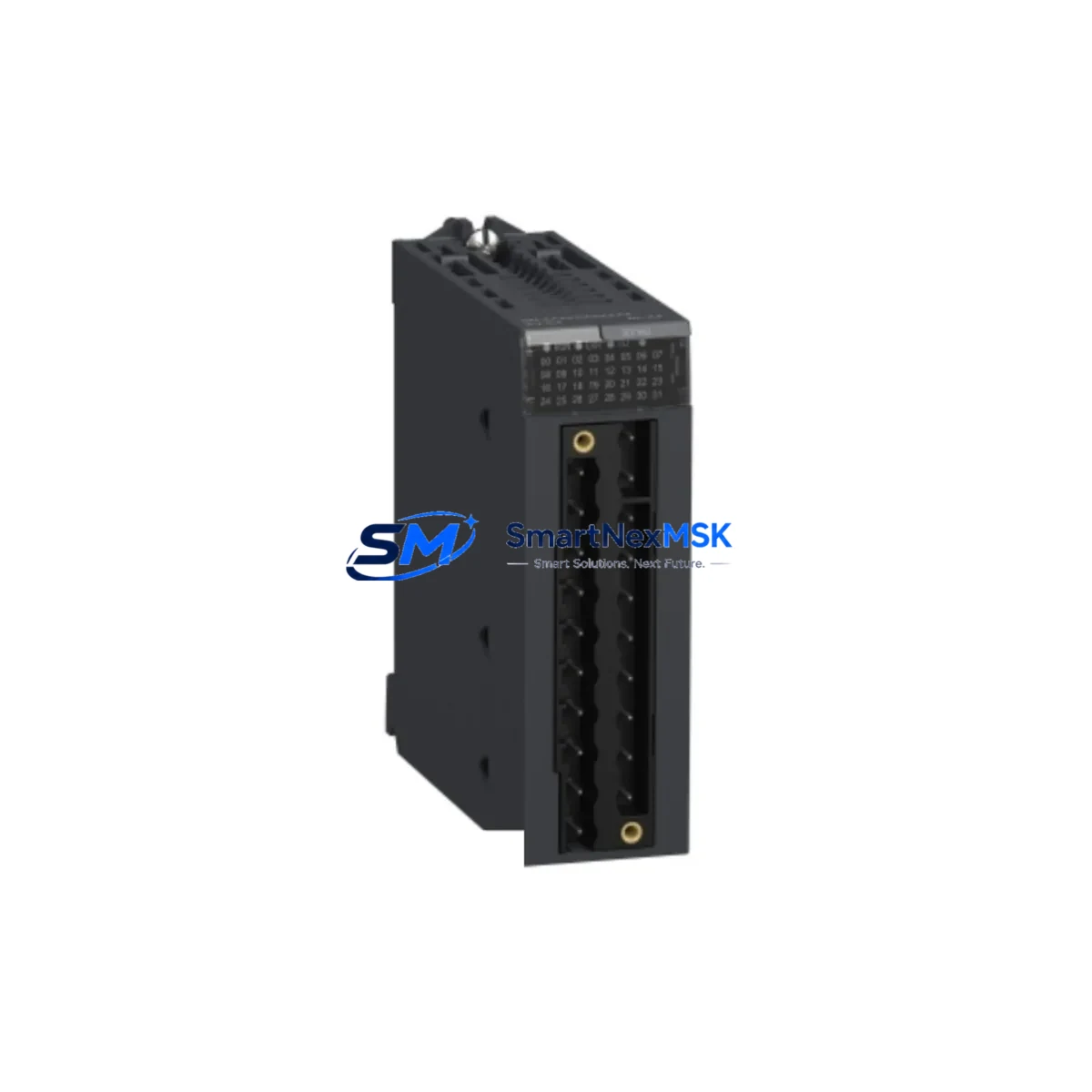
Schneider BMXDDI1602 Retrofit-Ready Digital Input for M340: Compatible Modernization & Smooth Legacy System Upgrade
The Schneider Electric BMXDDI1602 is a 16-channel 24VDC digital input module engineered for the Modicon M340 automation platform. As production lines age and original spare parts become increasingly scarce, the BMXDDI1602 has become one of the most sought-after retrofit solutions for engineers tasked with modernizing legacy control cabinets, replacing discontinued I/O modules, and restoring system availability without a full PLC overhaul. Whether you are migrating from an older Modicon Quantum or TSX Premium platform, expanding an existing M340 rack, or simply replacing a failed input card in a running production environment, the BMXDDI1602 delivers the compatibility, reliability, and verified performance that industrial retrofit projects demand.
Upgrade Compatibility Table
| Parameter | BMXDDI1602 Specification | Retrofit Notes |
|---|---|---|
| Input Channels | 16 x 24VDC Digital Inputs | Direct replacement for same-channel-count legacy DI cards |
| Input Voltage | 24VDC (IEC Type 1 / Type 2) | Verify field wiring voltage before swap; no rewiring required for 24VDC systems |
| Backplane Interface | Modicon M340 BMX rack bus | Compatible with BMXXBP0400, BMXXBP0800, BMXXBP1200 racks |
| Communication Protocol | Modbus TCP / Ethernet (via CPU) | No protocol migration required; integrates with BMXP342020 and BMXP342030 CPUs |
| Module Addressing | Automatic slot-based addressing via Unity Pro / EcoStruxure | Confirm rack slot assignment matches original program I/O mapping |
| Terminal Block | 20-pin removable screw terminal (BMXFTB2000) | Reuse existing terminal block and field wiring; no re-termination needed |
| Installation Format | Snap-on M340 backplane module | Hot-swap capable on supported firmware versions; verify CPU firmware revision |
| Programming Environment | Unity Pro / EcoStruxure Machine Expert | Existing ladder, FBD, or SFC programs remain valid after module swap |
| Replacement Compatibility | Replaces BMXDDI1602H (high-density variant path) | Confirm input filter time settings in software after replacement |
| Commissioning Check | LED status indicators per channel | Verify all 16 channel LEDs during I/O forcing test before handover |
| Warranty | 12-Month Warranty | Covered from date of shipment; includes functional verification before dispatch |
Retrofit Planning for Existing Automation Systems
A successful BMXDDI1602 retrofit begins well before the module arrives on site. The first step is a thorough audit of the existing control cabinet. Engineers should document the current rack layout — noting which slots are occupied by the BMXP342020 CPU, the BMXNOE0100 Ethernet communication module, any BMXDDO1602 digital output modules sharing the same rack, and the BMXAMI0410 analog input cards that may be installed alongside the digital I/O. Understanding the full rack population ensures that the replacement module is inserted into the correct slot and that the Unity Pro hardware configuration file is updated to reflect the physical change before the program is re-downloaded.
Terminal wiring is the next critical checkpoint. The BMXDDI1602 uses the BMXFTB2000 removable screw terminal block, which can be detached from the old module and reattached to the new one without disturbing field wiring. This dramatically reduces the risk of miswiring during the swap and keeps downtime to a minimum. Before removal, photograph or document the existing terminal assignments, cross-referencing them against the original electrical drawings. Pay particular attention to the common (0V) reference wiring and any grouped input commons that may serve multiple field devices simultaneously.
For sites migrating from older Modicon Quantum 140DDI35300 digital input cards or TSX Premium TSXDEY16D2 modules, the BMXDDI1602 represents a forward-compatible upgrade path. While the physical form factor differs, the logical I/O structure within Unity Pro can be remapped with minimal program modification. In many cases, only the hardware configuration section of the Unity Pro project requires updating — the control logic, HMI variable bindings, and SCADA tag references remain intact. If the site uses a Magelis HMIGTO or HMISCU panel connected via Modbus serial or Ethernet, the HMI screen variable addresses should be verified against the new module’s I/O table after the hardware configuration is rebuilt.
Power budget verification is essential when adding or replacing modules in an existing M340 rack. The BMXCPS2000 or BMXCPS3500 rack power supply must have sufficient residual capacity to support the BMXDDI1602’s current draw alongside all other installed modules. Review the power budget calculation in the Unity Pro hardware catalog before finalizing the retrofit plan. If the existing power supply is already near its rated output, consider upgrading to the BMXCPS3500 as part of the same retrofit cycle to future-proof the installation.
Downtime Control During System Migration
Minimizing production downtime during a BMXDDI1602 swap requires a structured pre-outage preparation process. Before the planned maintenance window, the Unity Pro project file should be backed up in full, including the hardware configuration, program logic, symbol table, and all animation table definitions. The existing module’s diagnostic data — including input filter time settings and channel-level fault history — should be exported and retained for reference during commissioning of the replacement unit.
During the outage window, the sequence should follow a defined order: power down the rack (or isolate the slot if hot-swap is supported on the installed firmware), remove the BMXFTB2000 terminal block intact, extract the failed BMXDDI1602, insert the replacement module, reattach the terminal block, and restore power. The Unity Pro hardware configuration should already have been updated offline prior to the outage, so the program download can proceed immediately after power restoration. Channel-by-channel I/O forcing tests using the Unity Pro animation table allow the commissioning engineer to verify each of the 16 input channels against live field signals before releasing the system back to automatic control.
For sites where even a brief outage is unacceptable, a parallel commissioning approach can be used: install the new BMXDDI1602 in a spare rack slot, configure it as a shadow module in the Unity Pro project, verify all channel readings against the original module, and then perform the final cutover during a scheduled micro-outage. This approach is particularly effective in continuous process environments where the M340 controls critical interlock or safety-related input signals. Throughout the migration, the original program logic — including all rung conditions, function block parameters, and derived function block (DFB) instances — remains untouched, preserving the integrity of the control strategy and reducing the risk of introducing new faults during the retrofit.
Retrofit Support FAQ
Q1: Is the BMXDDI1602 a direct drop-in replacement for a failed M340 digital input module?
Yes. The BMXDDI1602 is designed as a native M340 platform module and installs directly into any available slot on a BMXXBP0400, BMXXBP0800, or BMXXBP1200 rack. The BMXFTB2000 terminal block transfers with the field wiring intact, and the Unity Pro hardware configuration update is the only software change required before re-downloading the program.
Q2: Will my existing Unity Pro program need to be rewritten after installing the BMXDDI1602?
No program rewrite is necessary. The control logic, HMI variable bindings, and communication configurations remain valid. Only the hardware configuration section in Unity Pro needs to be refreshed to recognize the replacement module in its assigned rack slot. Input filter time parameters should be re-entered to match the original settings documented during the pre-outage audit.
Q3: How is the BMXDDI1602 tested before shipment?
Every BMXDDI1602 unit supplied by SMARTNEXMSK undergoes functional verification prior to dispatch. This includes power-on self-test confirmation, channel-level input signal testing across all 16 channels, and visual inspection of the backplane connector and terminal block interface. Units are shipped with original or equivalent packaging to prevent transit damage, and each order is accompanied by a test record. All units are covered by a 12-month warranty from the date of shipment.
Q4: Can the BMXDDI1602 be used to replace input modules from older Modicon platforms such as the Quantum or Premium series?
The BMXDDI1602 is physically and electrically specific to the Modicon M340 platform and cannot be installed directly into a Quantum or Premium rack. However, it is the correct target module when migrating a Quantum or Premium control system to the M340 platform. In such migration projects, the Unity Pro hardware configuration is rebuilt from scratch for the M340 architecture, and the existing control logic is imported and validated within the new hardware context. SMARTNEXMSK can advise on the full module-level mapping between legacy Quantum or Premium I/O cards and their M340 equivalents upon request.
© 2026 SMARTNEXMSK. All rights reserved.
Original Source: https://smartnexmsk.com
Contact: [email protected] | +86 18259474341