
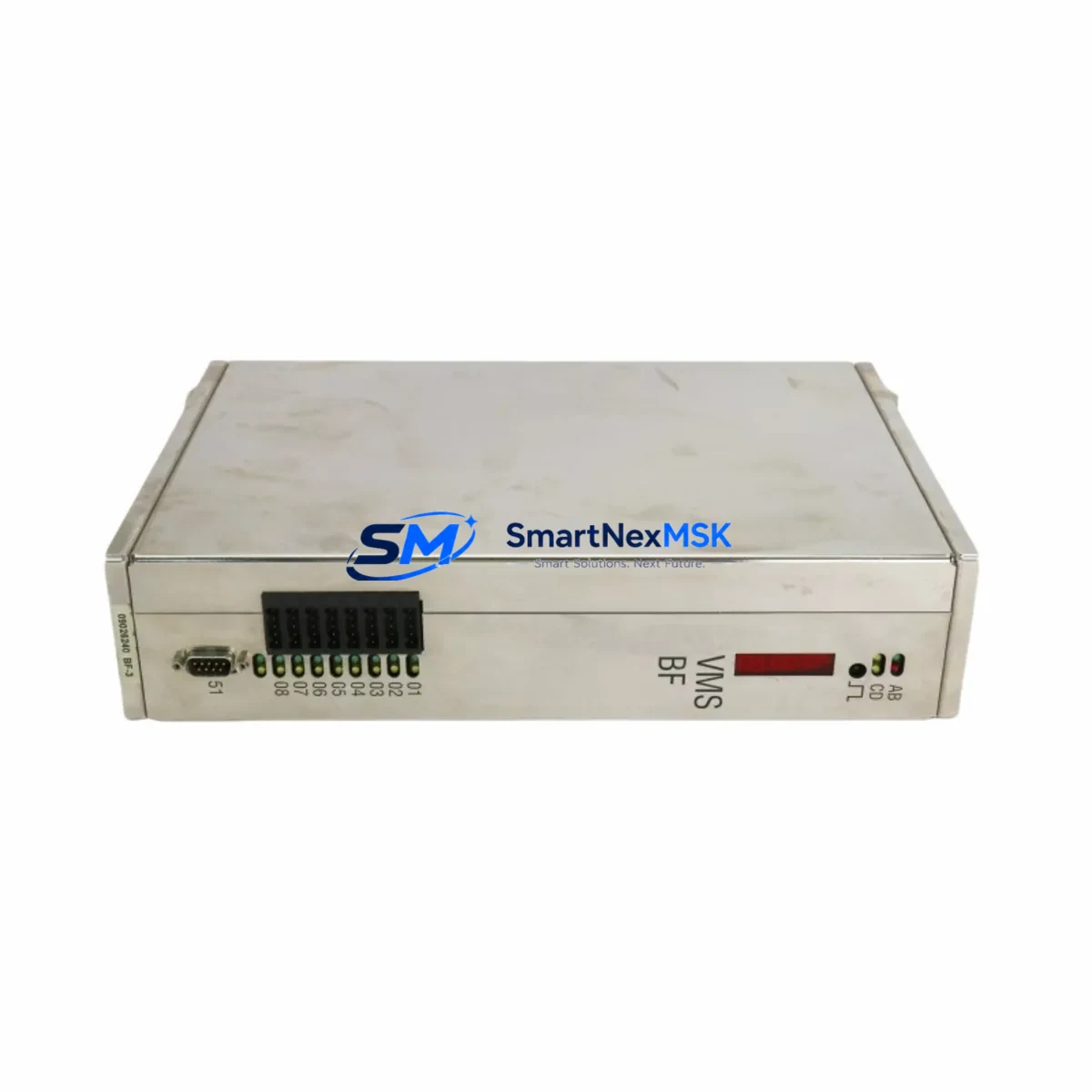
SCHUBERT 09026240 Retrofit-Ready Control Module for VMS BF Series: Seamless Legacy System Upgrade
The SCHUBERT 09026240 (BF3-UNI3) is a universal control module engineered for the VMS BF series packaging and automation control platform. As SCHUBERT continues to evolve its control architecture, many facilities running legacy VMS BF lines face the challenge of sourcing reliable replacement modules for aging control cabinets. The 09026240 remains one of the most sought-after retrofit components for operators maintaining SEC-4400MC-UC and CPASC1-based systems, offering a verified drop-in upgrade path without requiring full line requalification.
Whether your facility is managing a planned modernization or responding to an unplanned module failure, the 09026240 provides the functional continuity needed to restore production with minimal disruption. Our stock is sourced from authorized channels, individually tested prior to shipment, and covered by a 12-month warranty against manufacturing defects.
Upgrade Compatibility Table
| Parameter | Details |
|---|---|
| Part Number | 09026240 (BF3-UNI3) |
| Compatible Series | VMS BF, SEC-4400MC-UC, CPASC1 control platforms |
| Module Function | Universal control interface module — operator panel bus communication and I/O coordination |
| Backplane Interface | VMS BF series rack — verify slot position and bus connector alignment before installation |
| Power Supply Requirement | 24 VDC nominal; confirm cabinet PSU capacity before hot-swap or cold replacement |
| Communication Compatibility | Compatible with SCHUBERT internal fieldbus; verify firmware revision matches host controller |
| Terminal Wiring | Refer to original VMS BF wiring diagram; terminal block layout unchanged from legacy BF3 series |
| Replacement Recommendation | Direct replacement for failed or end-of-life BF3-UNI3 modules; no hardware modification required |
| Commissioning Notes | Re-address module after installation; validate HMI screen mapping and I/O tag assignments |
| Warranty | 12 months from date of shipment — covers manufacturing defects and functional failure |
Retrofit Planning for Existing Automation Systems
Integrating the SCHUBERT 09026240 into an existing VMS BF control cabinet requires a structured approach to avoid configuration drift and unplanned downtime. Before beginning the swap, engineers should document the current module address assignments across the backplane rack. In a typical VMS BF installation, the BF3-UNI3 shares the rack with companion modules such as the SCHUBERT BF3-ANA analog input module, the BF3-DIG digital I/O expansion card, and the VMS power supply unit — all of which must remain powered and addressed correctly during the replacement sequence.
Terminal wiring on the 09026240 follows the standard BF3 series connector layout. Before disconnecting the original module, photograph or log all terminal connections, particularly the 24 VDC supply lines and the fieldbus signal pair. If the cabinet also houses a SCHUBERT CP-series communication processor or a PROFIBUS DP interface card, confirm that the fieldbus segment remains intact during the module swap to avoid triggering a communication fault on the host PLC or SCADA system.
For facilities running HMI panels linked to the VMS BF platform — such as SCHUBERT operator terminals or third-party panels mapped to VMS I/O tags — it is essential to verify that screen object bindings remain valid after the module is re-addressed. In some retrofit scenarios, the HMI project file must be updated to reflect the new module’s logical address, particularly if the replacement unit is installed in a different rack slot than the original.
Where the control system includes a SCHUBERT motion controller or servo drive coordinator integrated via the VMS backplane, the 09026240 retrofit should be validated against the existing motion program to confirm that axis enable signals and fault relay outputs are correctly mapped. Programming cables compatible with the SCHUBERT service interface — typically a USB-to-RS232 adapter with the appropriate VMS BF driver — should be on hand during commissioning to allow live parameter verification and fault log review.
I/O expansion requirements should also be assessed at the planning stage. If the legacy system relied on a BF3-UNI3 configured for extended I/O addressing, the replacement 09026240 must be configured to match the original I/O map before the line is restarted. Failure to replicate the original address structure will result in I/O mismatch faults that can prevent the control program from entering run mode.
Downtime Control During System Migration
Minimizing production downtime during a VMS BF module replacement begins with pre-staging. Before the maintenance window opens, the replacement 09026240 should be bench-tested using a SCHUBERT service tool or compatible programming interface to confirm firmware version compatibility with the host controller. If the host system runs a specific firmware build — common in long-running SEC-4400MC-UC installations — the replacement module must match or be updated to the required revision before installation.
The original control program logic stored in the host PLC or VMS controller is not affected by a BF3-UNI3 module swap, provided the module address is correctly restored. Engineers should back up the full controller project — including all function block diagrams, I/O configuration tables, and HMI variable lists — before beginning any hardware change. This backup serves as the recovery baseline if commissioning reveals unexpected behavior after the swap.
To maintain field control continuity during the transition, consider placing the affected control zone in manual override mode before removing the failed module. This prevents the control program from generating cascade faults on downstream equipment — such as conveyor drives, pneumatic actuators, or vision system triggers — that depend on outputs from the BF3-UNI3. Once the 09026240 is installed and addressed, restore automatic mode zone by zone, verifying each I/O group before proceeding to the next.
Post-installation, a structured functional test should confirm that all digital inputs, analog signals, and communication links are operating within specification. Document the commissioning results and update the cabinet’s maintenance log with the new module’s serial number and installation date. All units supplied by SMARTNEXMSK are shipped with a pre-dispatch functional test report and are covered by a 12-month warranty from the date of shipment.
Retrofit Support FAQ
Q: Is the SCHUBERT 09026240 a direct replacement for the original BF3-UNI3 without hardware modification?
A: Yes. The 09026240 is the standard part number for the BF3-UNI3 universal control module and installs directly into the VMS BF backplane rack without requiring hardware modification. Module address configuration must be set to match the original unit after installation.
Q: What wiring checks are required before installing the replacement module?
A: Verify the 24 VDC supply voltage at the rack connector, confirm fieldbus signal polarity, and cross-reference all terminal connections against the original VMS BF wiring diagram. Do not power the module until all terminal connections have been verified against the documented baseline.
Q: How do I confirm firmware compatibility between the 09026240 and my existing VMS BF host controller?
A: Connect the module to a SCHUBERT-compatible service interface before installation and read the firmware version using the VMS BF diagnostic tool. Compare this against the firmware revision recorded in your system’s maintenance log. If a mismatch is detected, contact our technical support team — firmware update guidance is included with every unit shipped.
Q: What does the 12-month warranty cover, and what is the claims process?
A: The 12-month warranty covers manufacturing defects and functional failure under normal operating conditions. To initiate a warranty claim, contact [email protected] with the unit serial number, purchase order reference, and a description of the fault. Replacement or repair will be arranged within the warranty period at no additional cost.
© 2026 SMARTNEXMSK. All rights reserved.
Original Source: https://smartnexmsk.com
Contact: [email protected] | +86 18259474341