
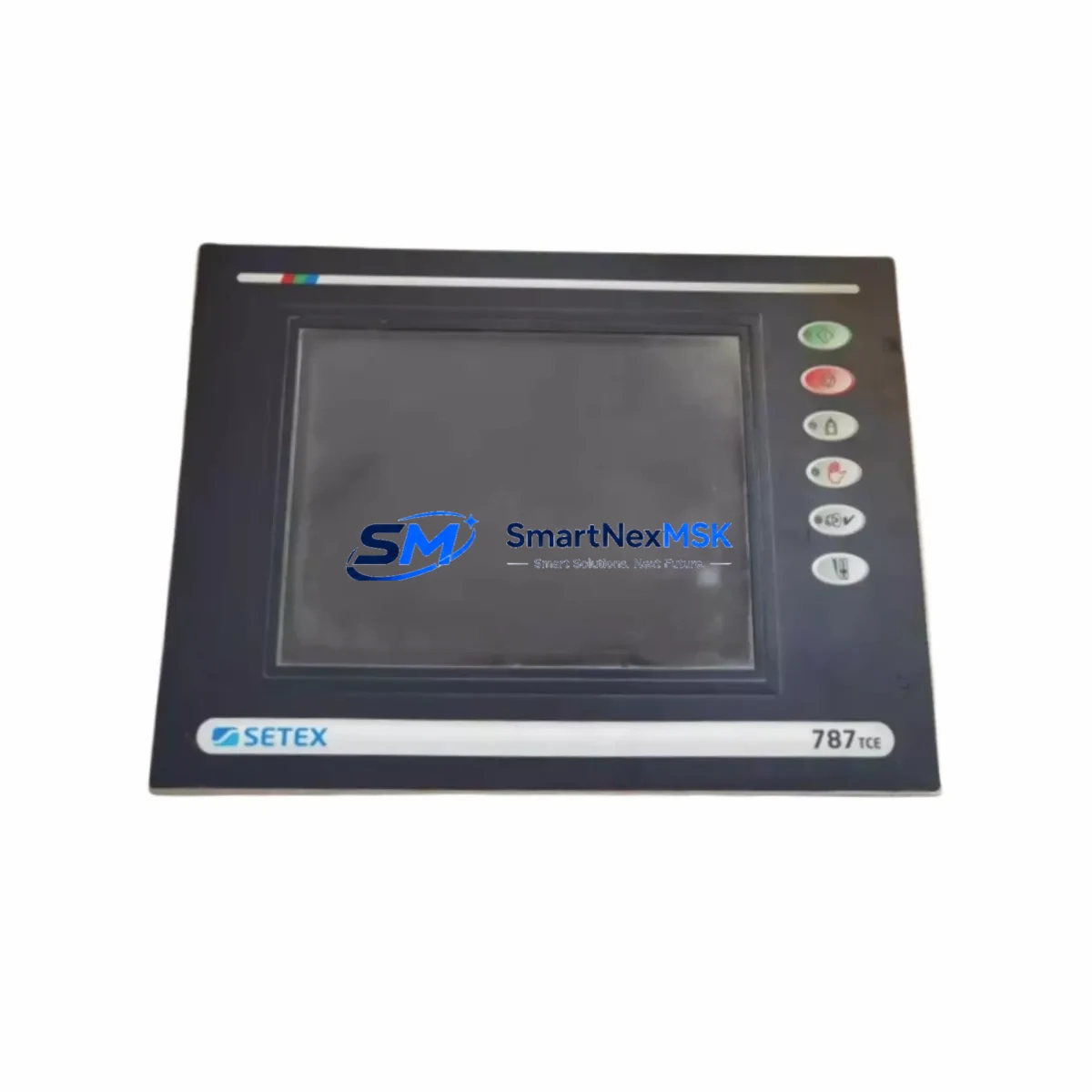
SECOM 787TCE Maintenance-Ready Spare for 787 Series Automation
The SECOM 787TCE is an original HMI input panel designed for the 787 Series industrial automation and control systems. For maintenance engineers managing aging control cabinets, unplanned HMI failures represent one of the highest-risk downtime events on the plant floor. Sourcing a verified, original-spec 787TCE spare — pre-tested and ready for immediate installation — is the most reliable strategy to restore operator visibility and resume production with minimal disruption.
This unit is supplied as a direct replacement for worn, damaged, or end-of-life 787TCE panels in service across process control, discrete manufacturing, and utility automation environments. Each unit undergoes functional verification prior to dispatch and is backed by a 12-month warranty, giving procurement and maintenance teams confidence in both quality and long-term supply continuity.
Spare Maintenance Table
| Parameter | Specification / Detail |
|---|---|
| Part Number / SKU | 787TCE |
| Brand | SECOM |
| Series | 787 Series |
| Product Type | HMI Input Panel |
| Application | Industrial HMI operator interface, control cabinet front panel |
| Compatibility | SECOM 787 Series control systems; verify panel cutout dimensions and connector pinout before installation |
| Origin | China (CN) |
| Weight | 300 g (approx.) |
| Installation Environment | Indoor industrial enclosures; standard control cabinet mounting |
| Maintenance Recommendation | Inspect membrane overlay, connector integrity, and backlight function at each scheduled PM cycle |
| Warranty | 12 Months — functional defects covered from date of dispatch |
| Supply Condition | Original spare, functionally tested prior to shipment |
Maintenance Planning for Continuous Operation
When a SECOM 787TCE HMI input panel reaches end of service life or fails unexpectedly, the replacement scope rarely ends at the panel itself. A thorough maintenance engineer will use the downtime window to inspect and, where necessary, replace adjacent components that share the same electrical circuit or control cabinet space.
Begin with the 787 Series power supply module — HMI panel failures are frequently preceded by supply voltage instability or ripple that degrades the panel’s internal logic. Confirm that the DC bus voltage is within specification before commissioning the replacement 787TCE. At the same time, inspect the 24 VDC terminal block assemblies feeding the panel; loose or corroded terminals are a common root cause of intermittent HMI faults that are misdiagnosed as panel failures.
The 787 Series CPU or controller module communicates with the HMI panel via a dedicated serial or fieldbus interface. Verify that the communication cable — typically a shielded RS-232, RS-485, or proprietary ribbon connector — is undamaged and properly seated. A faulty cable will prevent the replacement panel from initialising correctly and may be mistaken for a defective spare. If the system uses a 787 Series communication gateway or protocol converter, confirm firmware compatibility with the replacement panel revision.
For cabinets that also house 787 Series I/O expansion modules, this is an appropriate time to check DIN rail mounting integrity, I/O wiring terminations, and any associated signal isolators or signal conditioners on analog input channels. Degraded signal isolation can introduce noise that affects HMI display accuracy even after a successful panel swap. Similarly, inspect any relay output modules in the same cabinet — contact wear on output relays is often concurrent with HMI wear in high-cycle applications.
If the 787 Series system includes a remote I/O rack or distributed I/O node, verify that the node’s status LEDs are normal after the HMI replacement and that no communication faults have been latched. Finally, check the cabinet’s fuse holders and miniature circuit breakers protecting the HMI supply circuit — a blown fuse is sometimes the actual cause of an apparent HMI failure, and replacing the fuse alongside the panel prevents repeat callouts.
Maintaining a small buffer stock of the 787TCE alongside complementary spares — power supply, communication cable, I/O module, and terminal block sets — is the most cost-effective strategy for sites where the 787 Series remains the primary control platform.
Site Replacement Workflow
Step 1 — Isolation and documentation: De-energise the control cabinet following site LOTO procedures. Photograph the existing 787TCE panel wiring, connector positions, and any parameter labels before removal. This documentation is critical for systems where operator-customised overlays or parameter stickers are present.
Step 2 — Panel removal: Disconnect all connectors from the rear of the 787TCE in sequence. Remove the panel retaining hardware (typically M3 or M4 screws at the four corners of the panel cutout). Retain all hardware for reuse unless replacement fasteners are supplied.
Step 3 — Compatibility verification: Before installing the replacement 787TCE, confirm that the panel cutout dimensions, connector types, and firmware or hardware revision are compatible with the host system. Where the original panel carried a specific hardware revision suffix, match this to the replacement unit’s label.
Step 4 — Installation and power-up: Seat the replacement 787TCE into the panel cutout, secure the retaining hardware to the specified torque, and reconnect all cables in reverse removal order. Re-energise the cabinet and observe the panel initialisation sequence. Confirm that communication with the 787 Series controller is established and that all operator screens load correctly.
Step 5 — Functional test and handover: Exercise all operator inputs, confirm alarm and status displays, and verify any analogue bargraph or trend displays against known process values. Document the replacement in the site maintenance log, including the new unit’s serial number and the date of installation. This record supports warranty claims and future spare planning.
Spare Parts Support FAQ
Q1: Is the 787TCE supplied as a new original spare or a refurbished unit?
All 787TCE units are supplied as original spare parts. Each unit is functionally tested prior to dispatch to verify HMI display, input response, and communication interface operation. A 12-month warranty covers functional defects from the date of shipment.
Q2: How do I confirm compatibility between the replacement 787TCE and my existing 787 Series system?
Provide your existing panel’s full part number including any hardware revision suffix, and the firmware version of your 787 Series controller. Our technical team will cross-reference these against available stock and confirm compatibility before the order is processed. Where a direct match is not available, we will advise on the nearest compatible revision.
Q3: What is the typical lead time and how is the unit packaged for shipment?
In-stock units are dispatched within 1–3 business days. Each 787TCE is individually packaged in anti-static foam with a protective outer carton. Express international shipping is available for urgent maintenance requirements. Tracking information is provided at the time of dispatch.
Q4: Can you support long-term or scheduled spare parts supply for the 787 Series platform?
Yes. We support B2B procurement teams with scheduled supply agreements, consignment stock arrangements, and multi-unit orders for sites running multiple 787 Series installations. Contact our sales team to discuss volume pricing, reserved stock, and annual supply contracts aligned to your planned maintenance schedule.
© 2026 SMARTNEXMSK. All rights reserved.
Original Source: https://smartnexmsk.com
Contact: [email protected] | +86 18259474341