
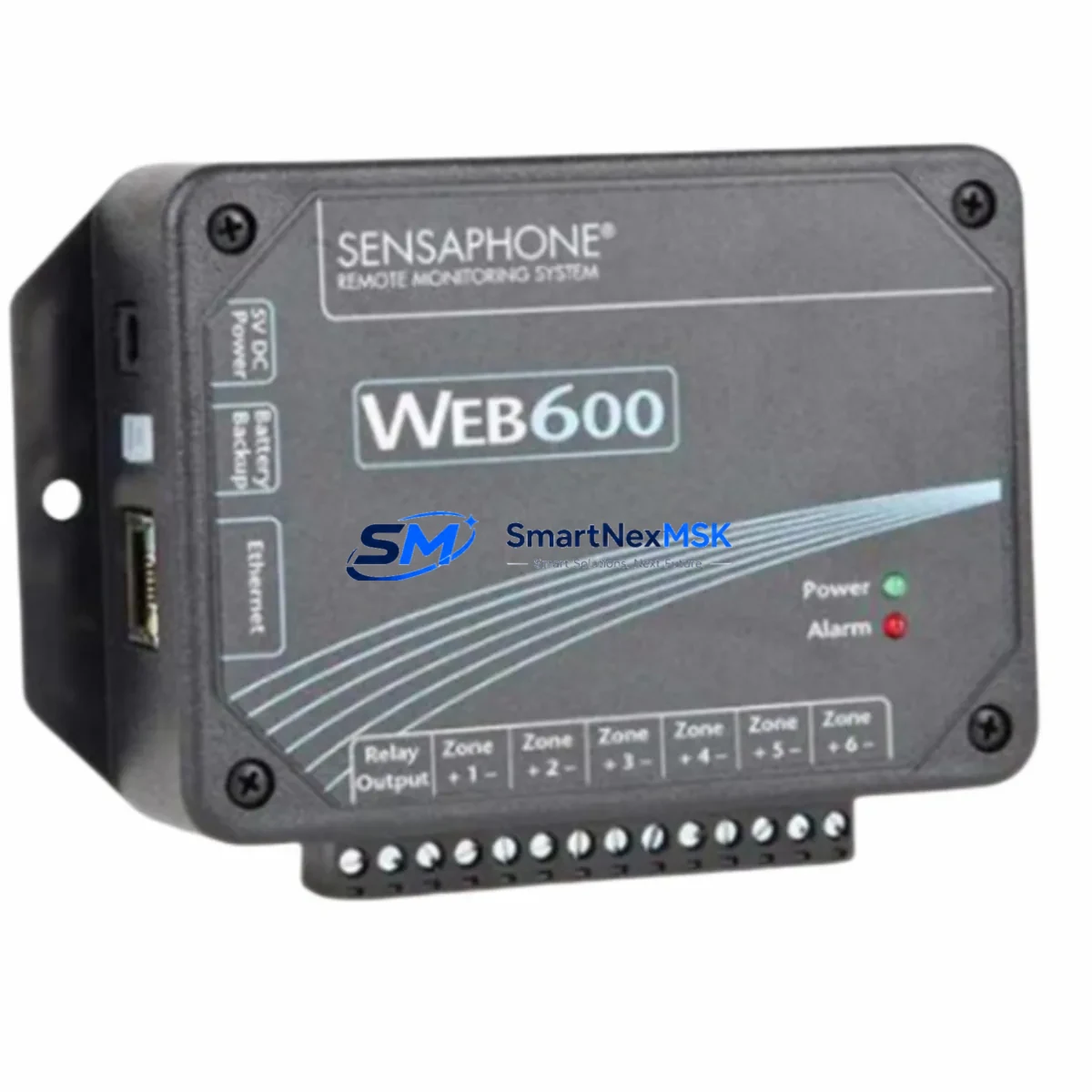
Sensaphone WEB600 FGD-W600 Retrofit-Ready Remote Monitor for WEB600 Series Control Systems
The Sensaphone WEB600 FGD-W600 is a web-based remote monitoring unit engineered for seamless integration into existing WEB600 Series infrastructure. Whether you are replacing a failed unit, upgrading an aging monitoring node, or modernizing a legacy environmental control network, the FGD-W600 delivers a verified drop-in retrofit path with minimal reconfiguration. This unit supports the same physical mounting footprint, power input range, and Ethernet-based communication architecture as the original WEB600 platform, making it the preferred choice for facilities managers and automation engineers who need to restore system continuity without redesigning their monitoring topology.
Industrial environments that rely on the WEB600 Series for temperature, humidity, power, and contact-closure monitoring can transition to the FGD-W600 with confidence. The unit ships fully tested against factory specifications and is backed by a 12-month warranty covering both hardware and firmware integrity.
Upgrade Compatibility Table
| Parameter | Original WEB600 | FGD-W600 Retrofit Unit |
|---|---|---|
| Form Factor | DIN-rail / panel mount | Identical DIN-rail / panel mount |
| Power Input | 12–24 VDC or 120/240 VAC (model dependent) | Compatible with same power supply range |
| Communication Interface | 10/100 Ethernet (RJ-45) | 10/100 Ethernet (RJ-45) — direct replacement |
| Analog Inputs | Up to 8 universal analog inputs | Up to 8 universal analog inputs — no rewiring |
| Digital / Contact Inputs | Supported | Supported — existing field wiring retained |
| Relay Outputs | Supported | Supported — same terminal mapping |
| Web Interface | Built-in HTTP server | Built-in HTTP server — browser-accessible |
| Alarm Notification | Email, voice dial-out | Email, voice dial-out — configuration portable |
| Firmware Compatibility | WEB600 firmware branch | Compatible firmware — field-upgradeable |
| Installation Requirement | Standard panel cutout | No new cutout required |
| Commissioning | Browser-based setup wizard | Same browser-based wizard — settings importable |
| Warranty | — | 12-Month Warranty (hardware + firmware) |
Retrofit Planning for Existing Automation Systems
A successful FGD-W600 retrofit begins with a thorough audit of the existing WEB600 installation. Before removing the legacy unit, engineers should document all analog input channel assignments, sensor types (thermistor, 4–20 mA, 0–5 VDC, or dry contact), and alarm threshold configurations stored in the original unit’s web interface. Exporting the configuration file from the outgoing WEB600 unit — if the unit is still partially functional — significantly reduces recommissioning time on the replacement FGD-W600.
On the power side, verify that the existing 24 VDC power supply or AC adapter feeding the WEB600 enclosure meets the FGD-W600’s input requirements. In many legacy control cabinets, the power supply is shared with other monitoring components such as a Sensaphone 400 or Sensaphone 1400 unit, so confirming available current headroom before hot-swapping is essential. If the cabinet also houses a Sensaphone IMS-4000 host unit or an IMS-4840 environmental monitoring module, ensure that the network switch or hub serving the Ethernet backbone has a free port and that IP address assignments are updated in the facility’s DHCP reservation table or static IP plan.
Terminal wiring on the FGD-W600 follows the same screw-terminal layout as the original WEB600, so existing field cables — including thermocouple extension wire, RTD leads, and contact-closure wiring from door switches or generator run contacts — can be reconnected without re-labeling or re-routing. For sites that use a Sensaphone FGD-0026 or FGD-0027 external temperature/humidity probe, the probe connector and signal conditioning are fully compatible with the FGD-W600 input channels.
If the facility’s monitoring network includes a Sensaphone WSG30 wireless sensor gateway or a Sensaphone 2800 dialup unit operating in parallel, the FGD-W600 can coexist on the same LAN segment without protocol conflicts. Communication between the FGD-W600 and upstream SCADA or BMS platforms via Modbus TCP or SNMP traps should be re-validated after replacement, as IP address changes will require corresponding updates in the polling configuration of the supervisory system. Sites running a Sensaphone IMS-1000 or IMS-4000 as the primary alarm aggregator should also update the device list within the IMS management interface to reflect the new FGD-W600 MAC address and hostname.
All units supplied by SMARTNEXMSK are pre-tested prior to shipment. Each FGD-W600 undergoes power-on verification, input channel calibration check, Ethernet connectivity test, and alarm relay actuation test before packaging. Units are shipped with original or equivalent accessories and are covered by a 12-month warranty from the date of invoice.
Downtime Control During System Migration
Minimizing unplanned downtime during a WEB600 Series replacement requires a structured parallel-commissioning approach. Where site conditions permit, the replacement FGD-W600 should be powered and configured on a bench or temporary panel position before the legacy unit is taken offline. Using the browser-based setup wizard, engineers can pre-load all sensor channel definitions, alarm thresholds, notification recipient lists, and network parameters into the new unit while the original WEB600 continues to monitor the facility.
Once the FGD-W600 configuration is verified on the bench — including a live alarm test using a simulated out-of-range input — the cutover window can be reduced to the physical swap time: disconnecting the Ethernet cable and terminal wiring from the old unit and reconnecting to the new one. In most installations this physical swap takes under 15 minutes, keeping the monitoring gap well within acceptable limits for facilities with documented maintenance windows.
For sites where the WEB600 is integrated into a larger building management or environmental compliance system, coordinate the cutover with the BMS operator to suppress nuisance alarms during the swap interval. After reconnection, confirm that the FGD-W600 is receiving valid readings on all active input channels, that alarm notifications are routing correctly to all configured recipients, and that any upstream SCADA polling is returning valid data before closing the maintenance record. Retaining the original WEB600 unit — even if non-functional — for a 30-day period after cutover provides a reference for wiring documentation and firmware version history.
Retrofit Support FAQ
Q: Is the FGD-W600 a direct drop-in replacement for all WEB600 Series variants?
A: The FGD-W600 is designed as a functional replacement for the WEB600 platform. Physical mounting, terminal layout, and Ethernet interface are compatible. Customers should verify the specific power input variant (DC vs. AC) of their existing installation before ordering to ensure the correct power configuration is selected.
Q: Can I import my existing WEB600 configuration into the FGD-W600?
A: Yes. If the outgoing WEB600 unit is still accessible via its web interface, export the configuration backup file and import it into the FGD-W600 during initial setup. This preserves channel names, alarm thresholds, and notification settings, significantly reducing recommissioning time.
Q: What testing is performed before shipment?
A: Every FGD-W600 unit supplied by SMARTNEXMSK undergoes power-on verification, input channel calibration check, Ethernet connectivity test, and alarm relay actuation test. A test report is available upon request. All units are covered by a 12-month warranty from the invoice date.
Q: What if my field wiring uses non-standard sensor types or legacy probe connectors?
A: The FGD-W600 supports universal analog inputs configurable for thermistor, 4–20 mA, 0–5 VDC, and dry-contact signals. For legacy Sensaphone probes such as the FGD-0026 temperature probe or FGD-0027 temperature/humidity probe, compatibility is maintained. For non-standard sensor types, contact our technical team at [email protected] prior to ordering for a compatibility assessment.
© 2026 SMARTNEXMSK. All rights reserved.
Original Source: https://smartnexmsk.com
Contact: [email protected] | +86 18259474341