
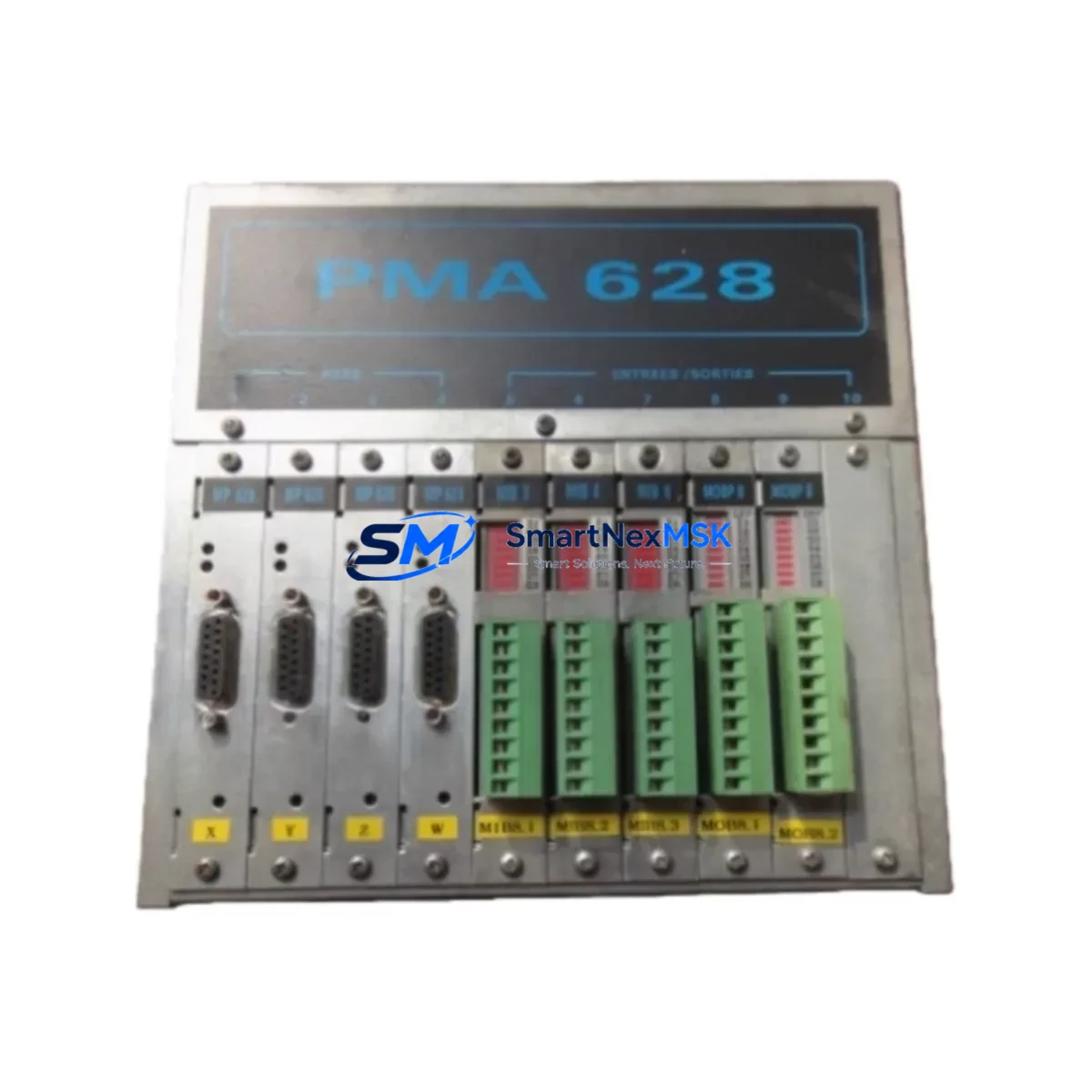
Serad PMA 628 Retrofit-Ready Motion Controller for PMA Series Control Systems
The Serad PMA 628 is a multi-axis motion controller engineered for seamless integration into existing PMA Series automation architectures. As legacy PMA Series controllers reach end-of-life or become increasingly difficult to source, the PMA 628 provides a verified, wiring-compatible upgrade path that minimizes engineering rework and eliminates the need for full control cabinet redesigns. Whether you are replacing a failed unit on an active production line or executing a planned modernization of an aging motion control platform, the PMA 628 delivers the performance, protocol compatibility, and physical form factor required for a controlled, low-risk retrofit.
Industrial facilities operating older Serad PMA Series systems frequently encounter challenges when sourcing discontinued spare parts. The PMA 628 addresses this directly by maintaining backward compatibility with the PMA Series backplane interface and terminal wiring conventions. Engineers familiar with the original PMA Series programming environment will find the PMA 628 transition straightforward, as the controller retains support for the same motion function blocks, axis configuration parameters, and encoder feedback interfaces used in predecessor models.
Upgrade Compatibility Table
| Parameter | PMA 628 (Replacement) | Legacy PMA Series |
|---|---|---|
| Backplane Interface | PMA Series compatible slot | PMA Series rack |
| Axis Support | Up to 8 axes | 4–8 axes (model dependent) |
| Communication Protocol | PROFIBUS-DP, RS-232, RS-485 | PROFIBUS-DP, RS-232 |
| Encoder Input | Incremental / SSI | Incremental / SSI |
| Power Supply Requirement | 24 VDC (via backplane) | 24 VDC (via backplane) |
| Terminal Wiring | Compatible with existing harness | Original PMA wiring |
| Programming Environment | Serad PMA Tool / IEC 61131-3 | Serad PMA Tool |
| Firmware Upgrade | Supported via RS-232 | Limited / EOL |
| Replacement Recommendation | Direct drop-in for most PMA variants | — |
| Commissioning Focus | Axis address mapping, encoder scaling | — |
| Warranty | 12 Months | — |
Retrofit Planning for Existing Automation Systems
A successful PMA 628 retrofit begins well before the physical swap. Start by auditing the existing control cabinet layout to confirm rack slot availability and backplane bus integrity. The PMA Series rack accommodates the PMA 628 without mechanical modification in most configurations, but engineers should verify that the Serad PMA power supply module — typically a 24 VDC regulated unit — can sustain the additional current draw if multiple axes are being re-enabled simultaneously.
Terminal wiring from the existing servo drive interface, limit switch inputs, and encoder feedback cables should be documented and photographed before disconnection. The PMA 628 preserves the same terminal block pinout as its predecessors, so in most cases the existing wiring harness can be reconnected directly. However, if the installation includes a Serad PMA analog output module for velocity reference signals or a Serad PMA digital I/O expansion module for auxiliary machine interlocks, verify that these peripheral modules are addressed correctly in the new controller’s axis configuration table.
For systems communicating over PROFIBUS-DP, the PMA 628 must be assigned the correct station address to match the existing PLC master — typically a Siemens S7-300 or S7-400 CPU acting as the DP master. Confirm the GSD file version is compatible with your PROFIBUS configuration tool before going online. If the legacy system used RS-232 point-to-point communication to an HMI panel — such as a Siemens TP177 or a Weintek MT series HMI — verify that the baud rate, parity, and data frame settings in the HMI communication driver match the PMA 628 serial port defaults.
Motion program files stored on the original PMA controller should be exported and archived before decommissioning. The PMA 628 accepts program uploads via the Serad PMA Tool software over RS-232. After loading the program, perform a dry-run simulation with servo drives disabled to verify that all axis motion profiles, cam tables, and synchronization sequences execute correctly before re-enabling the drive enable signals. If the system includes a Serad PMA programming cable (USB-to-RS-232 adapter with proprietary driver), ensure the cable and driver are available on the commissioning laptop before site work begins.
Downtime Control During System Migration
Minimizing unplanned downtime during a PMA 628 installation requires a structured pre-commissioning checklist executed offline. Before powering down the existing system, export all axis parameters, cam profiles, and I/O mapping tables from the running PMA controller. Back up the HMI project files and document all active PROFIBUS node addresses and baud rate settings. Prepare the PMA 628 with the correct firmware version and pre-load the motion program in the workshop environment using a bench power supply and a test encoder simulator if available.
On-site, the physical swap should take no more than 30 minutes if the pre-commissioning steps are complete. After seating the PMA 628 in the rack and reconnecting the terminal wiring, power up the backplane and verify that the controller initializes without fault codes. Bring the PROFIBUS network online and confirm that the PLC master recognizes the PMA 628 at the correct station address before enabling any axis motion. Perform a slow-speed jog test on each axis individually to verify encoder direction, limit switch response, and drive enable logic before running the full production cycle. This structured approach consistently achieves full production restoration within a single maintenance window.
Retrofit Support FAQ
Q: Is the Serad PMA 628 a direct replacement for all PMA Series motion controllers?
A: The PMA 628 is compatible with the majority of PMA Series rack-based installations. Verify the backplane slot type and axis count of your existing model before ordering. Our technical team can confirm compatibility based on your existing controller part number.
Q: What commissioning steps are required after installing the PMA 628?
A: After physical installation, reload the motion program via RS-232 using Serad PMA Tool, verify axis address assignments, confirm PROFIBUS station address, and perform a low-speed jog test on each axis before resuming production. Full commissioning typically takes 2–4 hours for an experienced engineer.
Q: Can the existing terminal wiring be reused without modification?
A: In most cases, yes. The PMA 628 maintains the same terminal block pinout as predecessor PMA Series controllers. Inspect connector condition and re-torque all terminals after reconnection. If custom wiring adaptors were used on the original installation, document these before removal.
Q: What does the 12-month warranty cover?
A: All PMA 628 units ship with a 12-month warranty covering manufacturing defects and functional failures under normal operating conditions. Each unit undergoes pre-shipment functional testing. Warranty claims are processed directly through SMARTNEXMSK with replacement or repair turnaround within agreed lead times.
© 2026 SMARTNEXMSK. All rights reserved.
Original Source: https://smartnexmsk.com
Contact: [email protected] | +86 18259474341