
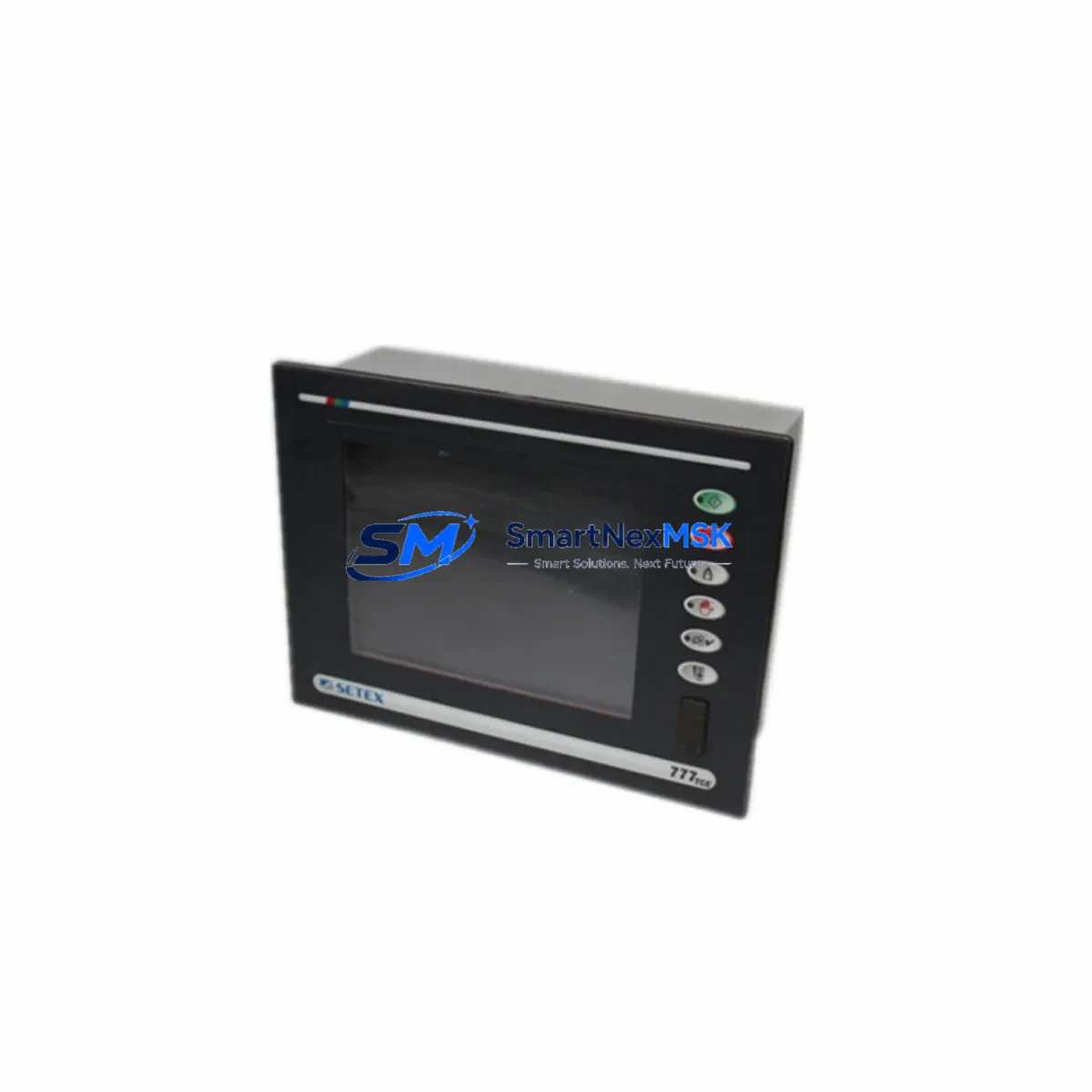
SETEX SECOM 777TCE Retrofit-Ready HMI for 777 Series Control Systems
The SETEX SECOM 777TCE is a retrofit-ready Human Machine Interface (HMI) touch panel engineered as a direct functional replacement for legacy SETEX SECOM 777 Series operator panels. As industrial facilities face increasing pressure to modernize aging control infrastructure, the 777TCE provides a validated upgrade path that preserves existing program logic, wiring layouts, and communication architectures — minimizing engineering rework and unplanned downtime during system migration.
Whether you are replacing a failed panel on an active production line, upgrading a discontinued 777 Series unit in a legacy control cabinet, or executing a planned modernization of your SCADA or PLC-driven automation system, the 777TCE delivers the compatibility and reliability that industrial engineers demand. It is stocked and available for immediate dispatch from our Xiamen warehouse, with a 12-month warranty covering all hardware defects and functional failures under normal operating conditions.
Upgrade Compatibility Table
| Parameter | Legacy 777 Series HMI | SETEX SECOM 777TCE | Retrofit Notes |
|---|---|---|---|
| Display Type | CRT / Early TFT | Color TFT LCD | Direct panel cutout replacement; verify bezel dimensions |
| Communication Ports | RS-232 / RS-422 | RS-232 / RS-485 / RS-422 | RS-485 multi-drop supported; update driver settings in PLC |
| PLC Compatibility | SETEX SECOM 777 Series PLC | SETEX SECOM 777 Series + extended protocol library | Confirm tag address mapping before go-live |
| Power Supply | 24VDC | 24VDC | No power circuit modification required |
| Terminal Wiring | Screw terminal block | Screw terminal block (same pinout) | Verify ground and shield connections |
| Mounting | Panel cutout mount | Panel cutout mount (VESA compatible) | Use original mounting hardware where possible |
| Programming Software | Legacy SECOM editor | SECOM Studio / compatible HMI editor | Re-import or recreate screens; backup original project file |
| Operating Temperature | 0–50°C | 0–55°C | Improved thermal tolerance for harsh environments |
| Warranty | N/A (discontinued) | 12 Months | Covers hardware defects under normal operating conditions |
Retrofit Planning for Existing Automation Systems
A successful 777TCE retrofit begins well before the panel is physically swapped. Engineers should start by auditing the existing control cabinet layout, identifying all connected components that interface with the legacy HMI. In a typical 777 Series installation, the HMI communicates with a SETEX SECOM 777 Series PLC CPU module via RS-232 or RS-422 serial link. The 777TCE supports the same communication protocols, but engineers should verify baud rate, parity, and station address settings in both the PLC program and the new HMI project configuration.
Power supply capacity is a critical pre-check. The 777TCE draws 24VDC from the control cabinet’s power rail — the same supply that feeds the PLC rack, I/O modules, and relay outputs. Before installation, confirm that the existing 24VDC power supply module has sufficient residual capacity to support the 777TCE without voltage drop under full load. If the cabinet uses a shared rail supplying multiple SETEX SECOM digital input modules, analog output modules, and communication gateway modules simultaneously, a dedicated sub-rail or upgraded power supply may be warranted.
Terminal wiring on the 777TCE follows the same screw-terminal convention as the legacy 777 Series panel. Engineers should document the existing wiring diagram — including RS-232 TX/RX/GND assignments, any discrete I/O signals wired to the HMI’s built-in I/O ports, and the 24VDC power terminals — before disconnecting the old unit. This documentation becomes the reference for reconnecting the 777TCE and verifying signal integrity after installation.
For facilities running SETEX SECOM 777 Series rack-mounted systems, the backplane interface between the PLC CPU and I/O expansion modules remains unchanged. The 777TCE does not connect to the backplane directly; it communicates via the front-panel serial port of the CPU module. However, if the retrofit is part of a broader system upgrade that includes replacing legacy SETEX SECOM analog input modules or digital output modules with newer equivalents, engineers must update the I/O address mapping in both the PLC program and the HMI tag database to reflect any address changes introduced by the new modules.
Communication protocol migration is another key consideration. If the existing installation uses a proprietary SECOM serial protocol and the upgrade path involves introducing a Modbus RTU gateway or Ethernet communication module to connect the PLC to a SCADA system or DCS, the 777TCE’s expanded protocol library simplifies this transition. The panel can serve as a local operator interface while the PLC simultaneously communicates upstream via the new Ethernet module — eliminating the need for a separate protocol converter in many retrofit scenarios.
HMI screen recreation is often the most time-consuming element of a 777TCE retrofit. Original screen projects created in the legacy SECOM editor may not import directly into SECOM Studio or the compatible HMI programming environment. Engineers should plan for screen-by-screen recreation, prioritizing critical process displays, alarm pages, and manual control screens. Where original project files are available, use them as reference documents rather than attempting direct import. Budget adequate time for functional testing of each screen against live PLC data before returning the system to production.
Downtime Control During System Migration
Minimizing production downtime during a 777TCE retrofit requires a structured pre-commissioning approach. The goal is to complete as much preparation work as possible while the existing system remains operational, so that the physical swap and go-live sequence can be executed within a single planned maintenance window.
Begin by building and fully testing the 777TCE project offline. Use the HMI programming software to configure all communication parameters, recreate operator screens, and simulate tag connections against a PLC emulator or a spare PLC CPU module if available. Validate alarm logic, setpoint entry screens, and any recipe or batch management pages that operators rely on during production. This offline validation phase should be completed and signed off before the maintenance window begins.
During the maintenance window, follow a disciplined sequence: isolate the control cabinet, photograph the existing wiring, disconnect the legacy 777 Series panel, install the 777TCE using the original panel cutout and mounting hardware, reconnect all terminals per the documented wiring diagram, and restore power. On first power-up, verify the communication link between the 777TCE and the PLC CPU — confirm that the HMI is reading live process values and that operator inputs are correctly reflected in the PLC data table.
If the retrofit is part of a larger upgrade that also involves replacing PLC I/O modules or introducing a new communication module, sequence these changes carefully. Restore basic PLC-to-HMI communication first, then bring additional modules online one at a time, verifying system stability at each step. This incremental approach protects the original program logic and allows engineers to isolate the source of any unexpected behavior quickly, keeping the path to production restart as short as possible.
All units are pre-tested before dispatch. The 777TCE undergoes functional verification at our Xiamen facility — including power-on, display, communication port, and touch input checks — before packaging. This pre-shipment testing reduces the risk of DOA units and supports a faster on-site commissioning sequence.
Retrofit Support FAQ
Q1: Is the SETEX SECOM 777TCE a direct drop-in replacement for all 777 Series HMI models?
The 777TCE is functionally compatible with the 777 Series HMI lineup and shares the same panel cutout dimensions and 24VDC power requirements. However, engineers should verify the specific model variant being replaced — particularly if the legacy unit included built-in discrete I/O ports or a custom communication option — to confirm that all required interfaces are present on the 777TCE. Contact our technical team with your original model number for a detailed compatibility confirmation before ordering.
Q2: Do I need to rewrite my PLC program when installing the 777TCE?
In most cases, no PLC program rewrite is required. The 777TCE communicates using the same serial protocol and tag address structure as the legacy 777 Series panel. The primary engineering task is recreating or adapting the HMI screen project in the compatible programming environment. If the retrofit also involves replacing PLC I/O modules or changing the rack configuration, I/O address updates in the PLC program may be necessary — but these changes are driven by the hardware modifications, not by the 777TCE itself.
Q3: What wiring changes are required during installation?
The 777TCE uses the same screw-terminal wiring convention as the legacy 777 Series panel. In most installations, the existing RS-232 or RS-422 communication cable and 24VDC power wiring can be reconnected directly to the 777TCE terminals without modification. Engineers should verify terminal pinout assignments against the 777TCE wiring diagram before reconnecting, and confirm that cable shielding and grounding are correctly terminated to prevent communication interference in electrically noisy industrial environments.
Q4: What does the 12-month warranty cover, and what is the return process?
The 12-month warranty covers all hardware defects and functional failures under normal operating conditions, including display, touch input, communication ports, and power circuitry. It does not cover damage resulting from incorrect installation, overvoltage, or physical impact. To initiate a warranty claim, contact [email protected] with your order number, a description of the fault, and photographic evidence of the defect. Our team will arrange return shipping and either repair or replace the unit within the warranty period.
© 2026 SMARTNEXMSK. All rights reserved.
Original Source: https://smartnexmsk.com
Contact: [email protected] | +86 18259474341