SST 5136-DNP-CPCI Maintenance-Ready Spare for 5136 Automation
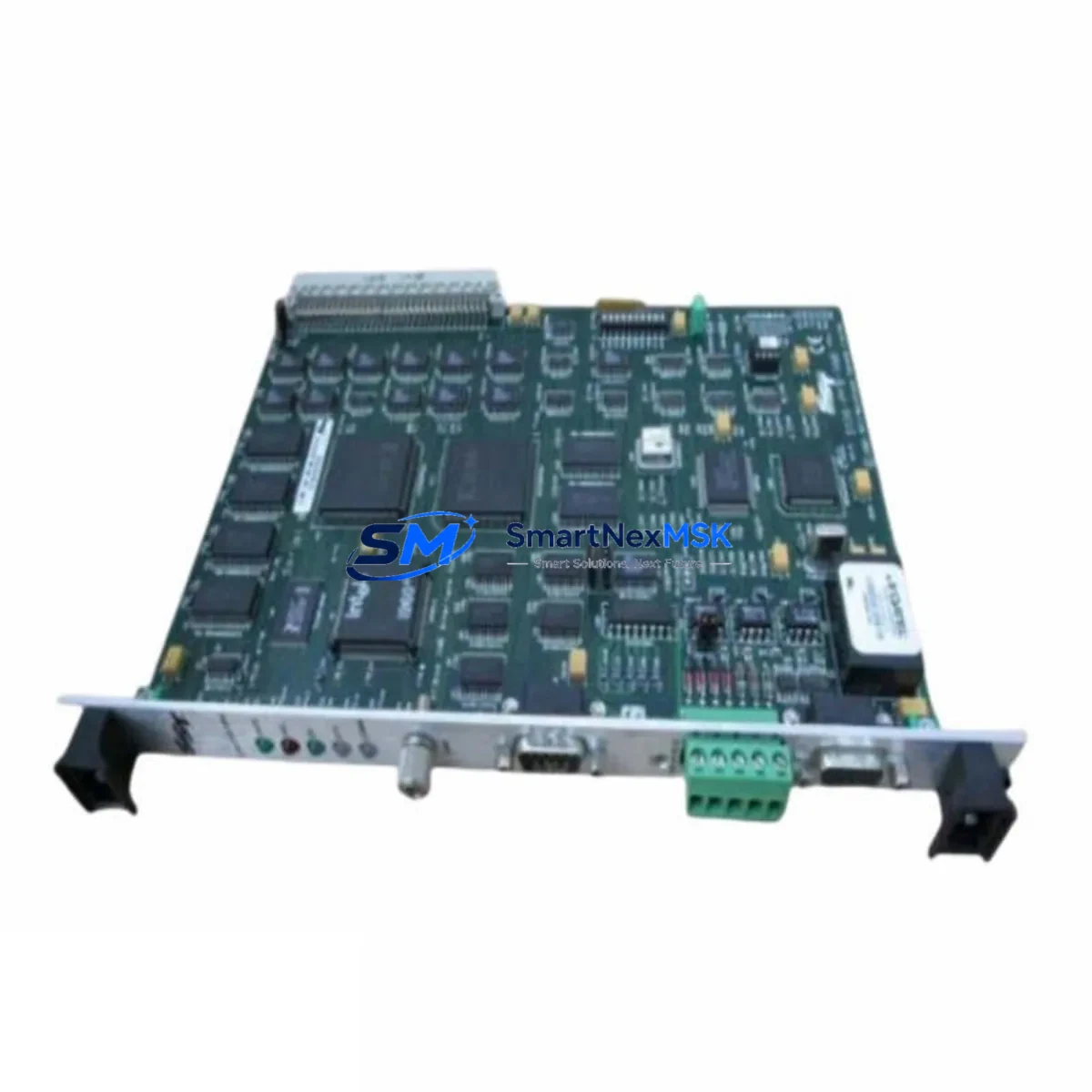
The SST 5136-DNP-CPCI is a CompactPCI-format DeviceNet Master/Slave interface card engineered for industrial automation environments where network uptime is non-negotiable. As a maintenance-ready original spare, this card enables maintenance and procurement engineers to execute rapid board-level replacements in SST 5136-series control systems — minimizing unplanned downtime and protecting production continuity. Whether you are managing a scheduled overhaul, responding to a fieldbus fault, or building a strategic spare parts inventory for aging CompactPCI-based control cabinets, the 5136-DNP-CPCI is a proven, drop-in replacement that restores DeviceNet communication without reconfiguration overhead.
Spare Maintenance Table
| Parameter | Specification |
|---|---|
| Part Number / SKU | 5136-DNP-CPCI |
| Brand / Manufacturer | SST / Molex |
| Series | SST 5136 |
| Form Factor | CompactPCI (CPCI), 3U |
| Network Protocol | DeviceNet (CAN-based, ISO 11898) |
| Node Mode | Master and Slave (configurable) |
| Max DeviceNet Nodes | 64 nodes per network |
| Data Rate | 125 kbps / 250 kbps / 500 kbps |
| Host Interface | CompactPCI bus, 32-bit |
| Operating Voltage | +5 VDC via CompactPCI backplane |
| Operating Temperature | 0°C to +60°C |
| Compatibility | SST 5136 series CompactPCI chassis; compatible with Woodhead/Molex SST software drivers |
| Application Environment | Industrial control cabinets, PLC/DCS integration, factory automation, process control |
| Maintenance Recommendation | Inspect DeviceNet trunk cable, drop lines, and termination resistors during replacement; verify node address settings before power-up |
| Condition | Original spare, factory-tested |
| Warranty | 12 Months |
| Lead Time | In stock — ships within 1–3 business days |
Maintenance Planning for Continuous Operation
When a DeviceNet communication fault is traced to the 5136-DNP-CPCI interface card, experienced maintenance engineers know that the card itself is rarely the only component that warrants inspection. A thorough site replacement workflow should encompass the entire DeviceNet segment and the surrounding control cabinet infrastructure.
Begin by verifying the DeviceNet trunk cable and drop line connectors — damaged or corroded micro/mini connectors are a frequent source of intermittent faults that can be misdiagnosed as card failures. Check the 120-ohm termination resistors at both ends of the DeviceNet trunk; missing or degraded termination is a leading cause of CAN bus errors that stress the interface card. Inspect the CompactPCI backplane for bent pins, oxidation, or mechanical damage at the card slot, as poor backplane contact can cause erratic card behavior even after a board swap.
On the power side, confirm that the CompactPCI chassis power supply — typically a 5 VDC/3.3 VDC unit — is within specification and free of ripple or voltage sag under load. A marginal power supply is a common root cause of fieldbus card failures in aging control systems. If the chassis houses other SST 5136-series cards such as the 5136-PFB-CPCI (PROFIBUS interface) or the 5136-DNP-104 (PC/104 DeviceNet variant), inspect those cards and their associated cabling as part of the same maintenance event to avoid repeat call-outs.
For I/O integrity, review the DeviceNet I/O scanner configuration stored in the host controller. After replacing the 5136-DNP-CPCI, re-download the scanner configuration and verify that all slave node I/O maps are intact. Check associated DeviceNet slave devices — such as remote I/O blocks, variable frequency drives, and smart motor controllers — for node address conflicts or communication timeout errors that may have accumulated during the fault period.
In control cabinets where the 5136-DNP-CPCI coexists with relay output modules, signal isolators, or 24 VDC power distribution terminals, a full cabinet inspection is recommended. Verify that DIN rail terminal blocks and cable duct wiring are secure and free of insulation damage. If the system includes an HMI panel communicating over the same control network, confirm that HMI communication parameters are restored after the card replacement. For systems with Ethernet/IP or serial communication modules sharing the same chassis, verify that those modules have not been affected by the fault event.
Procurement engineers building a strategic spare parts inventory for SST 5136-series systems should consider stocking the 5136-DNP-CPCI alongside compatible DeviceNet power taps, network access cables, and node commissioning tools to ensure a complete replacement kit is available for emergency call-outs. Long-term supply continuity for this legacy CompactPCI platform is a recognized challenge; sourcing from a specialist industrial spare parts supplier with verified stock and a 12-month warranty provides the assurance needed for multi-year maintenance contracts.
Site Replacement Workflow
Step 1 — Isolate and document: Before removing the 5136-DNP-CPCI, record the current node address switch settings, LED status indicators, and any active fault codes displayed on the host controller or HMI. Photograph the card position in the CompactPCI chassis for reference.
Step 2 — Safe power-down: Follow your site’s lockout/tagout (LOTO) procedure. Power down the CompactPCI chassis completely. Do not hot-swap unless the chassis and card explicitly support hot-swap operation.
Step 3 — Physical replacement: Remove the faulty 5136-DNP-CPCI by releasing the card ejector handles. Insert the replacement card into the same slot, ensuring full engagement with the CompactPCI backplane connector. Set the node address switches to match the documented configuration.
Step 4 — Cable and termination check: Reconnect the DeviceNet cable to the card’s front-panel connector. Verify termination resistors are in place at both trunk ends. Inspect all drop line connections for security.
Step 5 — Power-up and verification: Restore power to the chassis. Observe the card’s LED indicators — the Network Status LED should progress to a solid green (Online, Connected) state. From the host controller, re-download the DeviceNet scanner configuration if required and verify that all slave nodes are communicating normally.
Step 6 — Functional test: Execute a full I/O scan cycle and confirm that all DeviceNet slave device data is being exchanged correctly. Log the replacement event in your maintenance management system (CMMS) and update the spare parts inventory record.
This workflow is applicable to direct replacement of legacy SST Woodhead DeviceNet interface cards and supports system compatibility with existing SST NetScan or SST-DN-DNET-1 driver software environments, reducing re-commissioning time and maintaining operational continuity for older automation platforms.
Spare Parts Support FAQ
Q1: Is the 5136-DNP-CPCI still available as a new original spare?
A: Yes. We maintain verified stock of the SST 5136-DNP-CPCI as an original spare part. Each unit is individually tested prior to shipment and supplied with a 12-month warranty, providing documented assurance for maintenance and quality records.
Q2: How do I confirm compatibility with my existing CompactPCI chassis?
A: The 5136-DNP-CPCI is designed for 3U CompactPCI chassis conforming to the PICMG 2.0 standard. Verify that your chassis provides a 32-bit CompactPCI slot and that your host operating system supports the SST DeviceNet driver (Windows or VxWorks environments are most common). Contact our technical team with your chassis model and OS version for a compatibility confirmation before ordering.
Q3: What does the 12-month warranty cover, and what is the claims process?
A: The 12-month warranty covers manufacturing defects and functional failures under normal operating conditions. If a unit fails within the warranty period, contact us with your order reference and a description of the fault. We will arrange a replacement or repair with priority handling to minimize your system downtime.
Q4: Can you support long-term supply for a multi-year maintenance contract?
A: Yes. We specialize in long-term supply of legacy industrial spare parts including discontinued and end-of-life CompactPCI and fieldbus interface cards. We can provide blanket order arrangements, reserved stock agreements, and advance shipment programs to support multi-year maintenance contracts and planned shutdown schedules.
© 2026 SMARTNEXMSK. All rights reserved.
Original Source: https://smartnexmsk.com
Contact: [email protected] | +86 18259474341