
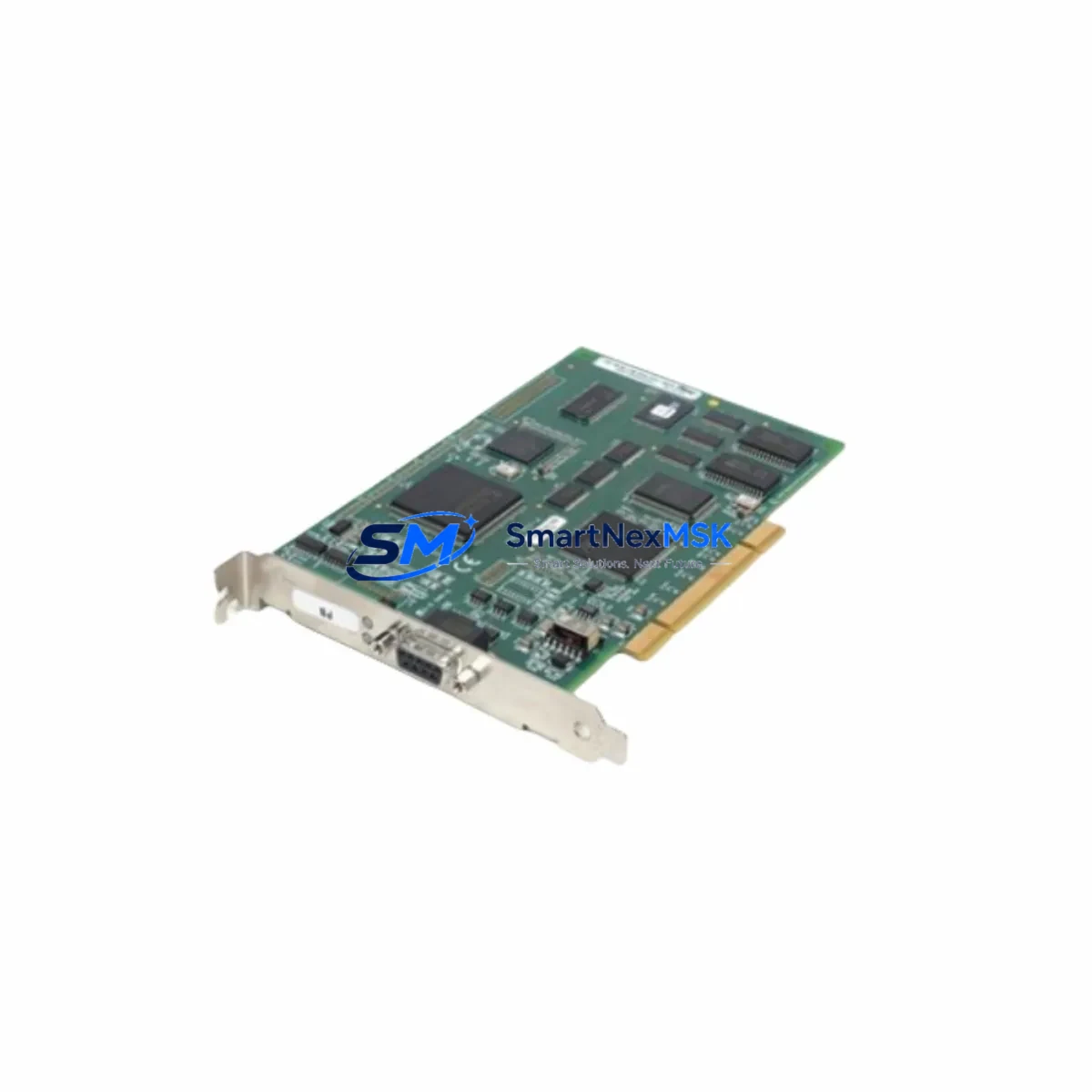
SST PB3-PCI-e & PB3-PCU Retrofit-Ready PROFIBUS Interface Card for Legacy Control Systems
The SST PB3-PCI-e and its predecessor SST PB3-PCU are industrial-grade PROFIBUS DP/FMS interface cards engineered for seamless integration into both modern PCIe-based host systems and legacy PCI-bus platforms. Designed by SST (formerly Woodhead Industries, now part of Molex SST), these cards serve as the communication backbone in retrofit projects where aging PROFIBUS master or slave nodes must be replaced without disrupting the broader control architecture. Whether you are upgrading a Siemens S5 or early S7-300 network, migrating from a legacy DCS fieldbus segment, or expanding I/O capacity in an existing control cabinet, the PB3-PCI-e and PB3-PCU provide a validated, drop-in upgrade path backed by a 12-month warranty.
Upgrade Compatibility Table
| Parameter | SST PB3-PCU (Legacy) | SST PB3-PCI-e (Current) |
|---|---|---|
| Host Bus Interface | 32-bit PCI (5 V / 3.3 V) | PCIe x1 (Gen 1/2 compatible) |
| PROFIBUS Protocol | DP V0 / V1 / V2, FMS | DP V0 / V1 / V2, FMS |
| Operating Mode | Master & Slave | Master & Slave |
| Max Baud Rate | 12 Mbit/s | 12 Mbit/s |
| DB9 PROFIBUS Connector | Yes (RS-485) | Yes (RS-485) |
| Driver / OS Support | Windows XP / 7 (32-bit) | Windows 7 / 10 / 11 (32 & 64-bit) |
| SST Configuration Tool | SST-OPC / SST-DN-MSTR | SST-OPC / SST-DN-MSTR (same API) |
| Installation Slot | Standard PCI slot | PCIe x1 or larger slot |
| Replacement Recommendation | Direct upgrade to PB3-PCI-e | Current production model |
| Commissioning Note | Re-assign node address in GSD file | Same GSD file; update driver only |
| Warranty | End-of-life / no support | 12-Month Warranty included |
Retrofit Planning for Existing Automation Systems
A successful retrofit begins well before the card is physically installed. Engineers replacing an SST PB3-PCU with the PB3-PCI-e must first audit the host PC or IPC for an available PCIe x1 slot, since the legacy PCI slot is no longer present on most modern industrial motherboards. If the host platform is a Siemens IPC427E or a similar rack-mount IPC, confirm that the PCIe slot is not reserved for a dedicated graphics or Ethernet adapter.
On the PROFIBUS segment side, verify the existing DB9 RS-485 cable termination and bus topology. The PB3-PCI-e uses the same 9-pin PROFIBUS connector as the PB3-PCU, so field wiring — including the termination resistors at both ends of the segment — can remain unchanged. This is a significant advantage when the segment connects to distributed I/O nodes such as Siemens ET 200S or ET 200M remote I/O stations, where re-termination would require a partial shutdown of the field devices.
For systems running a Siemens S7-300 CPU 315-2 DP as the PROFIBUS master, the PB3-PCI-e can operate in slave mode, responding to cyclic data exchange without requiring changes to the PLC program or the hardware configuration in STEP 7. The GSD file (device description) for the SST card remains compatible across both card generations, which means the PROFIBUS master’s configuration tool — whether STEP 7 HW Config, TIA Portal, or a third-party PROFIBUS configurator — does not need to be updated.
In control cabinets where the host IPC shares a 24 VDC rail with Phoenix Contact QUINT power supplies or Siemens SITOP PSU100S units, confirm that the total PCIe slot power budget (typically 25 W per x1 slot) is within the IPC’s internal power supply capacity. The PB3-PCI-e draws approximately 5 W, well within standard limits, but aging power supplies in legacy cabinets may already be operating near their rated output.
If the retrofit involves migrating from a proprietary fieldbus to PROFIBUS DP — for example, replacing a Rockwell 1784-PCMK DH+ card with the SST PB3-PCI-e — the engineering team must map the existing I/O data tables to the new PROFIBUS process image. This typically requires updating the HMI tag database in WinCC or FactoryTalk View to reflect the new communication driver and data addresses. Coordinate this step with the HMI programmer before the cutover window to avoid tag mismatch alarms during startup.
For systems that include a Hilscher CIFX 50-DP or similar third-party PROFIBUS master card running in parallel for redundancy or diagnostics, the PB3-PCI-e can coexist on the same PROFIBUS segment as a slave node, provided each device has a unique station address (0–125). Use the SST Configuration Utility to assign and verify the station address before connecting to the live segment.
Backplane and rack considerations are equally important. In modular DCS architectures using Yokogawa CENTUM VP or Honeywell Experion PKS field control stations, the PROFIBUS interface is often a plug-in module rather than a PC card. In these cases, the PB3-PCI-e serves as the engineering workstation’s PROFIBUS access card, enabling offline configuration, online monitoring, and firmware download to field devices such as Endress+Hauser Fieldgate SFG500 gateways or ABB AC500 PLC remote I/O adapters — without requiring a dedicated PROFIBUS PC adapter at each workstation.
Downtime Control During System Migration
Minimizing unplanned downtime is the primary concern in any live-system retrofit. The recommended approach for replacing an SST PB3-PCU with the PB3-PCI-e is a hot-swap preparation strategy: install and configure the new card in a parallel host system or a spare IPC before the scheduled maintenance window. Pre-load the SST driver, assign the correct PROFIBUS station address, and verify communication with a PROFIBUS analyzer or the SST Diagnostic Tool while the production system remains online.
During the cutover window, the sequence should be: (1) place the PROFIBUS master in STOP mode to freeze cyclic data exchange; (2) power down the host IPC and swap the card; (3) restore power and confirm the driver loads correctly; (4) restart the PROFIBUS master and verify that all slave devices return to DATA_EXCHANGE state before releasing the system to production. This sequence typically takes 15–30 minutes for a single-segment network and preserves the original PLC program logic, HMI screen layouts, and alarm configurations without modification.
For multi-segment networks or systems with redundant PROFIBUS rings, coordinate the cutover with the DCS vendor’s field service team to ensure that the redundancy switchover logic does not interpret the card replacement as a communication fault and trigger an unplanned failover. Document the pre-cutover and post-cutover PROFIBUS diagnostic snapshots for the maintenance record.
All units supplied by SMARTNEXMSK undergo outgoing functional testing — including PROFIBUS communication verification at 12 Mbit/s — before shipment. Each card ships with a test report and is covered by a 12-month warranty against manufacturing defects, giving your engineering team confidence that the replacement unit will perform identically to the original from the first power-on.
Retrofit Support FAQ
Q1: Is the SST PB3-PCI-e a direct drop-in replacement for the PB3-PCU?
Yes, functionally. The PB3-PCI-e uses the same PROFIBUS protocol stack, GSD file, and SST API as the PB3-PCU. The only hardware difference is the host bus interface (PCIe vs. PCI). If your host IPC has a PCIe slot, the replacement is straightforward — install the new driver, insert the card, and assign the same station address.
Q2: Do I need to modify my PLC program or PROFIBUS master configuration after the swap?
No PLC program changes are required. The PROFIBUS master (whether a Siemens S7-300, S7-400, or a third-party controller) sees the SST card as the same PROFIBUS slave device. You may need to update the PC-side driver from the legacy PB3-PCU driver to the current PB3-PCI-e driver package, available from the SST/Molex support portal.
Q3: What wiring and termination checks are required before installation?
Inspect the DB9 PROFIBUS connector for pin corrosion or bent contacts. Verify that bus termination is active only at the two physical ends of the segment. Measure the segment impedance with a PROFIBUS tester if available. No re-wiring is needed if the existing cable and connectors are in good condition.
Q4: What does the 12-month warranty cover, and how is it claimed?
The 12-month warranty covers all manufacturing defects and functional failures under normal operating conditions. To claim warranty service, contact SMARTNEXMSK at [email protected] with the order number and a description of the fault. We will arrange a replacement unit or repair at no additional cost within the warranty period.
© 2026 SMARTNEXMSK. All rights reserved.
Original Source: https://smartnexmsk.com
Contact: [email protected] | +86 18259474341