
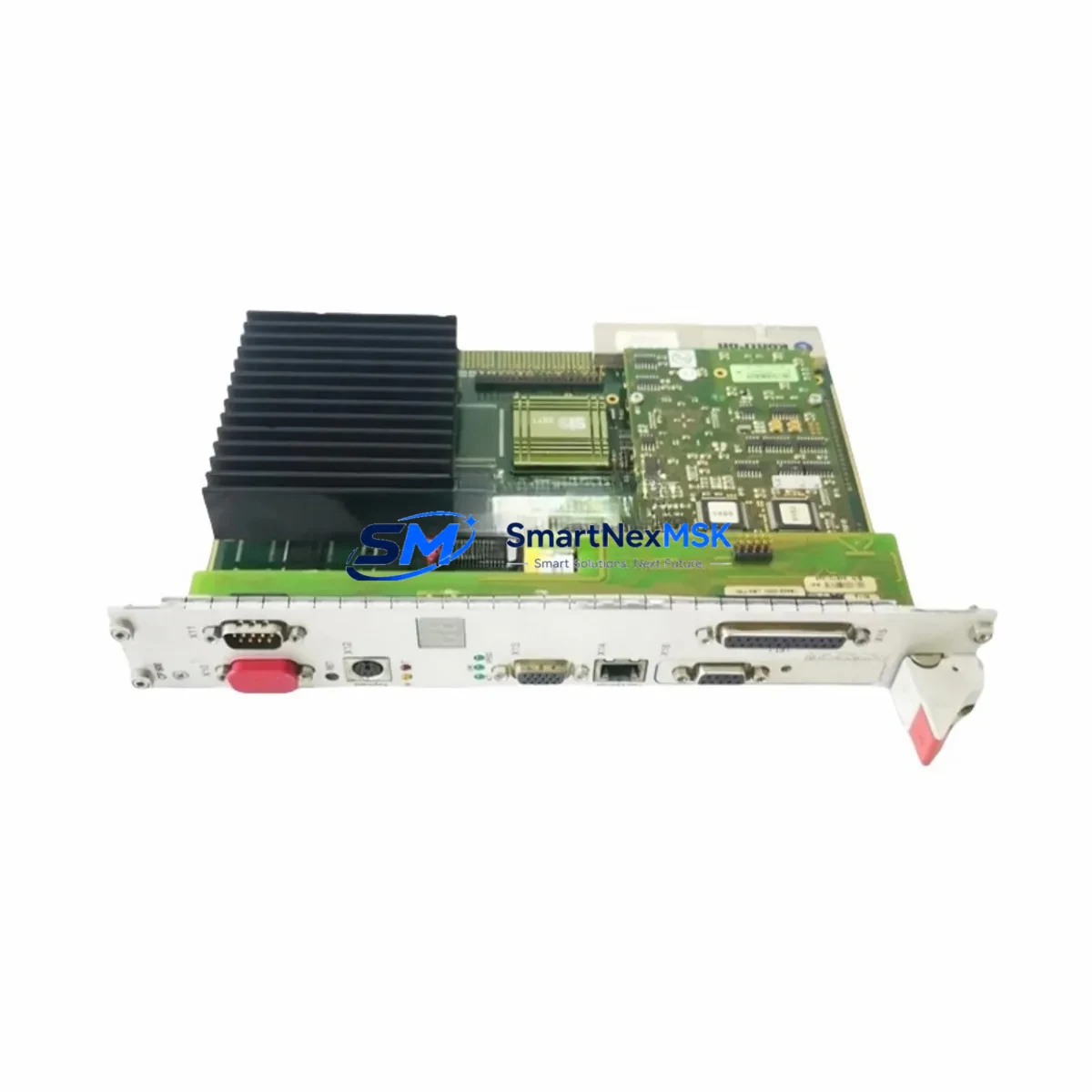
Tektronix 039-0086-00 Retrofit-Ready Front Panel for Oscilloscope Series: Seamless Compatibility and Legacy System Upgrade
The Tektronix 039-0086-00 is a retrofit-ready front control panel assembly engineered to serve as a direct, drop-in replacement for legacy Tektronix oscilloscope platforms. As test and measurement equipment ages and original spare parts become increasingly scarce, the 039-0086-00 provides a reliable, verified solution for engineers and maintenance teams managing discontinued instrument fleets. Whether you are restoring a single bench unit or upgrading an entire calibration lab, this panel delivers the mechanical fit, electrical compatibility, and operational continuity your workflow demands.
Sourced from verified supply channels and subjected to pre-shipment functional testing, every 039-0086-00 unit shipped by SMARTNEXMSK is backed by a 12-month warranty, ensuring confidence in both the component and the supplier. Global logistics support and in-stock availability mean your downtime window stays as short as possible — a critical factor when instruments are tied to production schedules, regulatory calibration cycles, or active R&D programs.
Upgrade Compatibility Table
| Parameter | Details |
|---|---|
| SKU / Part Number | 039-0086-00 |
| Brand | Tektronix |
| Compatible Series | Legacy Tektronix Oscilloscope Series (discontinued models) |
| Component Type | Front Control Panel Assembly |
| Interface / Connector | OEM-matched ribbon and connector footprint |
| Installation Requirement | Standard panel swap; no chassis modification required |
| Communication Compatibility | Fully compatible with original instrument bus architecture |
| Replacement Recommendation | Direct replacement for worn, damaged, or non-functional OEM panels |
| Commissioning Notes | Verify button mapping and encoder alignment post-installation; run self-diagnostic routine |
| Warranty | 12 Months — covers manufacturing defects and functional failure |
Retrofit Planning for Existing Automation and Test Systems
Replacing the Tektronix 039-0086-00 front panel is rarely an isolated task. In most retrofit scenarios, the oscilloscope is part of a broader test bench or automated measurement system, and the panel swap must be coordinated with adjacent components to avoid cascading failures or calibration drift.
Before beginning the replacement, technicians should audit the instrument’s internal ribbon cable harness and verify that the existing connector on the mainboard has not suffered pin corrosion or mechanical fatigue — a common issue in instruments that have been in continuous service for over a decade. If the mainboard connector shows wear, it is advisable to source a replacement connector kit alongside the 039-0086-00 panel to complete the repair in a single maintenance window.
For oscilloscopes integrated into automated test equipment (ATE) racks, the front panel replacement must be coordinated with the rack controller software. Systems using GPIB interfaces — such as those managed through a National Instruments GPIB-USB-HS adapter or a Keysight 82357B USB/GPIB interface — should have their instrument address and communication parameters re-verified after the panel swap, as some legacy Tektronix models store address settings in panel-side non-volatile memory.
In calibration laboratory environments, the 039-0086-00 replacement should be followed by a full vertical and horizontal calibration cycle. Instruments such as the Tektronix TDS series or older 2000-series scopes may require recalibration of the timebase, trigger level, and input sensitivity after any front panel intervention. Calibration data should be logged against the instrument’s serial number and the replacement part number for traceability.
For bench setups where the oscilloscope is paired with a Tektronix AFG3000 series arbitrary function generator or a Tektronix DMM4050 digital multimeter, ensure that the measurement workflow scripts — whether running in LabVIEW, Python, or MATLAB — are tested end-to-end after the panel replacement. Front panel button remapping or encoder recalibration can affect local control sequences that are interleaved with remote SCPI command execution.
If the oscilloscope is connected to a PC-based data acquisition system via USB-TMC or LAN/VXI-11, re-run the instrument discovery sequence in your test software after reassembly. Tektronix OpenChoice software and TekVISA drivers should automatically re-enumerate the instrument, but manual re-confirmation of the VISA resource string is recommended before resuming automated test sequences.
In multi-instrument setups that also include a Tektronix P6139B passive probe set or a Tektronix TMDP0200 differential probe, verify probe compensation after the panel swap. Front panel BNC connector alignment and ground reference integrity should be checked with a known-good signal source before returning the instrument to service.
Downtime Control During System Migration
Minimizing downtime during a front panel replacement on a Tektronix 039-0086-00-compatible oscilloscope requires advance preparation and a disciplined swap procedure. The goal is to complete the physical replacement, functional verification, and system reintegration within a single planned maintenance window — ideally without interrupting adjacent test or production activities.
Begin by documenting the current instrument configuration: capture screenshots of all menu settings, save any stored waveforms or reference signals to a USB drive, and export the instrument setup file if the firmware supports it. Tektronix oscilloscopes with setup save/recall functionality allow the full instrument state — including channel scaling, trigger configuration, measurement parameters, and display settings — to be restored after the panel swap with a single recall operation, dramatically reducing recommissioning time.
During the physical swap, use an ESD-safe workspace and follow the instrument’s service manual disassembly sequence. The 039-0086-00 panel is designed for tool-assisted removal; do not force connectors or flex cables. Label all ribbon cable connections before disconnection to eliminate reassembly errors.
After reassembly, power the instrument and run the built-in self-test (BIST) routine before reconnecting any probes or signal sources. Confirm that all front panel controls — rotary encoders, push buttons, and the display interface — respond correctly. Only after a clean self-test pass should the instrument be reconnected to the test system and the saved setup recalled.
For facilities operating under ISO/IEC 17025 accreditation or similar quality frameworks, the replacement event should be logged in the instrument’s maintenance record, including the part number 039-0086-00, the date of replacement, the technician’s identification, and the post-replacement calibration status. This documentation protects the instrument’s calibration traceability chain and satisfies audit requirements.
Retrofit Support FAQ
Q1: Is the Tektronix 039-0086-00 a direct replacement for the original OEM front panel?
Yes. The 039-0086-00 is designed as a direct mechanical and electrical replacement for the original Tektronix front panel assembly used in compatible legacy oscilloscope models. No chassis modification or custom wiring is required. Verify your instrument’s model number against the compatibility table before ordering.
Q2: What commissioning steps are required after installing the 039-0086-00?
After installation, power on the instrument and run the built-in self-test routine. Verify all front panel controls respond correctly, then recall your saved instrument setup. For instruments used in calibrated measurement applications, perform a full calibration cycle covering vertical sensitivity, timebase accuracy, and trigger level before returning the instrument to service.
Q3: How is the 039-0086-00 tested before shipment?
Every unit undergoes pre-shipment functional testing to verify mechanical integrity, connector continuity, and control element operation. Units that do not pass the outgoing quality check are not shipped. A 12-month warranty covers manufacturing defects and functional failure from the date of delivery.
Q4: What is the warranty coverage and how do I make a claim?
The 039-0086-00 carries a 12-month warranty from the date of shipment. Warranty claims cover manufacturing defects and functional failures under normal operating conditions. To initiate a claim, contact SMARTNEXMSK with your order number, the unit’s serial number if applicable, and a description of the fault. Replacement or repair will be arranged promptly to minimize your instrument downtime.
© 2026 SMARTNEXMSK. All rights reserved.
Original Source: https://smartnexmsk.com
Contact: [email protected] | +86 18259474341