
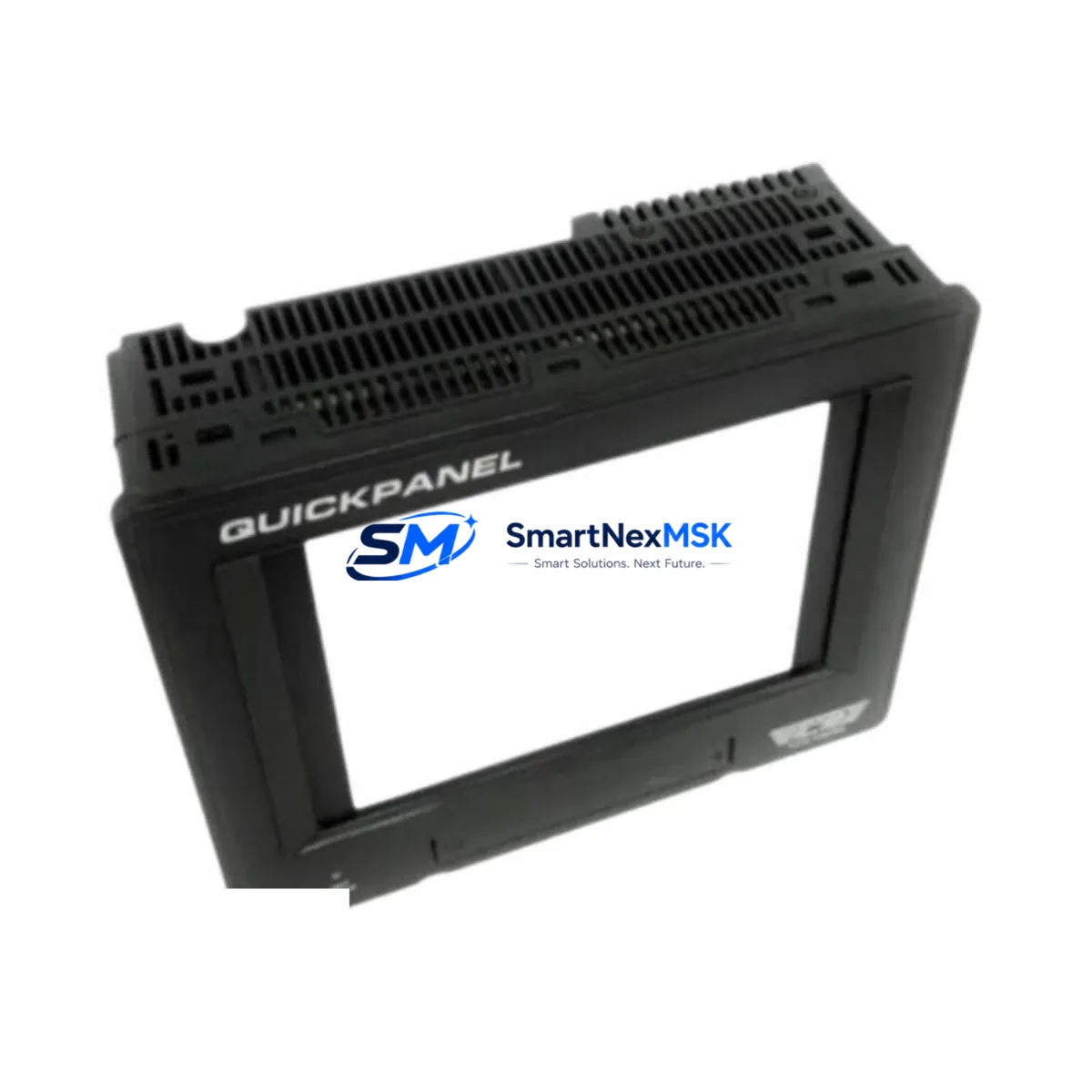
TOTAL CONTROL QPI11100S2P Maintenance-Ready Spare for QPI Automation
The TOTAL CONTROL QPI11100S2P is a critical HMI operator panel within the QPI Series automation platform, widely deployed across discrete manufacturing, process control, and utility automation environments. For maintenance engineers managing aging control systems, sourcing a verified, original-specification QPI11100S2P spare is the single most effective measure to minimize unplanned downtime and restore panel-level operator visibility during fault conditions. This unit ships fully tested, carries a 12-month warranty, and is stocked for immediate dispatch to support both emergency replacement and planned maintenance cycles.
Industrial facilities running QPI Series control cabinets depend on the QPI11100S2P for real-time process visualization, alarm acknowledgment, and operator input. When this panel fails — whether due to display degradation, backlight failure, touchscreen unresponsiveness, or communication loss — the entire operator interface for that control loop is compromised. Procurement engineers and maintenance planners should treat the QPI11100S2P as a Tier-1 critical spare, maintaining at least one unit on-shelf for every active QPI Series cabinet in the facility.
Spare Maintenance Table
| Parameter | Specification / Detail |
|---|---|
| Part Number | QPI11100S2P |
| Brand | TOTAL CONTROL |
| Series | QPI Series |
| Product Type | HMI Operator Panel |
| Origin | United States |
| Weight | 3.7 kg |
| Compatibility | QPI Series control systems; direct replacement for QPI11100S2P and compatible QPI panel variants |
| Application Environment | Industrial automation, process control, discrete manufacturing, utility control cabinets |
| Installation | Panel-mount; follow OEM cutout dimensions and torque specifications per QPI Series installation manual |
| Communication Interface | QPI Series native protocol; verify baud rate and node address settings before commissioning |
| Pre-shipment Testing | Functional test performed on every unit prior to dispatch |
| Warranty | 12 Months from date of shipment |
| Lead Time | In stock — same-day or next-business-day dispatch available |
| Maintenance Recommendation | Inspect display, touchscreen calibration, and communication link at each scheduled PM interval |
Maintenance Planning for Continuous Operation
Replacing the QPI11100S2P in a live QPI Series cabinet is rarely an isolated task. A disciplined maintenance engineer will use the panel replacement event as an opportunity to inspect and verify the condition of all interdependent components in the same electrical enclosure. Begin with the 24 VDC panel power supply — a degraded or undersized power supply is a leading cause of premature HMI failure and should be load-tested before the new panel is commissioned. Check the incoming power wiring, terminal blocks, and fuse holders for signs of heat damage, loose terminations, or corrosion.
The QPI Series communication network connecting the QPI11100S2P to the host PLC or DCS controller should be inspected end-to-end. Verify the integrity of the RS-232, RS-485, or Ethernet communication cable, check connector seating, and confirm that the network termination resistors are correctly installed. If the facility uses a TOTAL CONTROL PLC as the host controller, inspect the CPU module and the associated communication interface card for firmware currency and fault history. I/O modules connected to the same rack — including digital input modules, digital output modules, and analog signal modules — should be checked for loose field wiring and verified against the current I/O map.
For cabinets that include relay output modules or interposing relay assemblies, inspect relay coil resistance and contact condition, particularly on high-cycle outputs. Signal isolators and loop-powered transmitter barriers in the same panel should be verified for correct output range and isolation integrity. If the QPI11100S2P communicates with remote I/O drops or distributed field panels, inspect the remote communication adapter and the associated field junction boxes. Terminal strips and DIN rail-mounted components throughout the cabinet should be torque-checked and visually inspected for insulation breakdown.
Facilities operating older QPI Series installations should also assess the condition of the backplane or rack assembly that hosts the controller and I/O modules. Backplane connector wear is a common source of intermittent faults in systems with more than ten years of service. Maintaining a documented spare parts list that includes the QPI11100S2P alongside the power supply module, communication cable set, key I/O modules, and relay assemblies is the most cost-effective strategy for sustaining long-term system availability without full system replacement.
Site Replacement Workflow
Before removing the existing QPI11100S2P, document the current panel configuration: record all communication parameters (node address, baud rate, protocol settings), capture screenshots or photographs of all active screens and alarm pages, and export the project file from the programming software if the configuration is accessible. This documentation eliminates the risk of configuration loss during the swap and significantly reduces recommissioning time.
Power down the cabinet following the site lockout/tagout procedure. Disconnect the communication cable and power connector from the rear of the panel, noting the orientation and labeling of all wiring. Remove the panel from the cutout, retaining all mounting hardware. Install the replacement QPI11100S2P, reconnect all wiring in the documented sequence, and restore power. Verify that the panel powers up correctly, that the communication link to the host controller is established, and that all configured screens display correctly. Perform a functional test of all operator inputs before returning the system to service.
For facilities transitioning from an end-of-life QPI panel variant to the QPI11100S2P, confirm that the cutout dimensions and mounting pattern are compatible before ordering. In most cases, the QPI11100S2P is a direct form-fit-function replacement for earlier QPI Series panel models, but always verify against the OEM dimensional drawing. If a configuration file from the legacy panel is available, it can typically be loaded directly into the replacement unit, eliminating the need to rebuild the project from scratch and reducing the total replacement time to under two hours in most field scenarios.
Spare Parts Support FAQ
Q: Is the QPI11100S2P still available as a new original spare, or is it a refurbished unit?
A: Every QPI11100S2P we supply is an original, new or factory-reconditioned unit that meets OEM specifications. Each unit undergoes functional testing prior to shipment. We do not supply field-pulled or untested units. The 12-month warranty applies to all units regardless of production date.
Q: How do I confirm compatibility with my existing QPI Series installation before ordering?
A: Provide your existing panel part number, the host controller model, and the communication protocol in use. Our technical team will confirm compatibility and advise on any configuration differences between your current unit and the QPI11100S2P before the order is placed. We recommend sharing a photo of the existing panel nameplate and the cabinet layout if available.
Q: What is the recommended spare parts inventory strategy for QPI Series HMI panels?
A: For facilities with one to three active QPI Series cabinets, maintain one QPI11100S2P on-shelf at all times. For larger installations or facilities with extended lead times from local distributors, a two-unit buffer is advisable. Pair the HMI spare with a spare power supply module and a communication cable set to ensure that a complete panel restoration can be completed without waiting for additional parts.
Q: What does the 12-month warranty cover, and what is the return process if a fault is found after installation?
A: The 12-month warranty covers manufacturing defects and functional failures under normal operating conditions. If a fault is identified after installation, contact our support team with the order number, a description of the fault, and any available diagnostic data. We will arrange a replacement dispatch or repair at no additional cost. Units must be returned in the original packaging with the fault description documented.
© 2026 SMARTNEXMSK. All rights reserved.
Original Source: https://smartnexmsk.com
Contact: [email protected] | +86 18259474341