
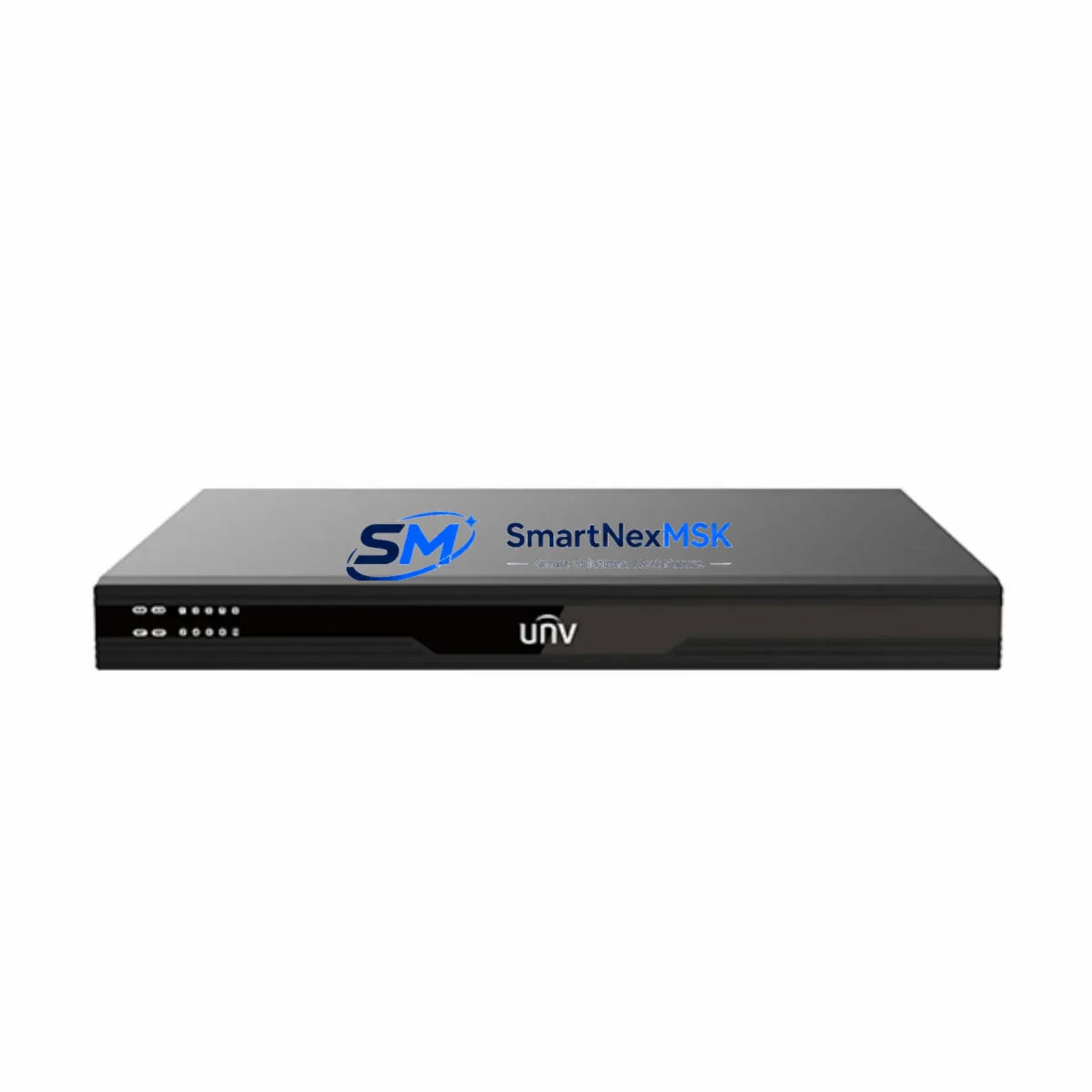
Uniview DC5506 Retrofit-Ready Video Decoder for EZ Series Control Systems
The Uniview DC5506 is a 6-channel HD video decoder engineered for seamless integration into existing EZ Series surveillance and control architectures. Whether you are replacing an end-of-life decoder in a legacy control cabinet, migrating from an older analog or hybrid platform, or expanding decoding capacity within a unified network video management system, the DC5506 delivers the compatibility, reliability, and field-proven performance that system integrators and facility engineers demand.
Designed with retrofit projects in mind, the DC5506 supports mainstream H.265/H.264 encoding streams and is compatible with Uniview’s IPC, NVR, and VMS ecosystems. Its multi-channel simultaneous decoding capability makes it an ideal drop-in replacement for discontinued decoders in EZ Series racks, reducing procurement lead time and minimizing the engineering effort required to validate a new unit against an existing control topology.
Upgrade Compatibility Table
| Parameter | DC5506 Specification | Retrofit Notes |
|---|---|---|
| Video Channels | 6-Ch HD Decoding | Direct replacement for 4–6 ch legacy decoders in EZ Series racks |
| Encoding Support | H.265 / H.264 / MJPEG | Compatible with existing IPC and NVR stream outputs; no re-encoding required |
| Network Interface | 2 × RJ45 Gigabit Ethernet | Verify switch port capacity; supports existing Cat5e/Cat6 cabling infrastructure |
| Video Output | HDMI + VGA | Confirm monitor input compatibility; adapters may be required for legacy VGA-only displays |
| Installation Format | 1U Rack-Mount | Fits standard 19-inch EZ Series control cabinet racks; verify rail depth ≥ 350 mm |
| Power Supply | DC 12V / AC 100–240V | Confirm existing PSU output capacity; recommend dedicated 12V 3A circuit |
| Communication Protocol | ONVIF / Private SDK / RTSP | ONVIF Profile S ensures interoperability with third-party VMS platforms |
| Replacement Recommendation | Replaces discontinued EZ Series decoders | Functional drop-in; firmware update recommended post-installation |
| Commissioning Focus | Stream URL binding, output resolution, channel mapping | Use Uniview EZStation or SmartPSS for initial channel discovery and binding |
| Warranty | 12-Month Warranty | Covered from date of shipment; includes DOA replacement and technical support |
Retrofit Planning for Existing Automation Systems
Successful integration of the DC5506 into a legacy control environment begins with a thorough pre-installation audit. Engineers should document the existing decoder’s channel assignments, stream URLs, output resolution settings, and any VMS binding configurations before powering down the old unit. This audit prevents configuration loss and accelerates recommissioning after the hardware swap.
In a typical EZ Series control cabinet retrofit, the DC5506 is installed alongside or in place of an older Uniview DS-6900 series or equivalent discontinued decoder. The 1U rack-mount form factor fits directly into standard 19-inch enclosures without requiring additional mounting hardware in most cases. Before final installation, verify that the existing Uniview PS-P300-I power supply module or equivalent PSU can sustain the additional load introduced by the DC5506’s peak power draw, particularly in multi-decoder cabinet configurations.
Network connectivity is established via the DC5506’s dual Gigabit Ethernet ports. In environments where the existing infrastructure relies on a Uniview NSW2010-10T-POE managed switch or similar Layer 2 switch, VLAN segmentation should be reviewed to ensure the decoder’s management IP falls within the correct subnet. RTSP stream pull from upstream Uniview NVR504-32B or NVR308-32X network video recorders should be validated using the decoder’s built-in web interface prior to connecting to the VMS.
For sites running Uniview EZStation VMS, the DC5506 can be added as a managed decoding device directly within the platform’s device management module. Channel binding, output wall layout, and alarm-triggered decoding rules can all be configured without requiring third-party software. In mixed-platform environments where a Milestone XProtect or similar third-party VMS is in use, ONVIF Profile S compatibility ensures the DC5506 can be integrated as a generic ONVIF decoder without proprietary SDK dependencies.
Where the retrofit involves migrating from an analog matrix switcher to an IP-based decoding architecture, the DC5506 supports up to 6 simultaneous HD streams, which can replace the output capacity of a legacy 8×8 or 16×16 analog matrix in most small-to-medium control room configurations. Analog cameras still in service can be digitized upstream using a Uniview HIC3621 hybrid IP encoder or equivalent encoder module, feeding H.264 streams directly to the DC5506 without requiring full camera replacement.
I/O expansion requirements should also be assessed during the planning phase. If the existing control cabinet includes a Uniview DS-KAD606 alarm input/output module or similar I/O expander, confirm that alarm-triggered decoding rules in the DC5506 are mapped to the correct input channels. This is particularly important in access control integration scenarios where door-open events are expected to trigger live video pop-up on the decoder’s connected display.
All units are pre-tested prior to shipment, including stream decoding verification, output signal integrity check, and network interface validation. Stock is maintained for immediate dispatch, with standard lead times of 3–7 business days for international orders.
Downtime Control During System Migration
Minimizing operational disruption during a decoder replacement is a primary concern for facilities that rely on continuous video monitoring. The recommended approach is a parallel commissioning strategy: install and configure the DC5506 on a spare network port and bind all required streams before decommissioning the legacy unit. This allows full validation of stream quality, output resolution, and VMS integration without interrupting live monitoring.
Before powering down the existing decoder, export or document all current stream binding configurations, including RTSP URLs, channel names, output resolution profiles, and any scheduled recording or alarm-triggered decoding rules. Most Uniview NVR and VMS platforms support configuration export in XML or CSV format, which can be used as a reference during DC5506 setup.
During the physical swap, label all network cables and power connections clearly. The DC5506’s dual Ethernet ports support link aggregation in some firmware versions, which can be leveraged to provide redundant network paths in critical monitoring environments. After reconnection, perform a full channel scan using the decoder’s web interface or EZStation to confirm all streams are active and displaying at the expected resolution.
Post-installation, update the DC5506 firmware to the latest stable release available from Uniview’s official support portal. Firmware updates address known compatibility issues with specific IPC models and NVR firmware versions, and are strongly recommended before final handover to the end user. Total planned downtime for a single-decoder swap in a well-prepared environment is typically under 30 minutes.
Retrofit Support FAQ
Q1: Is the DC5506 a direct replacement for discontinued EZ Series decoders?
A: Yes. The DC5506 is designed as a functional replacement for end-of-life Uniview EZ Series decoders. It shares the same 1U rack-mount form factor, supports the same RTSP and ONVIF stream inputs, and is compatible with Uniview EZStation VMS. Minor configuration adjustments may be required for channel mapping and output resolution, but no structural modifications to the control cabinet are necessary.
Q2: What wiring and terminal connections need to be verified before installation?
A: Confirm the power supply voltage (DC 12V or AC 100–240V depending on your PSU configuration), network cable type and switch port availability, and HDMI/VGA output cable compatibility with existing monitors. If the legacy decoder used RS-232 or RS-485 serial control, note that the DC5506 operates exclusively over IP — serial control interfaces are not supported and must be migrated to network-based control.
Q3: How is compatibility with existing NVR and IPC models verified before shipment?
A: Each DC5506 unit undergoes a pre-shipment functional test that includes stream decoding from a reference NVR (typically Uniview NVR308 or NVR504 series) and output signal verification on both HDMI and VGA interfaces. If your site uses specific IPC models or a third-party VMS, please provide model details at the time of order so our technical team can perform targeted compatibility validation before dispatch.
Q4: What does the 12-month warranty cover?
A: The 12-month warranty covers hardware defects, DOA (dead-on-arrival) replacement, and manufacturing faults identified under normal operating conditions. It does not cover damage resulting from incorrect installation, power surge, or unauthorized firmware modification. Warranty claims are processed within 5 business days of fault confirmation, with replacement units dispatched from stock where available.
© 2026 SMARTNEXMSK. All rights reserved.
Original Source: https://smartnexmsk.com
Contact: [email protected] | +86 18259474341