
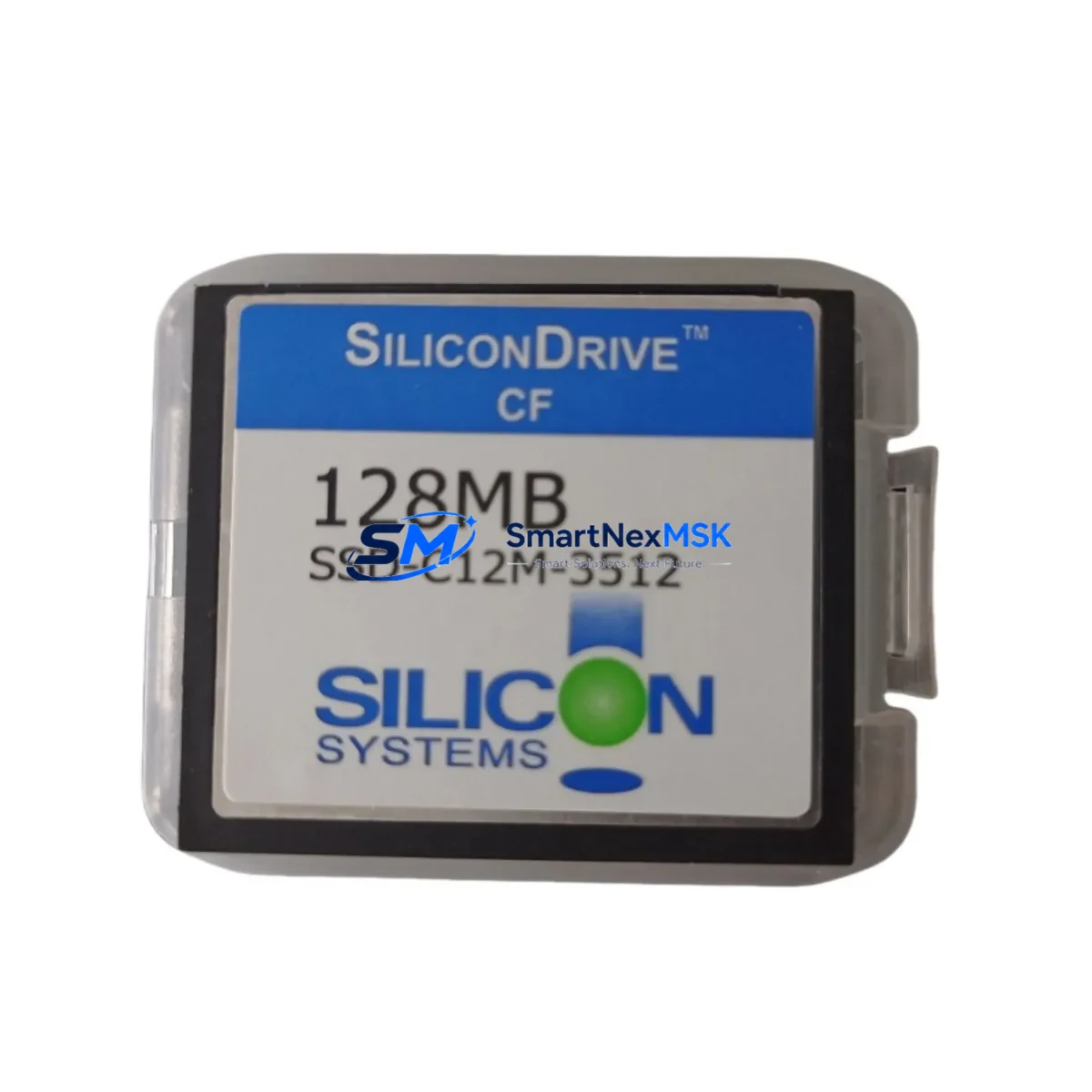
WD SSD-C12M-3512 Retrofit-Ready CompactFlash SSD for Legacy Control Systems
The Western Digital SSD-C12M-3512 is a 512MB industrial-grade CompactFlash (CF) SSD engineered for seamless integration into aging automation platforms where original storage media has been discontinued, degraded, or is no longer available through standard supply channels. Whether you are managing a planned retrofit of a legacy CNC machining center, recovering a failed PLC storage module, or upgrading a DCS historian node, the SSD-C12M-3512 delivers the read/write endurance and form-factor compatibility required to restore system operation with minimal downtime.
Industrial environments running Siemens SINUMERIK 840D, Fanuc Series 0i, Mitsubishi MELDAS C6, or GE Fanuc Series 90-30 controllers frequently depend on CompactFlash-based storage for OS boot images, ladder logic programs, parameter tables, and HMI screen data. When the original CF card fails or reaches end-of-life, sourcing a compatible replacement that meets the same electrical interface, capacity, and write-cycle tolerance is critical to avoiding extended production stoppages. The SSD-C12M-3512 is pre-tested against these requirements and ships with a 12-month warranty covering defects in materials and workmanship.
Upgrade Compatibility Table
| Parameter | SSD-C12M-3512 Specification | Retrofit Notes |
|---|---|---|
| Form Factor | CompactFlash Type I (CF-I) | Compatible with CF-I and CF-II slots via adapter |
| Capacity | 512 MB | Verify controller minimum storage requirement before replacement |
| Interface | ATA / IDE (True IDE Mode) | Confirm controller CF slot operates in True IDE mode, not Memory Card mode |
| Operating Voltage | 3.3V / 5V dual-voltage | Check backplane power rail; most legacy PLCs supply 5V to CF slot |
| Operating Temperature | -40°C to +85°C (industrial) | Suitable for panel-mount and cabinet-enclosed installations |
| Write Endurance | High-endurance SLC NAND | Superior to consumer CF cards; recommended for frequent write cycles |
| Communication Compatibility | ATA-4 / ATA-5 compliant | Compatible with legacy ATA command sets used by older CNC and PLC controllers |
| Replacement Recommendation | Direct drop-in for SSD-C12M series | Back up original CF image before replacement; restore via CF duplicator |
| Commissioning Focus | Image restore, boot verification, parameter reload | Confirm controller recognizes new CF card at POST; reload axis parameters if required |
| Warranty | 12 Months | Covers manufacturing defects; does not cover physical damage or improper installation |
Retrofit Planning for Existing Automation Systems
A successful retrofit begins well before the SSD-C12M-3512 is physically installed. Engineers should start by creating a full image backup of the existing CompactFlash card using a CF duplicator or industrial imaging tool. This backup preserves the controller OS, PLC program, axis parameter files, and any HMI screen packages stored on the original media. In Siemens SINUMERIK environments, this typically includes the NCK data, PLC program blocks, and machine data sets. For Fanuc Series 0i systems, the backup should capture the PMC ladder, parameter file, and pitch error compensation data.
Before removing the original CF card, document the physical installation: note the orientation of the card in the CF slot, the connector type on the controller backplane, and whether the card is accessed through a front-panel door or requires partial disassembly of the control cabinet. In multi-axis systems using a Siemens SIMODRIVE 611 or Fanuc αi servo amplifier rack, confirm that the CF card slot is on the NCU module and not on a separate memory expansion board.
During the retrofit, engineers frequently need to address related components in the same control cabinet. Power supply modules such as the Siemens 6EP1 series or Fanuc A06B-6077 PSM may require inspection if the system has been in service for more than ten years, as capacitor aging can cause voltage instability that damages storage media. Communication modules including PROFIBUS DP interface cards, Ethernet CP modules, and DeviceNet adapters should be checked for firmware compatibility with the restored OS image. If the system uses a Siemens OP270 or OP370 HMI panel connected via MPI or PROFIBUS, verify that the HMI project version is compatible with the NCK software level on the restored CF card.
I/O expansion racks connected via PROFIBUS or PROFINET — such as Siemens ET 200M distributed I/O stations or Fanuc I/O Link modules — do not typically require reconfiguration when only the CF storage is replaced, provided the PLC program and hardware configuration files are correctly restored. However, if the retrofit is part of a broader system upgrade that includes replacing the main CPU module or changing the rack configuration, module addresses and slot assignments must be reverified in the hardware configuration tool (e.g., Siemens STEP 7 or TIA Portal).
Programming cables such as the Siemens PC Adapter USB or Fanuc FANUC LADDER-III cable should be on hand during commissioning to allow direct program verification and online monitoring. After the SSD-C12M-3512 is installed and the image is restored, perform a controlled power-on sequence: observe the controller boot messages, confirm that the CF card is recognized at the correct capacity, and verify that the PLC program loads without fault codes. Check all axis reference positions and re-run the homing sequence before releasing the machine to production.
Downtime Control During System Migration
Minimizing unplanned downtime during a CF storage replacement requires a structured approach to pre-staging, image management, and on-site commissioning. The most effective strategy is to prepare the SSD-C12M-3512 as a pre-imaged replacement card before the maintenance window begins. Using a CF duplicator, copy the verified backup image to the new card in the workshop, then test the card in a bench-top controller or simulator if available. This eliminates the image-restore step from the critical path during the actual maintenance window.
On the day of the replacement, coordinate with production scheduling to ensure the machine is in a safe state: all axes at reference position, spindle stopped, and coolant system off. If the control system is part of a networked production cell communicating via PROFIBUS or Ethernet/IP, notify the SCADA or MES system operator to place the affected node in maintenance mode to prevent false alarms or interlock trips. After the SSD-C12M-3512 is installed and the controller boots successfully, perform a dry-run cycle of the most recent production program at reduced feedrate before resuming normal production. Document the replacement in the machine maintenance log, including the date, technician name, original card serial number, and the new card’s batch number for warranty tracking purposes.
For systems where a full image backup was not available prior to failure — a common scenario with legacy machines that have been in service for 15 or more years — the SSD-C12M-3512 can be installed as a blank card, and the controller OS and PLC program can be reloaded from the original installation media or from a system backup held by the OEM service department. In this scenario, budget additional commissioning time for parameter re-entry, axis tuning verification, and HMI screen reload.
Retrofit Support FAQ
Q1: Is the SSD-C12M-3512 a direct replacement for the original Western Digital SSD-C12M series CompactFlash cards?
Yes. The SSD-C12M-3512 is designed as a form-fit-function replacement for the SSD-C12M series. It uses the same CF Type I form factor, ATA interface, and 512MB capacity. No hardware modification is required for installation in controllers that originally used SSD-C12M series cards.
Q2: What commissioning steps are required after installing the SSD-C12M-3512?
After physical installation, restore the CF image from your backup using a CF duplicator or the controller’s built-in restore function. Power on the controller and verify that the card is recognized at the correct capacity. Reload axis parameters and machine data if required by your controller type. Perform a test cycle before returning the machine to production. For Siemens SINUMERIK systems, run the NCK reset sequence and verify the PLC program status in STEP 7 or TIA Portal.
Q3: How should I verify wiring and interface compatibility before installation?
Confirm that the controller CF slot operates in True IDE (ATA) mode — not PCMCIA Memory Card mode — by consulting the controller hardware manual. Check the backplane power rail voltage (3.3V or 5V) and ensure the CF slot connector is clean and undamaged. If the original card was secured with a retention bracket or locking mechanism, ensure the SSD-C12M-3512 fits within the same mechanical envelope.
Q4: What does the 12-month warranty cover, and how is it claimed?
The 12-month warranty covers manufacturing defects in materials and workmanship from the date of shipment. It does not cover damage resulting from improper installation, electrostatic discharge, overvoltage, or physical impact. To claim warranty service, contact [email protected] with your order number, a description of the fault, and the card’s batch number. Replacement units are dispatched after fault verification, typically within 3–5 business days.
© 2026 SMARTNEXMSK. All rights reserved.
Original Source: https://smartnexmsk.com
Contact: [email protected] | +86 18259474341