
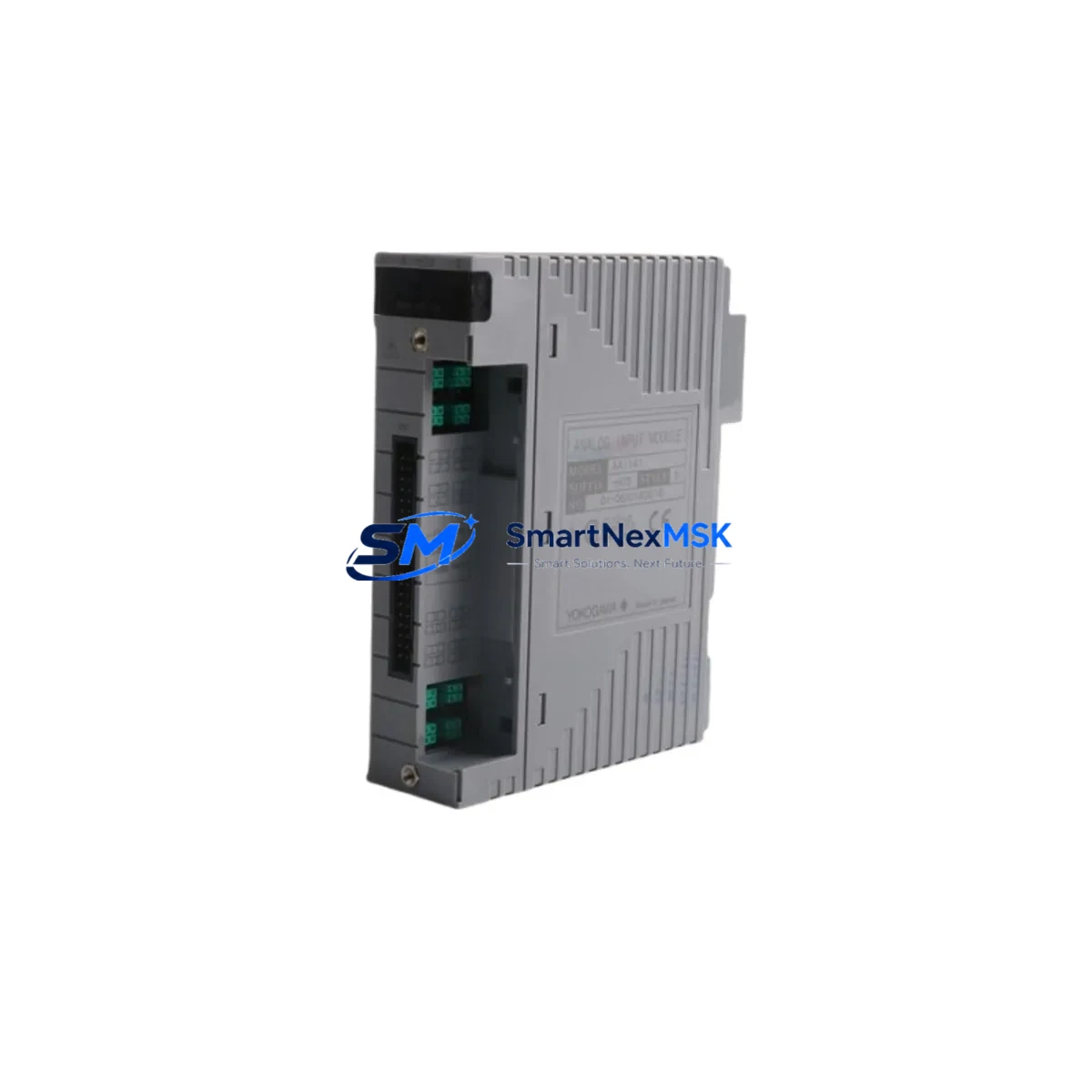
Yokogawa AAP135-S00 Retrofit-Ready Pulse Input for CENTUM VP Control Systems
The Yokogawa AAP135-S00 is a pulse input module designed for the CENTUM VP distributed control system platform. As legacy CENTUM CS 3000 and early CENTUM VP installations reach end-of-service milestones, maintenance engineers and procurement teams increasingly require a verified, drop-in compatible replacement that preserves existing wiring infrastructure, rack geometry, and field device signal chains without forcing a full control system overhaul. The AAP135-S00 addresses this need directly — it slots into the existing I/O nest, retains the original terminal assignment, and communicates natively over the Vnet/IP control bus, eliminating the need for protocol conversion or software re-engineering at the field level.
For plants running continuous processes — refining, petrochemical, power generation, or water treatment — unplanned downtime caused by a failed pulse input channel can cascade into production loss within minutes. Stocking a verified AAP135-S00 replacement as part of a structured spare parts program is one of the most cost-effective insurance policies available to a control room team. Each unit shipped by SMARTNEXMSK is function-tested prior to dispatch and covered by a 12-month warranty, giving procurement engineers a documented quality baseline for their maintenance records.
Upgrade Compatibility Table
| Parameter | Specification / Recommendation |
|---|---|
| SKU | AAP135-S00 |
| Brand / Manufacturer | Yokogawa Electric Corporation |
| Series | CENTUM VP (compatible with CENTUM CS 3000 retrofit paths) |
| Module Function | Pulse Input — frequency, totalizer, and event counting signals |
| Rack / Nest Interface | Standard CENTUM VP I/O nest backplane connector; no adapter required |
| Communication Bus | Vnet/IP (internal); no external protocol converter needed |
| Terminal Wiring Compatibility | Retains original field terminal block layout; no rewiring required for direct replacement |
| Power Supply Requirement | Supplied via nest backplane; verify nest PSU (e.g., PW481 or PW482 power module) capacity before installation |
| Replacement Scope | Direct module swap; confirm I/O address assignment in CENTUM VP Builder before hot-swap or cold-swap |
| Commissioning Note | Re-download I/O configuration from Engineering Workstation (EWS) after module insertion; verify channel scaling and alarm limits |
| Operating Environment | Industrial control cabinet; standard CENTUM VP environmental ratings apply |
| Origin | Japan |
| Weight | 300 g |
| Warranty | 12 Months — function-tested prior to shipment |
Retrofit Planning for Existing Automation Systems
A successful AAP135-S00 retrofit begins well before the module arrives on site. Maintenance engineers should start by auditing the target I/O nest to confirm available slot positions and verifying that the nest’s power module — typically a PW481 or PW482 — has sufficient headroom to support the replacement card without tripping the nest’s overcurrent protection. If the nest is near capacity, a parallel review of other installed modules such as AAI141-S or AAI143-S analog input cards and AAT141-S analog output modules is advisable, since aging power rails can affect multiple channels simultaneously.
On the communication side, the AAP135-S00 integrates directly into the Vnet/IP segment managed by the Field Control Station (FCS). Engineers should confirm the FCS node address table in CENTUM VP Builder to ensure the replacement module inherits the correct I/O tag assignments. If the plant is running a hybrid architecture that also includes Modbus RTU field devices or HART-enabled transmitters connected through an AIP835 or similar HART multiplexer, those signal paths should be verified independently to rule out cross-channel interference after the swap.
For sites that have already migrated portions of their control architecture to the CENTUM VP R6 platform, the AAP135-S00 remains compatible with the updated FCS firmware, making it a viable long-term stocking item even as the broader system evolves. Plants that still operate legacy Human Interface Stations (HIS) running CENTUM VP operator graphics should also verify that the pulse channel tags displayed on process overview screens are correctly mapped after the module replacement — a quick tag comparison between the EWS configuration and the HIS faceplate is a standard commissioning checkpoint that prevents alarm nuisance trips during startup.
Terminal blocks and marshalling panels connected to the AAP135-S00 should be inspected during the replacement window. Yokogawa KS1 or equivalent screw-type terminal blocks are commonly used in CENTUM VP marshalling cabinets; checking for loose terminations, corrosion, or insulation degradation at this stage avoids repeat callouts. If the plant uses a junction box arrangement with individual cable shields, confirm that shield grounding is maintained at one end only to prevent ground loop interference on the pulse signal lines.
Downtime Control During System Migration
Minimizing downtime during an AAP135-S00 swap requires a structured pre-outage checklist. Before removing the failed module, the control engineer should place all affected pulse input channels into manual mode at the FCS level, ensuring that downstream PID loops or totalizer calculations that reference those channels are held at their last valid value rather than driving to a fault state. This step alone can prevent a single module failure from triggering a process trip.
Where the CENTUM VP FCS supports online module replacement (hot-swap), the procedure should be validated against the specific FCS firmware version in use. Not all nest configurations support hot-swap for pulse input modules; in those cases, a planned cold-swap during a scheduled maintenance window is the safer path. The outage window for a cold-swap AAP135-S00 replacement is typically under 30 minutes when the replacement module is pre-staged, the I/O configuration file is pre-loaded on the EWS, and the field terminal connections are documented in advance.
After module insertion, the standard recommissioning sequence involves downloading the I/O configuration from the EWS, verifying channel-by-channel signal integrity using a pulse generator or the connected field device, and confirming that totalizer accumulation resumes from the correct engineering unit baseline. Any deviation in pulse scaling — counts per unit, frequency range, or debounce time — should be corrected in the CENTUM VP Builder database before returning the channels to automatic control. Once all channels are verified, the FCS can be returned to automatic mode and the HIS operator display should be monitored for a minimum of one full process cycle to confirm stable operation.
For plants with critical pulse measurement points — flow totalizers on custody transfer lines, for example — a parallel measurement using a portable flow computer or check meter during the commissioning window provides an independent verification baseline and satisfies most quality management documentation requirements.
Retrofit Support FAQ
Q1: Is the AAP135-S00 a direct drop-in replacement for older CENTUM CS 3000 pulse input modules?
The AAP135-S00 is a CENTUM VP series module. While the physical form factor and backplane connector are compatible with CENTUM VP nests, direct installation into a CENTUM CS 3000 nest requires verification of backplane pinout compatibility. In most CS 3000 to CENTUM VP migration projects, the I/O nest itself is replaced as part of the upgrade path. Contact our technical team with your existing nest model number for a confirmed compatibility assessment before ordering.
Q2: What commissioning steps are required after installing the replacement module?
After physical installation, download the I/O configuration from the Engineering Workstation to the FCS, verify each pulse channel’s tag assignment, scaling parameters, and alarm limits, and confirm signal integrity from the connected field device. For totalizer channels, reset or synchronize the accumulator value as required by your process accounting procedures. The full commissioning sequence typically takes 15–30 minutes per nest position.
Q3: How does SMARTNEXMSK verify the module before shipment?
Each AAP135-S00 unit undergoes functional testing on a CENTUM VP-compatible test bench prior to dispatch. Test results confirm backplane communication, channel input response, and firmware integrity. A test report is available upon request for quality management documentation. All units are covered by a 12-month warranty from the date of shipment.
Q4: Can you supply multiple AAP135-S00 units for a plant-wide spare parts program?
Yes. SMARTNEXMSK maintains stock of the AAP135-S00 and can fulfill both single-unit emergency orders and bulk procurement for planned spare parts inventories. Lead times for in-stock units are typically 3–7 business days for international shipments. Contact [email protected] with your required quantity and delivery timeline for a formal quotation.
© 2026 SMARTNEXMSK. All rights reserved.
Original Source: https://smartnexmsk.com
Contact: [email protected] | +86 18259474341



