
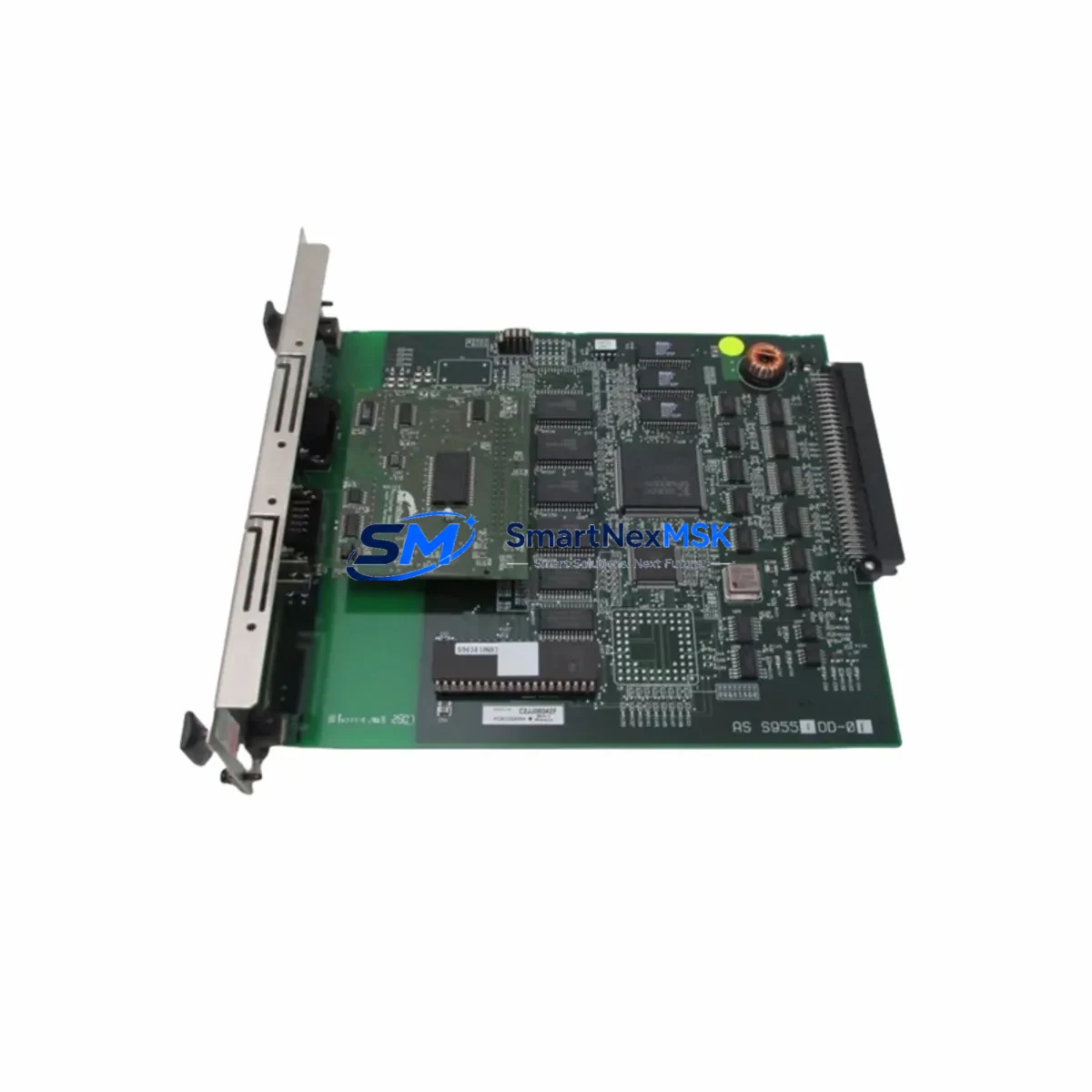
YOKOGAWA ACP71 S1 Maintenance-Ready Spare CENTUM VP Automation
The YOKOGAWA ACP71 S1 is an original DCS communication module engineered for CENTUM VP distributed control systems. For maintenance engineers managing continuous-process plants — refineries, chemical facilities, power generation stations, and pulp and paper mills — the ACP71 S1 represents a critical node in the control network backbone. Unplanned failure of this module can cascade into full-loop communication loss, triggering process shutdowns that cost thousands of dollars per hour. Holding a verified, tested spare on the shelf is not optional; it is a fundamental element of any serious maintenance strategy.
Sourced directly from YOKOGAWA-authorized supply chains, each ACP71 S1 unit we ship undergoes pre-delivery functional verification. Our 12-month warranty covers manufacturing defects and ensures you receive a module that performs to original factory specification. Whether you are executing a planned turnaround, responding to an emergency fault, or building out your critical-spare inventory, the ACP71 S1 is available for immediate dispatch.
Spare Maintenance Table
| Parameter | Specification / Detail |
|---|---|
| Part Number / SKU | ACP71 S1 |
| Brand | YOKOGAWA |
| Compatible System | CENTUM VP Distributed Control System |
| Module Function | DCS Communication Module — inter-station and field-bus data exchange |
| Series | CENTUM VP (also applicable to CENTUM VP R4, R5, R6 revisions — verify firmware revision before installation) |
| Origin | Japan |
| Installation Type | Rack-mount, CENTUM VP field control station (FCS) backplane |
| Operating Temperature | 0 °C to 55 °C (standard industrial cabinet environment) |
| Power Supply Requirement | Supplied via FCS backplane; verify backplane power module (e.g., PW481, PW482) output before hot-swap |
| Communication Interface | Vnet/IP or legacy Vnet — confirm site topology with engineering drawings |
| Compatibility Verification | Match firmware version and system generation; consult YOKOGAWA IM documentation |
| Pre-Shipment Testing | Functional verification performed on every unit |
| Warranty | 12 Months — covers manufacturing defects under normal operating conditions |
| Lead Time | In-stock units ship within 1–3 business days; long-term supply agreements available |
| Condition | Original / New — no refurbished or counterfeit units supplied |
Maintenance Planning for Continuous Operation
When a CENTUM VP communication module such as the ACP71 S1 is flagged during a routine control-cabinet inspection or fault-isolation exercise, experienced maintenance engineers know that the module itself is rarely the only component that warrants attention. A systematic inspection of the surrounding electrical environment is essential to prevent repeat failures and to confirm that the replacement module will operate reliably from day one.
Begin with the FCS backplane power supply modules — units such as the PW481 or PW482 — since degraded DC rail voltage is a leading cause of premature communication module failure. Measure output voltage under load and compare against YOKOGAWA specification tolerances. Next, inspect the Vnet/IP network switch or hub that connects the FCS to the engineering workstation (EWS) and operator stations (HIS); a marginal switch port can cause intermittent communication errors that mimic module faults.
Check the FCS backplane itself (e.g., EB401, EB811 series) for corrosion on the module connector pins, particularly in humid or coastal environments. Corroded backplane contacts will degrade a new ACP71 S1 within weeks. While the cabinet is open, verify the condition of the CPU module (e.g., CP451, CP461) and confirm that its firmware is compatible with the ACP71 S1 revision you are installing.
For sites running FOUNDATION Fieldbus or PROFIBUS segments, inspect the associated field communication modules (e.g., ALF111 for FF-H1, or equivalent PROFIBUS coupler modules) that share the same FCS rack. A communication fault on one segment can mask or trigger alarms on adjacent modules. Similarly, review the I/O modules (e.g., AAI141, AAI543, ADV151) connected to the same FCS to confirm that analog and digital signal integrity is maintained after the ACP71 S1 is replaced.
Do not overlook the terminal blocks and field wiring at the marshalling cabinet. Loose or oxidized terminations on signal cables feeding the FCS can introduce noise that stresses communication hardware. Finally, if the site uses a YOKOGAWA STARDOM FCN/FCJ or a legacy CENTUM CS 3000 node in the same control network, verify that the network configuration files are consistent across all nodes before bringing the replaced ACP71 S1 online.
Site Replacement Workflow
Step 1 — Pre-replacement documentation: Download the current FCS configuration from the CENTUM VP engineering environment (CENTUM VP Builder). Record the module slot assignment, network address, and any custom parameter settings for the ACP71 S1 being replaced. This data is essential for restoring communication after the swap.
Step 2 — Safety isolation: Follow your site’s Management of Change (MOC) and Permit to Work (PTW) procedures. For non-redundant communication paths, coordinate with the control room to place affected loops in manual mode before removing the module. For redundant configurations, confirm that the standby path is healthy before switching over.
Step 3 — Physical replacement: Power down the FCS slot if hot-swap is not supported for your specific ACP71 S1 revision. Remove the faulty module, inspect the backplane connector for damage, and seat the new ACP71 S1 firmly. Secure the module latch and restore power.
Step 4 — Configuration restore and verification: Using CENTUM VP Builder, download the saved configuration to the new module. Verify that the module appears online in the system status display and that all associated I/O channels report healthy status. Confirm Vnet/IP communication with the EWS and all connected HIS operator stations.
Step 5 — Loop testing and handover: Return affected loops from manual to automatic control one at a time, confirming stable PV readings and correct output response. Document the replacement in your CMMS (Computerized Maintenance Management System) and update the spare-parts inventory record.
This structured workflow minimizes downtime, reduces the risk of configuration errors, and ensures that the replacement ACP71 S1 is fully integrated into the CENTUM VP system before the maintenance window closes.
Spare Parts Support FAQ
Q1: How do I confirm that the ACP71 S1 I receive is compatible with my specific CENTUM VP revision?
Provide your FCS generation (R4, R5, or R6), the existing module’s firmware label, and your system’s Vnet/IP or legacy Vnet topology when placing your order. Our technical team will cross-reference the part number against YOKOGAWA’s compatibility matrix and confirm the correct revision before shipment. We recommend keeping a copy of your CENTUM VP system configuration report on file to accelerate this verification.
Q2: What does the 12-month warranty cover, and how is a warranty claim processed?
The 12-month warranty covers manufacturing defects and functional failures under normal operating conditions as defined by YOKOGAWA’s published environmental and electrical specifications. If a unit fails within the warranty period, contact us with the order reference, a description of the fault, and your site’s operating conditions. We will arrange a replacement dispatch or technical review within 5 business days. Warranty does not cover damage caused by incorrect installation, overvoltage events, or environmental conditions outside specification.
Q3: Can I order multiple ACP71 S1 units for long-term spare inventory, and do you offer supply agreements?
Yes. We support both spot orders and long-term supply agreements for critical DCS spare parts. For plants with multiple CENTUM VP FCS units, we recommend holding at least one ACP71 S1 per FCS cluster as a minimum inventory position. Volume pricing and reserved-stock arrangements are available — contact our sales team to discuss your site’s specific requirements and annual maintenance schedule.
Q4: Is the ACP71 S1 tested before shipment, and what documentation is included?
Every ACP71 S1 unit undergoes functional verification prior to dispatch. Shipment documentation includes a packing list, a certificate of conformity, and — where available — the original YOKOGAWA factory test record. Units are packed in anti-static protective packaging suitable for international air and sea freight. If your site requires additional incoming inspection documentation, please specify this requirement at the time of order.
© 2026 SMARTNEXMSK. All rights reserved.
Original Source: https://smartnexmsk.com
Contact: [email protected] | +86 18259474341



