
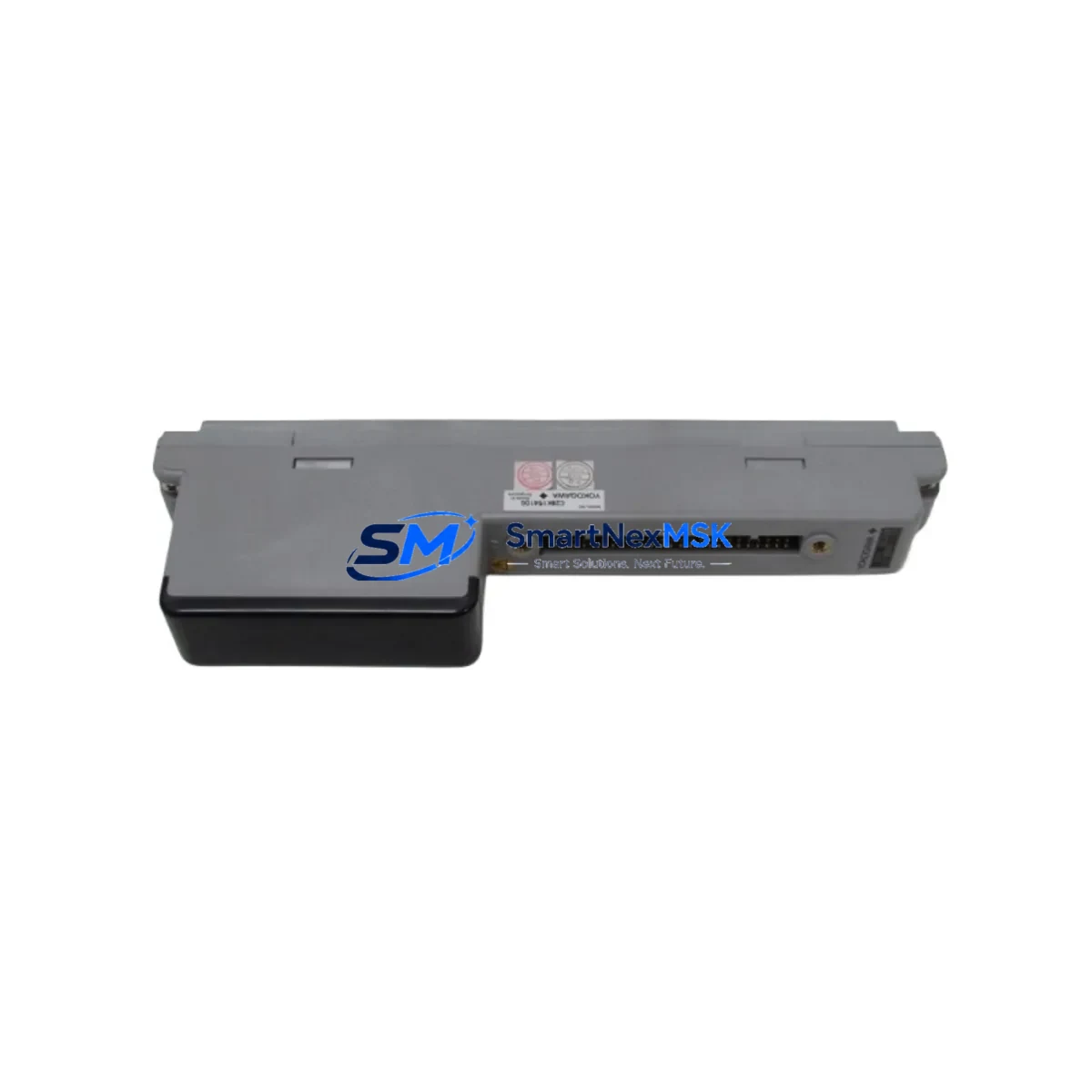
YOKOGAWA ADM52C-2 S3 Spare for CENTUM CS 3000 Automation
The YOKOGAWA ADM52C-2 S3 is an original analog output module designed for the CENTUM CS 3000 Distributed Control System. As a maintenance-ready spare, it enables rapid field replacement to minimize unplanned downtime in continuous process industries including petrochemical, power generation, pulp and paper, and pharmaceutical manufacturing. Each unit supplied by SMARTNEXMSK is sourced from verified channels, individually tested prior to shipment, and backed by a 12-month warranty — giving maintenance engineers and procurement teams the confidence to hold it as a live standby spare.
When a CENTUM CS 3000 analog output channel fails or degrades, the ADM52C-2 S3 provides a direct drop-in replacement without requiring firmware reconfiguration or hardware adaptation. Its compatibility with the CS 3000 field control station backplane means restoration can be completed within a single maintenance window, preserving loop integrity and process continuity.
Spare Maintenance Table
| Parameter | Specification |
|---|---|
| SKU / Part Number | ADM52C-2 S3 |
| Brand | YOKOGAWA |
| Series | CENTUM CS 3000 |
| Module Type | Analog Output Module (DCS) |
| Output Channels | 8-channel, 4–20 mA current output (typical for ADM52 series) |
| Output Resolution | 12-bit D/A conversion |
| Communication Interface | Internal V-net / ESB bus (CS 3000 backplane) |
| Power Supply | Supplied via FCS backplane (no external power required) |
| Mounting | Direct plug-in to CS 3000 Field Control Station (FCS) nest |
| Operating Temperature | 0 °C to 55 °C |
| Humidity | 10% to 90% RH (non-condensing) |
| Origin | Japan |
| Compatibility | CENTUM CS 3000 R3 / CS 3000 Small / CS 1000 (verify nest type) |
| Condition | Original, tested before shipment |
| Warranty | 12 months from date of shipment |
| Lead Time | In-stock units ship within 3–5 business days; confirm availability at order |
Maintenance Planning for Continuous Operation
Replacing the ADM52C-2 S3 in a live CENTUM CS 3000 system is rarely an isolated task. Experienced maintenance engineers treat an analog output module failure as a trigger for a broader inspection of the surrounding control loop and field control station. Before returning the FCS to service, the following components and assemblies should be verified:
Start with the FCS power supply module (e.g., PW481 or PW482 series) — a marginal power rail is a common root cause of analog output drift or module faults. Inspect the ESB bus coupler and nest backplane connectors for oxidation or mechanical damage, as poor backplane contact can cause intermittent channel errors that mimic module failure. Check the ADM52C-2 S3’s paired field terminal assembly (FTA) and associated marshalling wiring for loose terminations, corroded screw terminals, or insulation breakdown — field wiring faults frequently stress output modules beyond their rated load.
For loops running into control valves or variable-speed drives, verify the signal isolator or loop-powered barrier in the circuit; a failed isolator can back-feed voltage into the module output and cause premature failure of the replacement unit. If the FCS hosts communication-intensive functions, inspect the V-net interface card and confirm that the station address and network load are within specification. Where the CS 3000 system interfaces with a YOKOGAWA STARDOM or Exaopc OPC server, confirm that the communication gateway module is logging data correctly after the swap to validate loop restoration.
Maintenance planners should also review the status of adjacent analog input modules (e.g., AAM50 or AAM51 series) in the same nest — shared power and bus faults can degrade multiple modules simultaneously. If the site runs a YOKOGAWA EJX or EJA series field transmitter on the same loop, perform a zero and span check after the output module replacement to confirm end-to-end loop accuracy. Finally, update the CENTUM CS 3000 builder database and maintenance log with the replacement date, new module serial number, and post-replacement loop test results to support future predictive maintenance cycles.
Site Replacement Workflow
Step 1 — Pre-replacement verification: Confirm the ADM52C-2 S3 SKU and suffix (S3) match the installed module label. Cross-reference the CENTUM CS 3000 hardware manual to verify nest slot compatibility. Place the affected output channels in manual mode via the CENTUM CS 3000 HIS (Human Interface Station) operator console before removing the module.
Step 2 — Safe removal: The ADM52C-2 S3 supports hot-swap within the CS 3000 architecture (confirm with site safety procedures). Disengage the module locking lever, slide the module out of the nest, and inspect the backplane connector pins for damage before inserting the replacement unit.
Step 3 — Module insertion and initialization: Insert the replacement ADM52C-2 S3 firmly until the locking lever engages. The CS 3000 FCS will automatically recognize the module and download the channel configuration from the builder database — no manual parameter entry is required for a like-for-like replacement.
Step 4 — Loop verification: Return each output channel from manual to automatic mode one at a time. Verify the 4–20 mA output signal at the field terminal assembly using a calibrated loop calibrator. Confirm that the control valve or actuator responds correctly across the full output range.
Step 5 — Documentation: Record the replacement in the site CMMS, update the spare parts inventory, and schedule the next planned inspection interval. Retain the removed module for failure analysis if required by site quality procedures.
This workflow reduces mean time to repair (MTTR) and ensures the CENTUM CS 3000 system returns to full automatic control with verified loop integrity — minimizing production loss and avoiding secondary failures caused by incomplete commissioning.
Spare Parts Support FAQ
Q1: Is the ADM52C-2 S3 compatible with all CENTUM CS 3000 variants?
The ADM52C-2 S3 is designed for the CENTUM CS 3000 platform, including CS 3000 R3 and CS 3000 Small configurations. Compatibility with CS 1000 nests should be verified against the specific FCS hardware revision. Contact our technical team with your FCS model number for confirmation before ordering.
Q2: How is each unit tested before shipment?
Every ADM52C-2 S3 unit undergoes functional verification prior to dispatch, including power-on self-test and output channel continuity checks. Units are shipped with individual test records. The 12-month warranty covers manufacturing defects and functional failures under normal operating conditions from the date of shipment.
Q3: Can this module replace an older ADM52C-2 without the S3 suffix?
The S3 suffix typically denotes a hardware revision. In most CS 3000 installations, the S3 revision is backward-compatible with earlier ADM52C-2 variants, but we recommend verifying the builder database hardware revision setting before installation. Our team can assist with compatibility confirmation based on your system’s software version.
Q4: What is your lead time and long-term supply commitment for this part?
In-stock units are dispatched within 3–5 business days. SMARTNEXMSK maintains a dedicated inventory of YOKOGAWA CENTUM CS 3000 spare modules to support long-term maintenance contracts and emergency replacement needs. We provide ongoing supply support for legacy DCS systems, including parts that are no longer available through the original manufacturer’s standard channels.
© 2026 SMARTNEXMSK. All rights reserved.
Original Source: https://smartnexmsk.com
Contact: [email protected] | +86 18259474341



