
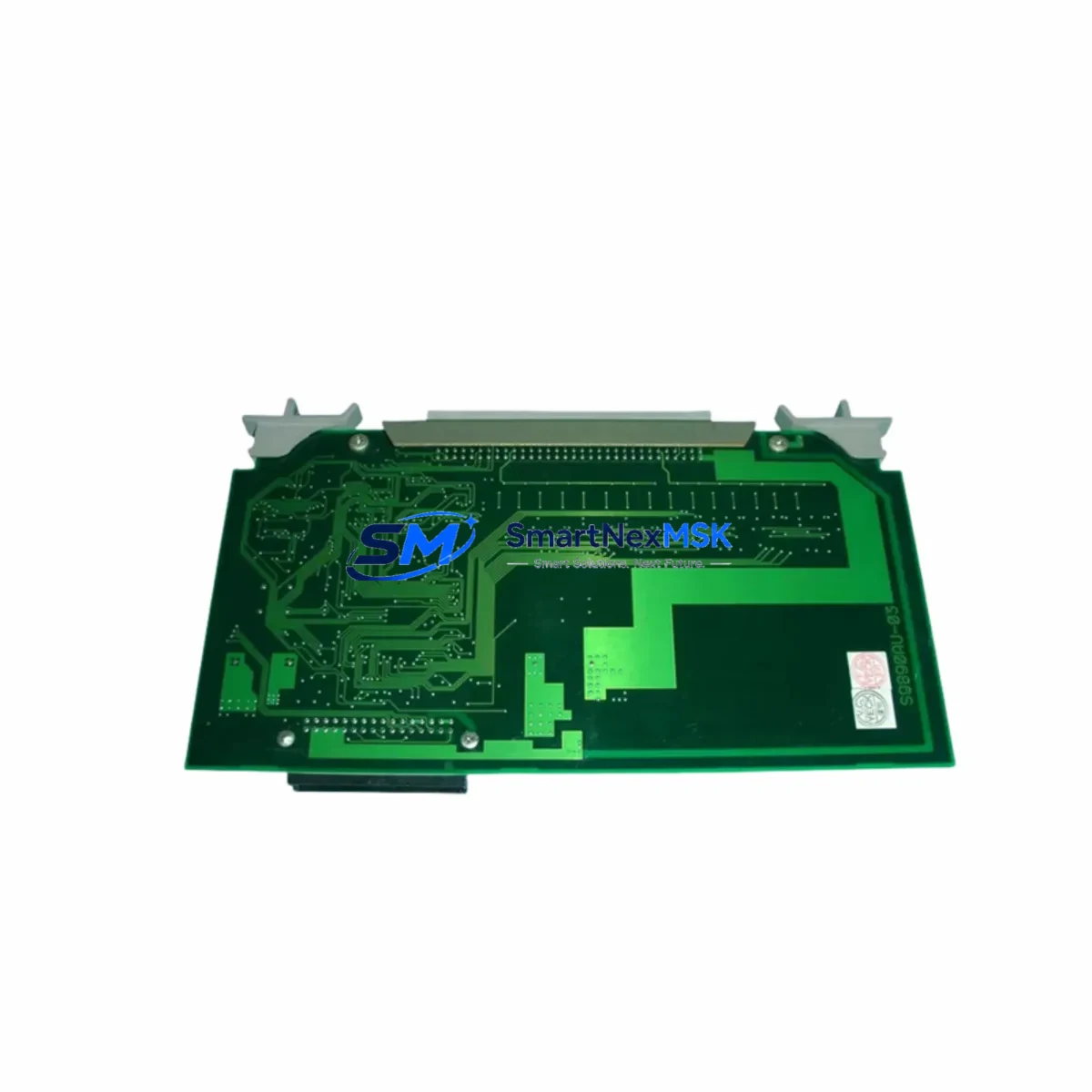
YOKOGAWA ADM55 S2 Maintenance-Ready Spare for CENTUM Automation
The YOKOGAWA ADM55 S2 is an original DCS PC board designed for deployment within CENTUM VP and CENTUM CS3000 distributed control systems. For maintenance engineers managing continuous-process plants — refineries, chemical facilities, power generation units, and pulp and paper mills — the ADM55 S2 represents a critical spare that directly impacts system uptime and process availability. Unplanned failure of this module without an on-hand replacement can result in extended shutdown windows, production loss, and costly emergency procurement. Stocking a verified original ADM55 S2 spare is a foundational element of any responsible DCS maintenance strategy.
This listing supplies the ADM55 S2 in original YOKOGAWA specification, sourced from authorized industrial channels, individually tested prior to shipment, and backed by a 12-month warranty. Each unit is inspected for board integrity, connector condition, and firmware compatibility before dispatch. Global delivery is supported with full export documentation available upon request.
Spare Maintenance Table
| Parameter | Specification / Detail |
|---|---|
| Part Number / SKU | ADM55 S2 |
| Brand | YOKOGAWA |
| Module Type | DCS PC Board (Advanced Data Management) |
| Compatible Series | CENTUM VP, CENTUM CS3000 |
| Origin | Japan |
| Supply Voltage | Per CENTUM VP/CS3000 backplane specification (5 VDC logic rail) |
| Installation | Direct slot replacement in CENTUM VP/CS3000 controller cabinet |
| Communication Interface | Compatible with Vnet/IP and legacy Vnet bus architecture |
| Operating Temperature | 0°C to 60°C (standard industrial cabinet environment) |
| Humidity | 5% to 95% RH, non-condensing |
| Condition | Original / New-surplus; individually tested before shipment |
| Warranty | 12 Months from date of shipment |
| Delivery | Global; DHL / FedEx / EMS with full export documentation |
| Maintenance Recommendation | Replace at first sign of communication fault, watchdog alarm, or controller redundancy degradation |
Maintenance Planning for Continuous Operation
When a CENTUM VP or CS3000 system raises a controller fault or communication alarm traceable to the ADM55 S2, experienced maintenance engineers know that the replacement workflow extends beyond the board itself. A thorough site inspection should accompany any ADM55 S2 swap to prevent repeat failures and confirm system integrity.
Begin by verifying the CENTUM VP power supply module (such as the PW481 or PW482 series) that feeds the controller cabinet. A degraded power rail is a common root cause of PC board failures and will damage a replacement module if left unaddressed. Inspect the FCN/FCJ field control unit backplane connectors for oxidation or mechanical damage before seating the new ADM55 S2.
Simultaneously, check the ALR111 or ALR121 analog input modules in the same I/O nest — intermittent signal errors often accompany controller board degradation and may indicate a broader rack-level issue. If the system uses AAI141 or AAI143 analog I/O modules, verify their loop integrity and calibration status as part of the same maintenance window.
For systems relying on Vnet/IP communication, inspect the ACM11 communication module and associated Ethernet switches for packet loss or link-down events that may have contributed to the original fault. In older CS3000 installations, the ESB bus coupler and its associated terminal boards should be checked for contact resistance and insulation integrity.
Maintenance planners should also review the status of relay output modules (such as the ADV151 or ADV161) connected to the same controller segment, as sustained controller faults can cause relay state ambiguity. Signal isolators on critical 4–20 mA loops should be tested for drift if the ADM55 S2 failure was preceded by erratic process readings. Finally, confirm that the HIS (Human Interface Station) engineering software reflects the correct module configuration after replacement and that the redundant controller pair has re-synchronized successfully.
Maintaining a minimum stock of one ADM55 S2 spare per CENTUM VP controller domain — alongside matched power supply and communication module spares — is the industry-standard approach for plants targeting less than 0.1% unplanned downtime on DCS-controlled processes.
Site Replacement Workflow
Step 1 — Fault Confirmation: Use the CENTUM VP System View or CS3000 HIS to confirm the ADM55 S2 as the fault source. Document the alarm code and controller node address before proceeding.
Step 2 — Redundancy Check: If the system is configured in dual-redundant mode, confirm that the standby controller has assumed control before removing the faulty module. Do not proceed if redundancy has already failed — escalate to a planned outage window.
Step 3 — Safe Removal: Follow YOKOGAWA lockout/tagout procedures for the affected controller cabinet. Remove the ADM55 S2 by releasing the module locking lever and extracting it from the backplane slot. Inspect the backplane connector pins for damage.
Step 4 — Replacement Installation: Insert the new ADM55 S2 into the correct slot, ensuring full backplane engagement. The module firmware version should be confirmed compatible with the running CENTUM VP/CS3000 software revision — consult the YOKOGAWA engineering release notes if a version mismatch is suspected.
Step 5 — System Verification: Power up the controller and monitor the HIS for successful module recognition, redundancy re-establishment, and clean I/O scan. Run a 15-minute observation period before returning the loop to automatic control.
This workflow minimizes mean time to repair (MTTR) and avoids the common errors — incorrect slot assignment, firmware incompatibility, and backplane connector damage — that extend downtime beyond the replacement itself.
Spare Parts Support FAQ
Q1: Is the ADM55 S2 supplied as a new or refurbished module?
All ADM55 S2 units are supplied as original YOKOGAWA modules — either factory-new or new-surplus stock that has never been installed in a production environment. Each unit undergoes functional testing and visual inspection before shipment. Refurbished or repaired units are not supplied under this listing.
Q2: How do I confirm compatibility with my specific CENTUM VP or CS3000 revision?
Provide your controller node model number, CENTUM software revision, and existing ADM55 module suffix (S1, S2, etc.) when placing your order. Our technical team will cross-reference against YOKOGAWA compatibility matrices and confirm suitability before shipment. No assumption of compatibility is made without verification.
Q3: What does the 12-month warranty cover, and how is a claim processed?
The 12-month warranty covers manufacturing defects and functional failure under normal operating conditions. It does not cover damage resulting from incorrect installation, overvoltage, or environmental conditions outside the module’s rated specification. To initiate a warranty claim, contact [email protected] with the order reference, fault description, and photographic evidence. Replacement or credit is processed within 5 business days of fault confirmation.
Q4: Can you support long-term or blanket purchase orders for ADM55 S2 spares?
Yes. For plants managing multiple CENTUM VP domains or operating under a multi-year maintenance contract, blanket purchase agreements with reserved stock allocation are available. Contact our procurement team to discuss volume pricing, lead time guarantees, and consignment stock arrangements tailored to your maintenance schedule.
© 2026 SMARTNEXMSK. All rights reserved.
Original Source: https://smartnexmsk.com
Contact: [email protected] | +86 18259474341



