
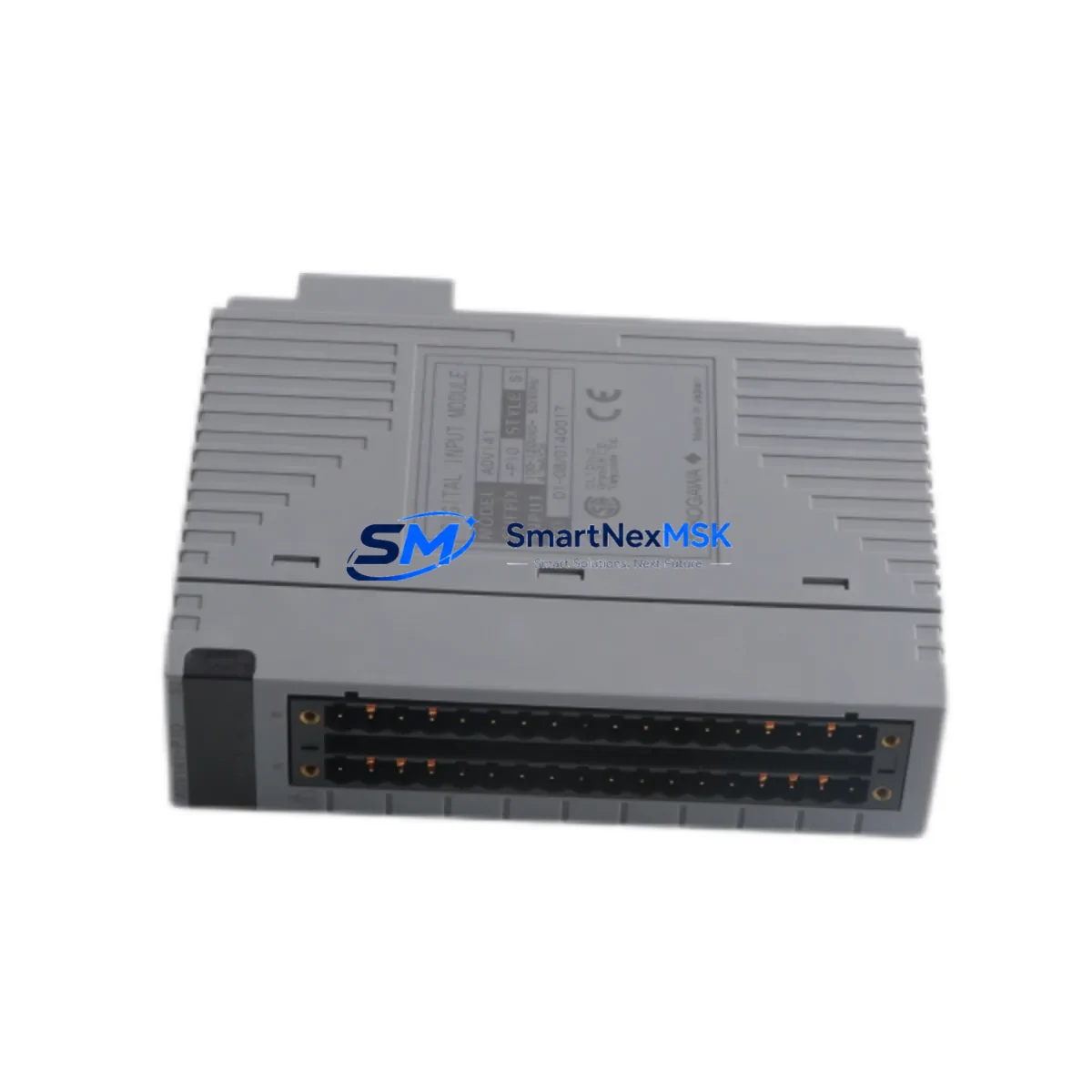
Yokogawa ADV141-P10 S1 Retrofit-Ready DI Module for CENTUM VP & CS3000 Control Systems
The Yokogawa ADV141-P10 S1 is a 32-channel digital input module engineered for seamless integration into Yokogawa CENTUM VP and CS3000 distributed control systems. As legacy DCS installations age and original spare parts become increasingly scarce, the ADV141-P10 S1 serves as a verified drop-in replacement that preserves existing wiring configurations, backplane slot assignments, and I/O address mappings — enabling control engineers to restore system functionality with minimal disruption to ongoing production processes.
Whether you are managing a planned turnaround, responding to an unplanned module failure, or executing a phased migration from CS3000 to CENTUM VP R6, the ADV141-P10 S1 is a critical component in maintaining digital input integrity across field instrument loops, valve position feedback circuits, motor status signals, and interlock logic chains. Each unit shipped by SMARTNEXMSK undergoes pre-shipment functional verification and is covered by a 12-month warranty.
Upgrade Compatibility Table
| Parameter | ADV141-P10 S1 Specification | Retrofit Notes |
|---|---|---|
| Channel Count | 32 Digital Input Channels | Direct replacement for ADV141-P00 / ADV141-P01 channel count |
| Input Signal Type | Dry contact / Wet contact (24 VDC) | Verify field wiring voltage before swap; no rewiring required for standard 24 VDC loops |
| Backplane Interface | CENTUM VP / CS3000 standard node bus | Compatible with ACN11S, ACN21S, and ACN31S node units; confirm slot address in SCS Builder |
| Module Address | Configurable via SCS Builder / HIS | Re-use existing address; no re-download required if address unchanged |
| Communication Protocol | Vnet/IP (CENTUM VP) / Vnet (CS3000) | Protocol auto-negotiated by FCS; no manual configuration needed |
| Power Consumption | Supplied via backplane (node bus) | Verify PWR48-10 or PWR48-20 power supply capacity before adding modules |
| Terminal Wiring | Standard CENTUM terminal block (MTB) | Existing MTB connectors reusable; no field rewiring required |
| HMI Compatibility | CENTUM VP HIS / CS3000 HIS | Existing HMI faceplates and alarm tags remain valid after module swap |
| Replacement Path | ADV141-P00 → ADV141-P10 S1 | Confirmed functional equivalent; verify firmware revision in SCS Builder |
| Warranty | 12 Months | Covers manufacturing defects; includes pre-shipment functional test report |
Retrofit Planning for Existing Automation Systems
Successful integration of the ADV141-P10 S1 into an existing CENTUM VP or CS3000 installation requires a structured pre-replacement assessment. Before removing the failed or end-of-life module, control engineers should document the current slot position within the ACN11S or ACN21S node unit, confirm the I/O module address in SCS Builder, and export the current FCS (Field Control Station) configuration as a backup. This ensures that if any unexpected behavior occurs during commissioning, the original logic can be restored without delay.
Power budget verification is a frequently overlooked step in DCS retrofit projects. The PWR48-10 or PWR48-20 power supply modules feeding the node bus must have sufficient headroom to support the ADV141-P10 S1 alongside co-installed modules such as the AAI141-S50 analog input module or the ADV551-P50 digital output module. Overloading the node bus power supply is a common cause of intermittent module faults in aging CENTUM installations.
Terminal block compatibility is another key consideration. The ADV141-P10 S1 uses the standard CENTUM multi-terminal block (MTB) connector, which is physically and electrically compatible with existing field wiring harnesses. In most retrofit scenarios, the MTB connector can be transferred directly from the old module to the new one, eliminating the need for field rewiring and significantly reducing the risk of wiring errors during the swap. For installations using the KS1-1 or KS1-2 terminal strip adapters, compatibility should be confirmed against the module’s terminal assignment drawing.
For sites migrating from CS3000 to CENTUM VP R6, the ADV141-P10 S1 supports both Vnet and Vnet/IP communication protocols, making it a viable bridge component during phased migration projects. When operating in a mixed-generation environment alongside ACN31S node units and FCS0135-S25 field control stations, the module’s protocol auto-negotiation capability eliminates the need for manual communication parameter reconfiguration. Engineers should also verify that the CENTUM VP Engineering Environment (ENG) software version installed on the HIS workstation supports the ADV141-P10 S1 module definition file (MDF); updating the MDF library prior to commissioning prevents tag resolution errors in the HMI.
For control cabinets undergoing full I/O expansion, the ADV141-P10 S1 can be installed alongside AAT141-S50 analog input terminal modules and ADV161-P10 64-channel digital input modules to increase total digital input capacity without requiring a new FCS or node unit. This approach is particularly effective in brownfield projects where cabinet space is limited and the existing backplane and wiring infrastructure must be preserved.
Downtime Control During System Migration
Minimizing unplanned downtime is the primary operational concern when replacing a digital input module in a live DCS environment. For the ADV141-P10 S1, the recommended hot-swap procedure begins with placing the affected FCS in manual mode at the HIS workstation, ensuring that all interlock logic dependent on the 32 digital input channels is temporarily bypassed or held at its last known state. This prevents spurious trips or false alarms during the physical module exchange.
Once the replacement module is seated in the backplane slot and the MTB connector is reattached, the FCS will automatically detect the new module and re-initialize the I/O channel assignments based on the existing configuration stored in the FCS memory. In most CENTUM VP installations, this process completes within 30 to 60 seconds without requiring a full FCS download. Engineers should monitor the SCS Builder diagnostic screen and the HIS alarm summary to confirm that all 32 channels return to their expected states before releasing the FCS back to automatic control mode.
For CS3000 installations where hot-swap is not supported at the node level, a controlled shutdown of the affected node unit is required. In this scenario, pre-staging the replacement ADV141-P10 S1 module, pre-configuring the module address offline, and coordinating the swap during a scheduled maintenance window are essential steps for keeping total downtime under 15 minutes. SMARTNEXMSK maintains ready stock of the ADV141-P10 S1 to support emergency dispatch requirements, with same-day shipping available for orders confirmed before 14:00 CST.
Retrofit Support FAQ
Q1: Is the ADV141-P10 S1 a direct replacement for the ADV141-P00?
Yes. The ADV141-P10 S1 is the current production equivalent of the discontinued ADV141-P00. It shares the same 32-channel digital input architecture, backplane connector pinout, and MTB terminal block interface. No wiring changes or FCS configuration modifications are required in standard replacement scenarios. Confirm the module suffix (S1) matches your system’s hardware revision requirements in SCS Builder before installation.
Q2: What commissioning steps are required after installing the ADV141-P10 S1?
After physical installation, verify the module address in SCS Builder matches the original slot assignment. Perform a channel-by-channel I/O check by simulating input signals at the field terminal block and confirming correct state changes at the HIS faceplate. Check the FCS diagnostic log for any module initialization errors. If the system reports a firmware mismatch, update the module definition file (MDF) in the CENTUM VP Engineering Environment before re-downloading the FCS configuration.
Q3: Can the ADV141-P10 S1 be used in both CENTUM VP and CS3000 systems?
Yes. The ADV141-P10 S1 is compatible with both CENTUM VP (Vnet/IP) and CS3000 (Vnet) communication architectures. In mixed-generation installations, the module auto-negotiates the appropriate protocol based on the node unit type. For CS3000 systems running firmware below R3.09, consult the Yokogawa hardware compatibility matrix to confirm support for the P10 hardware revision.
Q4: What does the 12-month warranty cover, and is a test report included?
Every ADV141-P10 S1 shipped by SMARTNEXMSK is covered by a 12-month warranty against manufacturing defects and functional failures under normal operating conditions. Each unit undergoes pre-shipment functional testing, and a test report confirming channel integrity, backplane communication, and power consumption within specification is available upon request. Warranty claims are processed within 5 business days, with advance replacement available for critical production environments.
© 2026 SMARTNEXMSK. All rights reserved.
Original Source: https://smartnexmsk.com
Contact: [email protected] | +86 18259474341



