
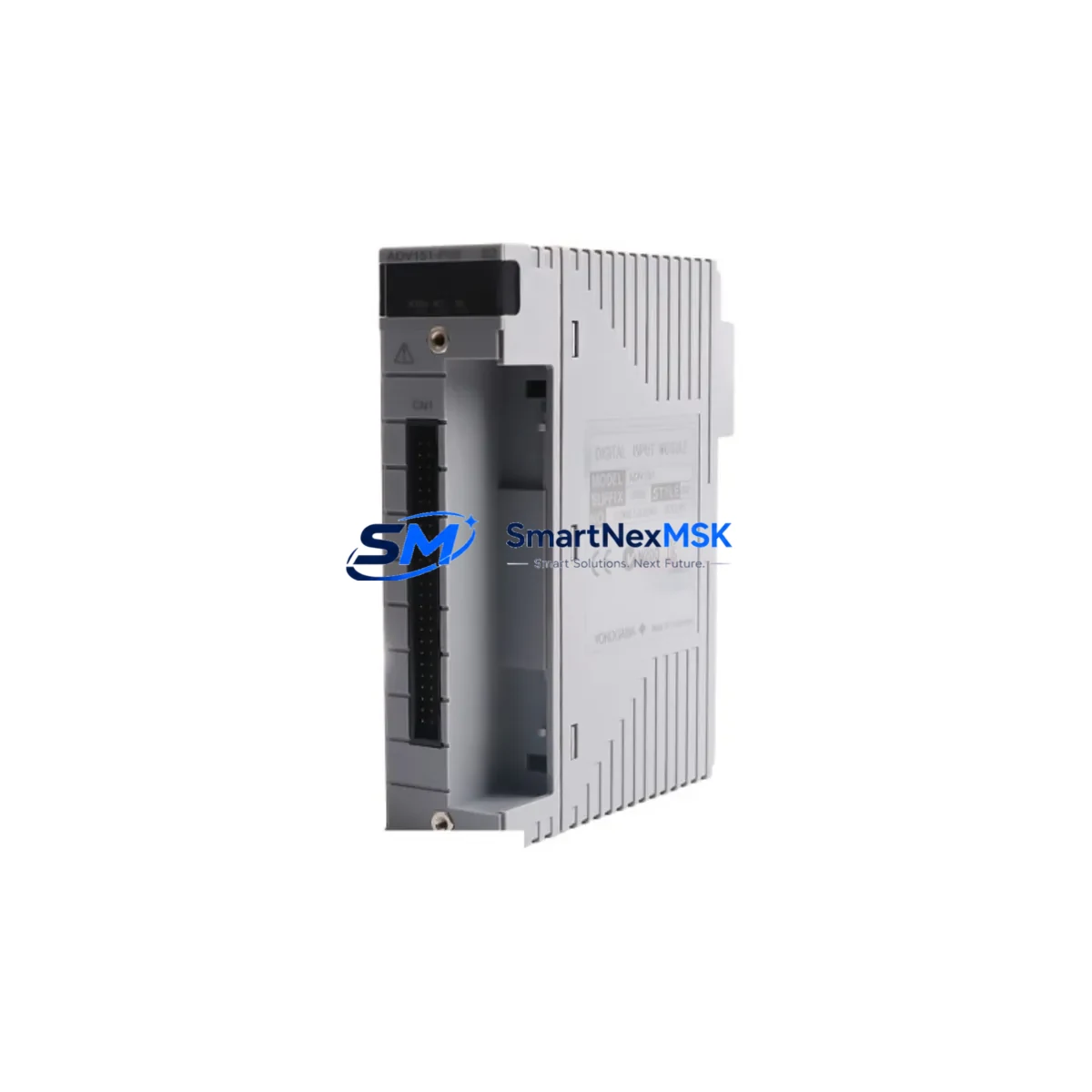
Yokogawa ADV151-E63 Maintenance-Ready Spare for CENTUM VP Automation
The Yokogawa ADV151-E63 is an original digital input module designed for the CENTUM VP and CS 3000 distributed control systems — two of the most widely deployed DCS platforms in refining, petrochemical, power generation, and continuous process industries. As a maintenance-ready spare, the ADV151-E63 is sourced, inspected, and held in inventory specifically to support rapid field replacement, minimize unplanned downtime, and extend the operational life of aging control architectures without requiring a full system migration.
For maintenance engineers managing aging CENTUM VP or CS 3000 cabinets, the ADV151-E63 represents a critical node in the digital input subsystem. It acquires field-level discrete signals — valve position feedback, motor run status, interlock confirmations, and equipment health flags — and transmits them to the controller for logic execution. A failed or degraded ADV151-E63 can silently corrupt process visibility, trigger spurious alarms, or disable safety interlocks, making it one of the highest-priority modules to keep in the on-site spare parts inventory.
Spare Maintenance Table
| Parameter | Specification / Detail |
|---|---|
| Part Number | ADV151-E63 |
| Brand | Yokogawa Electric Corporation |
| Module Type | Digital Input (DI) Module |
| Compatible Systems | CENTUM VP, CENTUM CS 3000 |
| Series | CENTUM VP / CS 3000 Field Control Station (FCS) |
| Signal Type | Discrete / Digital Input |
| Mounting | Node Unit / I/O Unit backplane slot |
| Origin | Japan (Original Yokogawa) |
| Application Environment | Industrial process control, DCS cabinet, control room enclosure |
| Typical Installation | FCS I/O unit, field junction box interface, marshalling cabinet |
| Maintenance Recommendation | Inspect signal wiring, terminal blocks, and field device continuity before hot-swap replacement |
| Condition | Original, tested prior to shipment |
| Warranty | 12 Months |
Maintenance Planning for Continuous Operation
When the ADV151-E63 is flagged for replacement during a planned shutdown or emergency callout, experienced maintenance engineers treat the module swap as an opportunity to audit the surrounding I/O infrastructure. A single failed digital input module rarely fails in isolation — signal degradation, loose terminal connections, or power rail instability often affect adjacent components in the same I/O unit or control cabinet.
Before or during replacement of the ADV151-E63, the following components should be inspected or tested as part of a complete maintenance pass:
- ADV151-P8 / ADV151-P4 (Digital Input Modules, same series): Verify adjacent DI modules in the same I/O unit for similar signal dropout symptoms. Cross-check channel diagnostics in the CENTUM VP engineering station.
- AAI141 / AAI143 Analog Input Modules: If the control loop includes both discrete and analog inputs from the same field device (e.g., a motor with run status and current feedback), inspect the paired analog input module for calibration drift or channel faults.
- ADV551 / ADV561 Digital Output Modules: Confirm that output commands to actuators and solenoids are executing correctly after the DI module is restored — a failed input module can mask output-side faults.
- Node Unit Power Supply (e.g., AVR10D or equivalent FCS power module): Measure DC rail voltage at the I/O unit backplane. Undervoltage conditions accelerate module failure and can cause intermittent input read errors.
- Terminal Blocks and Field Wiring: Inspect all field-side terminal connections on the marshalling cabinet. Corroded, loose, or mis-labeled terminals are a leading cause of digital input faults that are incorrectly attributed to module failure.
- Signal Isolators (e.g., Yokogawa MTL or equivalent DIN-rail isolators): If field signals pass through galvanic isolators before reaching the ADV151-E63, verify isolator output voltage and continuity. Degraded isolators can cause floating or noisy input signals.
- Fuses and Circuit Protection: Check field loop fuses in the marshalling cabinet. A blown fuse on a DI loop will present identically to a failed input channel on the ADV151-E63.
- Communication Bus Integrity (Vnet/IP or ESB): After module replacement, confirm that the FCS node re-establishes communication with the HIS (Human Interface Station) and that all DI tags are updating correctly in the process graphic.
- HMI Tag Mapping: Verify that the replacement module’s slot address matches the original configuration in the CENTUM VP builder. Incorrect slot assignment will result in all channels reading as OFF regardless of field status.
- Backplane and Node Unit Connectors: Inspect the I/O unit backplane connector for bent pins or oxidation. A damaged backplane connector will cause persistent communication errors even with a known-good replacement module.
Maintaining a minimum of one ADV151-E63 unit in the on-site spare parts cabinet — alongside matched digital output modules, a power supply spare, and a set of terminal block spares — is the recommended strategy for CENTUM VP sites operating beyond the standard product lifecycle.
Site Replacement Workflow
The ADV151-E63 supports hot-standby replacement in redundant FCS configurations, allowing module swap without a full controller shutdown in many CENTUM VP installations. For non-redundant nodes, a controlled maintenance window should be scheduled. The replacement workflow is as follows:
- Step 1 — Pre-Replacement Verification: Confirm the failed module’s slot number, node address, and I/O unit position using the CENTUM VP System View or Field Control Station diagnostics. Document all active alarms on affected DI channels.
- Step 2 — Field Isolation: Notify the control room operator. Place affected process loops in manual mode or bypass interlocks per site safety procedures. Do not remove the module while field devices are in automatic control.
- Step 3 — Module Removal: Release the module locking lever, slide the ADV151-E63 out of the I/O unit slot. Inspect the backplane connector and slot interior for contamination or damage before inserting the replacement.
- Step 4 — Replacement Installation: Insert the new ADV151-E63 into the same slot. The CENTUM VP FCS will automatically recognize the module and restore channel configuration from the resident database — no manual re-download is required in standard configurations.
- Step 5 — Post-Replacement Validation: Confirm all DI channels return to expected states in the HIS process graphic. Clear latched alarms. Return process loops to automatic control. Log the replacement in the site maintenance management system.
This workflow applies equally to legacy CS 3000 installations where the ADV151-E63 is used as a direct replacement for end-of-life modules, enabling old system life extension without controller migration or re-engineering.
Spare Parts Support FAQ
Q1: Is the ADV151-E63 compatible with both CENTUM VP and CS 3000 systems?
Yes. The ADV151-E63 is designed for use across the CENTUM VP and CS 3000 FCS I/O unit platforms. Always verify the node unit type and slot compatibility against your site’s system configuration drawing before installation. If you are unsure, provide your FCS model number and we will confirm compatibility before shipment.
Q2: What does the 12-month warranty cover?
All ADV151-E63 units are tested prior to shipment and covered by a 12-month warranty against manufacturing defects and functional failure under normal operating conditions. The warranty covers module replacement or refund. It does not cover damage caused by incorrect installation, overvoltage, or field wiring faults. Warranty claims are processed within 5 business days of fault confirmation.
Q3: How quickly can the ADV151-E63 be shipped for emergency maintenance?
In-stock units are available for same-day or next-business-day dispatch. For emergency maintenance situations, contact our sales team directly to confirm stock availability and arrange priority shipping. We support air freight to most industrial regions globally.
Q4: Can I use the ADV151-E63 to replace an older or discontinued Yokogawa DI module?
In many cases, yes — particularly for CS 3000 to CENTUM VP migration scenarios or direct like-for-like replacement of worn modules. Compatibility depends on the I/O unit generation and FCS firmware version. We recommend providing your existing module part number and FCS configuration details so we can confirm cross-compatibility before you commit to the replacement.
© 2026 SMARTNEXMSK. All rights reserved.
Original Source: https://smartnexmsk.com
Contact: [email protected] | +86 18259474341



