
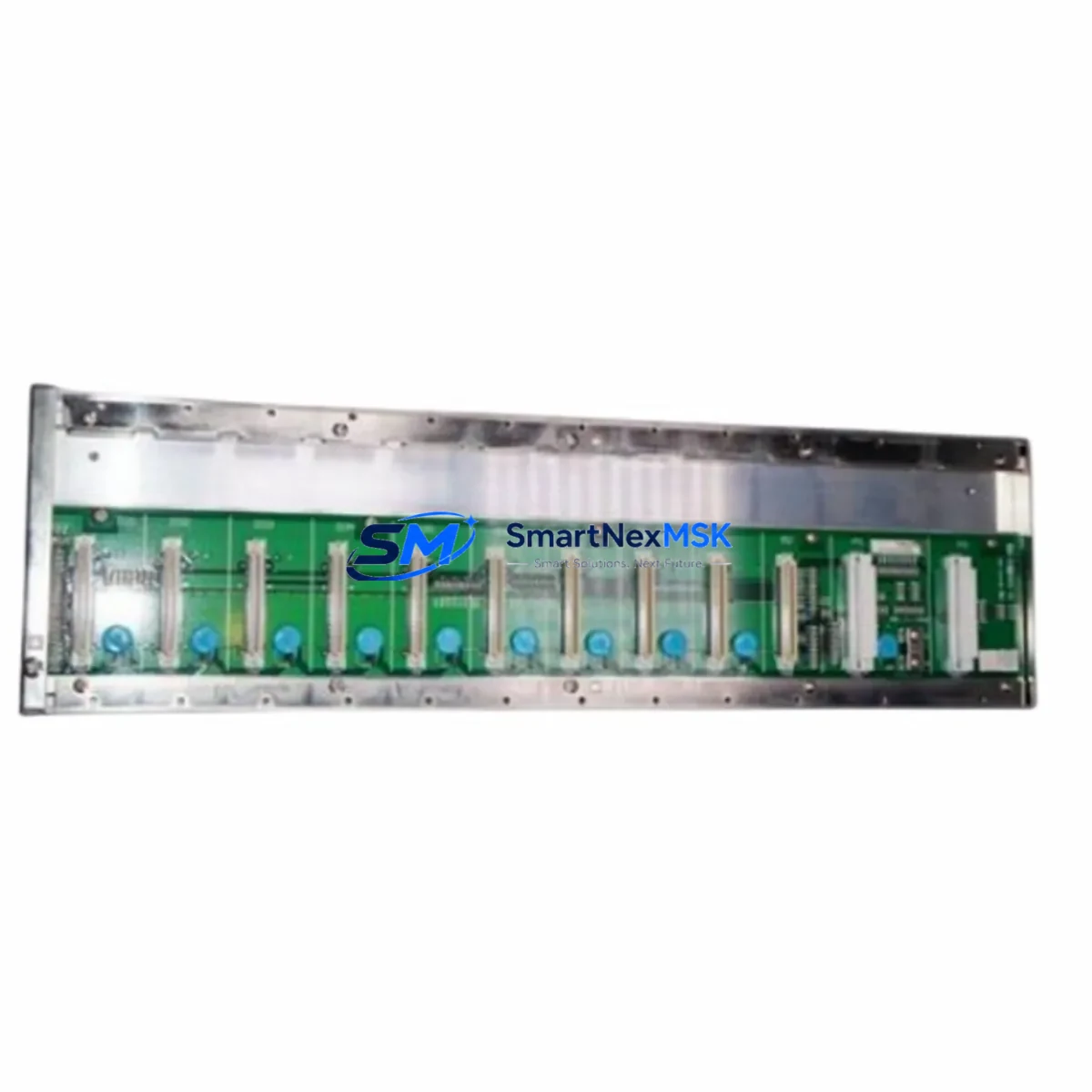
Yokogawa ASS9881 DE-02 Retrofit-Ready DCS Backplane for CENTUM VP Control Systems
The Yokogawa ASS9881 DE-02 is a field-proven DCS backplane module engineered for seamless integration into CENTUM VP and legacy CS 3000 distributed control system architectures. As aging CS 3000 installations approach end-of-support milestones, plant engineers and system integrators increasingly rely on the ASS9881 DE-02 as the preferred retrofit solution — offering electrical compatibility, mechanical form-factor alignment, and firmware interoperability that eliminates the need for full panel redesigns.
Whether you are executing a phased migration from a CS 3000 field control station to a CENTUM VP FCS, replacing a failed backplane in a live production environment, or expanding I/O capacity within an existing control cabinet, the ASS9881 DE-02 delivers the reliability and backward compatibility that industrial operations demand. Every unit shipped by SMARTNEXMSK undergoes pre-shipment functional verification and is covered by a 12-month warranty.
Upgrade Compatibility Table
| Parameter | ASS9881 DE-02 Specification | Retrofit Notes |
|---|---|---|
| Compatible Platform | CENTUM VP, CS 3000 | Verify FCS generation (R3.xx / R4.xx / R5.xx / R6.xx) |
| Backplane Slot Interface | Standard Yokogawa node bus connector | Confirm rack generation; early CS 3000 racks may require adapter bracket |
| Power Supply Compatibility | 24 VDC node bus power | Verify PSU capacity — add redundant PWR701 or PWR702 if total load exceeds 80% |
| Communication Protocol | Vnet/IP (CENTUM VP) / Vnet (CS 3000) | Confirm Vnet/IP migration if upgrading from CS 3000 to CENTUM VP FCS |
| I/O Module Compatibility | AAI141, AAI143, AAI841, ADV151, ADV551 series | Re-use existing I/O modules where firmware revision is compatible |
| Installation Footprint | Standard Yokogawa FCS rack mount | No panel modification required for same-generation rack replacement |
| Module Address Configuration | DIP switch / software node address | Record existing node address before removal; replicate on replacement unit |
| HMI Compatibility | CENTUM VP HIS, CS 3000 HIS | HMI faceplates and alarm tags remain valid; no screen rebuild required |
| Commissioning Requirement | Cold restart after installation | Download FCS database from Engineering Workstation (EWS) post-swap |
| Warranty | 12 Months | Covers manufacturing defects; includes pre-shipment functional test report |
Retrofit Planning for Existing Automation Systems
A successful ASS9881 DE-02 retrofit begins well before the maintenance window opens. The first step is a thorough audit of the existing control cabinet: document the rack slot assignments, record the node addresses of every installed module, and photograph the terminal wiring on all AAI141 analog input modules and ADV151 digital input modules currently seated in the backplane. This documentation becomes the baseline for post-swap verification.
Power budget analysis is critical. The ASS9881 DE-02 draws its operating power from the node bus, which is typically supplied by a PWR701 or PWR702 power supply module. Before installation, calculate the aggregate current draw of all I/O modules in the rack — including any AAI843 analog output modules or ADV551 digital output modules — and confirm the power supply has at least 20% headroom. If the existing PSU is already near capacity, install a redundant power supply before proceeding.
Terminal wiring on the existing backplane must be mapped against the ASS9881 DE-02 terminal layout. In most same-generation CENTUM VP rack replacements, the wiring is pin-compatible and can be transferred directly. However, if the legacy installation used a CS 3000 AIP829 or AIP835 interface panel, verify that the field terminal assignments align with the new backplane’s connector pinout before energizing.
Communication link verification is equally important. CENTUM VP systems running Vnet/IP require that the replacement backplane’s network node address matches the address previously assigned in the FCS database. If the migration also involves upgrading from the legacy Vnet coaxial bus to Vnet/IP Ethernet, the ACG10S Vnet/IP gateway or an updated FCS0135 field control station may be required in parallel with the backplane swap. Coordinate with the Engineering Workstation (EWS) operator to ensure the FCS database reflects the new hardware configuration before the cold restart.
For sites running third-party SCADA or historian systems connected via OPC-DA or OPC-UA interfaces, confirm that the tag mapping in the OPC server remains intact after the FCS database download. In most cases, tag names and addresses are preserved, but a spot-check of 10–15 critical process variables immediately after restart is recommended practice.
Downtime Control During System Migration
Minimizing unplanned downtime is the primary concern for any backplane replacement in a live production environment. The recommended approach is to pre-stage the ASS9881 DE-02 in a bench environment, configure the node address to match the unit being replaced, and perform a dry-run installation on a spare rack if available. This eliminates configuration errors during the actual maintenance window.
Before the scheduled outage, export a full backup of the FCS database from the Engineering Workstation. This backup preserves all function block logic, loop tuning parameters, interlock sequences, and alarm setpoints. If the replacement backplane requires a firmware update to match the CENTUM VP system revision, apply the update during the bench staging phase — not during the live maintenance window.
During the swap, follow a structured sequence: isolate the rack from the node bus, remove I/O modules in slot order (photographing each position), extract the failed backplane, seat the ASS9881 DE-02, reinstall I/O modules in the same slot positions, reconnect field wiring, and restore node bus power. A two-person team — one handling hardware, one monitoring the HIS operator station — reduces the risk of missed steps.
After power restoration, initiate a controlled FCS cold restart from the EWS and download the pre-backed-up database. Monitor the HIS for alarm floods during the first 60 seconds of restart; transient alarms caused by I/O initialization are normal and should clear within 90 seconds. If any I/O module fails to communicate after restart, check the module’s status LED, verify slot address, and reseat the module before escalating to a hardware fault diagnosis.
For critical loops that cannot tolerate even a brief interruption, consider deploying a temporary portable engineering station with a shadow FCS database running in simulation mode to maintain operator visibility during the hardware swap. This approach is particularly effective in continuous process industries where loop monitoring must be maintained even during planned maintenance.
Retrofit Support FAQ
Q1: Is the ASS9881 DE-02 a direct drop-in replacement for the original CS 3000 backplane in the same rack?
In most cases, yes. The ASS9881 DE-02 is designed to maintain mechanical and electrical compatibility with standard Yokogawa FCS racks used in both CS 3000 and CENTUM VP installations. However, you should verify the rack generation and confirm that the node bus connector version matches. Early-generation CS 3000 racks (pre-R3.xx) may require a mechanical adapter. Contact our technical team with your rack model number for a compatibility confirmation before ordering.
Q2: Do I need to reconfigure the module address after installing the ASS9881 DE-02?
Yes. The node address must be set to match the address previously assigned to the failed backplane in the FCS database. On the ASS9881 DE-02, the node address is configured via DIP switches on the module body. Record the existing address before removing the old unit. After installation, the FCS database download from the EWS will validate the address assignment during the cold restart sequence.
Q3: What pre-shipment testing does SMARTNEXMSK perform on the ASS9881 DE-02?
Every ASS9881 DE-02 unit undergoes a functional power-on test, node bus communication verification, and visual inspection for connector integrity and PCB condition before shipment. A test report is available upon request. All units are covered by a 12-month warranty against manufacturing defects from the date of shipment.
Q4: Can the ASS9881 DE-02 be used in a CENTUM VP system that has already migrated from CS 3000?
Yes. The ASS9881 DE-02 is fully compatible with CENTUM VP FCS architectures running Vnet/IP. If your system has already completed the Vnet-to-Vnet/IP migration, the backplane will operate normally within the updated network topology. Ensure the FCS software revision on your Engineering Workstation supports the module’s firmware version — consult the CENTUM VP Release Notes for your specific system revision if you are unsure.
© 2026 SMARTNEXMSK. All rights reserved.
Original Source: https://smartnexmsk.com
Contact: [email protected] | +86 18259474341



