
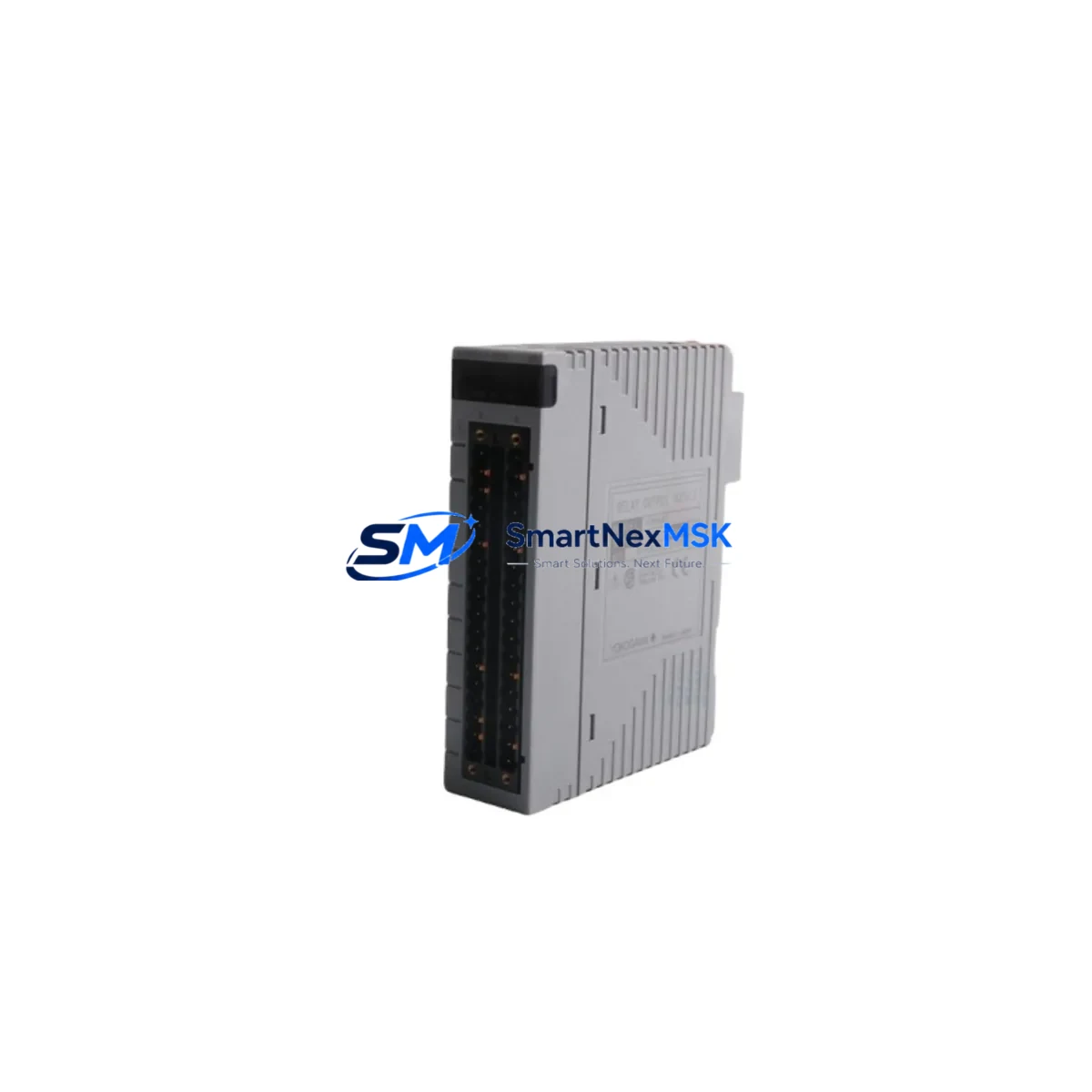
Yokogawa EC401-10 S2 Retrofit-Ready ESB Bus Coupler for CENTUM VP Control Systems
The Yokogawa EC401-10 S2 is a field-proven ESB (Enhanced Serial Backplane) Bus Coupler Module designed for integration within the CENTUM VP Distributed Control System platform. As legacy CENTUM CS 3000 and early CENTUM VP installations approach end-of-life support cycles, the EC401-10 S2 has become a critical component in planned retrofit programs, emergency spare strategies, and phased control system modernization projects across petrochemical, power generation, pulp and paper, and pharmaceutical industries.
SMARTNEXMSK maintains verified stock of the EC401-10 S2, sourced through authorized industrial channels and subject to full functional testing prior to shipment. Each unit is covered by a 12-month warranty and ships with documented test records to support your site acceptance and commissioning requirements.
Upgrade Compatibility Table
| Parameter | EC401-10 S2 Specification | Retrofit Notes |
|---|---|---|
| Module Type | ESB Bus Coupler | Direct replacement for EC401-10 and EC401-10 S1 in CENTUM VP cabinets |
| Compatible Platform | CENTUM VP, CENTUM CS 3000 (with verification) | Confirm firmware revision on FCS controller before swap |
| Backplane Interface | ESB (Enhanced Serial Backplane) | Verify ESB slot assignment in cabinet layout drawing |
| Communication Protocol | Yokogawa ESB proprietary bus | No protocol migration required within CENTUM VP architecture |
| Power Supply Requirement | 24 VDC (supplied via backplane) | Confirm PSU capacity — add PW481 or PW482 power supply if margin is insufficient |
| Installation Format | Rack-mount, ESB slot | Compatible with EB401, EB501 node units and standard CENTUM VP I/O racks |
| Replacement Recommendation | Drop-in for EC401-10 S1 | Update module address in CENTUM VP Builder after installation |
| Commissioning Focus | Bus address, node scan, I/O map verification | Run node scan from CENTUM VP Engineering Station post-installation |
| Warranty | 12 Months | Functional test report included with shipment |
Retrofit Planning for Existing Automation Systems
Successful integration of the EC401-10 S2 into an existing CENTUM VP or CENTUM CS 3000 control architecture requires systematic pre-installation planning. Engineers should begin by auditing the current cabinet layout, identifying the ESB node address assigned to the failed or aging coupler, and confirming that the replacement module’s hardware revision is compatible with the installed Field Control Station (FCS) — typically an FFCS-E or KFCS2 controller in mid-generation CENTUM VP systems.
Power budget verification is a mandatory step. The ESB bus coupler draws power from the cabinet’s 24 VDC rail, shared with I/O modules such as the AAI141-S00 analog input module, AAT141-S00 analog output module, and ADV151-P00 digital input module. If the existing PW481 or PW482 power supply unit is operating near capacity — particularly in high-density I/O cabinets — a supplementary power supply should be provisioned before the retrofit proceeds.
Terminal wiring on the EC401-10 S2 follows the standard ESB backplane connector format. Unlike field-wired I/O modules, the bus coupler connects exclusively through the backplane, eliminating field wiring changes during replacement. However, engineers should inspect the EB401 or EB501 node unit for backplane connector wear, particularly in installations exceeding ten years of continuous operation.
After physical installation, the module address must be confirmed in CENTUM VP Builder. The engineering station — typically running CENTUM VP R6.xx — will require a node scan to detect the new coupler. If the system uses an HIS (Human Interface Station) with custom faceplates or trend displays referencing the affected node, operators should verify that all HMI graphic elements remain correctly mapped following the node rescan. In systems where the ESB node feeds communication links to a Vnet/IP backbone or an OPC DA/UA server, the communication link status should be validated from the CENTUM VP System View before returning the loop to automatic control.
For sites migrating from CENTUM CS 3000 to CENTUM VP, the EC401-10 S2 may serve as an interim component during phased migration, bridging legacy I/O nodes to the new FCS architecture while the full I/O migration to RIO (Remote I/O) or FIO (Field I/O) modules is completed. In such scenarios, the programming cable (SB401 or equivalent) and a laptop running CENTUM VP Engineering Environment are required for on-site configuration and loop checkout.
Downtime Control During System Migration
Minimizing unplanned downtime is the primary operational concern when replacing an ESB Bus Coupler in a live production environment. SMARTNEXMSK recommends a structured hot-swap preparation protocol: before removing the EC401-10 S2 from service, place all affected control loops in manual mode from the HIS operator station, document the current output values for all analog output modules on the affected ESB node, and confirm that the FCS has transferred control responsibility to a redundant path where applicable.
The original control program logic stored in the FCS is unaffected by the bus coupler replacement — the CENTUM VP FCS retains its control database independently of the ESB coupler hardware. This means that after the new EC401-10 S2 is seated and the node scan is completed, the control program resumes execution without requiring a program download or cold restart, significantly reducing the window of process interruption.
For critical loops — such as those controlling reactor temperature, column pressure, or boiler drum level — a pre-tested spare EC401-10 S2 should be staged at the cabinet before the maintenance window begins. SMARTNEXMSK ships each unit with a functional test report, allowing site engineers to confirm module health before the maintenance window is opened, further compressing the actual swap time to under 30 minutes in most documented retrofit cases.
Retrofit Support FAQ
Q: Is the EC401-10 S2 a direct replacement for the EC401-10 and EC401-10 S1?
A: Yes. The EC401-10 S2 is backward compatible with earlier EC401-10 hardware revisions within the CENTUM VP and CENTUM CS 3000 ESB architecture. No wiring changes are required. After installation, perform a node scan from the CENTUM VP Engineering Station to confirm bus address assignment.
Q: What commissioning steps are required after installing the EC401-10 S2?
A: After seating the module, initiate a node scan from CENTUM VP Builder or System View. Verify that all I/O modules on the affected ESB node — including analog input, analog output, and digital I/O modules — are correctly detected. Confirm HMI graphic mapping and communication link status before returning loops to automatic mode.
Q: How do I verify wiring and terminal compatibility before installation?
A: The EC401-10 S2 connects exclusively through the ESB backplane — no field terminal wiring is involved. Inspect the backplane connector on the EB401 or EB501 node unit for physical wear or contamination. Confirm that the cabinet’s 24 VDC power supply has sufficient capacity to support the replacement module alongside existing I/O loads.
Q: What warranty and testing documentation is provided with the EC401-10 S2?
A: Every EC401-10 S2 shipped by SMARTNEXMSK is functionally tested prior to dispatch and covered by a 12-month warranty from the date of shipment. A functional test report is included with each unit. For urgent retrofit requirements, expedited shipping and pre-shipment inspection coordination are available upon request.
© 2026 SMARTNEXMSK. All rights reserved.
Original Source: https://smartnexmsk.com
Contact: [email protected] | +86 18259474341



