
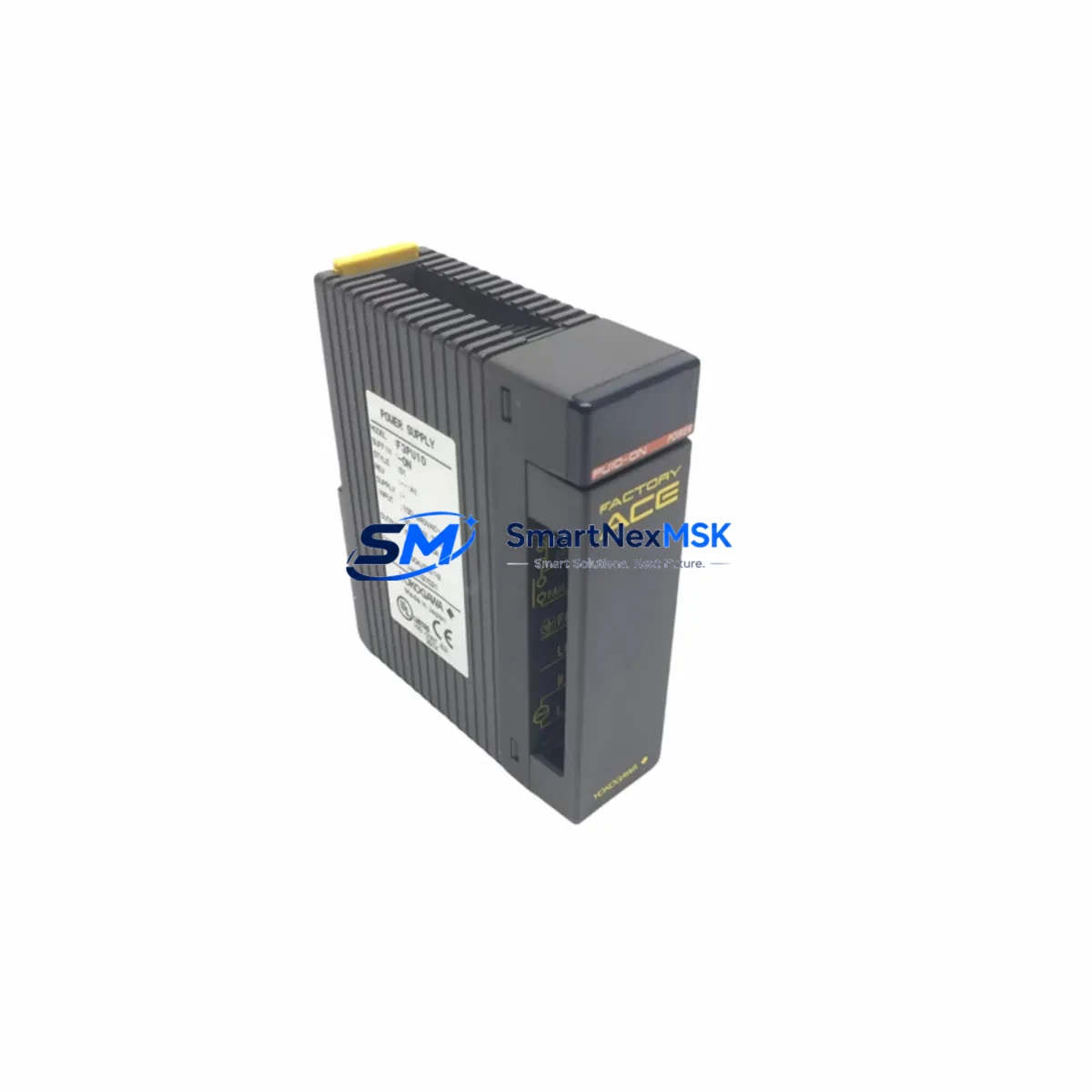
YOKOGAWA F3PU26-ON Spare for FA-M3 Automation: Spare Replacement & Industrial Downtime Risk Control
The YOKOGAWA F3PU26-ON is a DC power supply module designed for the FA-M3 series programmable logic controller platform — one of YOKOGAWA’s most widely deployed process and factory automation architectures. In aging control systems, the power supply module is statistically among the highest-risk components for unplanned downtime. A failed F3PU26-ON can bring an entire FA-M3 rack offline, halting production, triggering safety shutdowns, and requiring emergency procurement under pressure. Stocking a verified original F3PU26-ON spare eliminates that risk entirely.
This listing provides a maintenance-ready, original F3PU26-ON unit — inspected, function-tested prior to dispatch, and backed by a 12-month warranty. Each unit is sourced from verified supply channels and ships with full traceability documentation. Whether you are managing a planned turnaround, responding to an unscheduled fault, or building a strategic spare parts inventory for a long-running FA-M3 installation, this module is ready for immediate deployment.
Spare Maintenance Table
| Parameter | Specification / Detail |
|---|---|
| Part Number | F3PU26-ON |
| Brand | YOKOGAWA |
| Series | FA-M3 (Wide Series) |
| Module Type | DC Power Supply Module |
| Input Voltage | 24 VDC (nominal) |
| Output | Regulated DC power for FA-M3 backplane bus |
| Mounting | FA-M3 base unit slot (left-side power slot) |
| Compatible Base Units | F3BU04-ON, F3BU06-ON, F3BU13-ON, F3BU16-ON |
| Origin | Japan |
| Condition | Original, pre-shipment function tested |
| Warranty | 12 Months |
| Application Environment | Industrial automation, process control, factory PLC panels |
| Maintenance Recommendation | Replace at first sign of output voltage instability, module fault LED, or rack communication errors |
| Lead Time | In stock — ships within 1–3 business days |
Maintenance Planning for Continuous Operation
When a maintenance or procurement engineer identifies the F3PU26-ON as a fault source or a planned replacement target, the scope of inspection should extend beyond the power supply module itself. The FA-M3 platform is a tightly integrated system, and a power supply degradation event often stresses adjacent components before the module itself fails completely.
During any F3PU26-ON replacement, engineers should simultaneously inspect the FA-M3 base unit (e.g., F3BU06-ON or F3BU16-ON) for backplane connector wear and bus voltage integrity. The CPU module (such as F3SP71-4N or F3SP76-7N) should be checked for memory retention and program integrity after any power interruption. Digital I/O modules — including F3XD32-3N input modules and F3YD32-3N output modules — should be verified for correct channel response following power restoration, as transient undervoltage events can latch output states incorrectly.
The communication modules installed in the rack — such as F3LE01-5T Ethernet interface modules or F3LC11-1F MELSEC link modules — should be re-initialized and link status confirmed after power module replacement, as these modules are sensitive to power sequencing. If the cabinet includes signal isolators or loop-powered transmitters on the 24 VDC rail shared with the FA-M3 rack, those circuits should be checked for voltage drop and isolation integrity.
For cabinets with relay output modules (F3YR16-0N), contact condition and coil drive voltage should be verified post-replacement. Terminal blocks and wiring harnesses on the power input side of the F3PU26-ON — particularly screw-type terminal strips — should be inspected for loose connections, which are a common secondary cause of power module stress. If the system includes an HMI panel (such as a YOKOGAWA UM33A or a third-party touch panel) connected via RS-232 or Ethernet, communication re-establishment should be confirmed as part of the post-replacement checklist. Finally, fuse holders and circuit breakers on the 24 VDC supply line feeding the F3PU26-ON should be tested for continuity and rated current capacity.
Site Replacement Workflow
Replacing the F3PU26-ON in a live FA-M3 installation follows a structured sequence to minimize downtime and avoid secondary faults. Before removal, confirm the system is in a safe state — either in a controlled shutdown or with outputs inhibited via the CPU’s RUN/STOP switch. Document the current program status and any active alarms.
Power down the 24 VDC supply to the rack. Remove the F3PU26-ON by releasing the module locking lever and sliding it from the base unit slot. Inspect the backplane connector on the base unit for pin damage or contamination before inserting the replacement unit. Seat the new F3PU26-ON firmly until the locking lever engages. Restore 24 VDC input power and verify the module’s POWER LED illuminates green without fault indication.
Restore the CPU to RUN mode and confirm all I/O modules return to normal status. Re-verify communication links to any connected SCADA, DCS, or HMI systems. This workflow is compatible with FA-M3 installations running legacy firmware and does not require any software reconfiguration — the F3PU26-ON is a direct plug-in replacement for the same slot position, maintaining full system compatibility and eliminating the need for re-engineering or re-wiring.
For sites managing multiple FA-M3 racks, a rolling spare strategy — maintaining one F3PU26-ON per two to three racks — is recommended to support both planned maintenance cycles and emergency response without extended lead times.
Spare Parts Support FAQ
Q1: Is this F3PU26-ON an original YOKOGAWA module or a compatible replacement?
This is an original YOKOGAWA F3PU26-ON module sourced from verified supply channels. It is not a third-party compatible or remanufactured unit. Each module undergoes pre-shipment functional testing to confirm output voltage regulation and module communication integrity before dispatch.
Q2: What is the warranty coverage and what does it include?
All F3PU26-ON units are covered by a 12-month warranty from the date of shipment. The warranty covers manufacturing defects and functional failures under normal operating conditions. Units that fail within the warranty period are eligible for replacement or refund subject to inspection. The warranty does not cover damage resulting from incorrect installation, overvoltage events, or physical mishandling.
Q3: Can this module replace an older F3PU26 variant installed in an existing FA-M3 system?
The F3PU26-ON is designed for direct installation in FA-M3 base units that accept the standard power supply slot format. Compatibility should be confirmed against the specific base unit model and YOKOGAWA system documentation for your installation. If you require compatibility verification for a specific rack configuration, contact our technical team with your base unit model number before ordering.
Q4: What is the typical lead time and how is the module shipped?
In-stock units ship within 1–3 business days. Modules are packed in anti-static protective packaging with foam cushioning suitable for international freight. Export documentation, including commercial invoice and packing list, is provided with every shipment. For urgent requirements, expedited shipping options are available — contact us directly to confirm availability and arrange priority dispatch.
© 2026 SMARTNEXMSK. All rights reserved.
Original Source: https://smartnexmsk.com
Contact: [email protected] | +86 18259474341



