
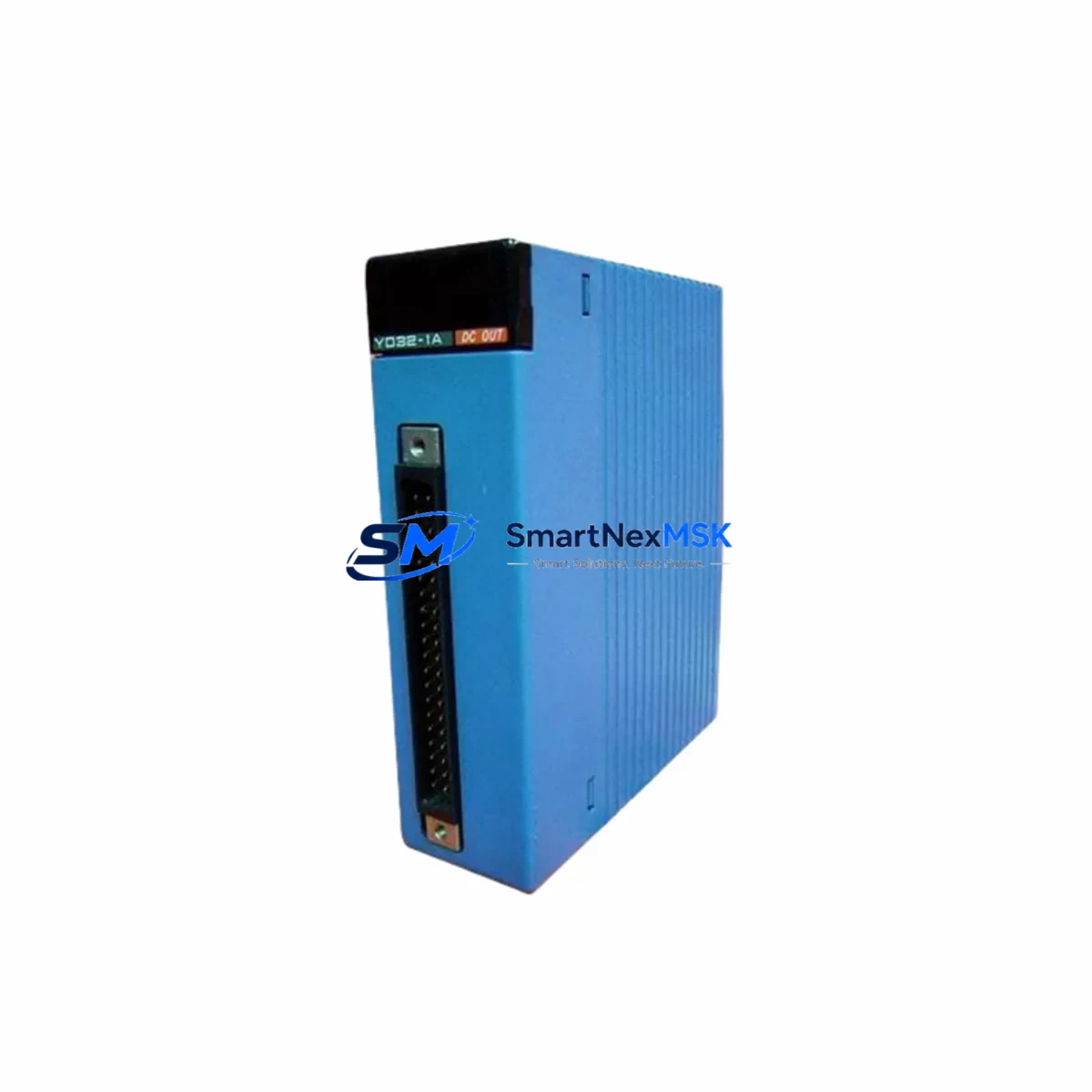
YOKOGAWA F3XD32-3F Retrofit-Ready Digital I/O Module: Seamless Compatibility for Legacy STARDOM System Upgrades
The YOKOGAWA F3XD32-3F is a 32-channel mixed digital I/O module engineered for the STARDOM FCN/FCJ distributed control platform. As legacy STARDOM installations age and original spare parts become increasingly scarce, the F3XD32-3F has emerged as the go-to retrofit solution for engineers managing aging control cabinets, upgrading discontinued I/O racks, and restoring field control continuity without full system replacement.
Whether you are replacing a failed module in an active production line, expanding I/O capacity in an existing FCN rack, or migrating from an older YOKOGAWA CENTUM CS 3000 subsystem to a STARDOM-based architecture, the F3XD32-3F delivers the electrical compatibility, backplane interface alignment, and firmware recognition required for a smooth, low-risk transition.
Upgrade Compatibility Table
| Parameter | F3XD32-3F Specification | Retrofit Notes |
|---|---|---|
| Compatible Platform | STARDOM FCN / FCJ | Direct slot replacement in FCN I/O rack |
| Channel Count | 32 channels (mixed DI/DO) | Verify channel assignment in FCN Builder before swap |
| Backplane Interface | STARDOM FCN proprietary bus | Slot-compatible; no adapter required |
| Power Consumption | Confirm with FCN power module capacity | Audit F3PU20-0S or F3PU30-0S power budget before installation |
| Terminal Wiring | Standard FCN terminal block pitch | Existing field wiring reusable; verify signal polarity |
| Communication Protocol | Internal FCN bus (not standalone Modbus/Ethernet) | No protocol reconfiguration needed for in-rack replacement |
| Module Address | Slot-based addressing via FCN Builder | Reassign slot address in FCN Builder if slot position changes |
| HMI Compatibility | FAST/TOOLS, Exaopc OPC server | Tag mapping preserved if slot address unchanged |
| Firmware Compatibility | FCN firmware R9.xx and above | Confirm firmware version before hot-swap attempt |
| Warranty | 12 Months | Covers manufacturing defects; includes pre-shipment function test |
Retrofit Planning for Existing Automation Systems
A successful F3XD32-3F retrofit begins well before the module arrives on site. Engineers should start by auditing the existing FCN rack configuration using FCN Builder software to document current slot assignments, I/O tag mappings, and module firmware versions. If the rack houses a mix of modules — such as the F3AD04-1N analog input module, F3DA04-1N analog output module, or F3XD16-3H digital I/O module — each slot’s power draw must be summed against the installed power supply module’s rated output. The F3PU20-0S or F3PU30-0S power supply modules are common in FCN racks; confirm that adding or replacing the F3XD32-3F does not exceed the available power budget.
Terminal block wiring is typically reusable when performing a like-for-like replacement. However, if the retrofit involves migrating from an older YOKOGAWA CENTUM CS 3000 remote I/O node to a STARDOM FCN rack, field cable terminations must be re-landed on the FCN-compatible terminal blocks. In these scenarios, engineers often simultaneously install a F3LE01-5T Ethernet communication module to enable Modbus TCP or OPC-UA connectivity for SCADA integration, replacing legacy RS-485 or proprietary fieldbus links.
For plants running FAST/TOOLS as the supervisory HMI, existing graphic displays and tag databases can be preserved if the F3XD32-3F is installed in the same rack slot as the replaced module. If the slot position changes, tag re-mapping in the Exaopc OPC server is required before the HMI screens reflect accurate field status. Projects that also involve upgrading the FCN controller node — for example, replacing an end-of-life FCN-RTU controller with a current-generation FCN autonomous controller — should plan HMI re-commissioning as a separate work package to avoid compressing the cutover window.
Communication link integrity is critical during migration. If the plant uses a Vnet/IP control network backbone, verify that the FCN node’s Vnet/IP interface card is compatible with the updated rack configuration. For sites transitioning to standard Ethernet-based control, the F3LE01-5T or F3LE12-1T Ethernet modules provide the necessary protocol bridge. Programming cable connections — typically via the FCN’s USB or Ethernet maintenance port — should be tested before the cutover window to ensure FCN Builder can communicate with the controller for online module verification.
Downtime Control During System Migration
Minimizing unplanned downtime is the primary concern for any control system retrofit. For the F3XD32-3F, the recommended approach is a pre-staged hot-swap procedure: configure the replacement module’s slot address and I/O parameters in FCN Builder offline, export the configuration file, and verify it against the live system backup before the maintenance window opens.
Where process conditions permit, the FCN platform supports online module replacement without full controller shutdown. Before initiating the swap, place the affected I/O channels in a safe hold state through the FAST/TOOLS operator station or via the FCN’s built-in safe-state logic. This protects field actuators — valves, motor starters, and relay outputs — from unintended state changes during the module exchange.
Original program logic stored in the FCN controller’s non-volatile memory is not affected by an I/O module swap, provided the controller remains powered throughout the procedure. After the F3XD32-3F is seated and the rack bus re-establishes communication, perform a channel-by-channel I/O verification using FCN Builder’s online diagnostic view before releasing the process back to automatic control. Document all pre- and post-swap readings for the maintenance record and quality control archive.
Each F3XD32-3F unit supplied by SMARTNEXMSK undergoes a pre-shipment functional test covering channel continuity, isolation resistance, and bus communication handshake. Units are shipped with a 12-month warranty covering manufacturing defects, giving your maintenance team confidence in the replacement part’s reliability from day one of installation.
Retrofit Support FAQ
Q1: Is the F3XD32-3F a direct drop-in replacement for the original module in my FCN rack?
Yes. The F3XD32-3F uses the same backplane connector and slot form factor as other FCN I/O modules. Provided the replacement module is installed in the same slot position, no changes to FCN Builder slot addressing or field wiring are required. Confirm the firmware version of your FCN controller is R9.xx or later for full compatibility.
Q2: Can I reuse existing field wiring and terminal blocks?
In most like-for-like replacement scenarios, yes. The F3XD32-3F uses the standard FCN terminal block pitch, so existing field cables can be re-landed without modification. If you are migrating from a different YOKOGAWA platform (e.g., CENTUM CS 3000 remote I/O), terminal block adapters or re-termination may be required. Always verify signal polarity and voltage levels before powering the new module.
Q3: How do I verify the module is communicating correctly after installation?
After seating the F3XD32-3F and restoring rack power, open FCN Builder and navigate to the online module status view. The module should appear in its assigned slot with a green communication status indicator. Perform a forced I/O test on a representative sample of channels — both DI and DO — to confirm field signal integrity before returning the system to automatic control. Log all test results per your site’s commissioning procedure.
Q4: What does the 12-month warranty cover, and what is the return process?
The 12-month warranty covers manufacturing defects in materials and workmanship from the date of shipment. Each unit is pre-tested before dispatch. If a warranty claim arises, contact SMARTNEXMSK with the order reference and a description of the fault. Defective units are replaced or repaired at no charge within the warranty period. The warranty does not cover damage resulting from incorrect installation, overvoltage, or unauthorized modification.
© 2026 SMARTNEXMSK. All rights reserved.
Original Source: https://smartnexmsk.com
Contact: [email protected] | +86 18259474341



