
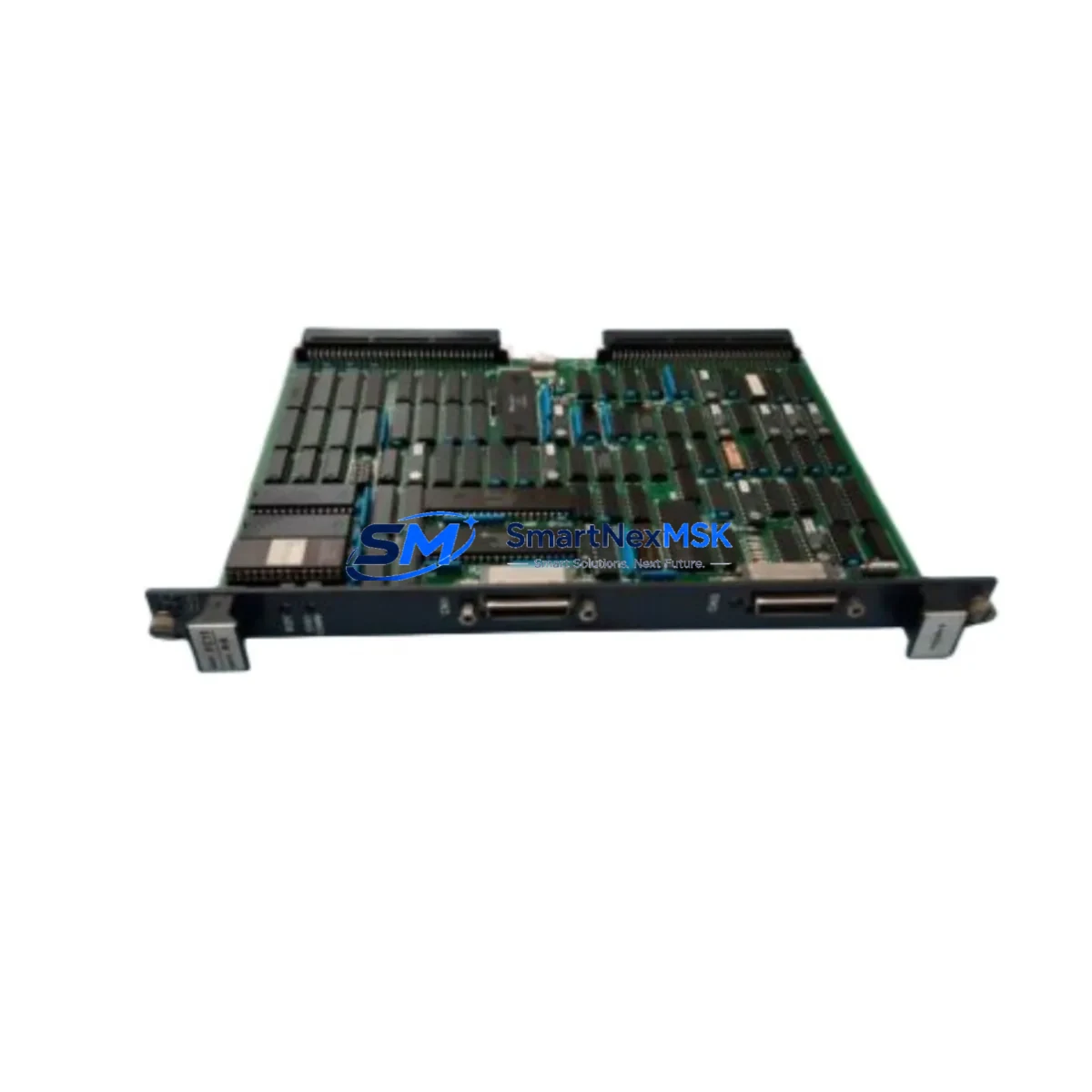
Yokogawa FC11*A AS S9051BE-0 Spare for CENTUM Automation: Spare Replacement & Industrial Downtime Risk Control
The Yokogawa FC11*A AS S9051BE-0 is a duplex field control station module designed for the CENTUM CS/CS3000/VP distributed control system platform. As a critical process control component, this module manages real-time I/O scanning, control execution, and communication with the engineering workstation. When this module fails or reaches end-of-life, the consequences extend beyond a single loop — entire process units can halt, triggering unplanned downtime that costs far more than the spare itself. Maintaining a verified, tested replacement unit in your spare parts inventory is the most effective insurance against extended outages in continuous-process environments such as refining, petrochemical, power generation, and pharmaceutical manufacturing.
This listing provides an original Yokogawa FC11*A AS S9051BE-0 module sourced from authorized supply channels, individually inspected, function-tested prior to shipment, and backed by a 12-month warranty. Each unit ships with protective packaging appropriate for sensitive electronics, and documentation is available upon request to support incoming inspection and maintenance records.
Spare Maintenance Table
| Parameter | Specification / Detail |
|---|---|
| Part Number / SKU | FC11*A AS S9051BE-0 |
| Brand | Yokogawa Electric Corporation |
| Series / Platform | CENTUM CS / CS3000 / VP DCS |
| Module Type | Field Control Station (FCS) Duplex Control Module |
| Product Type | DCS Control Module |
| Power Supply Voltage | 24 V DC (nominal, from FCS power supply unit) |
| Communication Interface | V-net / Vnet/IP (CENTUM VP) fieldbus |
| Redundancy | Duplex (dual-redundant CPU/control path) |
| Operating Temperature | 0 °C to 55 °C |
| Humidity | 10 % to 90 % RH (non-condensing) |
| Installation | DIN-rail / FCS node unit backplane slot |
| Country of Origin | Japan |
| Compatibility | CENTUM CS, CS3000, VP field control station nodes |
| Application Environment | Process industries: refining, petrochemical, power, pharma |
| Maintenance Recommendation | Replace at first sign of diagnostic alarm; keep one spare per FCS node |
| Pre-shipment Testing | Function-tested; power-on verification performed |
| Warranty | 12 Months from date of shipment |
| Lead Time | In-stock units ship within 3–5 business days |
Maintenance Planning for Continuous Operation
Replacing the FC11*A AS S9051BE-0 in a live CENTUM FCS node is rarely an isolated task. Experienced maintenance engineers treat a control module swap as an opportunity to audit the entire field control station for latent faults that could trigger the next unplanned stop. Before returning the node to service, the following associated components should be inspected or tested alongside the control module replacement:
Power Supply Units (e.g., Yokogawa PW481 / PW482 series): The FCS power supply feeds the control module directly. A degraded power supply with marginal output voltage or excessive ripple can cause intermittent resets that mimic control module faults. Verify output voltage under load and check capacitor age if the PSU has been in service for more than five years.
FCS Node Backplane and Bus Connectors: The backplane carries both power and V-net communication signals. Inspect connector pins for oxidation, fretting corrosion, or mechanical damage. A faulty backplane slot can destroy a replacement module within weeks of installation.
I/O Module Cards (e.g., AAI141, AAI543, ADV151 series): Analog input/output modules connected to the same FCS node share the control execution cycle with the FC11*A. If an I/O module is generating persistent hardware alarms, it may be masking or contributing to the control module fault. Inspect all I/O cards in the node during the maintenance window.
Communication Modules and V-net Couplers: The CENTUM V-net or Vnet/IP communication path connects the FCS to the HIS (Human Interface Station) and other nodes. Check the network coupler, optical fiber connections, and any media converters for signal integrity. A degraded communication link can cause the FCS to appear unresponsive even after a successful control module replacement.
Relay Output Modules and Terminal Boards (e.g., Yokogawa TB series): Relay modules and terminal boards in the same control cabinet are subject to contact wear, coil degradation, and wiring fatigue. During a planned maintenance window, test relay contact resistance and inspect terminal screws for loosening caused by thermal cycling.
Signal Isolators and Barriers: Zener barriers and galvanic isolators protecting 4–20 mA loops connected to the FCS I/O should be checked for drift. A failed isolator can inject noise or offset errors that appear as process measurement anomalies after the control module is replaced.
HMI Workstation Connection (HIS / EWS): After replacing the FC11*A, verify that the engineering workstation (EWS) and HIS can re-establish communication with the FCS node. Confirm that the control database download completes without errors and that all function blocks resume execution in the correct state.
Fuses and Circuit Protection: Inspect all fuse holders in the FCS cabinet. Blown or weakened fuses are a common secondary finding during control module replacements and should be replaced as a matter of course during any planned outage.
Stocking one verified FC11*A AS S9051BE-0 spare per FCS node, alongside a matched power supply module and at least one spare I/O card per critical loop type, represents a minimum viable spare parts strategy for CENTUM-based process control systems. For aging CENTUM CS or CS3000 installations where Yokogawa has announced product discontinuation, increasing the spare quantity to two units per node is strongly recommended to cover the extended system life cycle.
Site Replacement Workflow
Step 1 — Pre-replacement verification: Confirm the fault is isolated to the FC11*A AS S9051BE-0 using CENTUM system diagnostics. Check the FCS hardware alarm log in the HIS to distinguish between a control module fault, a power supply fault, and a communication fault before pulling the module.
Step 2 — Safe state and bypass: Place all affected control loops in manual mode at the HIS. Coordinate with the process operator to confirm that the process is in a safe hold state before de-energizing the FCS node or removing the module.
Step 3 — Module removal and inspection: Remove the faulty FC11*A following Yokogawa’s hot-swap or cold-swap procedure as applicable to your FCS node type. Inspect the backplane connector and the module edge connector for damage before inserting the replacement unit.
Step 4 — Replacement installation and database download: Insert the replacement FC11*A AS S9051BE-0 into the correct backplane slot. Allow the module to complete its self-test sequence. Download the control database from the EWS and verify that all function blocks load correctly and that the FCS status returns to normal in the HIS.
Step 5 — Loop verification and return to auto: Verify each process loop individually before returning to automatic control. Check PV readings, output signals, and alarm states. Return loops to automatic mode in a controlled sequence coordinated with the process operator.
Step 6 — Documentation: Record the replacement in the plant maintenance management system (CMMS), including the module serial number, date, technician, and post-replacement test results. Update the spare parts inventory to trigger replenishment of the consumed spare.
This workflow applies equally to planned preventive replacements and emergency corrective maintenance. For legacy CENTUM CS or CS3000 nodes being migrated toward CENTUM VP, the FC11*A AS S9051BE-0 provides a compatible interim solution that preserves system stability while the migration project is planned and budgeted.
Spare Parts Support FAQ
Q1: Is the FC11*A AS S9051BE-0 compatible with both CENTUM CS3000 and CENTUM VP systems?
The FC11*A module is designed for the CENTUM FCS platform. Compatibility with a specific CENTUM generation (CS, CS3000, or VP) depends on the FCS node type and firmware revision in your installation. We recommend providing your FCS node model number and CENTUM software version when ordering so that compatibility can be confirmed before shipment. Our technical team can cross-reference your system configuration against the module specification.
Q2: What pre-shipment testing is performed on each unit?
Every FC11*A AS S9051BE-0 unit undergoes power-on self-test verification and functional inspection before shipment. Units that fail any test stage are quarantined and not shipped. A test report is available upon request and can be included with the shipment for incoming inspection purposes. The 12-month warranty covers defects in materials and workmanship from the date of shipment.
Q3: How should I manage spare parts inventory for aging CENTUM systems?
For CENTUM CS and CS3000 systems where the platform has reached or is approaching end-of-support, we recommend maintaining a minimum of two FC11*A AS S9051BE-0 spares per site, stored in anti-static packaging in a climate-controlled environment. Pair this with spares for the FCS power supply module and the most critical I/O card types in your installation. Annual inventory audits should verify that stored spares remain within their recommended storage life and that no physical damage has occurred.
Q4: Can you supply long-term or blanket order quantities for multi-site maintenance programs?
Yes. We support long-term supply agreements and blanket purchase orders for maintenance programs covering multiple plant sites or extended system life cycles. Contact our sales team to discuss volume pricing, reserved stock arrangements, and scheduled delivery programs tailored to your annual maintenance budget and planned outage calendar.
© 2026 SMARTNEXMSK. All rights reserved.
Original Source: https://smartnexmsk.com
Contact: [email protected] | +86 18259474341



