
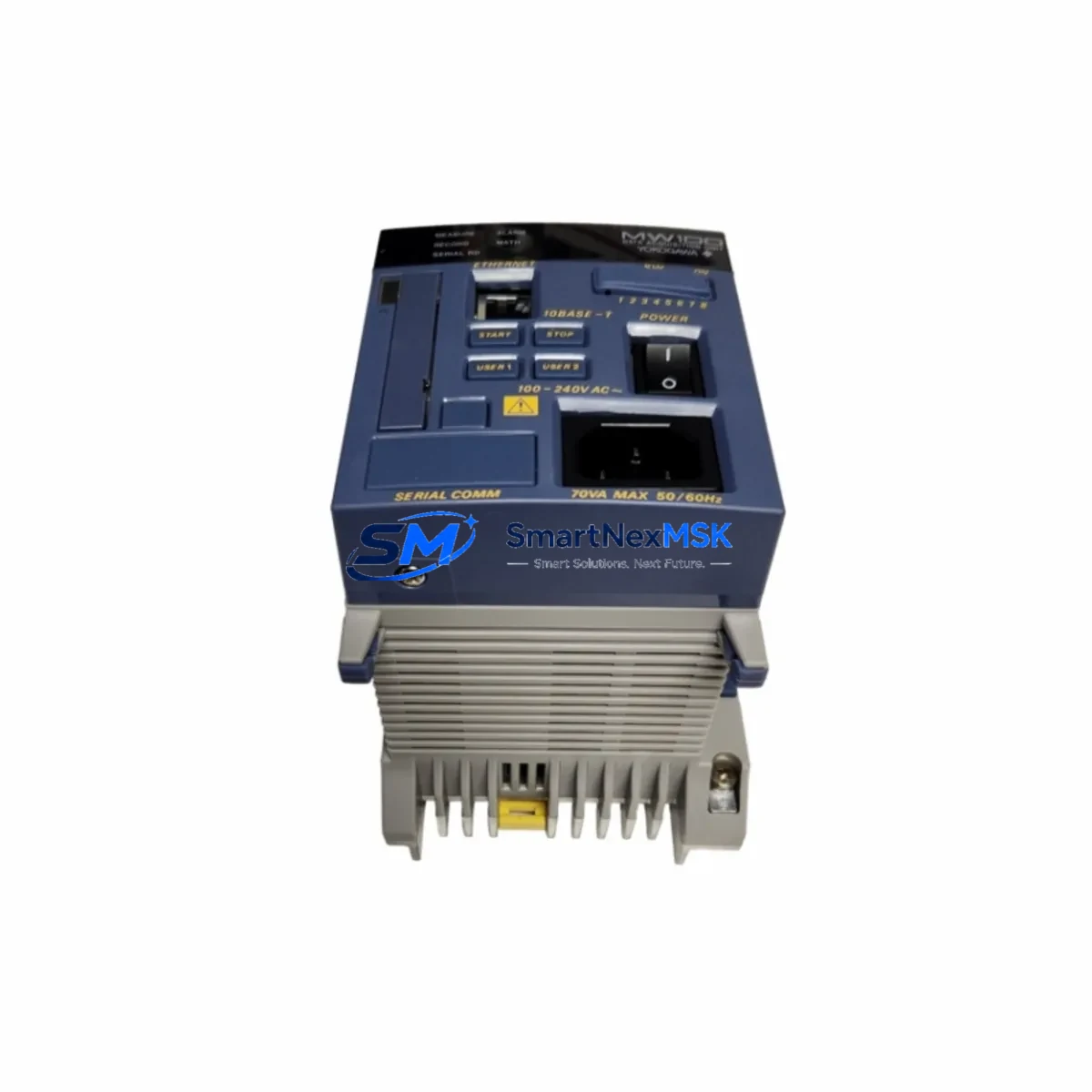
YOKOGAWA MW100-E-3W/C2 Spare for MW100 DAQ Automation: Spare Parts Replacement & Industrial Downtime Risk Control
The YOKOGAWA MW100-E-3W/C2 is an original digital output module designed for the YOKOGAWA MW100 DAQ Station series — a widely deployed data acquisition and monitoring platform used across power generation, chemical processing, oil & gas, water treatment, and precision manufacturing facilities. As a maintenance-ready spare, the MW100-E-3W/C2 supports 3-wire connection configurations and is engineered to deliver reliable signal output performance in demanding industrial environments. Sourced directly from verified supply channels, each unit is inspection-tested prior to shipment and backed by a 12-month warranty.
For maintenance engineers managing aging MW100-based monitoring systems, having a pre-qualified MW100-E-3W/C2 on the shelf is a critical element of any downtime prevention strategy. Output module failures in DAQ systems can cascade into data loss, alarm suppression, and regulatory compliance gaps — all of which carry significant operational and financial consequences. Stocking this spare eliminates the lead-time risk associated with last-minute procurement and enables same-shift restoration of monitoring continuity.
Spare Maintenance Table
| Parameter | Specification / Detail |
|---|---|
| Part Number / SKU | MW100-E-3W/C2 |
| Brand | YOKOGAWA |
| Series | MW100 DAQ Station |
| Module Type | Digital Output Module |
| Wiring Configuration | 3-Wire (3W) |
| Output Specification | Contact output / digital signal, per MW100 DAQ standard |
| Compatibility | YOKOGAWA MW100 DAQ Station mainframe and expansion chassis |
| Installation | Plug-in module, hot-swap capable per system configuration |
| Operating Environment | Industrial panel / control cabinet; standard IEC environmental ratings |
| Country of Origin | Japan |
| Weight | 220 g |
| Maintenance Recommendation | Inspect contact output integrity and wiring terminations during scheduled PM; replace if output deviation or contact wear is detected |
| Warranty | 12 Months from date of shipment |
| Pre-Shipment Testing | Function-verified and inspected before dispatch |
| Supply Condition | Original, unused or refurbished-to-spec; clearly stated per order |
Maintenance Planning for Continuous Operation
When a maintenance or procurement engineer schedules replacement of the MW100-E-3W/C2 digital output module, the replacement event should be treated as a broader system health checkpoint — not an isolated swap. The MW100 DAQ Station is a modular platform, and the reliability of its output signals depends on the integrity of the entire signal chain within the control cabinet.
Before or during the MW100-E-3W/C2 replacement, engineers should inspect the MW100-E-3W/C1 analog input modules installed in adjacent slots, as shared backplane power and ground paths can introduce noise or voltage offset if any module is degraded. The MW100 mainframe power supply unit should be load-tested to confirm it is delivering stable DC voltage within specification — an undersized or aging PSU is a common root cause of intermittent output module faults that are misdiagnosed as module failure.
Terminal block assemblies and MW100-compatible wiring connectors should be inspected for oxidation, loose crimps, and insulation breakdown, particularly in high-humidity or high-vibration environments. If the system uses MW100-E-AI modules for thermocouple or RTD input alongside the digital output module, verify that the reference junction compensation is functioning correctly, as thermal drift can affect the accuracy of output-triggered alarms.
For systems where the MW100 DAQ Station interfaces with a YOKOGAWA DAQMASTER MW100 host PC or a SCADA platform via Ethernet or RS-232/RS-485 communication, the MW100 communication module and its associated network switch port should be verified for packet loss or latency anomalies that could mask output module status changes. If the installation includes signal isolators between the MW100 output and field devices such as solenoid valves or indicator lamps, those isolators should be tested for output linearity and isolation resistance.
Fuse holders and miniature circuit breakers (MCBs) protecting the output circuit should be inspected and replaced on a time-based schedule regardless of apparent condition. Relay modules in the same output circuit — particularly YOKOGAWA-compatible intermediate relay modules — should be checked for contact resistance and coil voltage drop. Where HMI panels display MW100 output status, verify that the display logic correctly reflects the physical output state after module replacement to avoid operator confusion during the post-maintenance verification phase.
Procurement engineers building a spare parts kit around the MW100-E-3W/C2 should also consider stocking the MW100-E-3W/C1 (analog input variant), MW100 backplane connectors, and at minimum one spare MW100 power supply module to ensure full system restorability in a single maintenance window.
Site Replacement Workflow
Step 1 — Pre-Replacement Verification: Confirm the failed module’s slot address within the MW100 mainframe. Document the current output channel assignments, wiring labels, and any active alarm states before de-energizing the output circuit. Cross-reference the replacement MW100-E-3W/C2 part number and firmware revision (if applicable) against the installed system’s configuration records.
Step 2 — Safe Isolation: Follow site LOTO (Lockout/Tagout) procedures for the output circuit. Disconnect field wiring from the module’s terminal block, labeling each conductor. If the MW100 system supports hot-swap for output modules per the installed firmware version, confirm this before proceeding without full system shutdown.
Step 3 — Module Exchange: Remove the defective MW100-E-3W/C2 by releasing the module latch and sliding it from the backplane slot. Insert the replacement module firmly until the backplane connector is fully seated and the latch engages. Reconnect field wiring in the original configuration, verifying torque on terminal screws.
Step 4 — System Restoration and Verification: Re-energize the output circuit and confirm that the MW100 DAQ Station recognizes the new module without error codes. Verify each output channel against the expected state using the MW100 configuration software or the connected SCADA/HMI display. Log the replacement in the site maintenance record with the new module’s serial number and warranty start date.
Step 5 — Post-Replacement Monitoring: Monitor the replaced module for a minimum of one full operating cycle (typically 24–72 hours) before closing the work order. This ensures that any latent wiring issues or backplane contact problems are identified before the maintenance team demobilizes.
This workflow is applicable to legacy MW100 installations where the original module may have been discontinued or is no longer available through standard distribution channels. The MW100-E-3W/C2 supplied by SMARTNEXMSK is sourced from verified industrial supply networks and is suitable as a direct form-fit-function replacement for the original YOKOGAWA part, minimizing re-engineering effort and preserving system compatibility.
Spare Parts Support FAQ
Q1: Is the MW100-E-3W/C2 still in production, and can I source it for long-term maintenance contracts?
The MW100-E-3W/C2 may be at end-of-life or limited availability through standard YOKOGAWA distribution channels. SMARTNEXMSK maintains access to verified industrial surplus and new-old-stock (NOS) inventory to support long-term maintenance contracts and multi-year spare parts agreements. Contact our team to discuss volume pricing and reserved stock arrangements for your facility.
Q2: How do I verify compatibility before installing the replacement module?
Compatibility verification should include confirming the MW100 mainframe model, installed firmware version, and slot configuration against the MW100-E-3W/C2 datasheet specifications. SMARTNEXMSK provides pre-shipment documentation including part number verification and, where applicable, functional test records. If you require compatibility confirmation for a specific MW100 system configuration, share your system details with our technical team prior to ordering.
Q3: What does the 12-month warranty cover, and what is the claims process?
The 12-month warranty covers manufacturing defects and functional failures under normal operating conditions from the date of shipment. It does not cover damage resulting from incorrect installation, overvoltage events, or environmental conditions outside the module’s rated specifications. To initiate a warranty claim, contact [email protected] with your order reference, a description of the fault, and photographic evidence of the installation. Replacement or repair will be arranged within the warranty period.
Q4: Can SMARTNEXMSK supply multiple MW100 modules for a planned shutdown or plant-wide spare parts audit?
Yes. SMARTNEXMSK supports bulk procurement for planned shutdowns, annual maintenance outages, and spare parts standardization programs. We can supply the MW100-E-3W/C2 alongside related MW100 series modules, power supply spares, and compatible accessories as a consolidated order. Lead times and availability are confirmed at the time of inquiry. Contact us at [email protected] or +86 18259474341 to discuss your requirements.
© 2026 SMARTNEXMSK. All rights reserved.
Original Source: https://smartnexmsk.com
Contact: [email protected] | +86 18259474341



