
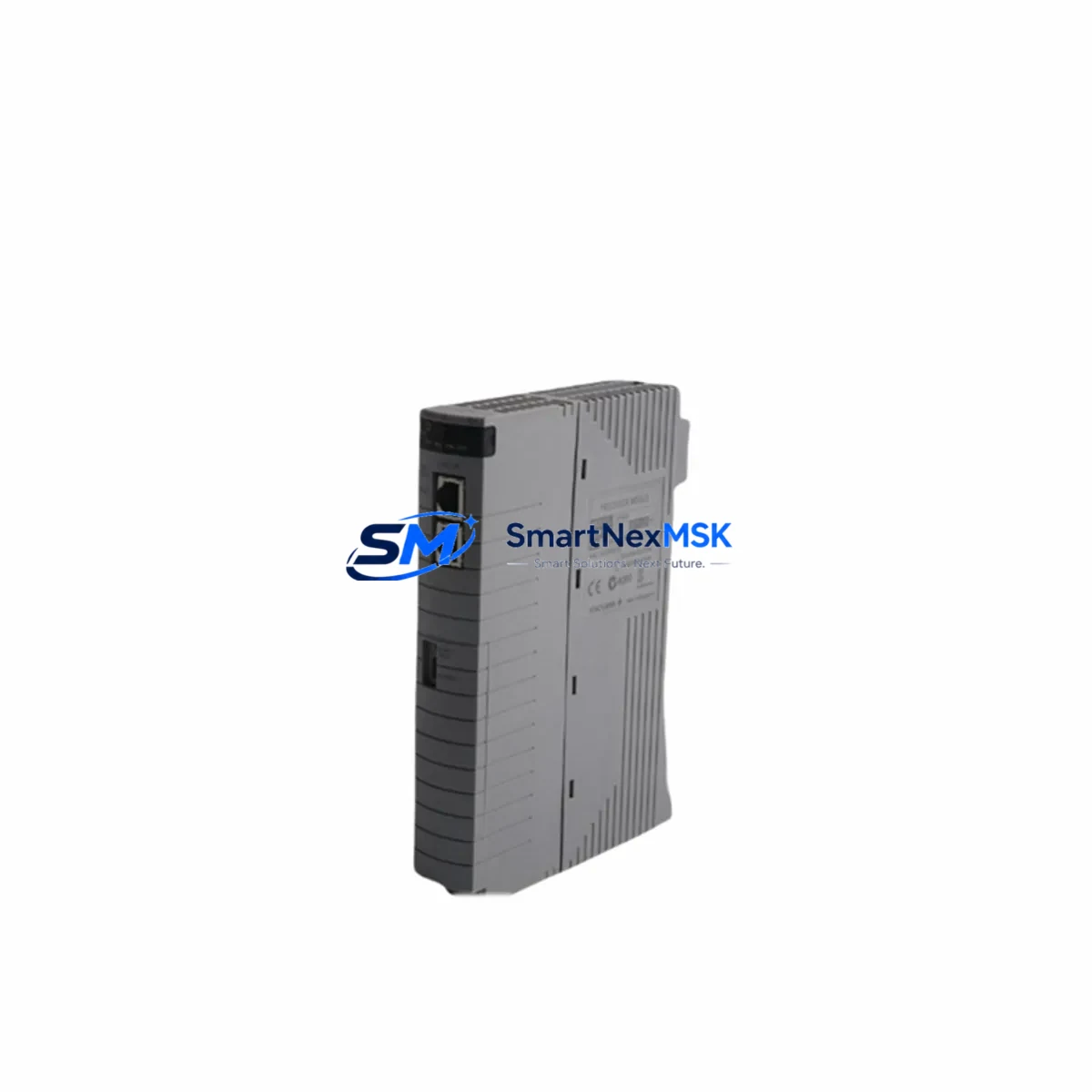
Yokogawa NFSBT02 S1 Spare for STARDOM FCN Automation: Spare Replacement & Downtime Risk Control
The Yokogawa NFSBT02 S1 is an original communication and base module designed for the STARDOM FCN/FCJ autonomous controller platform — one of Yokogawa’s most widely deployed distributed control architectures in oil & gas, water treatment, chemical processing, and utility automation. When this module fails or degrades, the entire FCN node loses its communication backbone, triggering unplanned shutdowns that can cost thousands of dollars per hour. Stocking a verified, tested NFSBT02 S1 spare is the single most effective step a maintenance team can take to protect system uptime and accelerate recovery.
This listing supplies an original Yokogawa NFSBT02 S1 unit — not a clone, not a refurbished substitute — sourced through established industrial supply channels. Every unit undergoes pre-shipment functional verification and ships with a 12-month warranty covering manufacturing defects and operational failure under normal service conditions. Delivery is available worldwide, with expedited options for emergency maintenance scenarios.
Spare Maintenance Table
| Parameter | Specification / Value |
|---|---|
| Part Number | NFSBT02 S1 |
| Brand | Yokogawa Electric Corporation |
| Compatible Platform | STARDOM FCN / FCJ Autonomous Controller |
| Module Function | Base / Communication Interface Module |
| Origin | Japan (Original OEM) |
| Supply Voltage | 24 VDC (nominal, per FCN backplane) |
| Operating Temperature | 0°C to 55°C (standard industrial range) |
| Mounting | DIN-rail / FCN base unit slot |
| Communication Interface | Ethernet / serial per STARDOM FCN architecture |
| Compatibility | STARDOM FCN-100, FCN-500, FCJ series |
| Condition | New / Original OEM |
| Pre-shipment Test | Functional verification completed |
| Warranty | 12 Months |
| Weight | 1,380 g (approx.) |
| Application Environment | Industrial automation, DCS/SCADA, process control |
| Maintenance Recommendation | Inspect annually; replace on first sign of communication fault or thermal stress |
Maintenance Planning for Continuous Operation
Replacing the NFSBT02 S1 in a live STARDOM FCN cabinet is rarely an isolated task. Experienced maintenance engineers know that a communication module fault is often a symptom of broader electrical stress in the control panel. Before closing the cabinet after an NFSBT02 S1 swap, a thorough inspection of the surrounding components is essential to prevent repeat failures and ensure the restored system runs reliably through the next planned maintenance window.
Start with the FCN power supply module (such as the NFPS02 or equivalent 24 VDC rail supply). Voltage ripple or transient spikes are a leading cause of premature communication module failure. Verify output voltage under load and check capacitor condition if the unit has accumulated significant operating hours. Alongside the power supply, inspect the FCN CPU module — the NFSBT02 S1 interfaces directly with the processor bus, and a degraded CPU can mask or mimic base module faults during diagnostics.
Check all I/O modules seated in the FCN base unit. Loose seating, oxidized connectors, or thermally stressed I/O cards can introduce intermittent faults that are misdiagnosed as communication module failures. Pay particular attention to analog input modules handling 4–20 mA process signals, as these are sensitive to ground loops that can propagate through the backplane. Similarly, inspect digital output modules driving relay coils or solenoid valves — inductive kickback from these loads can stress the backplane power rail.
Review the Ethernet communication cables and RJ45 connectors at the FCN node. Bent pins, cracked cable jackets, or improperly terminated shielded cables are common culprits in STARDOM network instability. If the site uses RS-232 or RS-485 serial communication for legacy device integration, inspect the serial port connectors and verify termination resistors are correctly installed. For sites running FOUNDATION Fieldbus or PROFIBUS segments through the FCN, check the fieldbus coupler and segment terminator condition.
Inspect the terminal blocks and wiring harnesses within the control cabinet. Loose terminals on 24 VDC supply rails or signal commons are a frequent source of intermittent faults that appear as module errors in the STARDOM engineering tool. If the cabinet includes signal isolators or loop-powered transmitter barriers, verify their output accuracy — a drifting isolator can corrupt process values and trigger false alarms that lead to unnecessary module replacements.
Finally, check the cabinet cooling system: fan filters, thermostat setpoints, and door seal integrity. STARDOM FCN modules are rated for 55°C ambient, but sustained operation near that limit accelerates component aging across the entire base unit. A clean, well-ventilated cabinet is the lowest-cost maintenance investment available.
Site Replacement Workflow
The NFSBT02 S1 is a direct slot-compatible replacement for the same module designation within the STARDOM FCN base unit. No firmware re-flashing is required for a like-for-like swap — the FCN CPU automatically recognizes the module upon power-up and restores communication parameters from its configuration database. This makes the NFSBT02 S1 one of the fastest modules to replace in the FCN architecture, with typical swap time under 30 minutes for a prepared maintenance team.
Step 1 — Preparation: Download the current FCN project from the STARDOM engineering workstation before beginning work. Confirm the replacement NFSBT02 S1 part number and suffix (S1) match the installed unit exactly. Gather ESD wrist strap, torque screwdriver, and a spare Ethernet patch cable.
Step 2 — Safe State: Place the FCN node in maintenance mode via the STARDOM engineering tool. Notify the control room operator. If the node controls critical process loops, coordinate a process hold or manual override before proceeding.
Step 3 — Module Removal: Power down the FCN base unit if a hot-swap is not supported for this slot. Remove the Ethernet and serial cables from the NFSBT02 S1 front panel. Release the module locking lever and slide the module out of the base unit slot.
Step 4 — Installation: Insert the new NFSBT02 S1 into the same slot. Engage the locking lever. Reconnect all cables in the original configuration. Power up the base unit and observe the module status LEDs — a solid green RUN indicator confirms successful initialization.
Step 5 — Verification: From the STARDOM engineering workstation, confirm the FCN node is online and all I/O tags are communicating normally. Run a brief loop check on critical analog and digital signals. Document the replacement in the site maintenance log with the new module serial number and installation date.
This workflow applies equally when upgrading from an older NFSBT02 revision to the S1 suffix, which incorporates enhanced EMC filtering and improved thermal management compared to earlier production runs.
Spare Parts Support FAQ
Q1: Is this NFSBT02 S1 compatible with all STARDOM FCN variants, including FCN-100 and FCN-500?
Yes. The NFSBT02 S1 is designed for the STARDOM FCN base unit platform and is compatible with FCN-100, FCN-500, and FCJ series controllers. Always verify the slot designation and base unit model against your site documentation before installation. If you have a specific FCN configuration, contact us with your base unit model number for confirmation before ordering.
Q2: What does the 12-month warranty cover, and how is a warranty claim handled?
The 12-month warranty covers manufacturing defects and operational failure under normal industrial service conditions. It does not cover damage caused by incorrect installation, overvoltage events, or physical mishandling. To initiate a warranty claim, contact [email protected] with the order number, module serial number, and a description of the fault. Replacement or refund is processed within 5–10 business days of fault confirmation.
Q3: How do you verify the module is functional before shipment?
Every NFSBT02 S1 unit undergoes a pre-shipment functional check that includes power-on initialization, communication interface verification, and visual inspection for physical defects. Units that do not pass this check are not shipped. A test report is available upon request for customers with strict incoming inspection requirements.
Q4: Can I stock multiple NFSBT02 S1 units as long-term spares for aging STARDOM systems?
Absolutely — and it is strongly recommended for sites running STARDOM FCN systems beyond their original design life. Yokogawa has progressively phased out production of legacy STARDOM modules, making original spare availability increasingly limited over time. Purchasing two to three units now ensures coverage for multiple failure events and protects against future supply constraints. Units should be stored in anti-static packaging in a dry, temperature-controlled environment to preserve shelf life.
© 2026 SMARTNEXMSK. All rights reserved.
Original Source: https://smartnexmsk.com
Contact: [email protected] | +86 18259474341



