
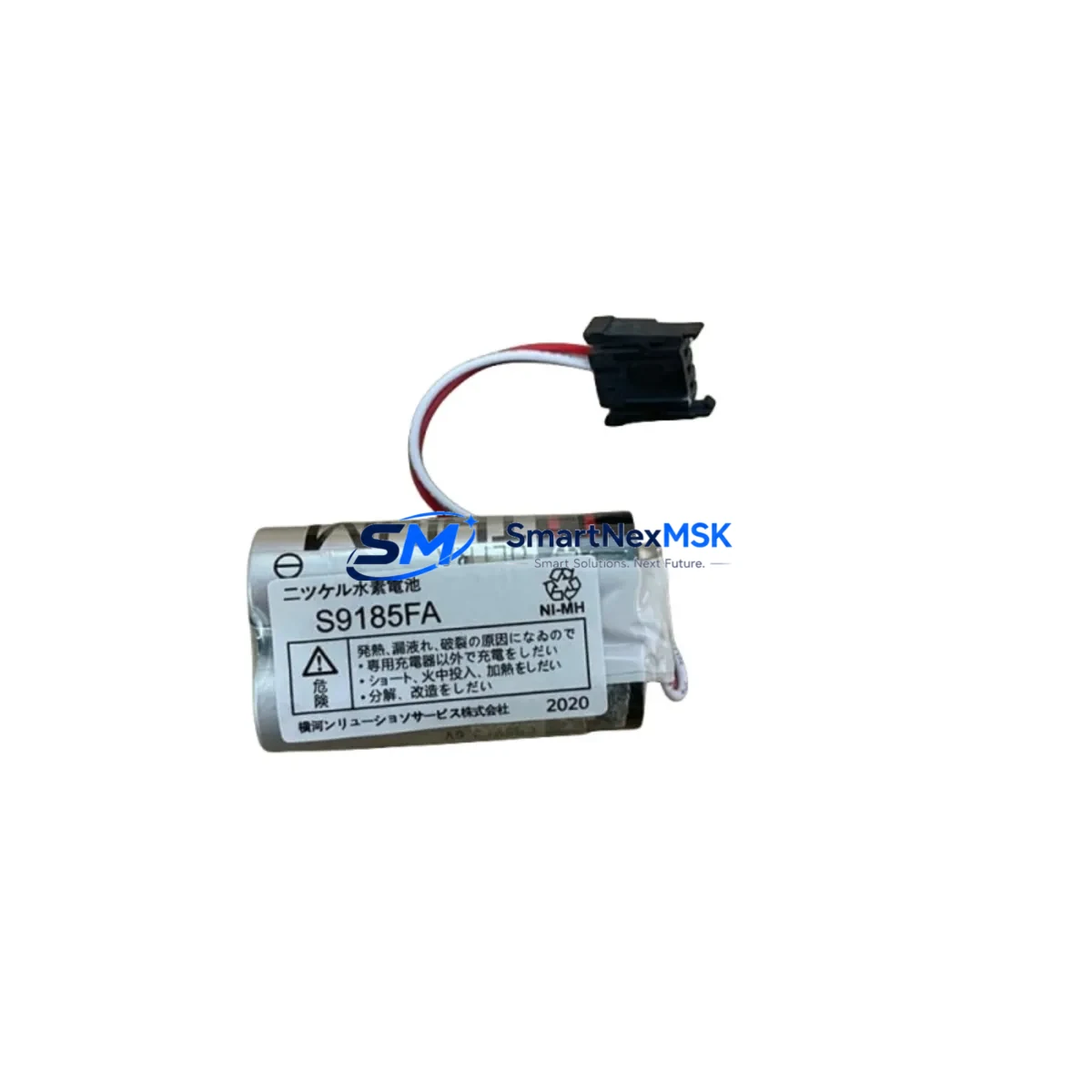
YOKOGAWA S9185FA Retrofit-Ready Backup Battery for CENTUM VP & CS 3000 Control Systems
The YOKOGAWA S9185FA is a lithium backup battery designed as a direct, retrofit-ready replacement for aging or end-of-life battery modules in YOKOGAWA CENTUM VP and CS 3000 Distributed Control Systems. As legacy DCS installations approach their maintenance lifecycle limits, maintaining reliable memory backup for controller modules such as the FCN/FCJ field control nodes, ACF11 advanced control function modules, and FCS field control stations becomes critical to plant continuity. The S9185FA provides a verified drop-in solution that eliminates the need for hardware redesign, minimizes engineering hours, and supports a controlled, low-risk upgrade path for facilities operating on aging YOKOGAWA platforms.
For plants currently running CENTUM CS 3000 and planning migration to CENTUM VP, the S9185FA serves as a bridge component — ensuring that existing controller nodes retain their program memory and configuration data throughout the transition period. Engineers undertaking a phased migration must verify that the battery connector type, voltage rating, and physical form factor match the target module’s specification sheet before installation. The S9185FA is rated for compatibility with standard YOKOGAWA DCS backplane architectures and does not require firmware changes or address reconfiguration upon replacement.
When integrating the S9185FA into a retrofit project, the following verification steps are recommended: confirm the existing battery’s terminal polarity and connector pinout against the S9185FA datasheet; check the power budget of the control cabinet to ensure the replacement does not exceed the cabinet’s auxiliary power rail capacity; verify that the FCS or FCN node’s battery-low alarm threshold is correctly configured in the CENTUM VP engineering environment (CENTUM VP Builder) so that the new battery’s charge state is accurately monitored; and document the replacement in the plant’s maintenance management system to reset the battery service interval counter.
In broader retrofit scenarios — such as upgrading a CS 3000 installation to CENTUM VP R6 — the S9185FA is typically deployed alongside other replacement components including the IOM (I/O Module) assemblies, the ESB bus interface units, Vnet/IP communication modules, and the CENTUM VP HIS (Human Interface Station) workstations. Technicians should also account for the ALF111 analog input modules and ADV151 analog output modules that may require recalibration after a controller node battery swap, as some module configurations store calibration offsets in battery-backed SRAM. Ensuring that the CENTUM VP SENG (System Engineering) station has a current backup of all FCS project data before replacing the S9185FA is a mandatory pre-maintenance step.
For facilities operating hybrid environments — where CENTUM CS 3000 nodes coexist with newer CENTUM VP hardware on a shared Vnet/IP backbone — the S9185FA replacement procedure must be coordinated with the network administrator to avoid unintended controller restarts that could disrupt the Vnet/IP token-passing cycle. The replacement is typically performed during a planned maintenance window, with the affected FCS node placed in manual control mode and the downstream field instruments confirmed in a safe hold state via the CENTUM VP HIS operator console.
Upgrade Compatibility Table
| Parameter | CS 3000 (Legacy) | CENTUM VP (Current) | S9185FA Compatibility |
|---|---|---|---|
| Battery Type | Lithium Primary Cell | Lithium Primary Cell | ✔ Direct Replacement |
| Connector Interface | Standard 2-pin JST | Standard 2-pin JST | ✔ Plug-and-Play |
| Voltage Rating | 3.6 V | 3.6 V | ✔ Matched |
| Mounting / Form Factor | Module-internal clip mount | Module-internal clip mount | ✔ No Modification Required |
| Communication Impact | None (passive component) | None (passive component) | ✔ No Protocol Change |
| Address Reconfiguration | Not required | Not required | ✔ Retain Existing Config |
| Firmware Update Required | No | No | ✔ Immediate Deployment |
| Commissioning / Debug | Battery-low alarm reset in CS 3000 Builder | Battery-low alarm reset in CENTUM VP Builder | ✔ Standard Procedure |
| Warranty | — | — | ✔ 12-Month Warranty Included |
Retrofit Planning for Existing Automation Systems
A successful S9185FA retrofit begins well before the physical swap. Project engineers should first audit the full control cabinet inventory to identify all battery-dependent modules. In a typical CENTUM VP or CS 3000 cabinet, this includes the FCS field control station processor card, the IOM I/O module assemblies, and any ACF11 advanced control function modules that rely on battery-backed memory for PID tuning parameters and interlock logic. The ESB bus coupler units and Vnet/IP interface cards do not require battery backup but should be inspected for firmware currency during the same maintenance window.
Terminal wiring verification is a critical pre-installation step. Technicians must confirm that the existing battery harness — typically a short pigtail connecting the battery cell to the module’s internal battery header — is free of corrosion, insulation cracking, or connector fatigue before installing the S9185FA. If the harness shows signs of degradation, it should be replaced concurrently to avoid a latent failure that could compromise the new battery’s service life.
For plants that also operate YOKOGAWA STARDOM FCN/FCJ autonomous controllers alongside CENTUM VP, the battery replacement schedule should be synchronized across both platforms to reduce the total number of planned maintenance windows. The STARDOM FCN controller uses a similar lithium backup cell architecture, and coordinating replacements minimizes disruption to the shared Vnet/IP or Ethernet/IP communication backbone that links the two platforms.
HMI screen validation is another mandatory step following any FCS battery replacement. After the S9185FA is installed and the FCS node is restarted, operators should verify on the CENTUM VP HIS console that all process variable displays, alarm setpoints, and trend historian connections are restored correctly. Any CENTUM VP SENG project that includes custom faceplate graphics or sequence function chart (SFC) logic should be re-validated against the live FCS to confirm that no configuration data was lost during the battery swap.
Finally, the plant’s spare parts inventory should be updated to reflect the S9185FA as the approved replacement part number for all applicable CENTUM VP and CS 3000 modules. Maintaining a minimum stock of two to four units per facility ensures that emergency replacements can be executed without waiting for international shipping lead times, supporting the plant’s overall uptime and reliability targets.
Downtime Control During System Migration
Minimizing unplanned downtime during a DCS battery replacement or broader CENTUM VP migration requires a structured approach to change management. The recommended sequence is: (1) back up all FCS project data to the CENTUM VP SENG station and verify the backup integrity; (2) place the affected FCS node in manual control mode and confirm that all downstream field instruments are in a safe hold state; (3) notify the control room operator and obtain a formal work permit; (4) perform the S9185FA swap with the module powered down; (5) restore power to the module and verify that the battery-low alarm clears within the expected timeframe in CENTUM VP Builder; (6) return the FCS node to automatic control mode and monitor for 15–30 minutes to confirm stable operation.
For multi-node CENTUM VP systems where several FCS stations require battery replacement, a rolling replacement strategy — addressing one node at a time while the remaining nodes maintain process control — is strongly preferred over a simultaneous shutdown of all nodes. This approach preserves the Vnet/IP token-passing integrity and ensures that the CENTUM VP HIS operator console retains full visibility of the process throughout the maintenance activity.
Where the battery replacement is part of a larger CS 3000 to CENTUM VP migration, the S9185FA should be installed in the new CENTUM VP FCS hardware during the pre-commissioning phase, before the new hardware is brought online. This ensures that the replacement FCS nodes arrive on-site with fresh, fully charged backup batteries, reducing the risk of a battery-low condition during the critical cutover period when the new CENTUM VP system assumes control from the legacy CS 3000 platform.
Retrofit Support FAQ
Q1: Is the S9185FA a direct drop-in replacement for the original YOKOGAWA CENTUM CS 3000 backup battery?
A: Yes. The S9185FA is designed as a direct replacement with identical voltage, connector interface, and form factor. No wiring modification or address reconfiguration is required. It is compatible with both CENTUM CS 3000 and CENTUM VP FCS module architectures.
Q2: What commissioning steps are required after installing the S9185FA?
A: After installation, power up the FCS module and confirm that the battery-low alarm clears in CENTUM VP Builder or CS 3000 Builder. Verify that all PID parameters, interlock logic, and SFC sequences are intact on the CENTUM VP HIS console. Document the replacement date in the plant’s maintenance management system to reset the service interval.
Q3: Can the S9185FA be installed while the control system is running?
A: Hot-swap capability depends on the specific FCS module design. In most CENTUM VP and CS 3000 configurations, the battery replacement requires a brief module power-down. We recommend placing the affected FCS node in manual control mode and coordinating with the control room operator before proceeding. Refer to the module’s hardware manual for the specific procedure.
Q4: What warranty and quality assurance does the S9185FA carry?
A: Every S9185FA unit is covered by a 12-month warranty from the date of shipment. Units undergo pre-shipment functional testing to verify voltage output and connector integrity. In the event of a warranty claim, replacement units are dispatched within 3 business days to minimize impact on plant operations.
© 2026 SMARTNEXMSK. All rights reserved.
Original Source: https://smartnexmsk.com
Contact: [email protected] | +86 18259474341



