
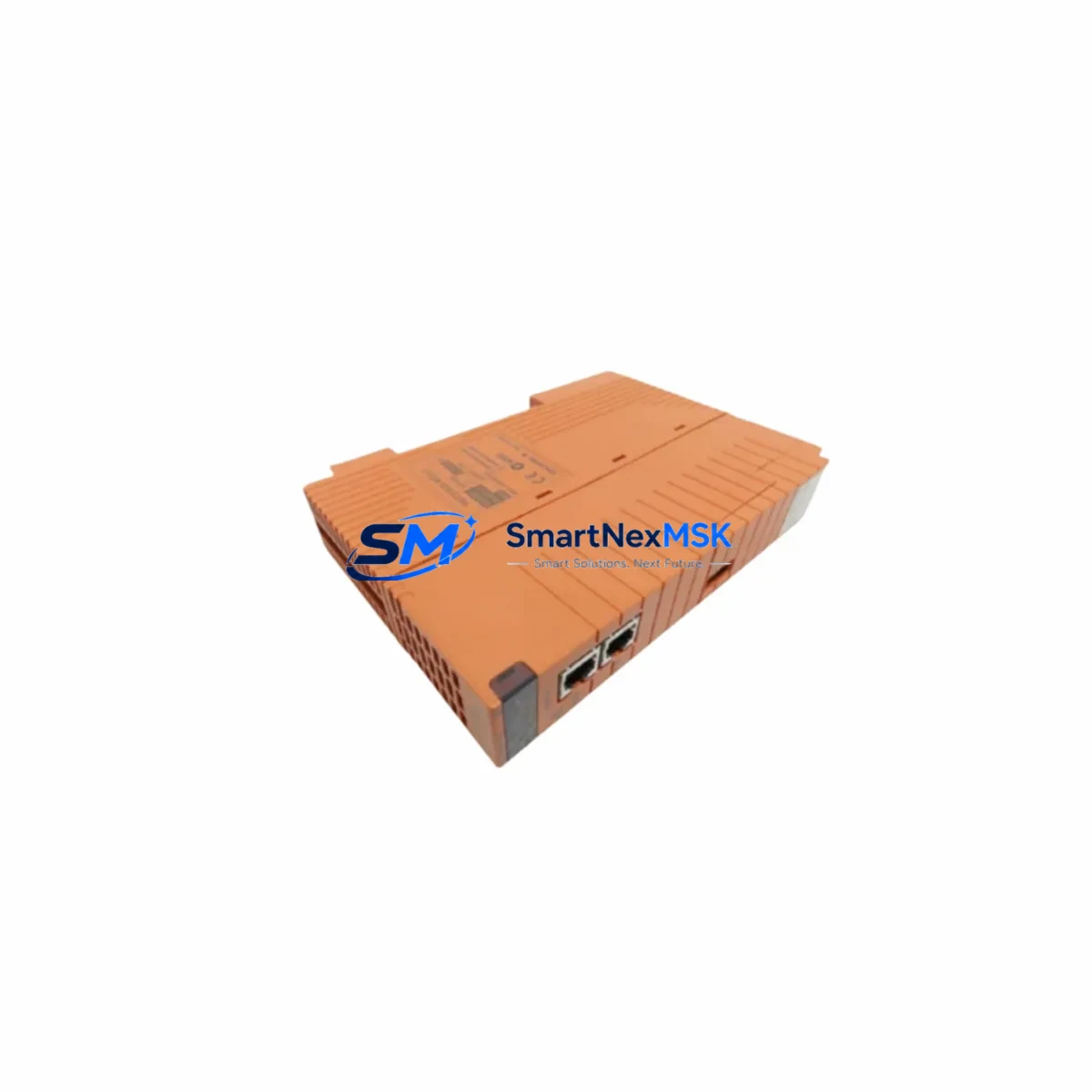
Yokogawa S9342FA Maintenance-Ready Spare for CENTUM VP Automation
The Yokogawa S9342FA is an original DCS connector unit engineered for field I/O interfacing within CENTUM VP and CS 3000 distributed control systems. For maintenance engineers managing aging process control infrastructure, sourcing a verified, tested S9342FA spare is critical to minimizing unplanned downtime and restoring system integrity during both scheduled overhauls and emergency fault recovery. This unit serves as the physical bridge between field wiring and the DCS I/O bus, making its condition directly tied to signal reliability, loop integrity, and overall plant availability.
Whether you are conducting a routine control cabinet inspection, responding to a field device alarm, or executing a planned turnaround, having the S9342FA available in your on-site spare parts inventory eliminates the lead-time risk that often extends shutdowns by days. Industrial facilities running CENTUM VP or legacy CS 3000 architectures should treat this connector unit as a Tier-1 critical spare — one that should be stocked alongside power supply modules, I/O cards, and communication interface units to ensure complete system recoverability.
Every S9342FA unit supplied by SMARTNEXMSK undergoes functional verification and electrical testing prior to shipment. Units are sourced from original Yokogawa production channels and are backed by a 12-month warranty covering manufacturing defects and operational failures under normal industrial service conditions.
Spare Maintenance Table
| Parameter | Specification / Detail |
|---|---|
| Part Number / SKU | S9342FA |
| Manufacturer | Yokogawa Electric Corporation |
| Product Type | DCS Connector Unit (Field I/O Interface) |
| Compatible Systems | CENTUM VP, CENTUM CS 3000 |
| Series | CENTUM VP / CS 3000 Field Control Station |
| Origin | Japan |
| Mounting | DIN rail / backplane slot mount (per FCS cabinet standard) |
| Application Environment | Process control cabinets, field junction boxes, DCS marshalling panels |
| Signal Interface | Field wiring termination to I/O module bus |
| Installation Compatibility | Direct replacement for existing S9342FA installations; no firmware change required |
| Maintenance Recommendation | Inspect connector pins and terminal torque during annual cabinet PM; replace if corrosion or intermittent signal detected |
| Pre-Shipment Testing | Functional and electrical verification performed on every unit |
| Warranty | 12 Months — covers manufacturing defects and operational failure under normal service conditions |
| Weight | Approx. 1,380 g |
| Lead Time | In-stock units ship within 3–5 business days; contact for volume orders |
Maintenance Planning for Continuous Operation
Replacing the S9342FA in a live CENTUM VP or CS 3000 system is rarely an isolated task. Experienced maintenance engineers know that a connector unit fault is often symptomatic of broader stress in the surrounding electrical circuit. Before returning the loop to service, a thorough site inspection should cover the following associated components:
Begin with the Yokogawa PW481 or equivalent 24 VDC field power supply module feeding the I/O station. A degraded power supply can cause intermittent connector unit faults that are misdiagnosed as hardware failure. Verify output voltage stability under load before installing the replacement S9342FA. Next, inspect the AAI141 or AAI143 analog input modules seated in the same field control station — connector unit wear often correlates with elevated contact resistance on adjacent I/O cards, leading to signal drift on 4–20 mA loops.
Check the terminal blocks and marshalling strips in the same cabinet section. Loose or corroded terminations at the field wiring side will stress the new connector unit immediately after installation. Torque all terminals to specification and apply contact enhancer where oxidation is present. If the cabinet includes Yokogawa AMM12D or similar signal isolator modules, verify their output integrity — a failing isolator can inject noise that masks the true source of a connector fault.
For systems with FOUNDATION Fieldbus or PROFIBUS DP segments, inspect the ALF111 fieldbus communication module and associated bus terminators. Communication module faults can present as I/O connector errors in the DCS diagnostic log. Similarly, review the ESB bus coupler connecting the field control station to the control network — a marginal bus connection will cause recurring alarms even after the S9342FA is replaced.
If the facility operates a Yokogawa STARDOM FCN/FCJ or hybrid CENTUM VP architecture, also verify the NF10S or equivalent network interface card and its associated fiber or copper patch connections. In older CS 3000 installations approaching end-of-support, consider stocking the S9342FA alongside the CP451 controller processor module and relevant RIO bus cables — these three components together cover the most common failure modes in aging field control stations and form a practical minimum spare kit for extended system life.
Finally, if the facility uses a Yokogawa ProSafe-RS safety instrumented system in the same cabinet row, confirm that the SIS I/O modules and their connector units are on a separate inspection schedule and are not sharing power distribution with the CENTUM VP field station being serviced.
Site Replacement Workflow
Step 1 — Pre-Replacement Verification: Confirm the failed unit’s part number against the cabinet drawing and DCS asset register. Verify the replacement S9342FA matches the revision level if the system has been through a Yokogawa firmware upgrade cycle. Cross-reference the I/O assignment list to identify which field loops will be interrupted during replacement.
Step 2 — Safe Isolation: Follow site LOTO (Lockout/Tagout) procedures. Place the affected I/O module in manual or bypass mode at the DCS operator station before disconnecting field wiring. Notify the control room of the planned interruption window.
Step 3 — Physical Replacement: Disconnect field wiring terminals in sequence, photograph or label each wire position. Remove the defective S9342FA from the backplane or DIN rail mount. Seat the replacement unit firmly, ensuring all connector pins are fully engaged. Reconnect field wiring per the original termination drawing.
Step 4 — Loop Verification: Restore power to the I/O station. Confirm signal readback at the DCS operator station for each loop connected through the replaced connector unit. Perform a 4–20 mA loop check on analog channels and a continuity check on discrete I/O points.
Step 5 — Documentation: Update the cabinet maintenance log with the replacement date, unit serial number, and technician ID. Flag the defective unit for failure analysis if recurring faults are suspected. Schedule a follow-up inspection at the next planned maintenance window to confirm stable operation.
This workflow is applicable to both emergency breakdown replacements and planned preventive maintenance cycles, and is designed to minimize total downtime from fault detection to loop restoration.
Spare Parts Support FAQ
Q1: Is the S9342FA compatible with both CENTUM VP and CS 3000 systems?
Yes. The S9342FA connector unit is designed for use across the CENTUM VP and CENTUM CS 3000 field control station families. It is a direct replacement for existing installations and requires no configuration changes at the DCS level. Always verify the cabinet drawing and I/O module revision before installation to confirm mechanical and electrical compatibility.
Q2: What is included in the 12-month warranty and what does it cover?
Every S9342FA supplied by SMARTNEXMSK is covered by a 12-month warranty from the date of shipment. The warranty covers manufacturing defects and operational failures occurring under normal industrial service conditions. It does not cover damage resulting from incorrect installation, overvoltage events, or physical mishandling. Warranty claims are supported by our technical team with replacement or repair at no additional cost.
Q3: How is the unit tested before shipment?
Each S9342FA undergoes functional verification and electrical continuity testing prior to dispatch. Testing confirms connector pin integrity, terminal resistance within specification, and absence of physical damage. A test record is available upon request for quality-critical procurement processes. Units that do not pass testing are quarantined and not shipped.
Q4: What is the recommended spare parts stocking strategy for aging CENTUM VP systems?
For facilities operating CENTUM VP or CS 3000 systems beyond their original design life, we recommend maintaining a minimum of one S9342FA connector unit per field control station as a critical on-site spare. Pair this with at least one spare I/O module (e.g., AAI141 or ADV151), a power supply module, and the relevant RIO bus cables. This combination covers the statistically most common failure modes and enables same-shift restoration for the majority of field control station faults without waiting for emergency procurement.
© 2026 SMARTNEXMSK. All rights reserved.
Original Source: https://smartnexmsk.com
Contact: [email protected] | +86 18259474341



