
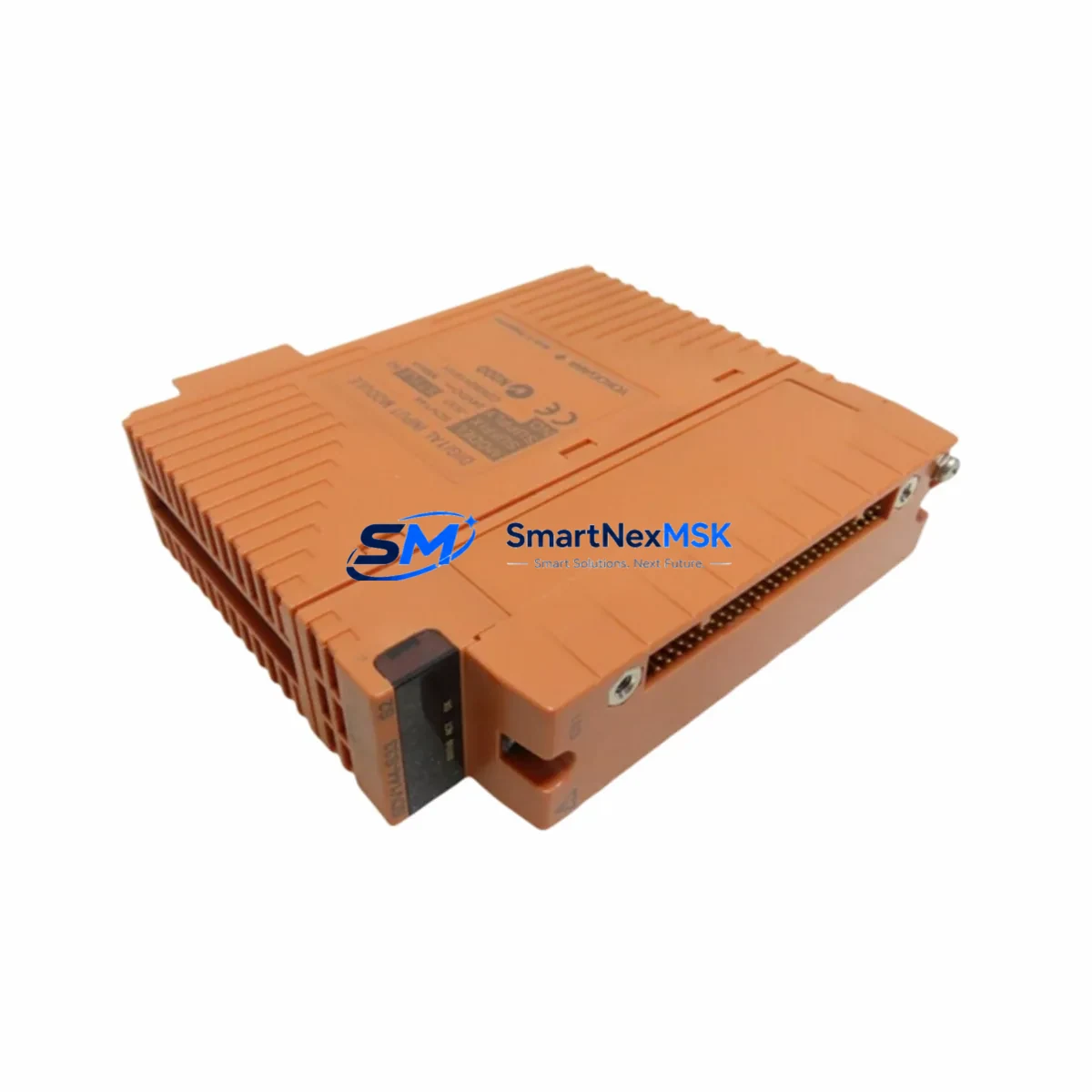
Yokogawa SDV144-S33 S2 Retrofit-Ready DI Module for CENTUM VP Control Systems
The Yokogawa SDV144-S33 S2 is a 32-channel digital input module engineered for the CENTUM VP distributed control system platform. As legacy CENTUM CS 3000 and early CENTUM VP installations approach end-of-life, the SDV144-S33 S2 has become a critical component in plant-wide retrofit programs, enabling engineers to restore full I/O capacity without replacing the entire control architecture. Whether you are recovering from an unplanned module failure, executing a scheduled control cabinet upgrade, or migrating from a discontinued Yokogawa SDV144-S11 or SDV144-S22 variant, this module provides a verified drop-in replacement path with minimal engineering rework.
Each unit is sourced from authorized distribution channels or factory-refurbished stock, subjected to pre-shipment functional testing, and backed by a 12-month warranty. Inventory is maintained on-hand to support urgent dispatch requirements, reducing the risk of extended production downtime caused by obsolete spare part shortages.
Upgrade Compatibility Table
| Parameter | SDV144-S33 S2 (This Unit) | Notes / Retrofit Guidance |
|---|---|---|
| Platform Compatibility | CENTUM VP (all revisions) | Also compatible with CENTUM CS 3000 R3 with firmware verification |
| Channel Count | 32 DI channels | Matches SDV144-S11 and SDV144-S22 channel density |
| Input Signal Type | Dry contact / Wet contact (24 VDC) | Confirm field wiring voltage before installation |
| Backplane Interface | Yokogawa standard node bus connector | Compatible with ANB10D, ANB10S, and ANR10D I/O nest units |
| Module Address | Configurable via Engineering Builder | Re-use existing address assignment from replaced module |
| Communication Protocol | Vnet/IP (internal node bus) | No protocol migration required within CENTUM VP architecture |
| Installation Format | Hot-swap capable (with FCS support) | Verify FCS redundancy mode before hot-swap attempt |
| Replacement Candidates | SDV144-S11, SDV144-S22, SDV144-S31 | S33 suffix indicates enhanced noise immunity revision |
| Commissioning Tool | CENTUM VP Engineering Builder (R5.04+) | Download and re-load existing FCS project after swap |
| Warranty | 12 Months | Covers manufacturing defects; includes pre-shipment test report |
Retrofit Planning for Existing Automation Systems
A successful SDV144-S33 S2 retrofit begins well before the module arrives on site. Engineers should start by auditing the existing I/O nest configuration, confirming that the target slot within the ANB10D or ANR10D I/O nest is mechanically and electrically compatible with the S33 revision. The nest backplane connector should be inspected for pin damage or corrosion, particularly in installations that have been in service for more than ten years.
Terminal wiring is the next critical checkpoint. The SDV144-S33 S2 uses a 40-pin terminal block arrangement consistent with the broader SDV144 family. Field cables connected to the outgoing module should be labeled and photographed before removal. If the existing installation uses a TB144 terminal board or equivalent marshalling panel, the wiring schedule can typically be preserved without modification, significantly reducing re-commissioning time.
Power budget verification is essential when adding or replacing modules in a populated I/O nest. The PW484 or PW482 power supply module feeding the nest must have sufficient headroom to support the SDV144-S33 S2 alongside co-installed modules such as the SAV144 analog input module, SDV541 digital output module, or SAT145 analog output module. A simple current draw audit using the CENTUM VP hardware manual will confirm available margin before installation.
For systems that include a BCV048 or BCV096 communication bus coupler, engineers should verify that the node address table in the FCS project file does not conflict with the replacement module’s assigned slot. In multi-FCS architectures connected via Vnet/IP over an ESB bus, the domain and station address must be confirmed against the existing network topology diagram to prevent address collision after restart.
HMI screens built in CENTUM VP HIS (Human Interface Station) that reference the replaced module’s tag names will continue to function without modification, provided the new module is assigned the same FCS slot address and the tag database is not rebuilt from scratch. This is a key advantage of like-for-like module replacement: operator displays, alarm setpoints, and trend historian configurations remain intact, eliminating the need for HMI re-engineering.
Where the retrofit involves migrating from an older CENTUM CS 3000 platform to CENTUM VP, additional steps are required. The CS 3000 FCS project must be converted using the CENTUM VP migration tool, and I/O module assignments must be re-mapped to the new hardware. In this scenario, the SDV144-S33 S2 serves as the target DI module in the new VP nest, while the legacy SDV521 or SDV522 modules from the CS 3000 rack are decommissioned. A programming cable such as the KS1-USB or equivalent RS-232 adapter may be required for initial FCS download if the engineering workstation does not have direct Vnet/IP access to the new controller.
Downtime Control During System Migration
Minimizing production downtime during a DCS module replacement requires a structured pre-outage preparation protocol. Before the maintenance window opens, the engineering team should export a full backup of the FCS project from CENTUM VP Engineering Builder, including all function block definitions, I/O assignments, alarm parameters, and communication settings. This backup serves as both a recovery baseline and a reference document during commissioning.
Where the FCS supports redundant controller operation, the SDV144-S33 S2 can often be installed in the standby I/O nest while the primary nest remains in service. After the new module passes initial power-on diagnostics — confirmed via the module’s LED status indicators and the Engineering Builder hardware status view — the FCS can be switched to the standby nest with a controlled failover, keeping the process running throughout the physical swap.
For non-redundant systems, the outage window should be planned around the following sequence: isolate field signals at the marshalling panel, remove the failed module, insert the SDV144-S33 S2, restore power to the nest, confirm module recognition in Engineering Builder, download the FCS project to the controller, verify I/O channel status in the online monitor, and restore field signal connections. This sequence, when executed by a prepared team with all materials staged in advance, can typically be completed within two to four hours for a single module replacement.
Post-installation, a channel-by-channel I/O loop check should be performed to confirm that each of the 32 digital input channels is reading correctly against the field device state. Any discrepancies should be investigated at the terminal block level before returning the system to automatic control. Once loop checks are complete and the FCS is confirmed stable in online mode, the maintenance record should be updated and the replaced module retained for failure analysis or warranty return.
Retrofit Support FAQ
Q1: Is the SDV144-S33 S2 a direct replacement for the SDV144-S11 or SDV144-S22?
Yes. The SDV144-S33 S2 is mechanically and electrically compatible with earlier SDV144 suffix variants. The S33 designation reflects an enhanced noise immunity revision introduced by Yokogawa. No wiring changes or FCS software modifications are required when replacing an S11 or S22 with the S33 S2 in the same nest slot. Confirm the slot address assignment in Engineering Builder matches the original configuration before going online.
Q2: What pre-shipment testing is performed on each unit?
Each SDV144-S33 S2 unit undergoes functional power-on testing, channel continuity verification across all 32 DI channels, and backplane connector inspection prior to dispatch. A test report is available upon request. All units are shipped with ESD-protective packaging and include a 12-month warranty covering manufacturing defects and functional failures under normal operating conditions.
Q3: Can this module be installed while the CENTUM VP FCS is online?
Hot-swap installation is supported when the FCS is configured for redundant I/O operation and the nest supports online module replacement. In simplex (non-redundant) FCS configurations, a controlled shutdown of the affected FCS domain is recommended before module removal. Always consult the CENTUM VP hardware manual and your site safety procedures before attempting any online maintenance activity.
Q4: What is the lead time and do you hold stock?
We maintain on-hand inventory of the SDV144-S33 S2 to support urgent replacement requirements. Standard orders are dispatched within 1–3 business days. For large-quantity orders or project-based procurement, please contact our sales team to confirm availability and arrange priority allocation. All units are covered by a 12-month warranty from the date of shipment.
© 2026 SMARTNEXMSK. All rights reserved.
Original Source: https://smartnexmsk.com
Contact: [email protected] | +86 18259474341



