
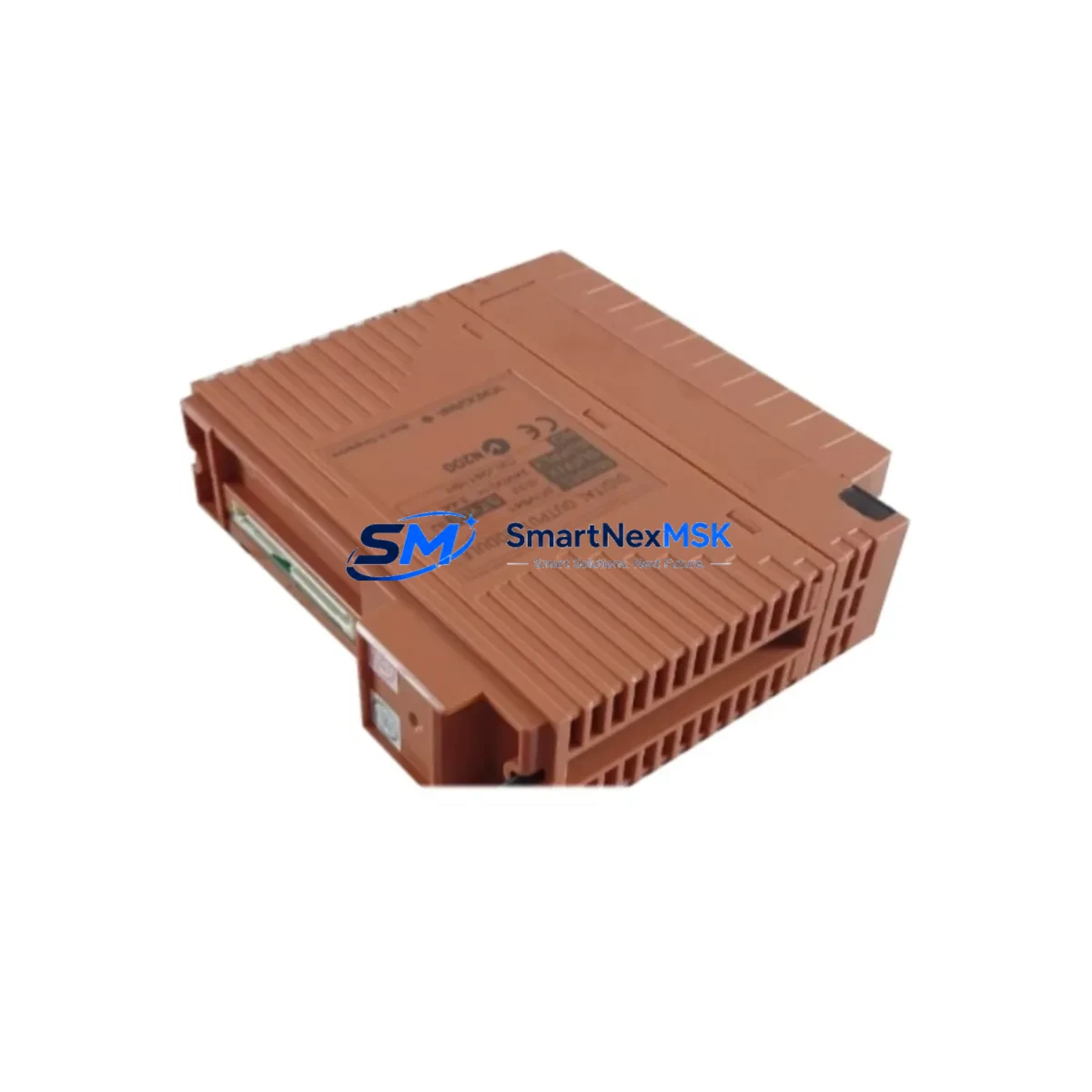
Yokogawa SDV541-S33 S3 Maintenance-Ready Spare for CENTUM VP Automation
The Yokogawa SDV541-S33 S3 is an original signal conditioning module engineered for CENTUM VP distributed control systems. Designed to meet the rigorous demands of continuous process industries — including oil & gas, petrochemical, power generation, and pulp & paper — this module serves as a critical interface between field instrumentation and the DCS I/O subsystem. Holding a verified stock of the SDV541-S33 S3 as a maintenance-ready spare is a proven strategy for reducing unplanned downtime and protecting production continuity.
For maintenance engineers managing aging CENTUM VP installations, the SDV541-S33 S3 provides a direct, drop-in replacement path without requiring firmware reconfiguration or system re-engineering. Its compatibility with the CENTUM VP architecture — including the FCS (Field Control Station) and associated I/O nest assemblies — means that site replacement can be completed within a standard maintenance window, minimizing mean time to repair (MTTR). Each unit shipped by SMARTNEXMSK undergoes pre-shipment functional verification and is backed by a 12-month warranty.
Spare Maintenance Table
| Parameter | Specification / Detail |
|---|---|
| Part Number / SKU | SDV541-S33 S3 |
| Brand | Yokogawa Electric Corporation |
| Series / Platform | CENTUM VP DCS |
| Module Type | Signal Conditioning / DCS I/O Interface Module |
| Compatible System | CENTUM VP FCS, I/O Nest, Node Unit |
| Signal Type | Analog / Digital Signal Conditioning (field-side interface) |
| Installation | DIN rail / I/O nest slot mount, direct replacement |
| Operating Environment | Industrial control cabinet; 0–55°C, humidity ≤90% RH non-condensing |
| Country of Origin | Japan |
| Condition | Original, new or tested-good surplus |
| Warranty | 12 Months from shipment date |
| Pre-Shipment Test | Functional verification performed before dispatch |
| Lead Time | In stock — typically ships within 1–3 business days |
| Maintenance Recommendation | Inspect every 12–24 months; replace on signal drift or communication fault |
Maintenance Planning for Continuous Operation
When a CENTUM VP system requires replacement of the SDV541-S33 S3, experienced maintenance engineers treat this as a trigger for a broader control cabinet inspection. Signal conditioning modules do not fail in isolation — their degradation is often accompanied by related faults in adjacent components. A structured inspection should include the following areas:
Power Supply Integrity: Verify the 24 VDC field power supply feeding the I/O nest. Yokogawa PW481 or equivalent power supply modules should be checked for output voltage stability and ripple. A marginal power supply is a common root cause of intermittent signal conditioning faults.
I/O Module Adjacency Check: Inspect neighboring I/O modules in the same nest — such as the AAI141-S or AAI543-S analog input modules — for signs of channel drift, blown fuses, or terminal block corrosion. A fault in one slot can induce noise or ground loops affecting adjacent signal paths.
Terminal Blocks and Field Wiring: Examine the MTL or equivalent marshalling terminal blocks connected to the SDV541-S33 S3. Loose terminations, oxidized contacts, or damaged cable shields are frequent contributors to signal integrity issues in long-term installations.
Communication Bus Health: For CENTUM VP nodes using Vnet/IP or ESB (Enhanced Signal Bus), confirm that the communication module — such as the CP451 or CP461 controller processor — is not logging bus errors that could indicate a broader I/O subsystem issue beyond the signal conditioning module itself.
Signal Isolators and Barriers: If the SDV541-S33 S3 interfaces with hazardous area field devices, inspect the associated Zener barriers or galvanic isolators (e.g., MTL5041 or equivalent) for degradation. These components have finite service lives and are often overlooked during module-level replacements.
Relay Output Modules: Where the signal conditioning output drives relay logic, check associated relay output modules such as the RIO (Remote I/O) relay cards for contact wear, especially in high-cycle applications like pump control or valve actuation.
HMI and Historian Verification: After replacement, confirm that the CENTUM VP HIS (Human Interface Station) is correctly displaying the restored signal and that the historian (Exaquantum or equivalent) is logging data without gaps. Persistent historian gaps may indicate a configuration mismatch rather than a hardware fault.
Fuse and Protection Devices: Replace any blown fuses in the I/O nest fuse terminal blocks. Fuses rated for the field loop current (typically 0.5A–2A) should be stocked alongside the SDV541-S33 S3 as part of the same spare parts kit.
Maintaining a minimum of one SDV541-S33 S3 unit on-site — alongside spares for the AAI141-S, PW481 power supply, and relevant communication modules — is consistent with best-practice spare parts inventory strategies for CENTUM VP installations with a design life exceeding 15 years.
Site Replacement Workflow
Step 1 — Isolation and Permit: Obtain a work permit and isolate the affected I/O channel at the marshalling panel. Do not power down the entire FCS unless required; CENTUM VP supports hot-swap of certain I/O modules depending on configuration.
Step 2 — Module Extraction: Release the module locking lever and extract the SDV541-S33 S3 from its nest slot. Label the failed unit with the fault date and symptom for traceability.
Step 3 — Visual Inspection of Slot: Inspect the backplane connector pins for damage or contamination before inserting the replacement unit. Clean with isopropyl alcohol if required.
Step 4 — Replacement Insertion: Insert the new SDV541-S33 S3 and confirm the locking lever engages fully. The module should be recognized by the FCS within seconds; monitor the CENTUM VP system alarm banner for any initialization faults.
Step 5 — Signal Verification: Confirm the field signal is reading correctly at the HIS. Compare against the pre-fault baseline value or use a loop calibrator to inject a known signal for verification.
Step 6 — Documentation: Update the maintenance log, spare parts inventory record, and CMMS (Computerized Maintenance Management System) with the replacement details, including the new module serial number and warranty expiry date.
This workflow applies equally to planned preventive replacements and emergency corrective maintenance, and is compatible with CENTUM VP R5 through R6 software revisions without requiring system re-download.
Spare Parts Support FAQ
Q1: Is the SDV541-S33 S3 compatible with all CENTUM VP revisions?
The SDV541-S33 S3 is designed for the CENTUM VP platform and is generally compatible across CENTUM VP R4, R5, and R6 revisions. For installations running CENTUM CS 3000, please confirm compatibility with your system integrator or contact our technical team before ordering, as the I/O nest architecture differs between platforms.
Q2: What pre-shipment testing is performed on each unit?
Every SDV541-S33 S3 dispatched by SMARTNEXMSK undergoes functional verification testing prior to shipment. This includes power-on self-test confirmation, signal path continuity check, and visual inspection of connector integrity. A test report is available upon request for quality-critical procurement processes.
Q3: How should the SDV541-S33 S3 be stored as a long-term spare?
Store in original anti-static packaging in a dry, temperature-controlled environment (10–40°C, <70% RH). Avoid proximity to strong magnetic fields or high-vibration areas. Inspect annually for connector oxidation. Properly stored units maintain full functionality for 5+ years, making them suitable for long-term spare parts inventory programs.
Q4: What does the 12-month warranty cover?
The 12-month warranty covers manufacturing defects and functional failures under normal operating conditions from the date of shipment. It does not cover damage resulting from incorrect installation, overvoltage events, or physical mishandling. Warranty claims are processed with priority turnaround — replacement or full refund within agreed lead time.
© 2026 SMARTNEXMSK. All rights reserved.
Original Source: https://smartnexmsk.com
Contact: [email protected] | +86 18259474341



