
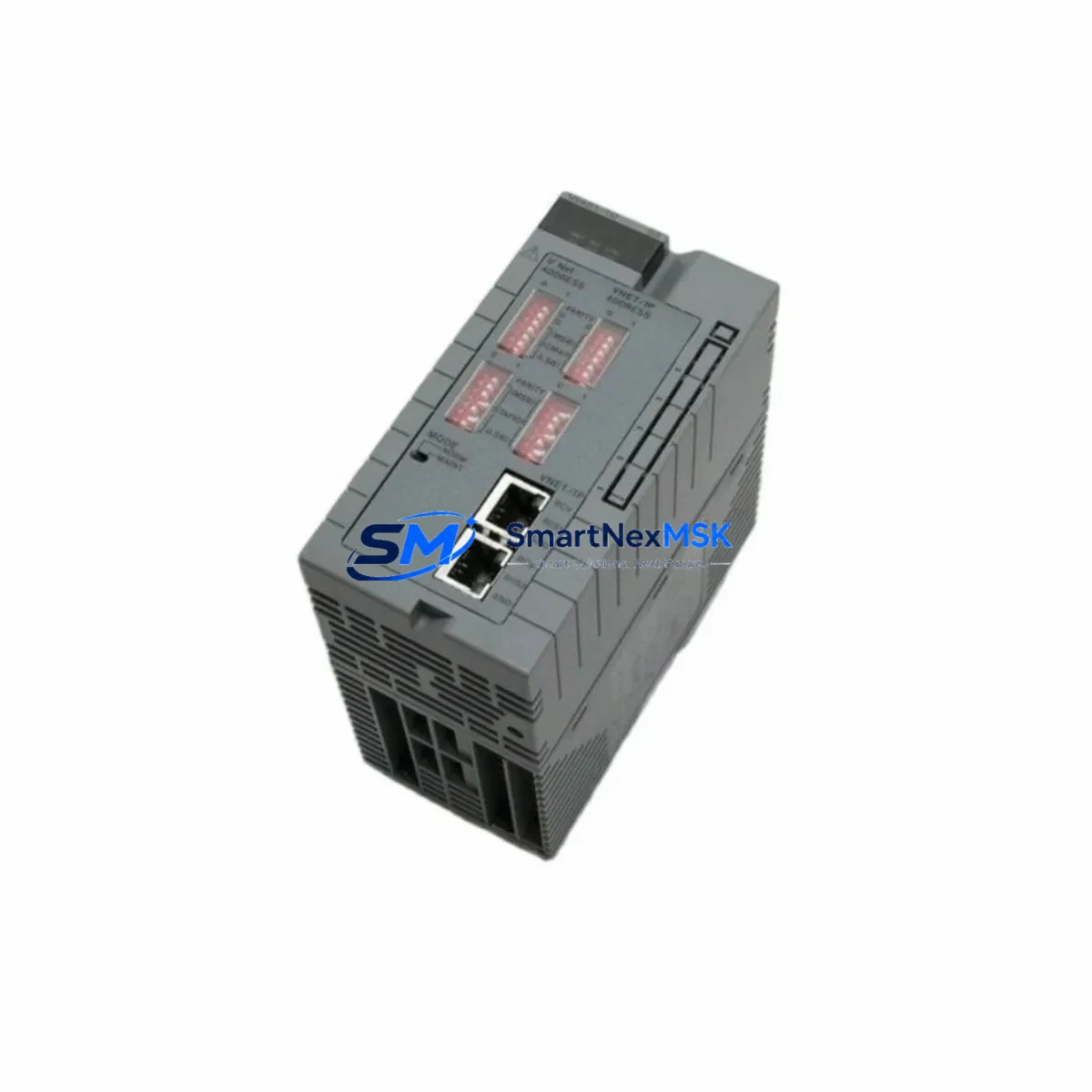
Yokogawa SSB401-53 Maintenance-Ready Spare for CENTUM Automation
The Yokogawa SSB401-53 is an original ESB (Enhanced Serial Backplane) Slave Interface Module designed for the CENTUM CS and CENTUM VP Distributed Control System platforms. In industrial process plants — including petrochemical, refining, power generation, and pharmaceutical facilities — the SSB401-53 serves as a critical communication bridge between the field control station (FCS) backplane and the ESB bus network. A failure of this module can immediately disrupt I/O communication across an entire FCS node, triggering unplanned shutdowns and costly production losses.
Sourcing a verified, original SSB401-53 spare in advance is the most effective strategy for minimizing mean time to repair (MTTR). Our stock is sourced directly from authorized channels, inspected against Yokogawa factory specifications, and tested prior to shipment. Each unit ships with a 12-month warranty and full documentation support, ensuring your maintenance team can execute a confident, rapid replacement without system reconfiguration risk.
Spare Maintenance Table
| Parameter | Specification |
|---|---|
| Part Number | SSB401-53 |
| Brand | Yokogawa Electric Corporation |
| Series | CENTUM CS / CENTUM VP |
| Module Type | ESB Slave Interface Module |
| Bus Interface | Enhanced Serial Backplane (ESB) |
| Compatible FCS | KFCS, FFCS, SFCS, LFCS2 (CENTUM CS/VP) |
| Power Supply | Supplied via backplane (24 VDC bus) |
| Communication Protocol | Yokogawa proprietary ESB protocol |
| Operating Temperature | 0°C to 55°C |
| Humidity | 10% to 90% RH (non-condensing) |
| Installation | DIN-rail backplane slot, tool-free hot-swap capable |
| Origin | Japan |
| Condition | Original, factory-spec, pre-shipment tested |
| Warranty | 12 Months |
| Delivery | Express global shipping available |
Maintenance Planning for Continuous Operation
When a maintenance or reliability engineer schedules an inspection or responds to an ESB communication fault in a CENTUM CS/VP system, the SSB401-53 is rarely the only component that warrants attention. A disciplined spare parts strategy and cabinet inspection should extend to the full communication and power chain surrounding this module.
Begin with the ESB Master Interface Module (SMB401) installed in the same FCS node — if the slave interface is degraded, the master module should be verified for firmware version compatibility and connector integrity. Inspect the FCS backplane (SB401) for oxidized bus contacts or mechanical damage that could cause intermittent ESB faults even after module replacement. The field control unit power supply modules (PW481, PW482) that feed the backplane should be load-tested; a sagging 24 VDC rail is a common root cause of spurious communication errors that are misdiagnosed as module failures.
On the I/O side, review the analog input modules (AAI141, AAI143) and digital I/O modules (ADV151, ADV161) seated in the same node. ESB bus errors can corrupt I/O scan cycles, and modules with marginal internal power regulators may exhibit intermittent faults under thermal stress. If the FCS node includes HART communication capability, verify that the HART multiplexer interface cards are not generating excessive bus traffic that could stress the ESB slave interface.
For nodes connected to the Vnet/IP control network, inspect the Vnet/IP interface module (VF701) and associated network switches for port errors or duplex mismatches. Communication faults at the ESB layer can sometimes originate from upstream Vnet/IP instability. Additionally, check terminal blocks and field wiring terminations in the marshalling cabinet — loose or corroded terminals on signal cables connected to I/O modules in the affected FCS node can introduce ground loops or noise that stresses the entire communication stack.
For aging CENTUM CS installations approaching end-of-support, consider stocking the SSB401-53 alongside the SMB401 and at least one redundant power supply module as a minimum viable spare kit. This three-component set covers the most common failure modes that cause unplanned FCS node outages.
Site Replacement Workflow
Step 1 — Fault Isolation: Use CENTUM VP’s System View or Hardware Viewer to confirm the ESB communication fault is localized to the slave interface module slot. Check the FCS alarm log for ESB timeout or parity error codes associated with the SSB401-53 slot address.
Step 2 — Compatibility Verification: Confirm the replacement SSB401-53 firmware revision matches or is compatible with the installed SMB401 master module. Yokogawa’s hardware compatibility matrix (available in the CENTUM VP engineering documentation) should be consulted before installation. The SSB401-53 is backward-compatible across CENTUM CS and CENTUM VP generations, simplifying cross-generation replacements in legacy system life-extension projects.
Step 3 — Hot-Swap Procedure: In redundant FCS configurations, switch control to the standby FCS before removing the faulty module. In simplex configurations, coordinate with the process control team to place affected loops in manual mode. The SSB401-53 supports tool-free extraction from the backplane slot — no screwdriver required. Insert the replacement module firmly until the bus connector seats fully.
Step 4 — Post-Replacement Verification: Monitor the ESB communication status in System View for a minimum of 5 minutes after module insertion. Confirm all I/O modules in the node return to normal scan status. Verify that no new alarms are generated and that process variable readings are stable before returning loops to automatic control.
Step 5 — Documentation: Record the replacement in the plant maintenance management system (CMMS), including the removed module’s serial number, fault symptoms, and replacement date. Replenish the spare parts inventory immediately to maintain readiness for the next event.
Spare Parts Support FAQ
Q1: Is the SSB401-53 still available as a new original part, or only as refurbished stock?
We supply original SSB401-53 modules sourced from authorized distribution channels and verified factory-new or factory-equivalent stock. Each unit undergoes pre-shipment functional testing. Refurbished units are clearly identified and priced separately. We do not mix stock grades without explicit customer consent.
Q2: How do I verify compatibility between the SSB401-53 and my existing CENTUM CS or VP system version?
Compatibility is determined by the FCS type (KFCS, FFCS, SFCS, LFCS2) and the installed CENTUM software revision. The SSB401-53 is compatible across the CENTUM CS 3000 and CENTUM VP product families. Provide your FCS model number and system software version when ordering, and our technical team will confirm compatibility before shipment.
Q3: What does the 12-month warranty cover, and what is the claims process?
The 12-month warranty covers manufacturing defects and functional failures under normal operating conditions as specified in Yokogawa’s product documentation. It does not cover damage from incorrect installation, overvoltage, or environmental conditions outside the rated range. To initiate a warranty claim, contact [email protected] with the order number, fault description, and photographic evidence. Replacement or repair is processed within 5 business days of claim approval.
Q4: Can you support long-term supply agreements for CENTUM spare parts?
Yes. We support blanket purchase orders and long-term supply agreements for CENTUM CS/VP spare parts, including the SSB401-53 and related modules. Long-term agreements include reserved stock allocation, priority shipment, and fixed pricing for the contract period — ideal for plant turnaround planning and lifecycle extension programs for aging DCS installations.
© 2026 SMARTNEXMSK. All rights reserved.
Original Source: https://smartnexmsk.com
Contact: [email protected] | +86 18259474341



