
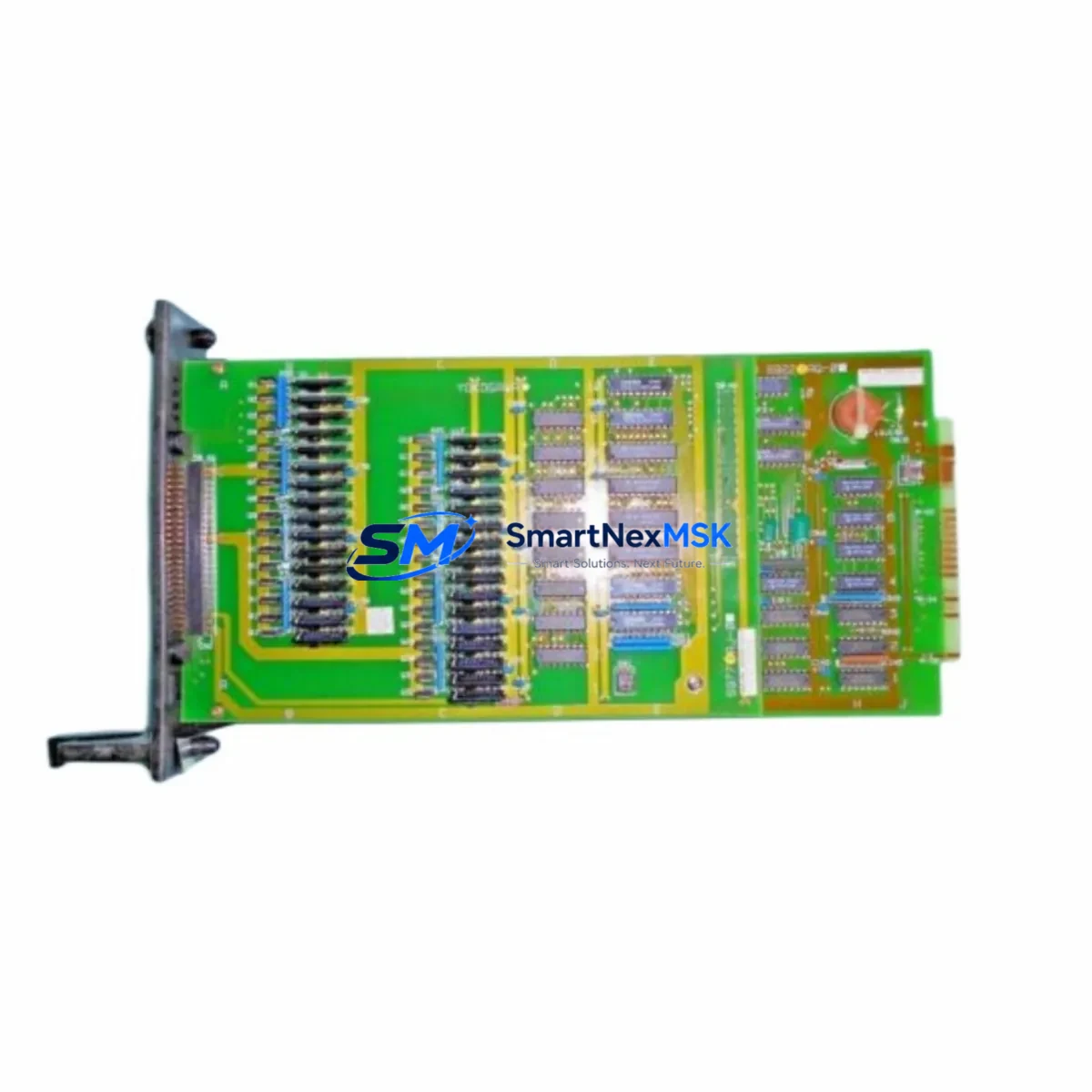
YOKOGAWA ST5*A Retrofit-Ready Status I/O for CENTUM Systems: Compatible Modernization for Legacy DCS Infrastructure
The YOKOGAWA ST5*A is a multipoint status input/output module engineered for the CENTUM distributed control system platform. As legacy CENTUM CS and CENTUM CS 3000 installations continue to operate across petrochemical, power generation, and process manufacturing facilities worldwide, the ST5*A has become one of the most sought-after discontinued spare parts for both emergency replacement and planned system modernization. Whether your facility is executing a phased upgrade, recovering from an unplanned module failure, or consolidating aging I/O racks, the ST5*A provides a verified, drop-in compatible solution that preserves existing wiring infrastructure and minimizes engineering rework.
Our inventory of the ST5*A is sourced from authorized channels and subjected to pre-shipment functional testing. Each unit is verified against YOKOGAWA’s original hardware specifications before dispatch, and all orders are covered by a 12-month warranty against manufacturing defects and functional failure under normal operating conditions.
Upgrade Compatibility Table
| Parameter | ST5*A Specification / Retrofit Notes |
|---|---|
| Module Type | Multipoint Status Input/Output (DI/DO) |
| Compatible Platform | YOKOGAWA CENTUM CS, CENTUM CS 3000, CENTUM VP (with adapter verification) |
| Backplane Interface | Standard CENTUM I/O bus; compatible with RIO (Remote I/O) and local I/O node racks |
| Installation Requirement | Direct slot replacement in existing CENTUM I/O rack; no rack modification required for same-series swap |
| Terminal Wiring | Compatible with existing field terminal assemblies; verify terminal block model (e.g., TB820V) before installation |
| Communication Compatibility | Operates on CENTUM internal Vnet/IP or legacy Vnet bus depending on controller node configuration |
| Module Address | Address set via hardware DIP switch or software node configuration in CENTUM Engineering Environment (CEW) |
| Replacement Recommendation | Direct replacement for failed or end-of-life ST5*A units; cross-check suffix variant (e.g., ST5*A vs ST5*B) for exact I/O count match |
| Commissioning Focus | Verify I/O tag mapping in CENTUM Builder; confirm signal status in HIS (Human Interface Station) after hot-swap or cold-swap |
| Warranty | 12 months from shipment date; covers functional failure under normal operating conditions |
Retrofit Planning for Existing Automation Systems
Successful integration of the ST5*A into an existing CENTUM installation requires a structured pre-engineering review. Before the module arrives on site, the project team should confirm the current rack configuration, including the model of the I/O unit (IOU) or remote I/O unit (RIO) housing the failed module. Common rack models in CENTUM CS 3000 installations include the EB401 and EB501 node units, and the ST5*A must be confirmed compatible with the specific node variant in use.
Power supply capacity is a critical checkpoint. The CENTUM I/O rack draws regulated 24 VDC from a dedicated power supply module — typically a PW481 or PW482 — and adding or replacing I/O modules requires verifying that the total current draw remains within the power budget of the installed supply. If the existing power supply is already near capacity due to a dense I/O configuration, a parallel PW482 or a replacement with higher output capacity may be required before the ST5*A is installed.
Terminal wiring compatibility must be confirmed at the field terminal assembly level. The ST5*A connects to field devices through a terminal block assembly such as the TB820V or equivalent, and the existing cable harness must be inspected for correct pin mapping before the new module is seated. In many retrofit scenarios, the original terminal assembly remains serviceable and can be reused without rewiring, which significantly reduces installation time and the risk of wiring errors.
For facilities migrating from CENTUM CS to CENTUM CS 3000 or CENTUM VP, the communication architecture may shift from legacy Vnet to Vnet/IP. In these cases, the control bus interface card — such as the CP451 or CP461 controller processor — must be confirmed to support the I/O node type associated with the ST5*A. If the migration involves a new controller processor, the I/O node address assignments must be re-mapped in the CENTUM Engineering Environment (CEW) and validated against the existing control database before commissioning.
HMI screen updates are often overlooked during I/O module replacements. After the ST5*A is installed and the I/O tags are confirmed active in the CENTUM Builder, the corresponding faceplates and graphic displays on the Human Interface Station (HIS) should be verified to ensure that status signals are rendering correctly. In systems where the HIS runs on an older Windows platform, a display refresh or partial database download may be required to synchronize the new module’s tag data.
For facilities that also need to expand I/O capacity during the same maintenance window, the ST5*A replacement can be combined with the installation of additional analog input modules such as the AAI141 or AAI543, or additional digital output modules such as the ADO141. Coordinating these installations in a single planned outage reduces total downtime and allows the engineering team to perform a comprehensive I/O loop check across all affected channels before returning the system to automatic control.
Downtime Control During System Migration
Minimizing control system downtime during an ST5*A replacement requires a disciplined pre-outage preparation protocol. The most effective approach is to perform a full backup of the CENTUM control database — including the FCS (Field Control Station) project files, I/O builder data, and HIS graphic definitions — before any hardware is touched. This backup serves as both a recovery baseline and a reference document for verifying that the replacement module is correctly configured after installation.
Where the process permits, a hot-swap procedure can be used to replace the ST5*A without shutting down the associated FCS node. CENTUM CS 3000 and CENTUM VP support online module replacement for certain I/O types, provided the replacement module is of the same type and the field signals can be temporarily placed in manual or hold mode. The control engineer should confirm with the process team that all affected loops are in manual before initiating the swap, and the DCS operator should monitor the HIS for any alarm activations during the transition.
If a cold-swap is required — for example, when the rack must be de-energized due to safety interlocks or when the node type does not support online replacement — the outage window should be planned to coincide with a scheduled process shutdown or a low-production period. A pre-staged replacement ST5*A, confirmed functional through pre-shipment testing, allows the physical swap to be completed in under 30 minutes in most cases. The remaining outage time is consumed by module address verification, I/O loop checks, and HIS confirmation — tasks that can be accelerated by having the CENTUM Engineering Environment open and the project file pre-loaded on the engineering workstation before the outage begins.
Post-installation, the commissioning team should perform a channel-by-channel status verification using the CENTUM test function to confirm that each I/O point on the ST5*A is reading correctly against the field device state. Any discrepancies should be resolved before the FCS is returned to automatic mode. A final alarm review on the HIS will confirm that no latent faults were introduced during the replacement, and the system can be handed back to the operations team with full confidence in the integrity of the control logic.
Retrofit Support FAQ
Q: Is the ST5*A a direct drop-in replacement for all CENTUM CS status I/O modules?
A: The ST5*A is a direct replacement for units of the same model designation within the CENTUM CS and CENTUM CS 3000 platforms. Customers should verify the exact suffix variant (e.g., ST5*A vs. ST5*B) to confirm I/O point count and signal type compatibility. For cross-series replacements — such as migrating from CENTUM CS to CENTUM VP — additional engineering review of the node type and rack compatibility is recommended before ordering.
Q: What pre-shipment testing is performed on each ST5*A unit?
A: Each ST5*A unit undergoes functional verification prior to shipment, including power-on self-test, I/O channel continuity check, and backplane interface validation. Units that do not pass all test criteria are quarantined and not dispatched. A test report is available upon request for customers with quality documentation requirements.
Q: Can the ST5*A be installed without modifying existing field wiring?
A: In the majority of same-series replacement scenarios, the existing field terminal assembly and cable harness can be reused without modification. The installer should verify that the terminal block model is compatible with the ST5*A’s connector interface and that all field cables are correctly labeled before disconnecting from the failed module. If the terminal assembly shows signs of wear or corrosion, replacement with a new TB820V or equivalent is recommended to ensure reliable signal integrity.
Q: What does the 12-month warranty cover, and how is a warranty claim initiated?
A: The 12-month warranty covers functional failure of the ST5*A under normal operating conditions, including failures attributable to manufacturing defects or component degradation. It does not cover damage resulting from incorrect installation, overvoltage, physical impact, or operation outside the module’s rated environmental specifications. To initiate a warranty claim, contact our technical support team with the order reference number, a description of the failure symptom, and any available diagnostic data from the CENTUM system log. Replacement units are dispatched within 3 business days of claim approval.
© 2026 SMARTNEXMSK. All rights reserved.
Original Source: https://smartnexmsk.com
Contact: [email protected] | +86 18259474341



