
B&R X20BC8084 Spares: Check Lifecycle Before Last-Time Buy
A failed X20 bus controller rarely arrives as a clean, isolated purchasing problem. The line may stop with one module fault, but the recovery decision depends on the controller generation, connected I/O, terminal blocks, software archive, and the lifecycle phase of every related part. If a request is reduced to “X20BC8084 spare,” procurement can find […]
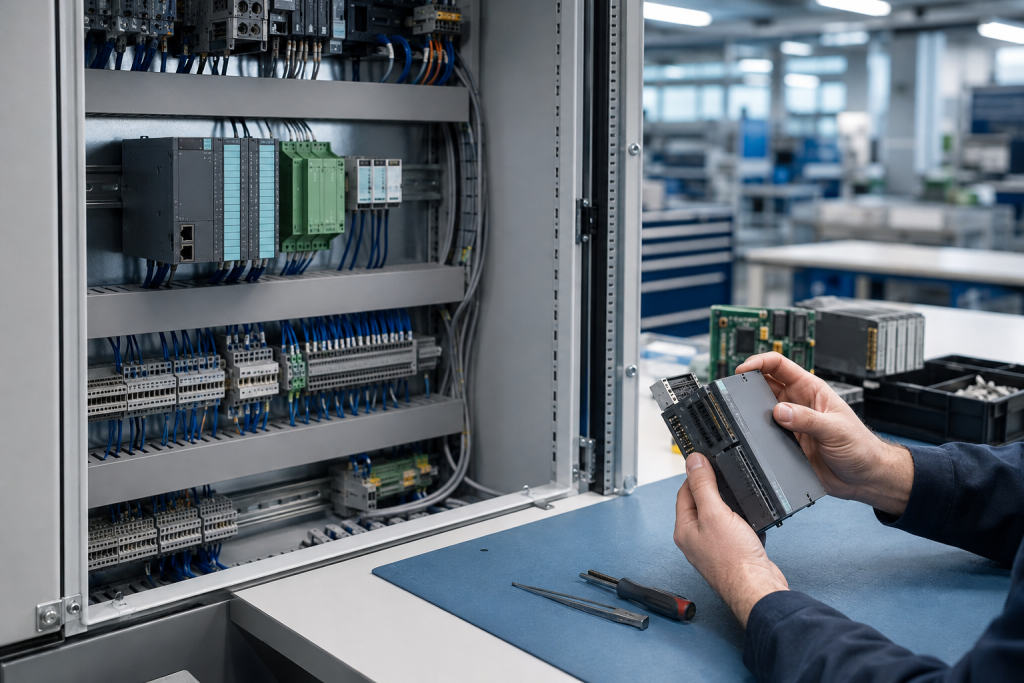
A failed X20 bus controller rarely arrives as a clean, isolated purchasing problem. The line may stop with one module fault, but the recovery decision depends on the controller generation, connected I/O, terminal blocks, software archive, and the lifecycle phase of every related part. If a request is reduced to “X20BC8084 spare,” procurement can find a part.
B&R’s lifecycle standard is useful because it separates product availability from the action a customer needs to take. The phases are Active, Classic, Limited, and Obsolete, with a Last-Time Buy stage before the Limited phase. For an X20 installation, the practical task is to identify the exact part, check its current lifecycle status, and decide whether a verified spare is a bridge or part of a wider control-system plan.
Start with the complete X20 system record
Record the full marking, suffix, revision, and installation position before removing a suspected module. Photograph the cabinet, bus arrangement, adjacent modules, connectors, terminal blocks, power supply, controller,. Add the line identifier, controller generation, Automation Studio or runtime version, and the last known good archive.
The published B&R X20BC8084 X20 bus controller page is a model-level sourcing reference. A system-level review may also need the published B&R 7CP570.60-1 X20 CPU page. These pages do not replace the installed drawing, software record, or a compatibility approval.
Why the controller cannot be checked alone
An X20 system is assembled from related components rather than one self-contained box. The bus controller, controller or CPU, I/O modules, bus bases, terminal blocks, power arrangement, field wiring, and engineering software all contribute to the result. A replacement can be physically close and still be wrong for the station, firmware level, network arrangement, or application.
Before approving a spare, map the complete path from controller to I/O and field devices. Identify which modules are dependent on the bus arrangement, which parameters are stored in the controller or project archive, and which connections must be checked after replacement. It is to preserve a documented recovery path for the actual machine.
Check the B&R lifecycle phase before buying
Active
In Active, the product is offered for regular series production. Keep the approved part number, installed version, and required quantity in the spare record.
Classic
Classic is the early phase-out signal. B&R advises customers not to start new projects with products in this phase. For an existing line, this is the point to confirm future demand, check dependencies, and decide whether a limited stock or a planned redesign is more sensible.
Limited and Last-Time Buy
In the Limited phase, normal ordering may no longer be available, while spare parts can remain possible in lower quantities under the lifecycle rules. The Last-Time Buy stage is not a suggestion to order blindly. It is a planning window. Use actual installed quantities, failure history, repair yield, maintenance interval, and the expected remaining service period to define a defensible requirement.
Obsolete
Obsolete means the product has been retired and is no longer available for normal order or download, although documentation may still be requestable. At this point, a verified used or refurbished spare may support recovery, but it should be recorded as a risk-controlled bridge, not treated as a permanent guarantee.
Build the RFQ around evidence
An effective X20BC8084 RFQ should include the complete part number, revision, cabinet and controller details, module position, connected I/O, network or bus context, quantity, delivery country, required date, failure symptoms, and archive status. Include clear label photographs and cabinet photographs with enough context to identify neighboring parts.
Ask the supplier to state what is being offered: new, repaired, refurbished, or used. Request the identification evidence, inspection scope, test evidence, warranty terms, and any configuration or parameter responsibility. Do not let the word “compatible” hide an unverified revision or an assumption that the customer will solve software differences during an outage.
Protect the archive before the outage
For an operating line, save the current project, runtime files, controller configuration, network settings, I/O mapping, machine parameters, alarm history, and any change record that explains the last modification. Store the archive with the asset identity and the software version needed to open or restore it. If the archive cannot be recovered, make that gap visible in the spare plan.
The B&R X20 system user manual was updated in March 2026 and includes revised module overviews, installation information, dimensions, accessories, and a cybersecurity section. A newer manual does not automatically make an old installation current, but it reinforces the value of checking the exact documentation version used by the machine.
Receiving and replacement controls
On receipt, compare the full marking, revision, connectors, mounting, and packaging with the approved record. Photograph the part before installation and inspect for bent pins, cracks, corrosion, contamination, or rework evidence. Keep the spare protected and traceable to the asset.
During replacement, follow the approved isolation and cabinet procedure. Confirm the bus arrangement and wiring before energizing. Restore only the intended project and parameters, then check diagnostics, I/O communication, network status, alarms, and the machine’s controlled test sequence. A controller that powers up is not yet a verified repair.
When to move from spare to modernization
Escalate to a lifecycle review when the X20 phase is Limited or Obsolete, the required quantity cannot be sourced with evidence, archives are incomplete, failures repeat, or the controller and software environment are no longer supportable. B&R’s lifecycle policy is designed to provide early notice and planning time. Use that time to compare a controlled last-time buy, repair, partial replacement, or modernization.
Keep the decisions separate. A verified spare can restore production today. It does not prove that the whole control system has a reliable five-year maintenance path.
FAQ
Is every X20BC8084 listing interchangeable across X20 systems?
No. Confirm the exact revision, controller generation, bus arrangement, software environment, module position, and approved documentation for the installed machine.
Does the Classic phase mean the part has already failed?
No. Classic is an early phase-out signal. It means buyers should stop treating the component as a default choice for new projects and should plan the existing installed base deliberately.
Should a Last-Time Buy be based on the number of machines?
Not by itself. Include installed quantity, criticality, failure history, repair yield, expected service period, and related component dependencies before setting a requirement.
Can a refurbished X20 spare be used for recovery?
It can be considered when identity, inspection scope, test evidence, warranty, and compatibility are documented. Treat it as a controlled recovery option, not an assumption of unlimited future availability.
What should be sent with an X20BC8084 quote request?
Send the complete marking, revision, cabinet and controller details, module position, connected I/O, archive status, clear photos, quantity, symptoms, destination, and required delivery window.
Make the request actionable
For a B&R X20BC8084 spare review, send the complete model marking, cabinet photos, controller and software details, archive status, quantity, delivery country, and urgency. Contact [email protected] or WhatsApp/Phone +86 18259474341 for a model and lifecycle review.
Reference material: B&R lifecycle standard; B&R X20 System User’s Manual; B&R X20 System data sheets. Accessed 2026-09-04.
Route this topic into a sourcing request
Connect the article topic to a model number, category, brand, quantity, and destination before opening the RFQ.
Related Insights
Continue with sourcing and model matching guides
 Sep 8, 2026
SANYO DENKI QS1E Spares: Save Parameters First
When a SANMOTION Q axis stops, the purchasing request often becomes a model number: “Please quote QS1E01AA0H4A3P1T.” That is a useful starting point, but…
Read guide Sep 6, 2026
Yaskawa SGDH-05DE-OY Spares: Check the Servo Chain
A servo drive fault often produces a deceptively simple purchasing request: “Replace the SGDH-05DE-OY.” In a running machine, however, the amplifier is only one…
Read guide Sep 5, 2026
GE IS220PCLAH1A Spares: Check Mark VIe Fit
When a Mark VIe cabinet develops an intermittent control fault, the urgent request often becomes a single line: “Please quote IS220PCLAH1A.” That is understandable…
Read guide