
Digi PortServer Advisory: Legacy Serial Gateway Risk
How the CISA Digi PortServer TS advisory affects legacy serial gateways, replacement planning, OT isolation, and spare RFQs.
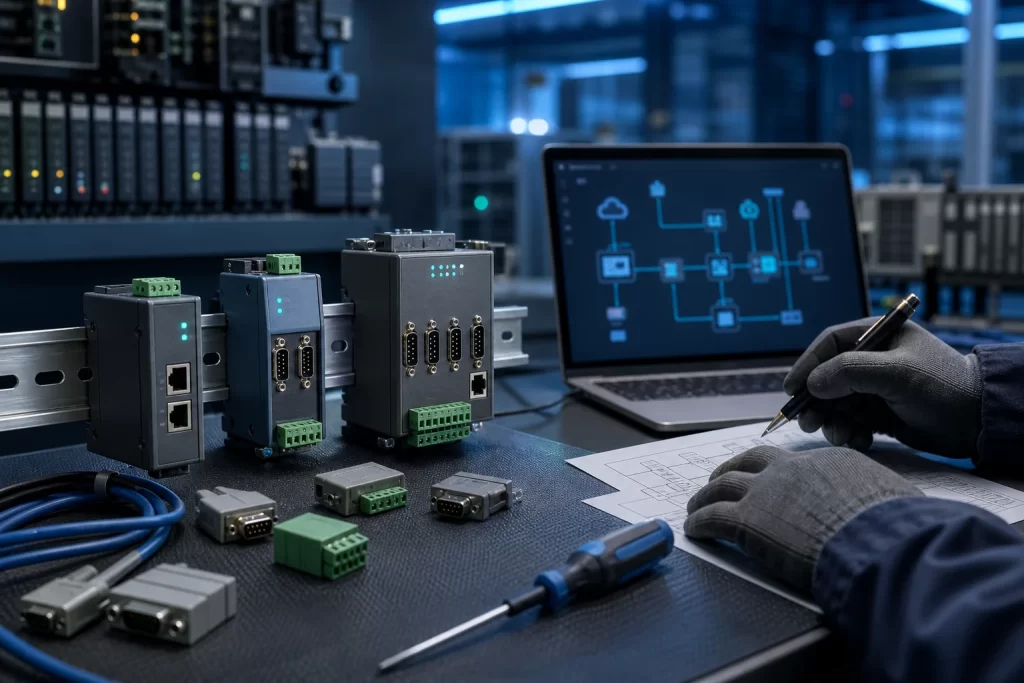
CISA’s July 7, 2026 advisory for Digi International PortServer TS, Digi One SP, Digi One SP IA, and Digi One IA is the kind of notice that deserves attention from maintenance teams, not only cybersecurity staff. These devices are often used as practical serial-to-Ethernet bridges between older controllers, instruments, analyzers, protection equipment, barcode systems, or panel PCs and the modern plant network. When a serial gateway becomes a security or lifecycle risk, the issue is rarely solved by buying the first replacement box that fits the DIN rail.
The advisory identifies two vulnerabilities: CVE-2026-12352 and CVE-2026-12948. CISA states that affected versions are below Firmware_2025 for the listed Digi products. The first issue can expose sensitive information under certain conditions, while the second involves authenticated script injection risk. CISA notes that no known public exploitation specifically targeting these vulnerabilities had been reported at publication time. Digi recommends upgrading to Digi Connect EZ or Digi Connect EZ TS as a long-term solution, and provides interim configuration guidance such as enabling HTTPS on PortServer TS or disabling/restricting the web server on affected Digi One devices where appropriate.
Why old serial gateways are a maintenance issue
Serial device servers are small enough to be forgotten and important enough to stop a line. A plant may have a PLC or DCS migration plan, yet still rely on a decade-old serial gateway to reach a weigh scale, analyzer, drive, burner controller, meter, or legacy remote I/O adapter. If the gateway is replaced without checking serial settings, pinout, protocol behavior, driver assumptions, and network routing, the connected equipment may remain healthy while the communication path fails.
That is why this advisory connects directly to communication modules and I/O hardware planning. The gateway is not just a network accessory. In many plants it is the translator that keeps older field devices visible to SCADA, HMI, batch software, historian collection, maintenance laptops, or engineering tools. Treat it as part of the control path when reviewing spares.
Do not replace the device before documenting the link
A good replacement decision begins with evidence. Record the installed model, firmware level if visible, IP address, serial mode, baud rate, parity, stop bits, flow control, connector type, cable pinout, connected device model, protocol, polling host, and whether the current device is managed through a web interface. A clear photo of the front label and wiring can be more useful than a generic description such as “Digi converter on line 2.”
For older controls, tie this evidence to industrial PLC controller sourcing or controller lifecycle records. A PLC spare may be available, but the commissioning path can still depend on the serial bridge. If the gateway replacement changes timing, socket behavior, virtual COM mapping, or addressing, the PLC and HMI team may spend hours troubleshooting a communication problem that was predictable from the start.
Security mitigation and production continuity must be planned together
The advisory’s interim steps are practical, but they should not be applied casually during production. Enabling HTTPS, disabling a web server, restricting access, or replacing the gateway can affect maintenance access and vendor support workflows. Before changing settings, identify who still uses the device, from where, and for what task. Some gateways are only touched during a breakdown; others are part of daily data collection.
If a gateway sits near an HMI or SCADA interface, connect the review to HMI and touch panel replacement planning. A replacement panel or SCADA station may depend on the same serial route to reach older instruments. The safer workflow is to map the gateway, the endpoint device, and the software client together, then decide whether to harden, isolate, replace, or stage a tested spare.
When a long-term replacement is better than another like-for-like spare
Like-for-like sourcing is useful when the goal is fast restoration. It is less useful when the installed device is already outside the preferred support path or requires configuration compromises. Digi’s long-term recommendation to move toward Digi Connect EZ or Digi Connect EZ TS is a reminder that some spare decisions should be framed as lifecycle decisions, not only purchasing decisions.
A structured replacement risk review for obsolete automation parts helps teams decide which cases need exact replacement and which need a controlled upgrade. For a serial gateway, that review should include protocol compatibility, required ports, environmental rating, power input, mounting, serial isolation, management access, firmware support, and whether the plant can test the replacement before the outage window.
What to include in the RFQ
For procurement, the strongest RFQ is not just “Digi PortServer TS needed urgently.” It should explain the role of the device. Include the installed model, firmware if known, serial settings, destination country, required quantity, replacement urgency, connected equipment type, photos of labels and wiring, and whether the request is for exact spare, migration support, or a compatible long-term replacement. If there are multiple gateways across the plant, group them by function and risk instead of sending an unstructured list.
Teams can also use a practical photo workflow such as sending product label photos for model verification. For serial gateways, add the cable and terminal photos as well. The wiring evidence often prevents the wrong accessory, connector, or interface assumption.
FAQ
Does this advisory mean every Digi PortServer TS must be replaced immediately?
No. The first step is to identify the installed device, firmware level, exposure, and operational role. Some sites may apply interim hardening and plan replacement later. Others may decide that a staged upgrade is safer because the device is old, exposed, or difficult to support.
Why is a serial gateway relevant to spare-parts planning?
Because the gateway may be the only communication path between old field equipment and modern control or monitoring software. A spare PLC, HMI, analyzer, or meter may not restore service if the serial-to-Ethernet path is undocumented or incompatible.
What information should maintenance collect before requesting a replacement?
Collect model and label photos, firmware if visible, IP address, serial settings, connector type, cable pinout, connected equipment model, protocol, power input, mounting style, network exposure, quantity, and outage deadline.
Is a newer Digi Connect EZ always a drop-in replacement?
Not automatically. It may be the right long-term path, but the team still needs to verify serial behavior, management settings, network topology, environmental requirements, and the software client that talks to the gateway.
Should the web server be disabled on legacy gateways?
Only after confirming how the device is managed and what Digi’s guidance says for the specific product. Disabling or restricting management access can reduce exposure, but it should be documented so maintenance teams are not locked out during an outage.
Practical next step
If your plant is reviewing Digi PortServer TS, Digi One SP, Digi One SP IA, or similar legacy serial gateways after this advisory, prepare model photos, wiring photos, firmware or configuration notes, connected equipment details, required quantity, destination, and downtime limits before sourcing. SmartNexMSK can help route the request as exact spare sourcing, compatible replacement review, or lifecycle migration support. Send details to [email protected] or WhatsApp/Phone +86 18259474341.
Source checked: CISA ICS Advisory ICSA-26-188-07, Digi International PortServer TS, Digi One SP IA, July 7, 2026.
Route this topic into a sourcing request
Connect the article topic to a model number, category, brand, quantity, and destination before opening the RFQ.
Related Insights
Continue with sourcing and model matching guides
 Sep 8, 2026
SANYO DENKI QS1E Spares: Save Parameters First
When a SANMOTION Q axis stops, the purchasing request often becomes a model number: “Please quote QS1E01AA0H4A3P1T.” That is a useful starting point, but…
Read guide Sep 6, 2026
Yaskawa SGDH-05DE-OY Spares: Check the Servo Chain
A servo drive fault often produces a deceptively simple purchasing request: “Replace the SGDH-05DE-OY.” In a running machine, however, the amplifier is only one…
Read guide Sep 5, 2026
GE IS220PCLAH1A Spares: Check Mark VIe Fit
When a Mark VIe cabinet develops an intermittent control fault, the urgent request often becomes a single line: “Please quote IS220PCLAH1A.” That is understandable…
Read guide