
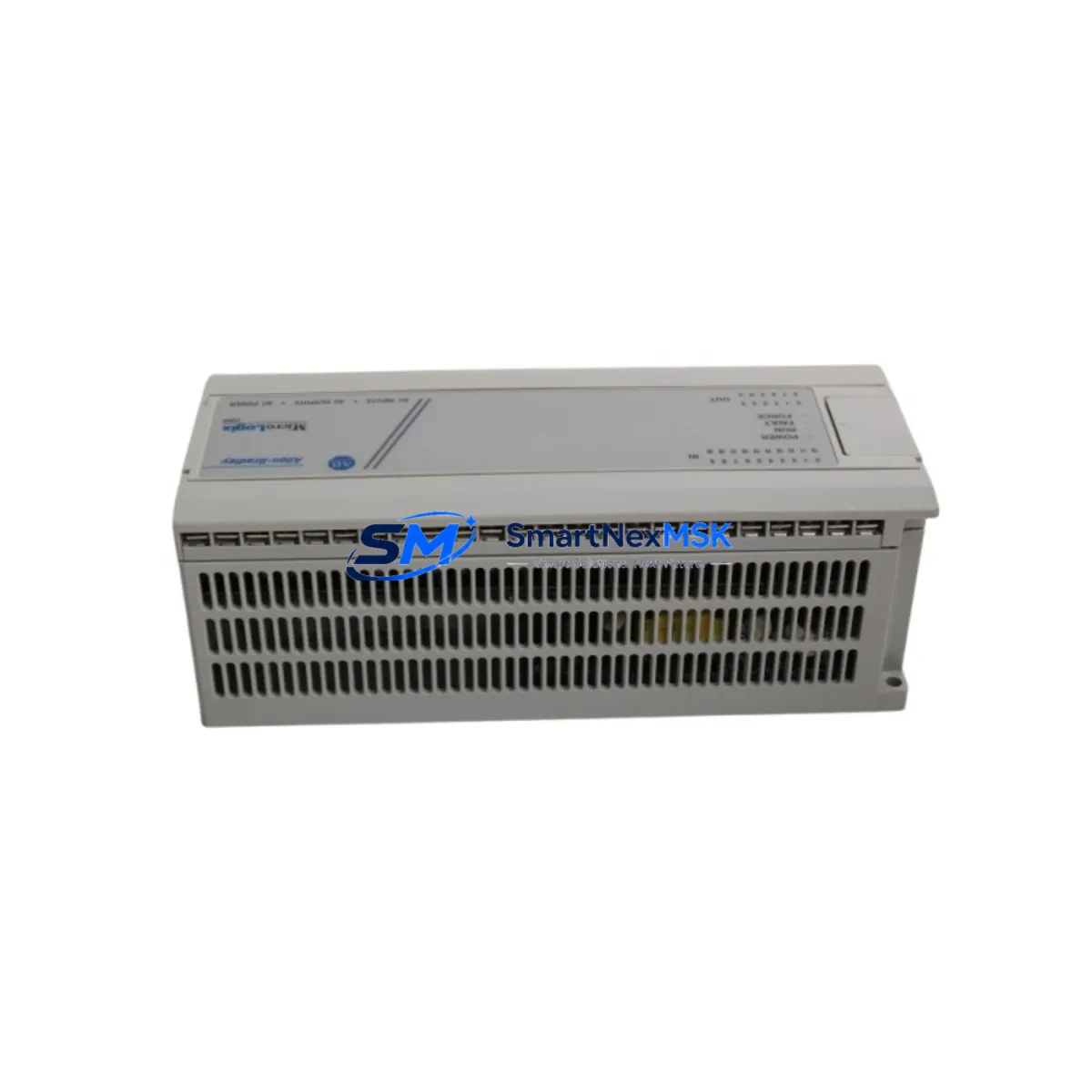
Allen-Bradley 1761-L32AWA Retrofit-Ready PLC for MicroLogix 1000 Control Systems
The Allen-Bradley 1761-L32AWA is a 32-point AC-powered programmable logic controller from the MicroLogix 1000 series, widely deployed across discrete manufacturing, building automation, conveyor systems, and legacy process control panels. As Rockwell Automation has transitioned its compact controller portfolio toward the MicroLogix 1100 and MicroLogix 1400 platforms, the 1761-L32AWA has become a critical retrofit and replacement component for facilities managing aging control infrastructure. SMARTNEXMSK maintains verified stock of the 1761-L32AWA to support planned upgrades, emergency replacements, and long-cycle maintenance programs.
Upgrade Compatibility Table
| Parameter | 1761-L32AWA (This Unit) | Retrofit Notes |
|---|---|---|
| I/O Points | 20 DI (AC) / 12 DO (Relay) | Verify field wiring gauge and terminal torque specs before reconnection |
| Power Supply | 120/240 VAC, 50/60 Hz | Confirm panel supply voltage; no external 24 VDC PSU required for CPU |
| Communication Ports | DH-485 + DF1 (RS-232, Channel 0) | Compatible with existing 1761-CBL-PM02 and 1761-CBL-AP00 programming cables |
| Backplane / Rack | Standalone (no rack required) | Panel DIN rail or direct mount; no 1746 SLC rack needed |
| Programming Software | RSLogix 500 / RSLogix Micro | Existing .RSS program files are directly transferable; verify firmware revision |
| HMI Compatibility | PanelView 300 Micro, PanelView 550 | Confirm DH-485 node address matches original HMI configuration |
| Replacement Path | Direct drop-in for 1761-L32AWA units | Cross-reference 1761-L16AWA (16-pt) if I/O reduction is acceptable |
| Commissioning | Upload/download via RSLinx Classic | Verify channel configuration and baud rate (19.2K default) before going online |
| Warranty | 12-Month Warranty — covers hardware defects; includes pre-shipment functional test | |
Retrofit Planning for Existing Automation Systems
Replacing a 1761-L32AWA in an operational facility requires a structured approach that accounts for both hardware compatibility and program integrity. Before removing the existing controller, engineers should use RSLogix Micro or RSLogix 500 to upload and archive the current ladder logic program, including all data files, timer presets, counter accumulations, and retentive bit states. This archived .RSS file becomes the baseline for the replacement unit.
On the hardware side, the 1761-L32AWA uses a 20-terminal input block and a 12-terminal output block with relay contacts rated at 2A per point. Field wiring connected to the original unit — including 120 VAC sensor inputs, motor starter coils, solenoid valve outputs, and pilot light circuits — can be reconnected directly to the replacement module without rewiring, provided terminal assignments are documented prior to removal. Engineers should photograph or sketch the existing wiring layout before disconnecting any conductors.
For systems that include expansion I/O, the 1761-L32AWA supports up to 6 expansion modules via the 1762 MicroLogix I/O expansion bus. Common expansion modules in legacy installations include the 1762-IQ8 (8-point DC input), 1762-OW8 (8-point relay output), and 1762-IF4 (4-channel analog input). These modules connect via the right-side expansion port and are automatically recognized by the controller during power-up. If the existing system uses a 1761-NET-AIC Advanced Interface Converter for DH-485 network bridging, verify that the AIC’s node address and baud rate settings are preserved during the swap.
For facilities running HMI panels such as the PanelView 300 Micro or PanelView 550, the DH-485 node address of the replacement 1761-L32AWA must match the original controller’s address — typically node 1 by default. This setting is configured in RSLogix Micro under Channel Configuration. Mismatched node addresses will prevent the HMI from establishing communication and will generate a “No Communications” fault on the operator panel. If the system uses a 1761-CBL-PM02 programming cable for laptop-to-controller connection, this cable remains fully compatible with the replacement unit.
In multi-controller installations where the 1761-L32AWA shares a DH-485 network with SLC 500 processors or other MicroLogix units, the MSG (message) instructions in the ladder program must be verified to ensure source and destination node addresses remain consistent after the swap. Systems that use DF1 full-duplex communication to SCADA platforms via a 1761-CBL-AP00 cable should have their baud rate, parity, and stop bit settings confirmed in the replacement unit’s channel 0 configuration before reconnecting to the host system.
Downtime Control During System Migration
Minimizing unplanned downtime during a 1761-L32AWA replacement requires pre-staging the replacement unit before the maintenance window begins. SMARTNEXMSK recommends the following sequence to protect program logic and maintain field control continuity:
Step 1 — Pre-load the program: Using RSLogix Micro and a 1761-CBL-PM02 cable, download the archived .RSS program to the replacement 1761-L32AWA on the bench. Verify that all rungs compile without errors and that the program checksum matches the archived version. Configure channel 0 (DF1) and channel 1 (DH-485) settings to match the original unit before the unit goes to site.
Step 2 — Document and isolate: During the maintenance window, place the existing controller in Program mode via the keyswitch before removing power. This ensures all output coils de-energize in a controlled state rather than dropping out due to a power fault. Document the state of any retentive data (N7, T4, C5 files) that may need to be manually restored after the swap if the program uses non-retentive initialization logic.
Step 3 — Swap and reconnect: Remove the original 1761-L32AWA, install the pre-loaded replacement, and reconnect field wiring terminal by terminal using the documented wiring layout. Restore power and place the controller in Run mode. Monitor the first scan for any I/O faults, communication errors, or unexpected output states before releasing the system to production.
Step 4 — Verify HMI and SCADA links: Confirm that the PanelView or SCADA system re-establishes communication within the expected timeout period. If using a 1761-NET-ENI Ethernet interface for remote monitoring, verify the IP address and MSG routing paths are intact. Log the replacement date, firmware version, and program revision in the panel’s maintenance record.
With proper pre-staging, most 1761-L32AWA replacements can be completed within a 30–60 minute maintenance window, significantly reducing production impact compared to unplanned failure scenarios.
Retrofit Support FAQ
Q: Is the 1761-L32AWA a direct drop-in replacement for an existing failed unit of the same model?
A: Yes. The 1761-L32AWA is a direct hardware replacement for any other 1761-L32AWA unit. Terminal pinouts, DIN rail mounting dimensions, and I/O point assignments are identical. The replacement unit must have the archived program downloaded prior to installation. No wiring modifications are required if the original terminal layout is preserved.
Q: Can the 1761-L32AWA replace a 1761-L32AAA or 1761-L32BWA in an existing panel?
A: The 1761-L32AWA shares the same 32-point I/O count and physical form factor as the 1761-L32AAA and 1761-L32BWA, but differs in power supply and output type. The -AWA variant uses AC power and relay outputs. If the existing panel supplies AC power and uses relay-compatible loads, the -AWA is a compatible substitute. Verify output current ratings and input voltage ranges against field device specifications before substituting across variants.
Q: What pre-shipment testing does SMARTNEXMSK perform on the 1761-L32AWA?
A: Each unit undergoes a functional power-on test to verify CPU operation, I/O point continuity, and communication port response prior to shipment. Units are shipped with original or equivalent packaging to prevent transit damage. The 12-month warranty covers hardware defects identified after installation and excludes damage caused by incorrect wiring, overvoltage, or environmental exposure beyond the module’s rated specifications.
Q: How do I verify communication compatibility between the replacement 1761-L32AWA and my existing HMI or SCADA system?
A: Before going online, use RSLinx Classic to browse the DH-485 or DF1 network and confirm the replacement controller appears at the correct node address. For DF1 connections, match the baud rate (typically 19200), parity (none), and stop bits (1) to the SCADA host configuration. For DH-485 networks, confirm the node address in RSLogix Micro’s Channel 1 configuration matches the address expected by the PanelView or network master device. If communication is not established within 30 seconds of power-up, check cable pinout and termination resistance on the DH-485 network.
© 2026 SMARTNEXMSK. All rights reserved.
Original Source: https://smartnexmsk.com
Contact: [email protected] | +86 18259474341



