
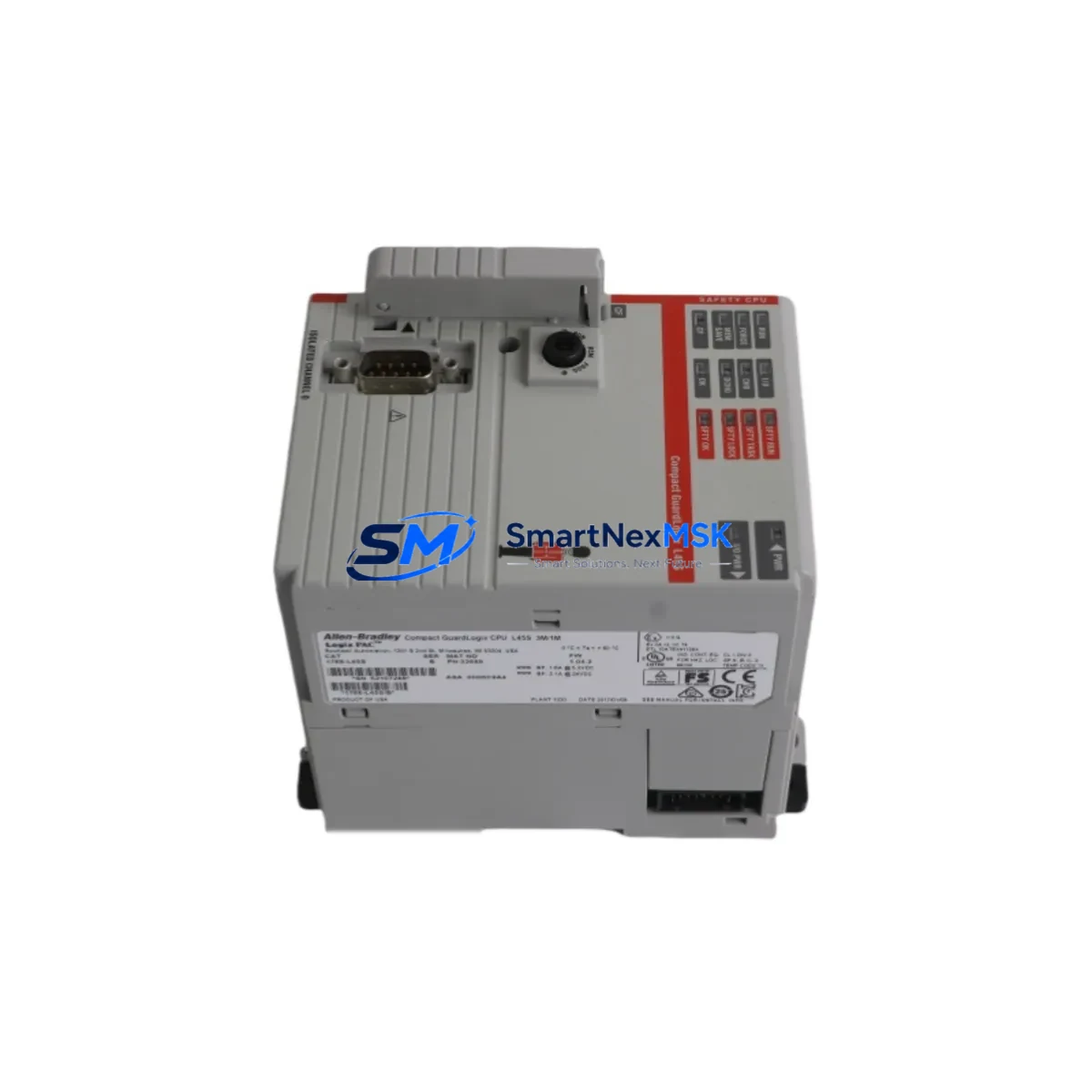
Allen-Bradley 1768-L45S Spare for GuardLogix Automation: Safety PLC Spare Parts & Downtime Recovery
The Allen-Bradley 1768-L45S is a Compact GuardLogix Safety PLC controller from Rockwell Automation’s 1768 Series, designed for integrated safety and standard control in a single platform. As a maintenance-ready original spare, the 1768-L45S supports rapid field replacement in safety-critical automation environments — minimizing unplanned downtime and preserving SIL 2 / PLe safety integrity across your control architecture.
For maintenance engineers managing aging GuardLogix installations, having a verified 1768-L45S on the shelf is not optional — it is a core element of any responsible spare parts strategy. This controller manages both standard and safety I/O simultaneously, meaning a failure without a ready replacement can halt an entire production line or safety interlock zone. Our stock is sourced from authorized channels, tested prior to shipment, and backed by a 12-month warranty covering hardware defects under normal operating conditions.
Whether you are executing a planned shutdown, responding to an unscheduled fault, or building out a regional spare parts depot, the 1768-L45S is a high-priority item for any facility running Rockwell Automation’s Compact GuardLogix platform.
Spare Maintenance Table
| Parameter | Specification |
|---|---|
| SKU / Part Number | 1768-L45S |
| Brand | Allen-Bradley (Rockwell Automation) |
| Series | 1768 Compact GuardLogix |
| Product Type | Safety PLC Controller |
| Safety Rating | SIL 2 (IEC 62061), PLe (ISO 13849) |
| User Memory | 2 MB Standard + 1 MB Safety |
| I/O Capacity | Up to 16 local I/O modules (1768 chassis) |
| Communication | EtherNet/IP, ControlNet, DeviceNet (via 1768-ENBT, 1768-CNB) |
| Programming Software | Studio 5000 Logix Designer / RSLogix 5000 |
| Operating Voltage | 24V DC (via 1768-PA3 or 1768-PB3 power supply) |
| Operating Temperature | 0°C to 60°C |
| Enclosure Rating | IP20 (panel-mount, control cabinet installation) |
| Compatibility | 1768 Series chassis, 1769 CompactLogix expansion, GuardLogix safety I/O |
| Origin | USA |
| Condition | Original, new or refurbished-to-spec |
| Warranty | 12 Months — hardware defects under normal use |
| Pre-shipment Testing | Power-on, communication, and firmware verification |
| Shipping | Worldwide — DHL / FedEx / UPS express available |
Maintenance Planning for Continuous Operation
When replacing the 1768-L45S in the field, a disciplined maintenance engineer does not stop at the controller itself. The Compact GuardLogix platform is a tightly integrated system, and a controller swap is the ideal moment to inspect and verify the condition of all adjacent components in the same control cabinet and electrical circuit.
Begin with the 1768-PA3 or 1768-PB3 power supply module — the controller’s primary power source. Verify output voltage stability under load before inserting the replacement 1768-L45S. A degraded power supply is a common root cause of intermittent controller faults and can damage a new spare if left unchecked.
Next, inspect the 1768-ENBT EtherNet/IP communication bridge and any installed 1768-CNB ControlNet bridge modules. These modules handle all network traffic between the 1768-L45S and upstream SCADA, HMI, or DCS systems. Confirm firmware versions are compatible with the replacement controller’s firmware revision to avoid communication faults on restart.
For safety I/O, audit the 1791DS-IB8XOBV4 or equivalent GuardLogix safety I/O modules installed in the 1769 expansion bank. Safety I/O modules maintain their own safety task independently, but their configuration must be re-verified after a controller replacement to confirm safety signatures remain valid.
Check all 1769-IQ16 and 1769-OB16 standard I/O modules for signs of terminal corrosion, loose wiring, or blown field-side fuses. This is also the right time to inspect 1769-ECR end cap resistors and confirm the CompactLogix expansion bus is properly terminated.
Review the PanelView Plus 6 or PanelView 800 HMI connected to the system. After a controller swap, HMI tag bindings should be validated to ensure operator screens reflect live controller data correctly. A misconfigured HMI can mask faults or display stale safety status.
Inspect signal isolators and loop-powered transmitters on any analog I/O channels — particularly on 4–20 mA process loops feeding the 1769-IF4 or 1769-IF8 analog input modules. Signal drift or ground loops in these circuits can cause nuisance safety trips after a controller replacement.
Finally, verify the condition of terminal blocks, DIN rail mounting hardware, and control cabinet grounding straps. Poor grounding is a leading cause of EMI-induced communication errors in GuardLogix systems, especially in high-noise industrial environments such as press lines, robotic cells, and conveyor systems.
Site Replacement Workflow
Step 1 — Pre-replacement backup: Using RSLogix 5000 or Studio 5000 Logix Designer, upload and save the full controller project file (.ACD) including safety task, standard task, and all I/O configuration. Store the backup on a secure engineering workstation and a secondary offline location.
Step 2 — Safety system isolation: Follow your site’s Lockout/Tagout (LOTO) procedure. Confirm all safety outputs are de-energized and the safety zone is clear before opening the control cabinet.
Step 3 — Module removal: Remove the 1768-L45S from the 1768 chassis. Note the slot position and any installed 1768-series communication modules. Do not disturb adjacent I/O wiring unless inspection is required.
Step 4 — Replacement installation: Insert the replacement 1768-L45S into the same chassis slot. Confirm the module is fully seated and the chassis locking tab is engaged. Reconnect any USB or serial programming cables.
Step 5 — Firmware and project download: Connect via EtherNet/IP or USB. Update controller firmware to match the project revision if required. Download the saved .ACD project file. Verify safety task signature matches the validated safety program.
Step 6 — I/O verification and restart: Confirm all I/O modules are recognized in the controller tree. Check for any inhibited modules or faulted safety I/O. Clear faults, perform a controlled restart, and verify all safety functions operate correctly before returning the system to production.
This workflow is compatible with both like-for-like 1768-L45S replacements and cross-series migrations from older 1768-L43S or 1768-L45 standard (non-safety) controllers where a safety upgrade is being performed simultaneously.
Spare Parts Support FAQ
Q1: Is the 1768-L45S still available as a new spare, or is it end-of-life?
Rockwell Automation has announced end-of-life status for the 1768 Compact GuardLogix series. However, original new and refurbished-to-specification units remain available through authorized industrial spare parts suppliers. We maintain stock specifically to support facilities that cannot migrate to the newer 5069 Compact GuardLogix 5380 platform in the short term. All units are tested and shipped with a 12-month warranty.
Q2: How do I verify compatibility between the replacement 1768-L45S and my existing safety program?
Compatibility is confirmed by matching the controller firmware revision to your saved .ACD project file. Open the project in Studio 5000 Logix Designer and check the controller properties for the required firmware version. If the replacement unit ships with a different firmware revision, update it via ControlFLASH or Studio 5000 before downloading the project. Safety task signatures must be re-validated after any firmware change.
Q3: What pre-shipment testing is performed on the 1768-L45S before delivery?
Each unit undergoes power-on self-test, communication port verification (EtherNet/IP and USB), and firmware version confirmation. Units are inspected for physical damage, connector integrity, and backplane connector condition. A test report is available upon request. All units ship with ESD-protective packaging and are covered by a 12-month warranty from the date of delivery.
Q4: Can I use the 1768-L45S to replace a 1768-L43S or 1768-L45 (non-safety) controller?
The 1768-L45S is a safety-rated controller and is physically compatible with the 1768 chassis used by the 1768-L43S and 1768-L45. However, the safety controller requires a safety-configured project file. A direct program download from a non-safety controller project is not supported without modification. Consult your Rockwell Automation system integrator or our technical support team before performing a cross-model replacement. We can advise on migration paths and compatible firmware versions.
© 2026 SMARTNEXMSK. All rights reserved.
Original Source: https://smartnexmsk.com
Contact: [email protected] | +86 18259474341



