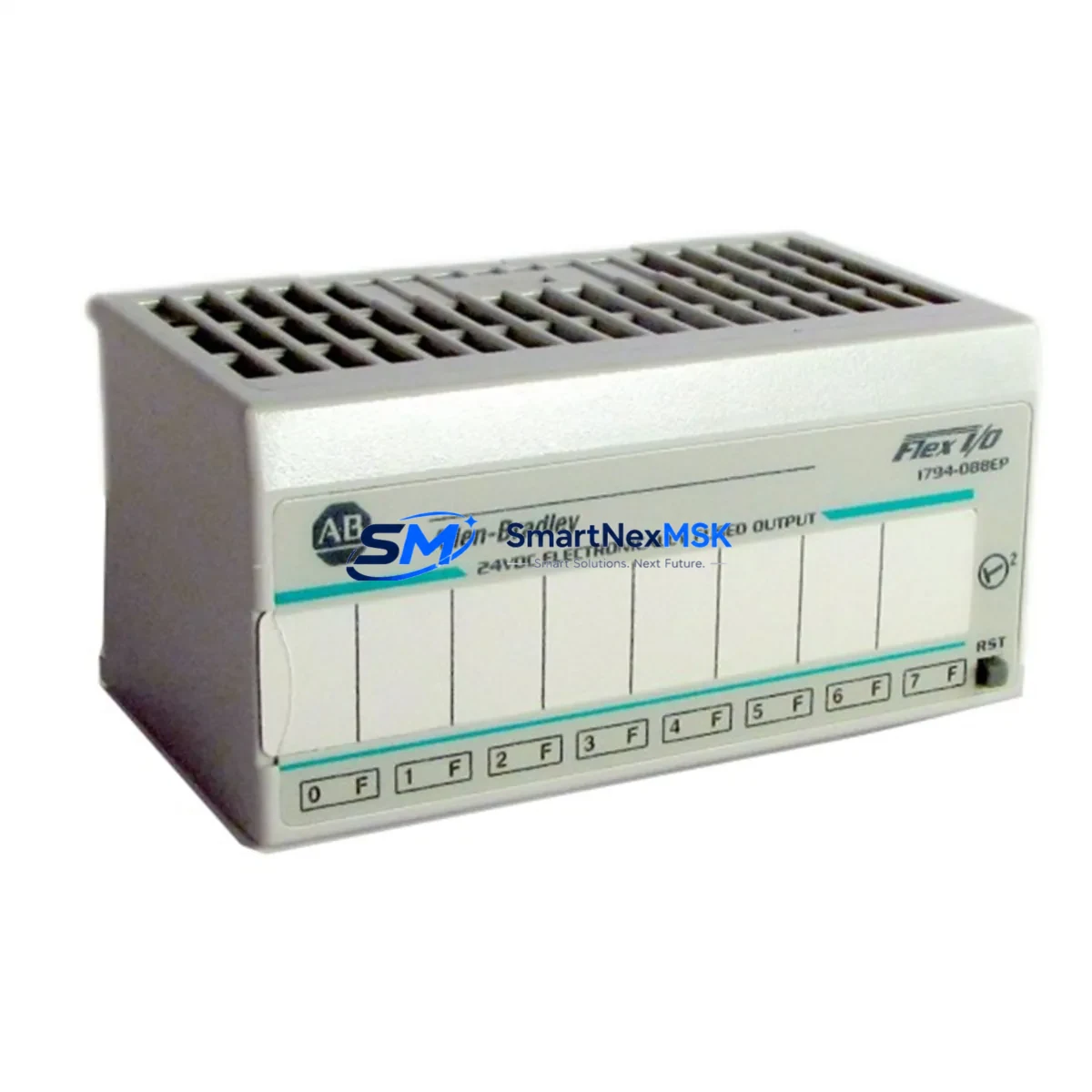
Allen-Bradley 1769-SM2 Retrofit-Ready DSI/Modbus Module: Seamless Compact I/O System Upgrade
The Allen-Bradley 1769-SM2 is a DSI/Modbus communication module designed for the Compact I/O platform, widely deployed in MicroLogix 1500 and CompactLogix control systems across manufacturing, water treatment, HVAC, and process automation environments. As legacy DSI-based drive networks age and original equipment manufacturers discontinue support for older communication bridges, the 1769-SM2 has become a critical retrofit component for engineers tasked with modernizing existing control architectures without full system replacement.
This module provides two DSI/Modbus RTU ports, enabling direct integration with PowerFlex 4, PowerFlex 40, and PowerFlex 400 variable frequency drives already installed in the field. When replacing a failed or end-of-life 1769-SM2, engineers must verify the existing backplane slot assignment, confirm that the 1769-L32E or 1769-L35E CompactLogix controller firmware supports the module’s RSLogix 5000 Add-On Profile, and validate that the Modbus node addresses configured in the original program logic remain consistent after module swap. Failure to match node addressing will result in communication faults that interrupt drive control loops.
Before installation, technicians should audit the 1769-PA2 or 1769-PB2 power supply capacity on the existing Compact I/O rack. The 1769-SM2 draws current from the backplane bus, and racks operating near their power budget — particularly those already hosting 1769-IQ16 digital input modules, 1769-OB16 digital output modules, and 1769-IF4 analog input modules — may require a supplemental 1769-ECR end cap or rack expansion to accommodate the additional load. Terminal wiring on the RJ45 DSI ports must be inspected for correct shielding and grounding, especially in environments with variable frequency drive noise.
Upgrade Compatibility Table
| Parameter | Details |
|---|---|
| Compatible Platform | Compact I/O (1769 series), MicroLogix 1500, CompactLogix L3x/L4x |
| Communication Ports | 2 × DSI / Modbus RTU (RJ45) |
| Backplane Interface | 1769 Compact I/O backplane, left-side power bus |
| Compatible Drives | PowerFlex 4, PowerFlex 40, PowerFlex 400, PowerFlex 70 (DSI) |
| Installation Slot | Any slot in 1769 rack; address set via RSLogix 5000 I/O tree |
| Replacement For | 1769-SM2 (direct), legacy DSI bridge modules |
| Programming Tool | RSLogix 5000 / Studio 5000 Logix Designer |
| Commissioning | Node address verification, drive parameter 57 (comm loss), fault log review |
| Warranty | 12-Month Warranty — covers hardware defects and DOA replacement |
| Origin | USA (Rockwell Automation) |
Retrofit Planning for Existing Automation Systems
Successful 1769-SM2 retrofits begin with a thorough documentation review of the existing control cabinet. Engineers should pull the original RSLogix 5000 project file and identify all DSI-linked drive tags, verifying that the module’s slot number in the I/O configuration tree matches the physical rack position. In multi-rack systems using a 1769-SDN DeviceNet scanner or a 1769-ASCII serial module in adjacent slots, slot renumbering after a module swap can cascade faults across the entire I/O tree.
For sites migrating from a MicroLogix 1500 platform to a CompactLogix L33ER, the 1769-SM2 can be retained as part of the new rack build, provided the new controller’s firmware version supports the module’s electronic data sheet. The 1769-L33ER’s EtherNet/IP backplane communication does not interfere with the SM2’s DSI ports, allowing the drive network to remain operational during the controller migration phase. This parallel commissioning approach — running the new CompactLogix alongside the legacy MicroLogix during cutover — significantly reduces production downtime.
HMI screens built on PanelView Plus 6 or PanelView 800 terminals that display drive speed, current, and fault status via the 1769-SM2’s Modbus data table must be re-mapped if the module’s input/output data file addresses change. Technicians should export the existing HMI tag database before the retrofit and cross-reference drive parameter addresses against the new module’s data map. Communication links between the HMI and the CompactLogix controller over EtherNet/IP remain unaffected, but the internal Modbus polling cycle time may need adjustment in the new program to match the drive’s response latency.
Where I/O expansion is required alongside the communication module replacement, the 1769-IQ32 high-density digital input module and 1769-OW16 relay output module are commonly added to the same rack during the retrofit window, consolidating the upgrade scope and minimizing future maintenance interventions. Power budget recalculation using Rockwell’s online Compact I/O power estimator is mandatory before finalizing the rack configuration.
Downtime Control During System Migration
Minimizing unplanned downtime during a 1769-SM2 replacement requires a structured pre-outage preparation protocol. Before the scheduled maintenance window, technicians should upload and archive the current RSLogix 5000 project to a secure backup location, document all drive parameters using DriveExecutive or Connected Components Workbench, and photograph the existing terminal wiring on the DSI port connectors. A pre-staged replacement module, verified against the original catalog number and firmware revision, should be on-site before the line is taken offline.
During the outage, the sequence should follow: power down the 1769-PA2 supply, remove the failed module, seat the replacement 1769-SM2 in the identical rack slot, restore power, and allow the CompactLogix controller to re-establish the I/O connection. The controller’s fault log should be cleared and monitored for the first 15 minutes of operation to confirm that all DSI-linked drives have re-established communication and that no module inhibit flags remain active in the RSLogix 5000 I/O tree.
For critical production lines where even a 30-minute outage carries significant cost, a hot-standby strategy using a 1769-L30ER redundancy-capable controller with a pre-configured spare rack can reduce the physical swap time to under 10 minutes. Maintaining a documented commissioning checklist — covering power-up sequence, drive fault reset, HMI screen validation, and first-cycle production verification — ensures that the line returns to full output within the planned maintenance window.
Retrofit Support FAQ
Q: Is the 1769-SM2 a direct drop-in replacement for an existing failed unit?
A: Yes, provided the replacement module carries the same catalog number and is installed in the same rack slot. No program changes are required if the slot address and DSI node assignments remain unchanged. Verify the firmware revision of the replacement module against the controller’s compatibility matrix in the Rockwell Automation Product Compatibility and Download Center (PCDC) before installation.
Q: What wiring checks are required before powering up the replacement module?
A: Inspect the RJ45 DSI cable connectors for pin continuity and shield grounding. Confirm that the cable run length does not exceed the DSI specification (typically 100 m per segment). Check that the drive’s DSI port termination resistor is enabled at the end of the network segment. Incorrect termination is the most common cause of intermittent Modbus communication faults after a module replacement.
Q: How is the replacement module tested before shipment?
A: Each 1769-SM2 unit supplied by SMARTNEXMSK undergoes a pre-shipment functional test covering backplane communication initialization, DSI port loopback verification, and power consumption measurement. Units that fail any test parameter are quarantined and not shipped. A 12-month warranty covers all hardware defects identified after installation, with DOA replacement processed within 3 business days of fault confirmation.
Q: Can the 1769-SM2 be used in a system that is migrating from Modbus RTU to EtherNet/IP?
A: The 1769-SM2 handles the DSI/Modbus RTU layer between the CompactLogix controller and the connected drives. If the migration plan calls for replacing DSI drives with EtherNet/IP-capable PowerFlex 525 or PowerFlex 755 drives, the 1769-SM2 would eventually be retired in favor of direct EtherNet/IP drive connections. However, during a phased migration, the 1769-SM2 can continue to manage legacy DSI drives while new EtherNet/IP drives are commissioned in parallel on the same CompactLogix platform, providing a controlled, low-risk transition path.
© 2026 SMARTNEXMSK. All rights reserved.
Original Source: https://smartnexmsk.com
Contact: [email protected] | +86 18259474341