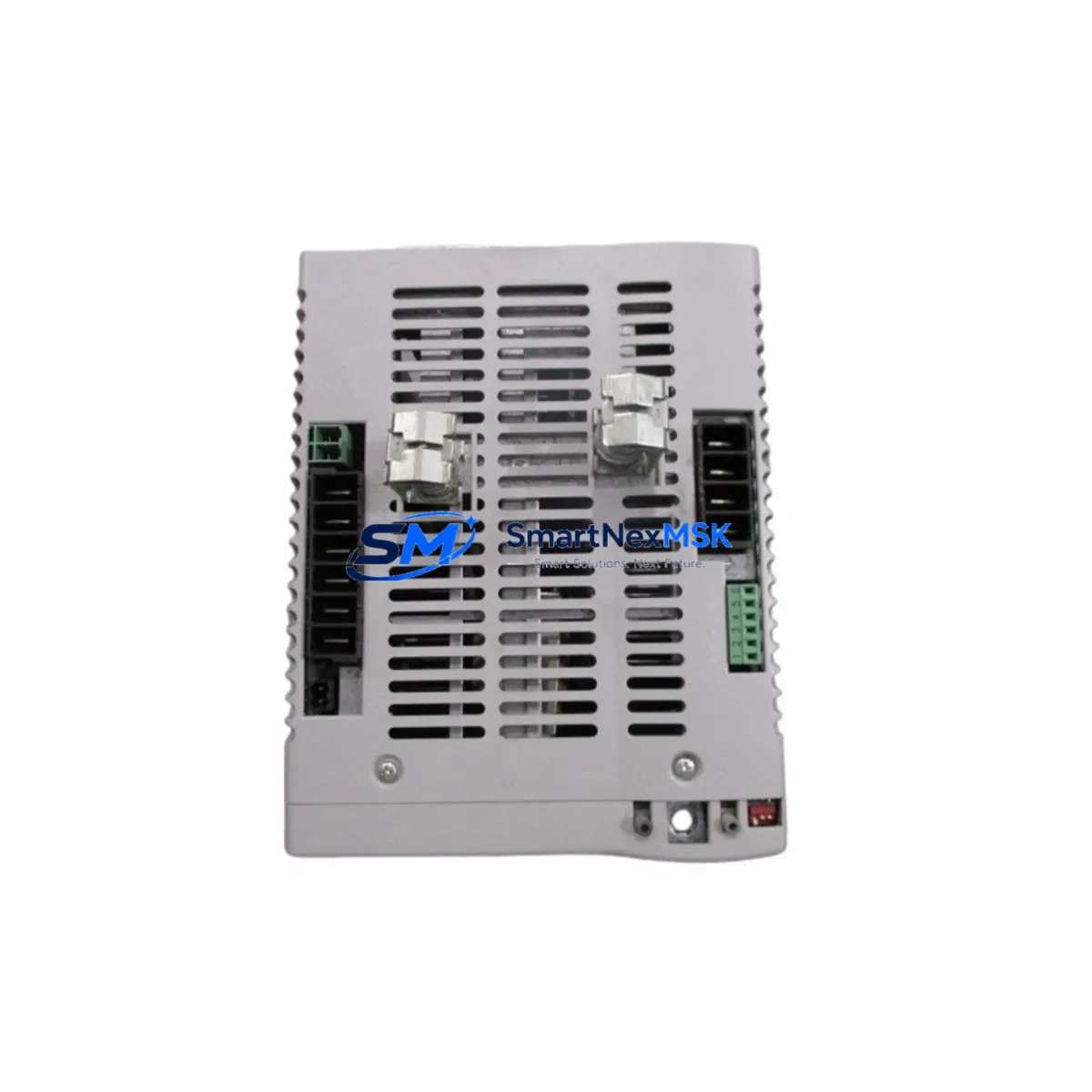
Allen-Bradley 2094-EN02D-M01-S1 Spare Kinetix 6000 Automation: Spare Parts Replacement & Downtime Risk Control
The Allen-Bradley 2094-EN02D-M01-S1 is a Dual-Axis EtherNet/IP Safe Speed Monitor Module designed for the Kinetix 6000 multi-axis servo drive system. In industrial automation environments where servo motion control underpins continuous production, an unplanned failure of this safety module can trigger an immediate line shutdown. Sourcing a verified, original-spec replacement quickly is the single most effective way to restore operation and protect production schedules.
This module integrates directly into the Kinetix 6000 drive chassis, providing SIL 2-rated safe speed monitoring over an EtherNet/IP network. It is engineered for demanding applications in automotive assembly, material handling, packaging lines, and process manufacturing where functional safety compliance is non-negotiable. Every unit supplied by SMARTNEXMSK undergoes pre-shipment electrical verification, firmware compatibility checks, and packaging inspection to ensure it arrives ready for immediate installation.
Maintenance engineers and MRO procurement teams working with legacy Kinetix 6000 systems will find this module critical to sustaining safe, certified operation without requiring a full drive system upgrade. Our long-term supply commitment means you can plan your spare parts inventory with confidence, even as the product approaches end-of-life from the OEM.
Spare Maintenance Table
| Parameter | Specification |
|---|---|
| Part Number / SKU | 2094-EN02D-M01-S1 |
| Brand | Allen-Bradley (Rockwell Automation) |
| Series | Kinetix 6000 Multi-Axis Servo Drive |
| Module Type | Dual-Axis EtherNet/IP Safe Speed Monitor Module |
| Safety Rating | SIL 2 (IEC 62061), PLd Cat. 3 (ISO 13849-1) |
| Communication Interface | EtherNet/IP (dual-port) |
| Axes Supported | Dual-axis (2-axis simultaneous monitoring) |
| Input Voltage | 24V DC (from Kinetix 6000 IAM/AM power rail) |
| Operating Temperature | 0°C to 55°C (32°F to 131°F) |
| Mounting | Kinetix 6000 drive chassis slot (integrated backplane) |
| Compatible Controllers | ControlLogix, CompactLogix (Studio 5000 / RSLogix 5000) |
| Firmware Compatibility | Verified against current Kinetix 6000 firmware revisions |
| Origin | USA (Allen-Bradley / Rockwell Automation) |
| Condition | Original, new or refurbished-to-spec; pre-shipment tested |
| Warranty | 12 Months from date of shipment |
| Application Environments | Automotive, packaging, material handling, process manufacturing |
| Maintenance Recommendation | Inspect safety feedback wiring and EtherNet/IP port integrity at each planned shutdown; verify STO circuit continuity annually |
Maintenance Planning for Continuous Operation
When replacing the 2094-EN02D-M01-S1 in a Kinetix 6000 system, a disciplined maintenance engineer will treat the event as an opportunity to inspect the entire servo drive bay. The Kinetix 6000 Integrated Axis Module (IAM) — typically a 2094-BC01-MP5 or 2094-BC02-M02-S — shares the same DC bus and backplane as this safety module; any bus voltage anomaly that stressed the safe speed monitor may have also degraded the IAM power stage. Inspect the IAM’s DC bus capacitors and gate driver board before returning the system to service.
The Axis Module (AM) paired to each servo axis should be checked for fault history via Studio 5000 diagnostics. Review the 2094-AM02 or 2094-AM03 axis module fault logs for overcurrent, encoder feedback loss, or safe torque-off (STO) events that may have preceded the safe speed monitor failure. These events often indicate upstream wiring issues rather than module failure alone.
EtherNet/IP connectivity is central to this module’s operation. Inspect the managed Ethernet switch ports feeding the Kinetix 6000 network segment — verify cable integrity, port link speed (100 Mbps full-duplex), and switch QoS settings. A degraded Ethernet cable or misconfigured switch can cause intermittent safe speed faults that mimic module failure.
On the safety circuit side, verify the 24V DC safety power supply — commonly a 1606-XLP or equivalent Allen-Bradley power supply — is within voltage tolerance (±1%). A sagging safety supply is a frequent root cause of nuisance STO trips. Check the safety relay or safety controller (such as a GuardLogix 5570 or 5580 controller) that processes the STO and SS1 commands; confirm its output contacts are not worn and that the safety program has not accumulated diagnostic faults.
Terminal blocks and safety wiring at the STO connector (typically a 2-pin or 4-pin plug on the drive chassis) should be inspected for fretting corrosion, especially in high-vibration environments. Re-torque all terminal connections to specification. If the installation uses a safety I/O module such as the 1791DS-IB12 or 1732DS series ArmorBlock Guard I/O, verify that all safety input channels are reading correctly before re-enabling the safety function.
For systems using a Kinetix 6000 shunt module (2094-BSP2 or similar) to manage regenerative energy, inspect the shunt resistor for signs of thermal stress. Excessive regenerative braking events can cause thermal cycling that degrades nearby modules including the safe speed monitor. Finally, confirm that the 2090-series servo motor feedback cables — including the 2090-XXNFMF-Sxx multi-axis feedback cable — are undamaged and properly shielded, as feedback signal noise is a leading cause of safe speed monitoring faults.
Site Replacement Workflow
Step 1 — Pre-replacement verification: Before removing the 2094-EN02D-M01-S1, record the current module firmware revision and EtherNet/IP node address from Studio 5000 or the drive’s HIM (Human Interface Module, e.g., 2711P-T10C4D8 PanelView Plus). Document the safety task configuration and STO wiring diagram. This ensures the replacement module can be configured identically without re-engineering the safety application.
Step 2 — Safe isolation: Follow LOTO (Lockout/Tagout) procedures. De-energize the Kinetix 6000 system via the main disconnect. Verify zero energy state on the DC bus using a calibrated meter before touching any drive component. The DC bus on a Kinetix 6000 system can retain charge for several minutes after power removal.
Step 3 — Module swap: Remove the faulty 2094-EN02D-M01-S1 from the drive chassis slot. Install the replacement module, ensuring the backplane connector is fully seated. Reconnect the EtherNet/IP cables and STO wiring per the original documentation.
Step 4 — Firmware and configuration restore: Using Studio 5000 Logix Designer, download the safety task to the replacement module. Verify the EtherNet/IP node address matches the original. Perform a safety signature verification to confirm the safety program integrity before enabling the drive.
Step 5 — Functional test: Perform a full safety function test per IEC 62061 requirements — trigger each STO and SS1 function and verify correct response. Log the test results for compliance records. Only after successful functional testing should the system be returned to production.
This structured workflow minimizes downtime, maintains safety certification compliance, and ensures the replacement module performs identically to the original — protecting both personnel and production assets.
Spare Parts Support FAQ
Q1: What is the expected service life of the 2094-EN02D-M01-S1, and when should I stock a replacement?
The Kinetix 6000 series has been in service for over 15 years and Rockwell Automation has announced end-of-life timelines for some variants. We recommend stocking at least one replacement unit for every 4–6 installed modules, particularly for critical production lines. SMARTNEXMSK maintains long-term inventory specifically to support legacy system operators who cannot migrate to newer platforms on short notice.
Q2: How do I verify compatibility before installation?
Compatibility is confirmed by matching the full catalog number (2094-EN02D-M01-S1), the Kinetix 6000 chassis series letter, and the Studio 5000 / RSLogix 5000 firmware version. We provide a pre-shipment compatibility checklist with every order. If you share your existing drive chassis catalog number and controller firmware version, our technical team can confirm compatibility before shipment.
Q3: What pre-shipment testing does SMARTNEXMSK perform?
Every 2094-EN02D-M01-S1 unit undergoes electrical continuity testing, backplane connector inspection, EtherNet/IP port verification, and visual inspection for physical damage before dispatch. Units are packed in anti-static packaging with desiccant to prevent moisture ingress during transit. A test report is available upon request.
Q4: What does the 12-month warranty cover?
The 12-month warranty covers manufacturing defects and functional failures under normal operating conditions from the date of shipment. It does not cover damage caused by incorrect installation, overvoltage events, or physical mishandling. In the event of a warranty claim, SMARTNEXMSK will provide a replacement unit or full refund after fault verification. Our goal is zero unplanned downtime for your facility.
© 2026 SMARTNEXMSK. All rights reserved.
Original Source: https://smartnexmsk.com
Contact: [email protected] | +86 18259474341