
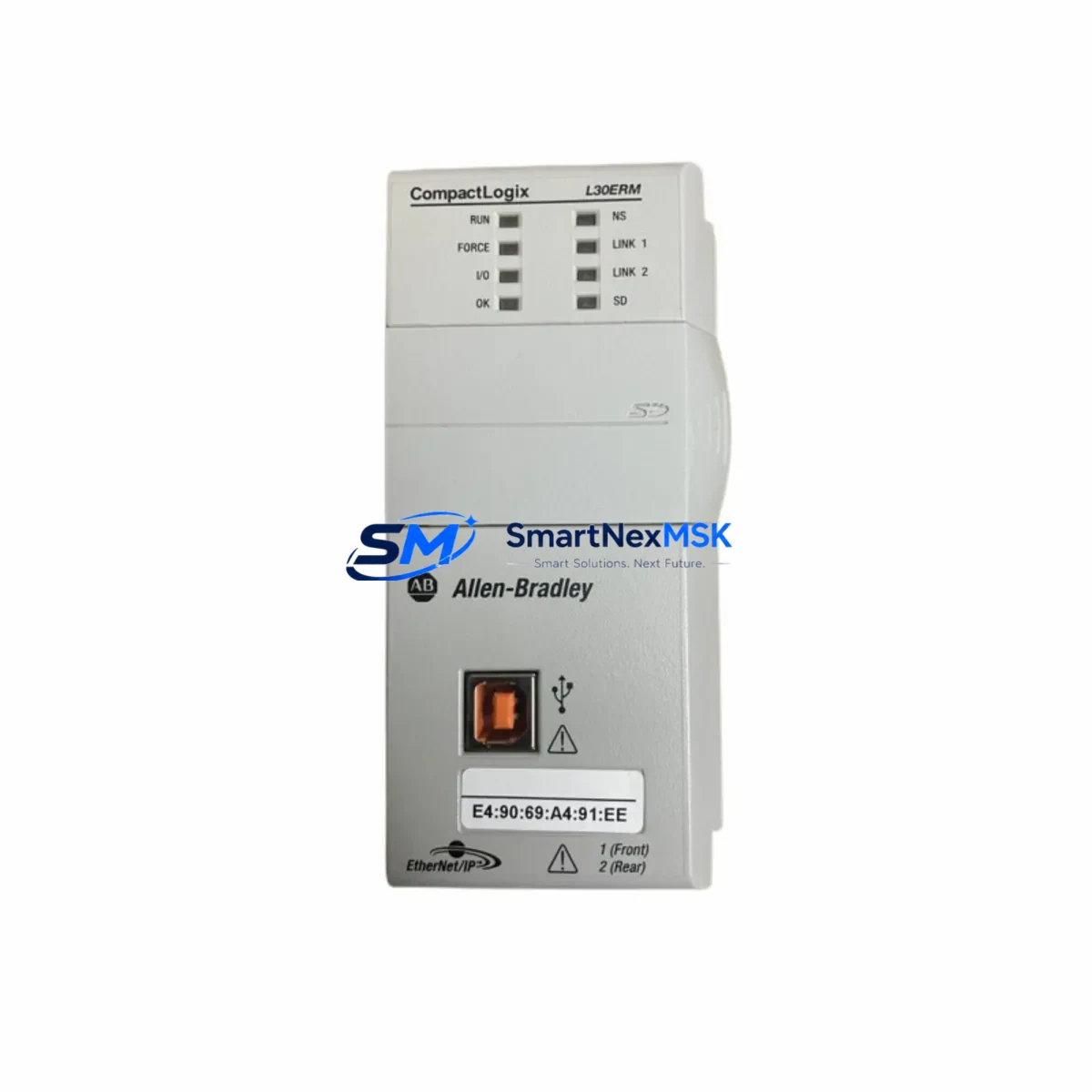
Allen-Bradley 1769-L33ERM Spare for CompactLogix Automation: Spare Replacement & Industrial Downtime Risk Control
The Allen-Bradley 1769-L33ERM is a CompactLogix 5370 L3 programmable logic controller designed for mid-range industrial automation applications. As a maintenance-ready spare, this unit supports rapid field replacement to minimize unplanned downtime in manufacturing lines, process control systems, and machine automation cells. Whether you are managing a planned shutdown, responding to an emergency fault, or building a strategic spare parts inventory, the 1769-L33ERM delivers the compatibility, performance, and reliability that maintenance engineers and procurement teams depend on.
Sourced as an original Allen-Bradley component, each unit undergoes pre-shipment functional verification to confirm firmware integrity, communication port operation, and I/O bus readiness. With a 12-month warranty and documented test records, this spare is engineered for confidence — not compromise.
Spare Maintenance Table
| Parameter | Specification |
|---|---|
| SKU / Part Number | 1769-L33ERM |
| Brand | Allen-Bradley (Rockwell Automation) |
| Series | CompactLogix 5370 L3 |
| Product Type | PLC Controller |
| Processor Memory | 2 MB user memory |
| EtherNet/IP Ports | 2 × EtherNet/IP (dual-port embedded switch) |
| Max I/O Modules | Up to 16 local 1769 Compact I/O modules |
| Communication | EtherNet/IP, USB programming port |
| Power Supply Compatibility | 1769-PA2 / 1769-PB2 series power supplies |
| Operating Temperature | 0 °C to 60 °C |
| Mounting | DIN rail or panel mount |
| Origin | USA |
| Compatibility | CompactLogix 5370 L3 system; Studio 5000 Logix Designer |
| Maintenance Recommendation | Replace battery (1769-BA), verify firmware revision, re-download program from backup |
| Warranty | 12 Months — Tested & Verified Before Shipment |
Maintenance Planning for Continuous Operation
When replacing the 1769-L33ERM in a live control cabinet, a disciplined maintenance workflow extends beyond the controller swap itself. Maintenance engineers should treat this event as a full-system checkpoint. Begin by inspecting the 1769-PA2 or 1769-PB2 power supply module — verify output voltage stability and check for capacitor aging or thermal discoloration. A degraded power supply is a common root cause of intermittent PLC faults and should be replaced proactively if the unit has exceeded five years of continuous service.
Next, audit the 1769 Compact I/O modules installed on the same backplane. Digital input modules such as the 1769-IQ16 and digital output modules such as the 1769-OB16 should be inspected for contact wear, blown fuses, and LED fault indicators. Analog I/O modules including the 1769-IF4 should be calibrated and signal-checked against field instruments to confirm loop integrity before the new controller is brought online.
Communication continuity is equally critical. Verify that the EtherNet/IP network switch connected to the 1769-L33ERM’s dual-port interface is operating correctly, and confirm that SCADA or HMI connections — typically via a PanelView Plus 7 or equivalent operator terminal — re-establish without IP conflict after controller replacement. If the system uses DeviceNet or ControlNet adapters bridged through the CompactLogix backplane, confirm adapter firmware compatibility with the replacement controller’s firmware revision.
For systems using 1492 terminal blocks or 1492-CABLE wiring systems, inspect field wiring terminations for corrosion, loose screws, and insulation degradation — particularly in high-vibration or high-humidity environments. Signal isolators and 1492-IFM interface modules should be tested for continuity. Relay output modules and interposing relays in the output circuit should be checked for coil resistance and contact condition.
Finally, confirm that the 1769-BA lithium battery is replaced as part of every controller swap. A fresh battery ensures program retention during power loss and is a low-cost insurance policy against data loss in legacy systems. Document the replacement date and firmware revision in the site maintenance log to support future audits and lifecycle planning.
Site Replacement Workflow
Step 1 — Backup: Before removing the existing controller, use Studio 5000 Logix Designer to upload and save the current program, including all tag databases, motion configurations, and Add-On Instructions. Store the backup on a secured engineering workstation and a redundant USB drive.
Step 2 — De-energize & Label: Follow site LOTO (Lockout/Tagout) procedures. Label all field wiring and I/O module positions before disconnection to ensure accurate re-termination.
Step 3 — Module Removal: Slide the 1769-L33ERM off the backplane bus connector. Inspect the bus connector pins on both the controller and the adjacent I/O module for damage or contamination.
Step 4 — Install Replacement Unit: Seat the new 1769-L33ERM onto the backplane. Install the 1769-BA battery. Connect the USB programming cable and power up the system.
Step 5 — Program Download: Using Studio 5000, download the saved program to the replacement controller. Verify all I/O module configurations, network IP settings, and motion axis parameters are correctly restored.
Step 6 — Functional Test: Cycle through all I/O points, confirm HMI communication, and run a controlled test sequence before returning the system to production. Document the replacement in the site maintenance record.
This workflow is compatible with both hot-standby migration and cold-swap scenarios, and supports legacy system life extension without requiring full panel redesign.
Spare Parts Support FAQ
Q1: Is the 1769-L33ERM a direct drop-in replacement for older CompactLogix L3 controllers?
Yes. The 1769-L33ERM is backward-compatible with existing 1769 Compact I/O backplane configurations. Firmware revision alignment with Studio 5000 Logix Designer is required. If the existing program was developed on an earlier firmware version, a controlled firmware upgrade or downgrade may be needed — consult the Rockwell Automation firmware compatibility matrix before installation.
Q2: What pre-shipment testing is performed on this spare unit?
Each 1769-L33ERM is powered on and verified for EtherNet/IP port function, USB communication, I/O bus recognition, and firmware integrity prior to shipment. A test report is available upon request. The unit ships with a 12-month warranty covering manufacturing defects and functional failures under normal operating conditions.
Q3: How should I manage long-term spare inventory for CompactLogix systems?
For critical production lines, we recommend maintaining at least one 1769-L33ERM as a cold spare alongside a matched 1769-PA2 power supply and a set of high-usage I/O modules. Store spares in anti-static packaging in a climate-controlled environment. Rotate spares into service every 3–5 years to prevent capacitor aging and battery depletion. Long-term supply agreements are available for multi-site maintenance programs.
Q4: Can this unit be used to replace a controller in a system running an older version of RSLogix 5000?
Yes, with qualification. The 1769-L33ERM supports Studio 5000 Logix Designer (the successor to RSLogix 5000). Programs developed in RSLogix 5000 can be opened and downloaded via Studio 5000 after a version conversion. Verify that all Add-On Instructions and function block libraries are compatible before going live. Contact our technical support team for pre-replacement compatibility consultation.
© 2026 SMARTNEXMSK. All rights reserved.
Original Source: https://smartnexmsk.com
Contact: [email protected] | +86 18259474341



