
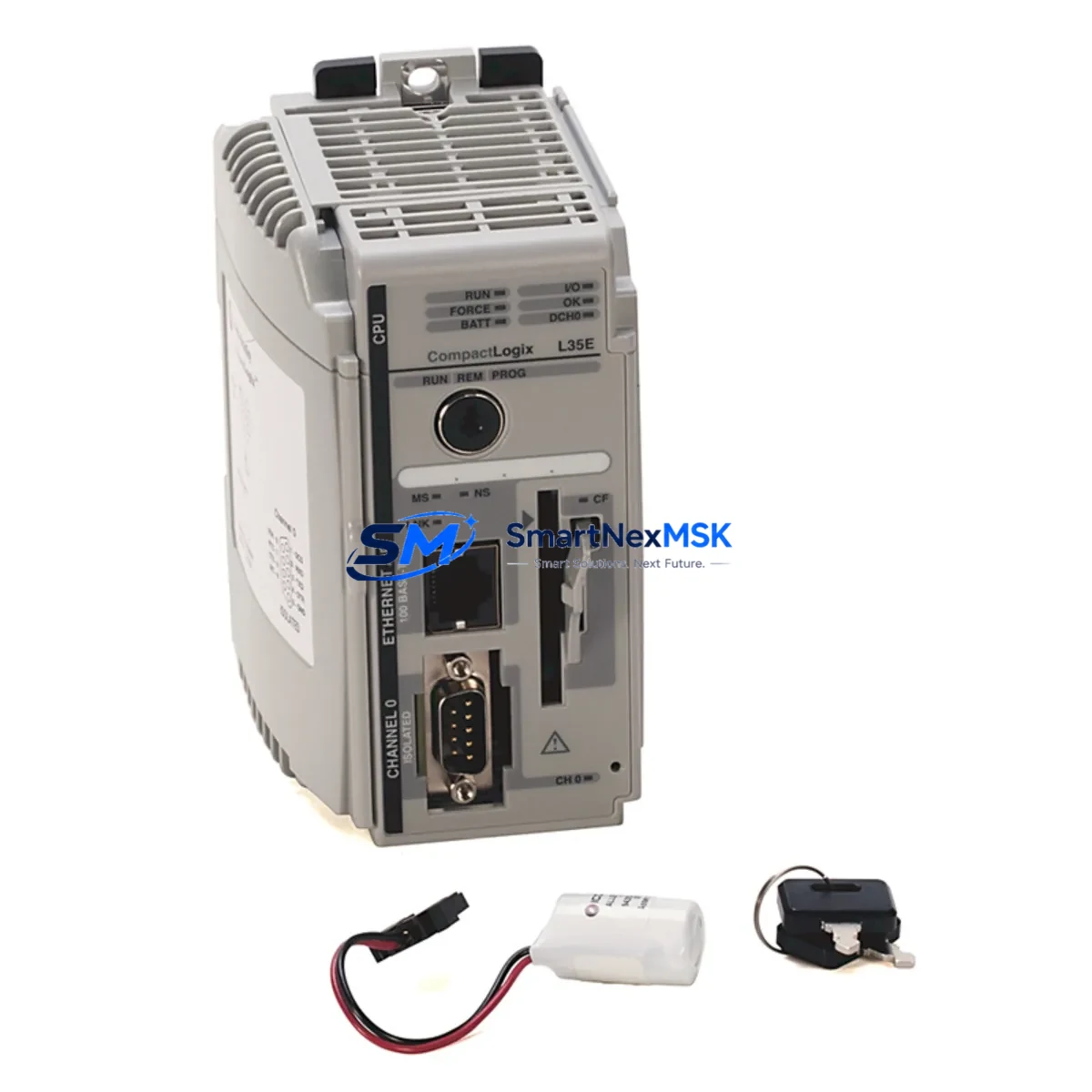
Allen-Bradley 1769-L35E Maintenance-Ready Spare for CompactLogix Automation
The Allen-Bradley 1769-L35E is a CompactLogix 5300 series EtherNet/IP programmable logic controller widely deployed across discrete manufacturing, material handling, automotive assembly, and process control installations. As production lines age and OEM support windows close, maintaining a verified original spare of the 1769-L35E becomes a critical element of any plant-level maintenance strategy. Unplanned downtime caused by a failed controller can cascade across an entire production cell within minutes — having a tested, ready-to-deploy replacement on the shelf is the single most effective way to contain mean time to repair (MTTR) and protect throughput commitments.
This listing supplies an original Allen-Bradley 1769-L35E sourced through established industrial distribution channels. Every unit undergoes pre-shipment functional verification covering power-on self-test, EtherNet/IP port integrity, and firmware version confirmation before dispatch. The controller ships with a 12-month warranty covering manufacturing defects and operational failure under normal industrial service conditions.
Spare Maintenance Table
| SKU / Part Number | 1769-L35E |
| Brand | Allen-Bradley (Rockwell Automation) |
| Series | CompactLogix 5300 |
| Product Type | EtherNet/IP Programmable Logic Controller |
| Communication Port | EtherNet/IP (10/100 Mbps), RS-232 (DF1/DH-485) |
| Memory | 1.5 MB user memory |
| I/O Capacity | Up to 16 CompactLogix I/O modules (local chassis) |
| Power Supply Compatibility | 1769-PA2 / 1769-PB2 series power supplies |
| Backplane Compatibility | 1769-series CompactLogix backplane |
| Operating Voltage | 24 VDC (via system power supply) |
| Operating Temperature | 0 °C to 60 °C |
| Mounting | DIN rail / panel mount via 1769 chassis |
| Programming Software | RSLogix 5000 / Studio 5000 Logix Designer |
| Origin | USA |
| Condition | Original / New surplus / Tested |
| Warranty | 12 Months — covers manufacturing defects and operational failure |
| Pre-shipment Test | Power-on self-test, EtherNet/IP port check, firmware verification |
| Shipping | ESD-safe packaging; global express available |
Maintenance Planning for Continuous Operation
When a 1769-L35E fails or is flagged during a scheduled control cabinet inspection, the replacement workflow rarely ends with the controller alone. Maintenance engineers and procurement teams should treat the controller swap as a trigger for a broader system health review across the same control cabinet and electrical loop.
Start with the power supply: the 1769-PA2 or 1769-PB2 power supply module feeds the entire CompactLogix backplane. A controller failure is sometimes a downstream symptom of an aging or undersized power supply — inspect output voltage stability and ripple before commissioning the replacement 1769-L35E. Alongside the power supply, check the 1769-ECR end cap resistor, which terminates the backplane bus; a missing or damaged end cap can cause intermittent communication faults that mimic controller failure.
Review all local I/O modules installed in the same chassis. Digital input modules such as the 1769-IQ16 and digital output modules such as the 1769-OB16 should be inspected for blown fuses, damaged terminal blocks, and wiring integrity. Analog I/O modules — for example the 1769-IF4 analog input module — should be verified for signal drift and calibration status, particularly in process control applications where sensor accuracy directly affects loop performance.
Communication infrastructure deserves equal attention. If the 1769-L35E is part of a larger DeviceNet or ControlNet topology, inspect the 1769-SDN DeviceNet scanner module or any installed 1769-L35CR ControlNet variant components for connector wear and network termination integrity. For systems using remote I/O over EtherNet/IP, verify managed switch port assignments and confirm that IP address settings in the replacement controller match the original configuration exactly before going live.
Relay output modules and safety relay assemblies in the same cabinet should be checked for contact wear — particularly any 1769-OW8 relay output modules that control motor starters, solenoid valves, or alarm circuits. Terminal blocks and wiring ferrules on high-cycle circuits are a common source of intermittent faults that surface only after a controller replacement disturbs the cabinet wiring.
Finally, if the installation includes a PanelView or PanelView Plus HMI communicating with the 1769-L35E over EtherNet/IP, confirm that the HMI program tag database and communication path settings are compatible with the firmware version loaded on the replacement controller. Firmware mismatches between the controller and HMI application are a leading cause of post-replacement commissioning delays.
Stocking a 1769-L35E alongside its most common companion components — power supply, end cap, one digital I/O module, and a spare Ethernet patch cable — creates a self-contained recovery kit that can restore a CompactLogix cell to operation within a single maintenance shift.
Site Replacement Workflow
Step 1 — Isolate and document. Before removing the failed 1769-L35E, use RSLogix 5000 or Studio 5000 to upload and save the current controller program, including all tag values, I/O configuration, and motion parameters if applicable. Confirm the firmware revision of the installed unit so the replacement can be flashed to match before installation.
Step 2 — Power down safely. De-energize the control cabinet following site lockout/tagout (LOTO) procedures. Disconnect the EtherNet/IP cable and the RS-232 programming cable before removing the controller from the backplane. Note the slot position — the 1769-L35E must occupy the leftmost slot of the CompactLogix chassis.
Step 3 — Install the replacement unit. Seat the replacement 1769-L35E firmly into the backplane connector. Reconnect all cables. Restore power and confirm that the power supply status LED is green before proceeding.
Step 4 — Flash firmware and download program. Connect via RSLinx Classic or Studio 5000 and update the controller firmware to match the original revision. Download the saved program. Verify I/O module status in the controller tree — all modules should show healthy status before enabling outputs.
Step 5 — Functional test. Run a controlled I/O test sequence to confirm all digital and analog channels respond correctly. Verify EtherNet/IP communication with any remote I/O adapters, drives, or HMI panels. Document the replacement in the site maintenance log and update the spare parts inventory accordingly.
This workflow is designed to minimize total downtime to under four hours for a prepared maintenance team, and under two hours when a pre-configured spare with matching firmware is available on site.
Spare Parts Support FAQ
Q1: Is this 1769-L35E compatible with my existing CompactLogix 5300 chassis and I/O modules?
Yes. The 1769-L35E is fully compatible with all 1769-series CompactLogix I/O modules and backplane configurations. It must be installed in the leftmost slot of the chassis. Confirm that your existing program was developed in RSLogix 5000 or Studio 5000 — both are fully supported. If your installation uses a specific firmware revision, contact us before ordering and we will confirm or arrange firmware matching prior to shipment.
Q2: What does the 12-month warranty cover, and how is a warranty claim handled?
The 12-month warranty covers manufacturing defects and operational failure under normal industrial service conditions from the date of shipment. It does not cover damage caused by incorrect installation, overvoltage events, or physical impact. To initiate a warranty claim, contact our technical team with the order number and a description of the fault. We will arrange return shipping and either repair or replace the unit within an agreed lead time.
Q3: How do you verify the unit before shipment, and what documentation is provided?
Every 1769-L35E undergoes a pre-shipment test covering power-on self-test completion, EtherNet/IP port link verification, and firmware version confirmation. Units are packed in ESD-safe anti-static bags with foam cushioning. A test report and packing list are included with each shipment. Certificate of conformance is available on request.
Q4: Can you support long-term or blanket orders for ongoing spare parts inventory programs?
Yes. We support scheduled delivery agreements, blanket purchase orders, and consignment stock arrangements for maintenance teams managing aging CompactLogix installations. Long-term supply agreements help protect against market availability fluctuations for discontinued or end-of-life Rockwell Automation products. Contact our sales team to discuss volume pricing and delivery scheduling tailored to your planned maintenance calendar.
© 2026 SMARTNEXMSK. All rights reserved.
Original Source: https://smartnexmsk.com
Contact: [email protected] | +86 18259474341



