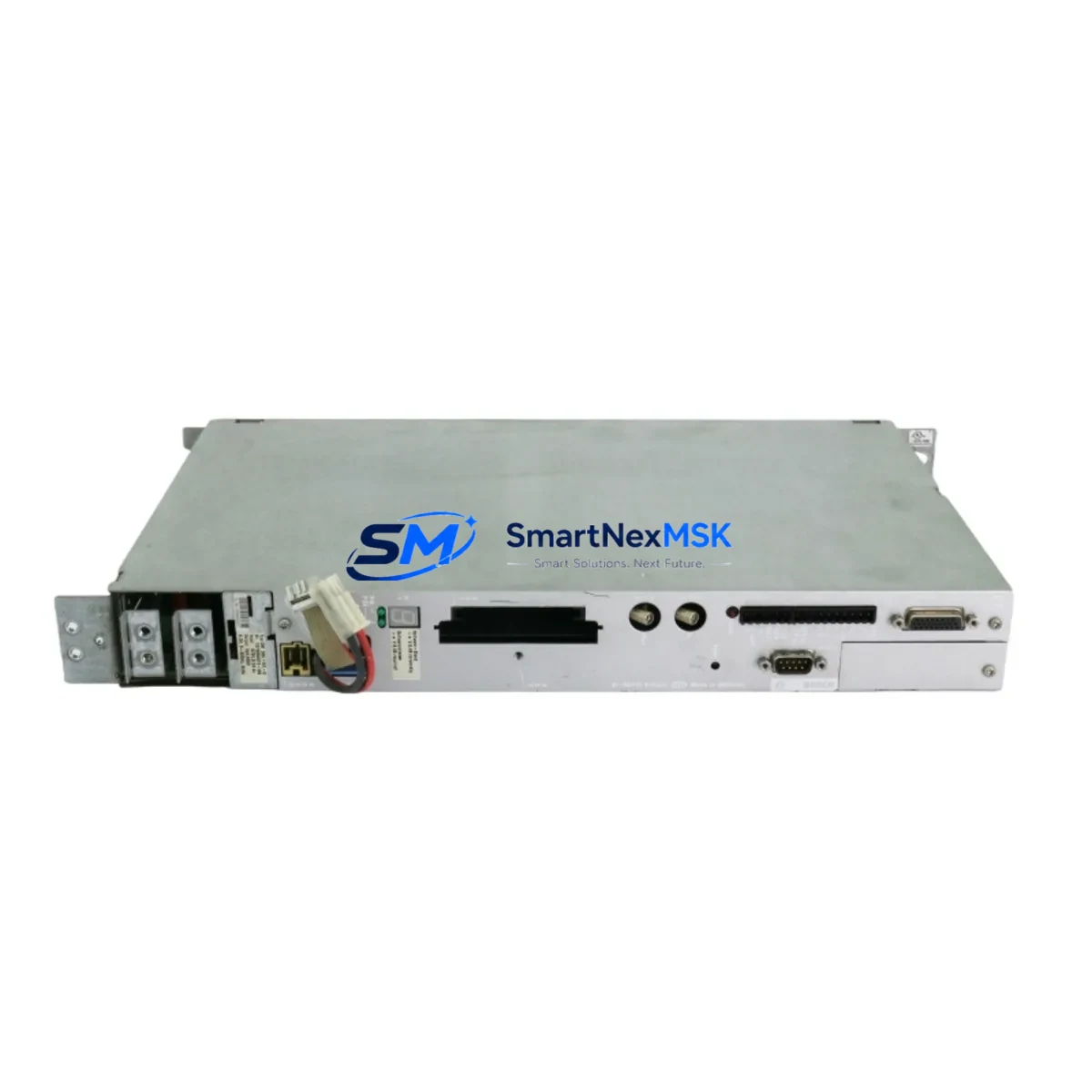
Applied Materials 0240-70691 Maintenance-Ready Spare for DXM-205E Automation
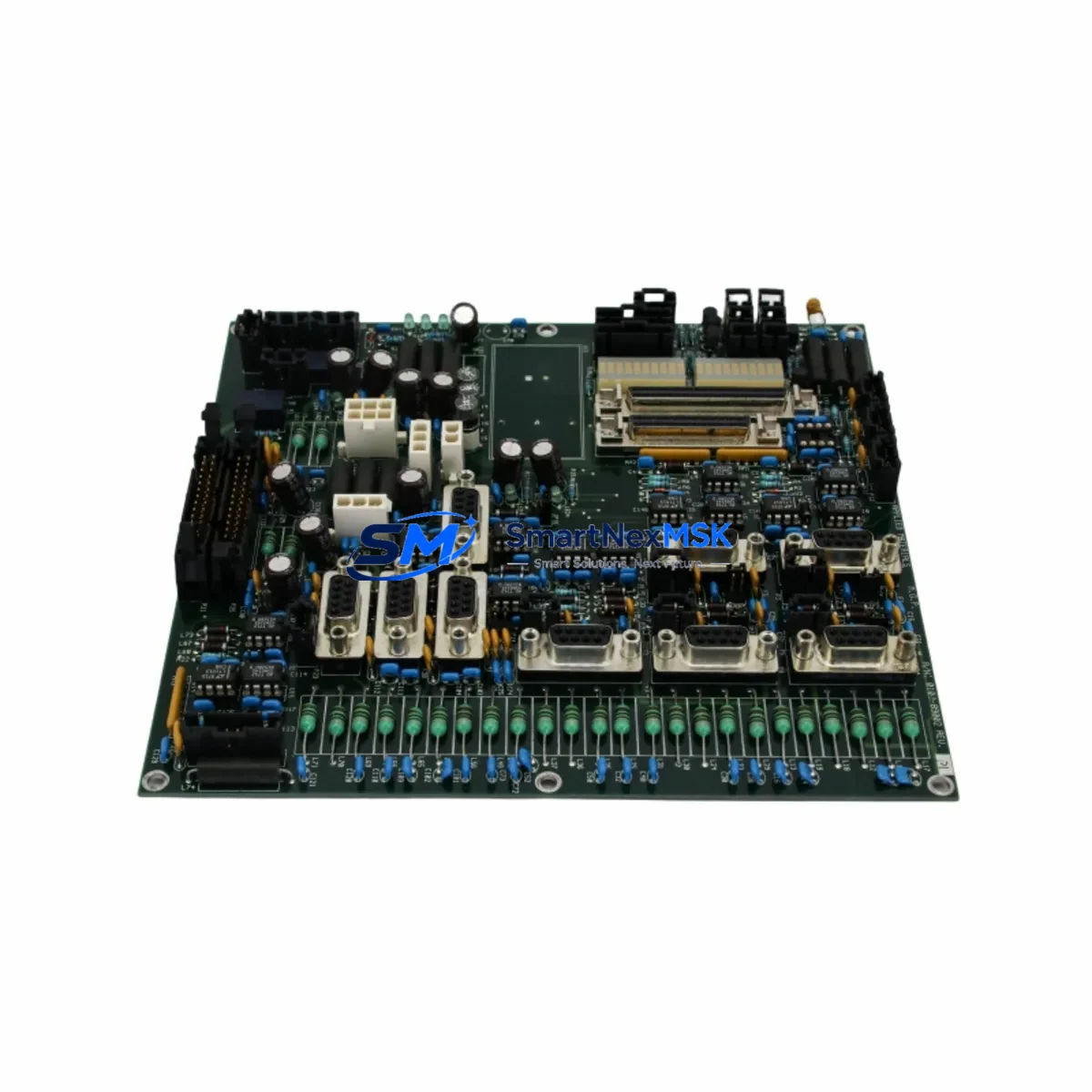
The Applied Materials 0240-70691 (E861114-40) is an original Chamber Integration Module engineered for the DXM-205E CMD55 platform. In semiconductor fabrication and advanced process equipment environments, this module serves as the critical interface between chamber-level I/O signals and the host process control system. Unplanned downtime caused by a failed chamber integration module can halt an entire production line within minutes — having a verified, tested spare on the shelf is the single most effective strategy for rapid downtime recovery.
This unit is sourced as an original Applied Materials spare, fully inspected prior to shipment, and backed by a 12-month warranty. It is suitable for direct drop-in replacement in DXM-205E and CMD55 configured systems without firmware re-flashing or hardware modification in standard configurations.
Spare Maintenance Table
| Parameter | Specification / Detail |
|---|---|
| Part Number | 0240-70691 |
| Alternate Reference | E861114-40 |
| Compatible Platform | DXM-205E, CMD55 |
| Module Type | Chamber Integration Module |
| Brand / OEM | Applied Materials (AMAT) |
| Series | DXM-205E / CMD55 |
| Origin | United States |
| Weight | 1,450 g |
| Installation Type | Direct board-level replacement; rack/chassis mount |
| Signal Interface | Chamber I/O, process control bus integration |
| Application Environment | Semiconductor fab, CVD/PVD/Etch process chambers |
| Compatibility Verification | Match firmware revision and chassis slot assignment before installation |
| Maintenance Recommendation | Inspect connector pins, grounding straps, and adjacent backplane connectors at each planned maintenance interval |
| Pre-shipment Testing | Functional power-on and I/O signal verification performed |
| Warranty | 12 Months from date of shipment |
Maintenance Planning for Continuous Operation
When a DXM-205E chamber integration module such as the 0240-70691 is flagged during routine inspection or fault isolation, experienced maintenance engineers know that the module rarely fails in isolation. A systematic cabinet inspection should accompany any planned replacement.
Begin by verifying the 24 VDC and 5 VDC power rails supplied to the chamber control backplane — a marginal power supply module can stress downstream logic boards and accelerate module failure. Check the associated I/O expansion boards and digital input/output terminal blocks for signs of oxidation or loose terminations, as intermittent I/O faults are frequently misdiagnosed as module failures. The chamber communication bus — typically a proprietary serial or VME-based backplane — should be inspected for bent pins and proper seating of all edge connectors.
If the system uses a dedicated process controller or embedded PLC controller card within the CMD55 chassis, verify that the controller firmware version is compatible with the replacement 0240-70691 revision. Mismatched firmware between the chamber integration module and the host controller is a common source of post-replacement communication faults. Relay output modules and solid-state relay (SSR) driver boards connected to chamber actuators — such as gate valves, throttle valves, and heater contactors — should be tested for proper switching response after the module swap.
Signal isolation barriers and analog input conditioners feeding temperature, pressure, and flow signals into the chamber integration module are frequently overlooked during spare replacement. A degraded signal isolator can introduce noise that triggers false alarms even after a new module is installed. Fuse holders and circuit protection devices on the 24 VDC distribution rail should be inspected and replaced if discoloration or heat stress is visible. For systems with an HMI operator panel connected to the DXM-205E, confirm that the operator interface re-establishes communication with the new module and that all chamber status screens display correctly before returning the system to production. Additionally, inspect the communication module (serial or fieldbus gateway) and any backplane connector assemblies for mechanical wear, as these components share the same service interval as the chamber integration module.
Procurement engineers building a spare parts inventory for DXM-205E and CMD55 systems should consider stocking at minimum one 0240-70691 chamber integration module alongside compatible backplane connectors, a spare process controller card, and a set of I/O terminal blocks. This combination covers the majority of unplanned downtime scenarios without requiring emergency air freight.
Site Replacement Workflow
Step 1 — Fault Confirmation: Use the system diagnostic interface to confirm the 0240-70691 module is generating a fault code or failing self-test. Document the fault code and timestamp for maintenance records.
Step 2 — Safe Isolation: Follow the equipment-specific lockout/tagout (LOTO) procedure. De-energize the chamber control chassis and allow capacitors to discharge per the OEM safety interval (typically 60 seconds minimum).
Step 3 — Module Extraction: Release the module retention latch, disconnect any ribbon or discrete wiring harnesses, and extract the 0240-70691 from its chassis slot. Note the slot position and any jumper or DIP switch settings on the outgoing module.
Step 4 — Spare Preparation: Verify the replacement 0240-70691 (E861114-40) part number and revision match the outgoing unit. Transfer any jumper or switch settings to the replacement module before installation.
Step 5 — Installation and Power-On: Seat the replacement module firmly into the chassis slot, reconnect all harnesses, and restore power. Observe the module status LEDs during boot — a solid green or equivalent ready indicator confirms successful initialization.
Step 6 — System Verification: Run the chamber diagnostic sequence from the process controller or HMI. Confirm all I/O channels respond correctly, chamber interlocks are satisfied, and no residual fault codes remain. Log the replacement in the equipment maintenance record.
This workflow minimizes mean time to repair (MTTR) and ensures the replacement module is validated before the chamber is returned to process. Keeping a pre-tested 0240-70691 spare on-site reduces unplanned downtime from hours to under 30 minutes in most field scenarios.
Spare Parts Support FAQ
Q1: What is the shelf life and storage requirement for the 0240-70691 spare module?
When stored in its original anti-static packaging in a temperature-controlled environment (15–30°C, relative humidity below 60%), the 0240-70691 module maintains full functional integrity for a minimum of 3 years. Inspect the module annually for any signs of corrosion on connector pins and re-bag with fresh desiccant if needed.
Q2: How do I verify compatibility before installation?
Match the part number (0240-70691) and alternate reference (E861114-40) against the chassis bill of materials or the equipment configuration record. Confirm the chassis slot designation and verify that the host process controller firmware version supports the module revision. If in doubt, contact our technical team with your system serial number for a compatibility confirmation before shipment.
Q3: Is the unit tested before shipment, and what does the 12-month warranty cover?
Yes — every 0240-70691 unit undergoes functional power-on and I/O signal verification prior to dispatch. The 12-month warranty covers manufacturing defects and functional failures under normal operating conditions. It does not cover damage resulting from incorrect installation, overvoltage events, or ESD mishandling. Warranty claims are processed with a replacement-first policy to minimize your downtime.
Q4: Can this module replace older or superseded Applied Materials part numbers in the same series?
The 0240-70691 E861114-40 is the current production reference for this chamber integration function in DXM-205E and CMD55 platforms. It is designed as a direct replacement for earlier revisions used in the same chassis family. For systems running legacy configurations, we recommend confirming the backplane revision and slot assignment with your maintenance documentation before installation. Our team can assist with cross-reference verification upon request.
© 2026 SMARTNEXMSK. All rights reserved.
Original Source: https://smartnexmsk.com
Contact: [email protected] | +86 18259474341