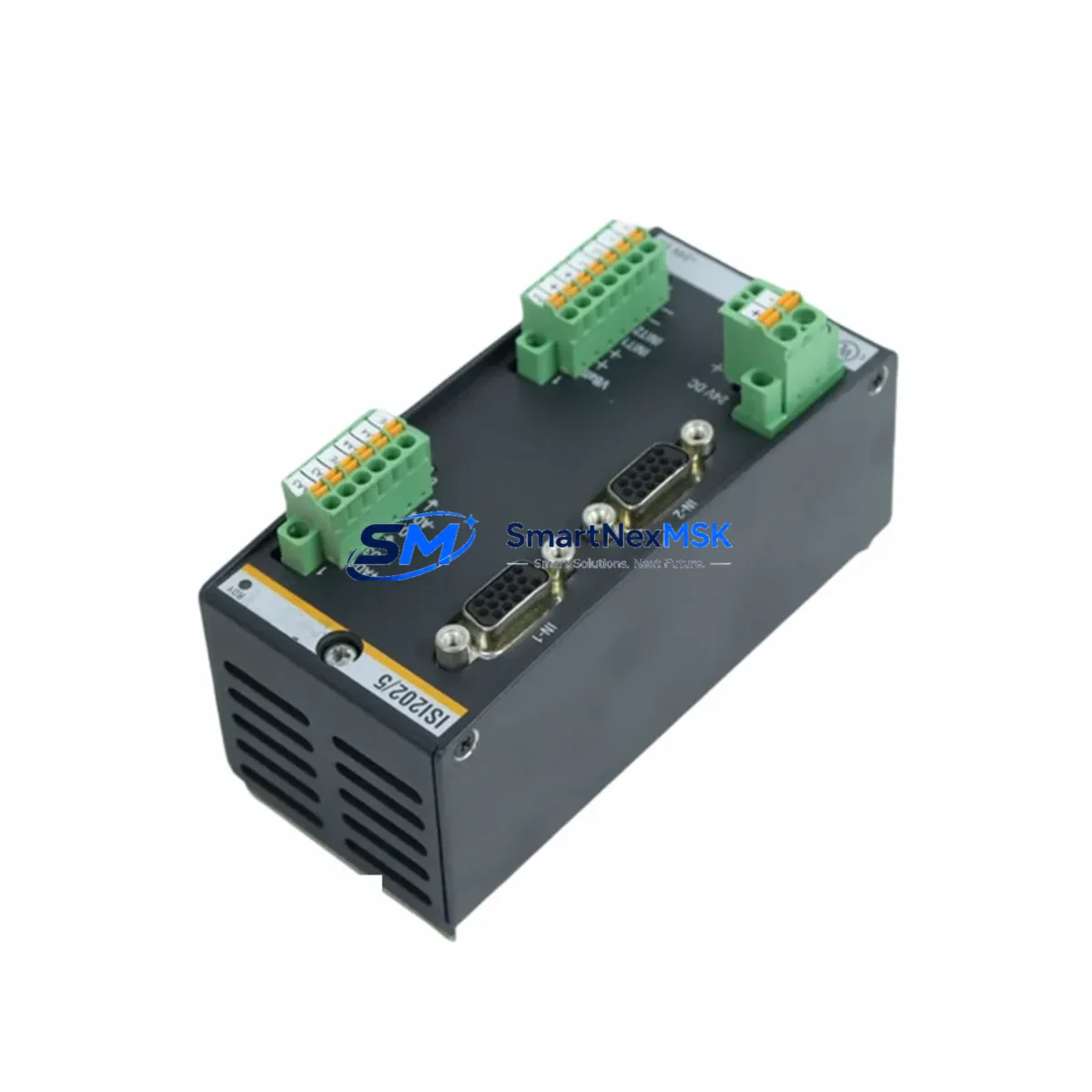
Bachmann ISI202 Maintenance-Ready Spare for M1 Automation
The Bachmann ISI202 is an original encoder interface module designed for integration within the Bachmann M1 Series modular PLC platform — one of the most widely deployed automation controllers in precision machine control, wind turbine management, and industrial process automation. For maintenance engineers managing aging M1 control cabinets, the ISI202 represents a critical spare: its failure directly impacts encoder feedback loops, axis positioning accuracy, and closed-loop drive control. Sourcing a tested, original replacement unit is the fastest path to restoring full system operation and minimizing unplanned downtime.
At SMARTNEXMSK, every ISI202 unit is inspected, functionally tested, and shipped with a 12-month warranty. We maintain long-term inventory of Bachmann M1 Series components to support both emergency breakdown recovery and planned maintenance programs. Whether you are executing a scheduled overhaul or responding to an unplanned fault, our stock is available for immediate dispatch.
Spare Maintenance Table
| Parameter | Specification / Detail |
|---|---|
| Part Number / SKU | ISI202 |
| Brand | Bachmann Electronic |
| Series | M1 Modular PLC Series |
| Module Type | Encoder Interface Module (Incremental / SSI) |
| Compatible Controllers | Bachmann M1 Series CPU modules (MPC240, MPC265, MPC270 and compatible) |
| Encoder Input Channels | 2 channels (incremental encoder / SSI absolute encoder) |
| Signal Interface | RS-422 differential / SSI synchronous serial |
| Supply Voltage | 24 V DC (via M1 backplane) |
| Operating Temperature | 0 °C to +55 °C |
| Mounting | M1 Series backplane slot (DIN rail compatible chassis) |
| Origin | Austria |
| Condition | Original, tested, ready to ship |
| Warranty | 12 months from date of shipment |
| Application Environment | Industrial automation, wind energy, machine tool, process control |
| Maintenance Recommendation | Inspect encoder wiring and shielding at each replacement; verify SSI clock frequency compatibility with connected encoder |
Maintenance Planning for Continuous Operation
When an ISI202 encoder interface module is flagged for replacement during a scheduled inspection or emergency fault response, experienced maintenance engineers know that the encoder module rarely fails in isolation. A thorough site assessment should extend to the surrounding electrical circuit and control cabinet components to prevent repeat failures and ensure a clean return to service.
Begin by inspecting the M1 Series backplane itself — connector pins and slot contacts can degrade over years of thermal cycling, causing intermittent communication faults that are misdiagnosed as module failures. Next, verify the CPU module (such as the MPC240 or MPC265) firmware version to confirm compatibility with the replacement ISI202 hardware revision. Encoder cable integrity is equally critical: damaged or improperly shielded encoder cables introduce noise into the differential RS-422 signal, which can corrupt position data even with a new interface module installed.
The 24 V DC power supply module feeding the M1 rack should be load-tested; a sagging supply rail is a common root cause of encoder interface faults in older cabinets. If the system uses SSI absolute encoders, confirm that the SSI clock frequency setting in the ISI202 configuration matches the encoder’s rated clock speed — a mismatch will cause data frame errors that appear as module faults.
For cabinets that include motion axes, also inspect the associated analog output module (such as the AIO288 or DAC series) that translates encoder feedback into drive reference signals. Relay output modules and digital I/O modules (DIO series) in the same rack should be checked for contact wear if the system has accumulated high cycle counts. In multi-axis systems, the CANopen or PROFIBUS communication module linking the M1 controller to servo drives should be verified for correct node addressing and bus termination after any module swap.
Where signal isolation is required between the encoder circuit and the control system, signal isolators or galvanic separators in the cabinet wiring should be inspected for drift. Terminal blocks and DIN rail terminal strips at the encoder cable entry points are often overlooked — loose or corroded terminals are a leading cause of intermittent encoder faults in field environments. Finally, if the cabinet includes an HMI panel connected to the M1 CPU via Ethernet or serial link, verify that the HMI firmware and project version remain compatible after any CPU or module replacement.
Proactive replacement of the ISI202 as part of a planned maintenance interval — rather than waiting for a fault — is the most cost-effective strategy for high-availability systems where unplanned downtime carries significant production or safety risk.
Site Replacement Workflow
Step 1 — Isolate and de-energize: Follow your site LOTO (Lockout/Tagout) procedure. Remove power from the M1 rack before extracting the ISI202 module. Note the slot position and any DIP switch or jumper settings on the existing module before removal.
Step 2 — Document encoder wiring: Photograph or record the encoder cable connections at the ISI202 terminal block. Label each wire before disconnection. Inspect cable shielding and verify that shield drain wires are terminated correctly at the cabinet earth point — not at both ends, which creates ground loops.
Step 3 — Install replacement ISI202: Insert the new module into the same backplane slot. Replicate all DIP switch settings from the original unit. Reconnect encoder cables in the documented order. Torque terminal screws to specification.
Step 4 — Power-up and configuration verification: Restore power to the rack. Using the Bachmann SolutionCenter engineering tool, verify that the ISI202 is recognized by the CPU and that the encoder channel configuration (resolution, SSI frame length, counting direction) matches the project settings. Monitor the encoder position value in real time to confirm correct signal reception before releasing the axis to automatic control.
Step 5 — Functional test: Execute a controlled axis movement through the full working range. Verify position feedback accuracy against a reference measurement. Log the test result in your maintenance record. Update your spare parts inventory to reflect the consumed unit and initiate a replenishment order to maintain your minimum stock level.
This workflow is applicable whether the ISI202 is replacing a failed unit on an emergency basis or being exchanged as part of a time-based preventive maintenance program. The same procedure supports system upgrades where an older ISI202 revision is being replaced with a current-production unit to extend the operational life of the M1 platform.
Spare Parts Support FAQ
Q1: What is the warranty coverage for the ISI202 supplied by SMARTNEXMSK?
All ISI202 units ship with a 12-month warranty covering manufacturing defects and functional failures under normal operating conditions. Each unit undergoes functional testing prior to dispatch. If a unit fails within the warranty period, we provide a replacement or full refund — contact [email protected] with your order reference and fault description.
Q2: How do I verify compatibility between the ISI202 and my existing M1 system?
Compatibility depends on the M1 CPU firmware version and the SolutionCenter project configuration. Provide us with your CPU module part number and firmware version, and our technical team will confirm hardware revision compatibility before shipment. We recommend always running the latest stable Bachmann firmware to ensure full module support.
Q3: Can the ISI202 replace older encoder interface modules in legacy M1 installations?
Yes. The ISI202 is backward-compatible with earlier M1 backplane generations in most configurations. However, if your installation uses a very early M1 chassis revision, please confirm the backplane bus version with us before ordering. We can advise on any configuration adjustments required to maintain system compatibility.
Q4: What is your recommended spare parts stocking strategy for M1 Series systems?
For critical production systems, we recommend maintaining at least one ISI202 on-site as a cold spare, alongside spares for the CPU module, power supply, and any high-cycle I/O modules in the same rack. For multi-machine installations, a shared pool of two to three ISI202 units is typically sufficient to cover emergency replacement needs while replenishment stock is in transit. Contact us to discuss a long-term supply agreement with reserved inventory allocation.
© 2026 SMARTNEXMSK. All rights reserved.
Original Source: https://smartnexmsk.com
Contact: [email protected] | +86 18259474341