BOCHMANN DPM200 Spare for DPM Series Automation: Spare Replacement & Industrial Downtime Risk Control
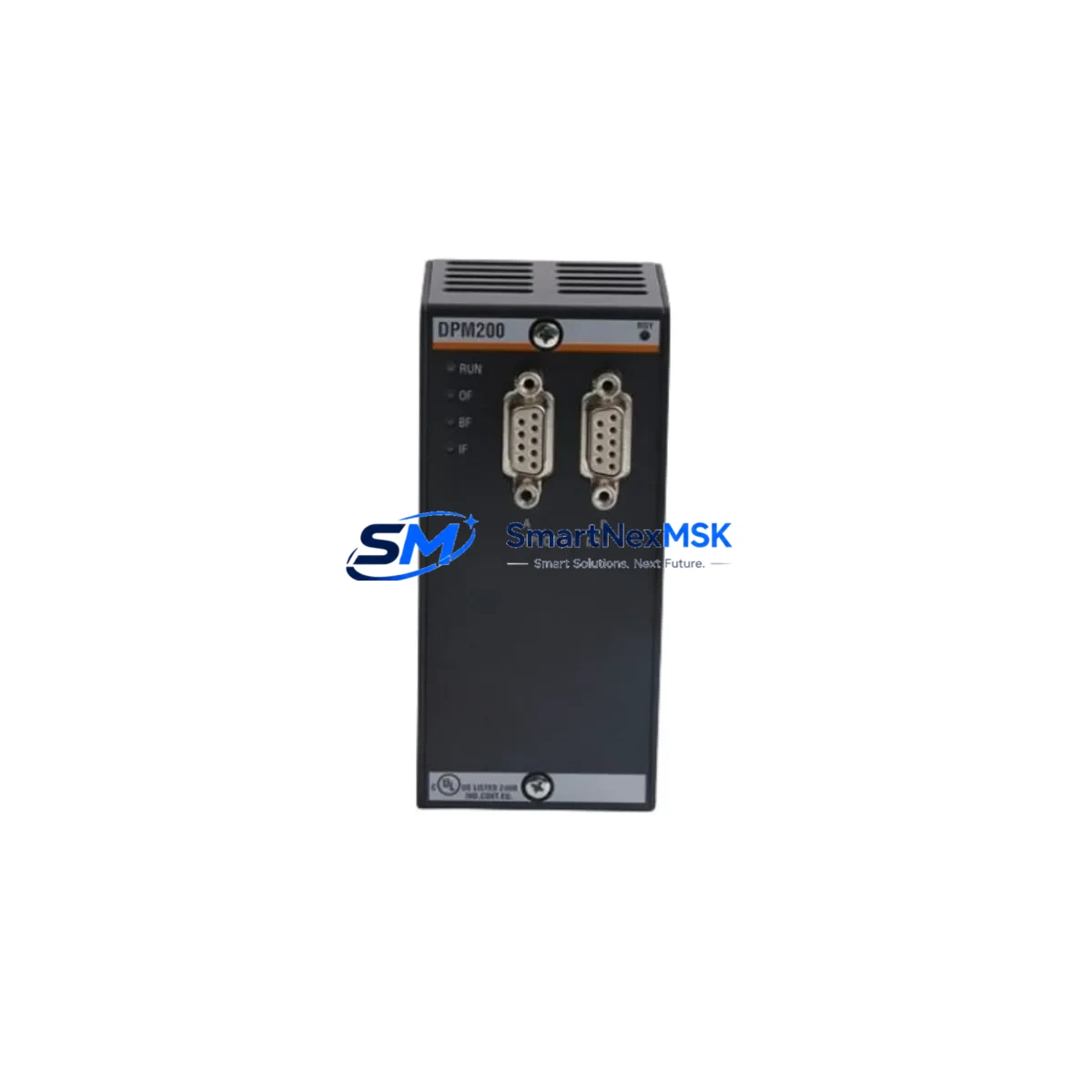
The BOCHMANN DPM200 is an original PROFIBUS DP fieldbus communication module designed for DPM Series automation architectures. In industrial environments where continuous operation is non-negotiable, maintaining a verified spare of the DPM200 in your parts inventory is a fundamental risk-control measure. Whether you are managing a scheduled maintenance window, responding to an unplanned fault, or executing a control cabinet inspection, the DPM200 must be treated as a critical-path component — its failure directly interrupts fieldbus communication between the PLC/DCS controller and field devices, halting process control entirely.
This listing supplies the DPM200 as a maintenance-ready, original spare: inspected, functionally tested prior to shipment, and backed by a 12-month warranty. Each unit is sourced to support long-term availability for legacy and active DPM Series installations, including aging systems where the original manufacturer’s supply chain has become unreliable.
Spare Maintenance Table
| Parameter | Specification / Detail |
|---|---|
| SKU / Part Number | DPM200 |
| Brand | BOCHMANN |
| Series | DPM Series |
| Product Type | PROFIBUS DP Communication Module |
| Communication Protocol | PROFIBUS DP (EN 50170) |
| Compatible Systems | DPM Series PLC / DCS controllers; PROFIBUS DP master/slave networks |
| Installation | Backplane / rack-mount; DPM Series module slot |
| Supply Voltage | Via backplane (5 VDC internal bus, typical) |
| Operating Temperature | 0 °C to +55 °C (standard industrial range) |
| Origin | China (CN) |
| Weight | 220 g |
| Pre-shipment Testing | Functional communication test performed on each unit |
| Warranty | 12 months from date of shipment |
| Maintenance Recommendation | Replace immediately upon PROFIBUS DP fault code; inspect backplane connector pins and termination resistors during replacement |
| Application Environment | Industrial automation, process control, manufacturing, utilities |
Maintenance Planning for Continuous Operation
When a DPM200 fault is identified — whether through a PROFIBUS DP bus error, a GSD configuration mismatch, or a hardware diagnostic alarm — the replacement workflow should extend beyond the module itself. Experienced maintenance engineers treat a communication module failure as a trigger for a broader control cabinet inspection.
Begin by verifying the 24 VDC power supply module feeding the DPM Series rack. A degraded or undersized power supply is a common root cause of intermittent communication faults that are incorrectly attributed to the DPM200. Inspect the backplane bus connector and rack chassis for oxidation, bent pins, or mechanical damage before seating the replacement module.
Check the PROFIBUS DP cable termination at both ends of the segment — a missing or incorrectly placed termination resistor will cause bus instability even after a successful module swap. If the installation uses PROFIBUS DP repeaters to extend segment length, verify their status and signal integrity at this stage.
For systems where the DPM200 interfaces with field I/O, inspect the associated digital input (DI) and digital output (DO) modules in the same rack. Fieldbus communication faults can mask underlying I/O module failures that only become apparent once the bus is restored. Similarly, review any analog input (AI) modules connected to process transmitters — signal drift or open-circuit faults may have been hidden during the communication outage.
If the DPM Series system includes relay output modules controlling contactors or solenoids, verify coil continuity and contact condition as part of the inspection. Relay modules in the same cabinet often share the same power rail as the communication module and can be stressed by the same electrical events that caused the DPM200 failure.
For installations with an HMI panel communicating via PROFIBUS DP or a secondary serial link, confirm that the HMI communication parameters (station address, baud rate) are correctly configured after the module replacement. A mismatch here will prevent the operator interface from reconnecting even when the fieldbus is otherwise healthy.
Where signal isolators are used between the DPM Series controller and field transmitters, inspect isolation barrier integrity — particularly in environments with high electrical noise or ground potential differences. Finally, check fuse holders and miniature circuit breakers in the control cabinet power distribution section; a blown fuse on the 24 VDC bus is easily overlooked and will prevent the replacement DPM200 from powering up correctly.
Maintaining a structured spare parts kit that includes the DPM200 alongside a spare power supply module, a set of PROFIBUS DP connectors, and a replacement I/O module for each critical type used in the installation is the most effective strategy for minimizing mean time to repair (MTTR) in DPM Series-based systems.
Site Replacement Workflow
Step 1 — Fault Confirmation: Confirm the DPM200 as the failed component via the controller’s diagnostic buffer or PROFIBUS DP configuration tool (e.g., STEP 7, TIA Portal, or equivalent). Record the station address and GSD file version before removal.
Step 2 — Safe Isolation: Follow your site’s lockout/tagout (LOTO) procedure. De-energize the rack or, where hot-swap is supported by the DPM Series architecture, follow the manufacturer’s hot-swap sequence. Do not remove the module under full bus load without confirming hot-swap capability.
Step 3 — Physical Replacement: Remove the faulty DPM200. Inspect the backplane slot connector. Seat the replacement unit firmly and secure any retention screws or latches. Reconnect the PROFIBUS DP cable connector, ensuring correct pin orientation (A/B lines, shield).
Step 4 — Configuration Restore: If the DPM200 stores station address or configuration data locally, restore the correct address using the rotary switch or software tool. Load the GSD file into the master configuration if required. Verify the module appears correctly in the bus scan.
Step 5 — Functional Test: Restore power and confirm the DPM200 enters normal operating state (RUN LED, no BF/SF fault indicators). Verify all slave devices on the PROFIBUS DP segment are communicating. Confirm I/O data exchange is correct at the controller level before returning the system to production.
Step 6 — Documentation: Record the replacement date, new module serial number, and any configuration changes in the site maintenance log. Update the spare parts inventory to trigger reorder of a replacement DPM200 for the next event.
Spare Parts Support FAQ
Q1: Is this DPM200 a direct drop-in replacement for the original BOCHMANN module?
Yes. This is an original BOCHMANN DPM200 unit, not a third-party substitute. It is compatible with DPM Series racks and backplanes and requires no hardware modification. Configuration parameters (station address, baud rate) must be set to match the existing network before commissioning.
Q2: How is the DPM200 tested before shipment?
Each unit undergoes a functional communication test prior to dispatch. We verify that the module powers up correctly, passes internal self-diagnostics, and establishes PROFIBUS DP communication. A test report is available on request. The 12-month warranty covers manufacturing defects and functional failures under normal operating conditions.
Q3: What is the recommended spare parts strategy for DPM Series installations?
For critical production lines, we recommend holding a minimum of one DPM200 spare per installed system, with a reorder trigger set at consumption. For facilities with multiple DPM Series racks, a pooled spare strategy — one module covering two to three racks — is acceptable where MTTR targets allow. Long-lead-time sites should consider holding two units given the specialized nature of PROFIBUS DP communication modules.
Q4: Can the DPM200 be used to extend the life of an older DPM Series system that is no longer in active production by BOCHMANN?
Yes. This is one of the primary use cases we support. We maintain long-term stock of DPM200 and related DPM Series components specifically to support legacy system life extension. If your system is approaching end-of-support from the OEM, contact us to discuss a consignment or scheduled supply arrangement to protect your installed base.
© 2026 SMARTNEXMSK. All rights reserved.
Original Source: https://smartnexmsk.com
Contact: [email protected] | +86 18259474341