
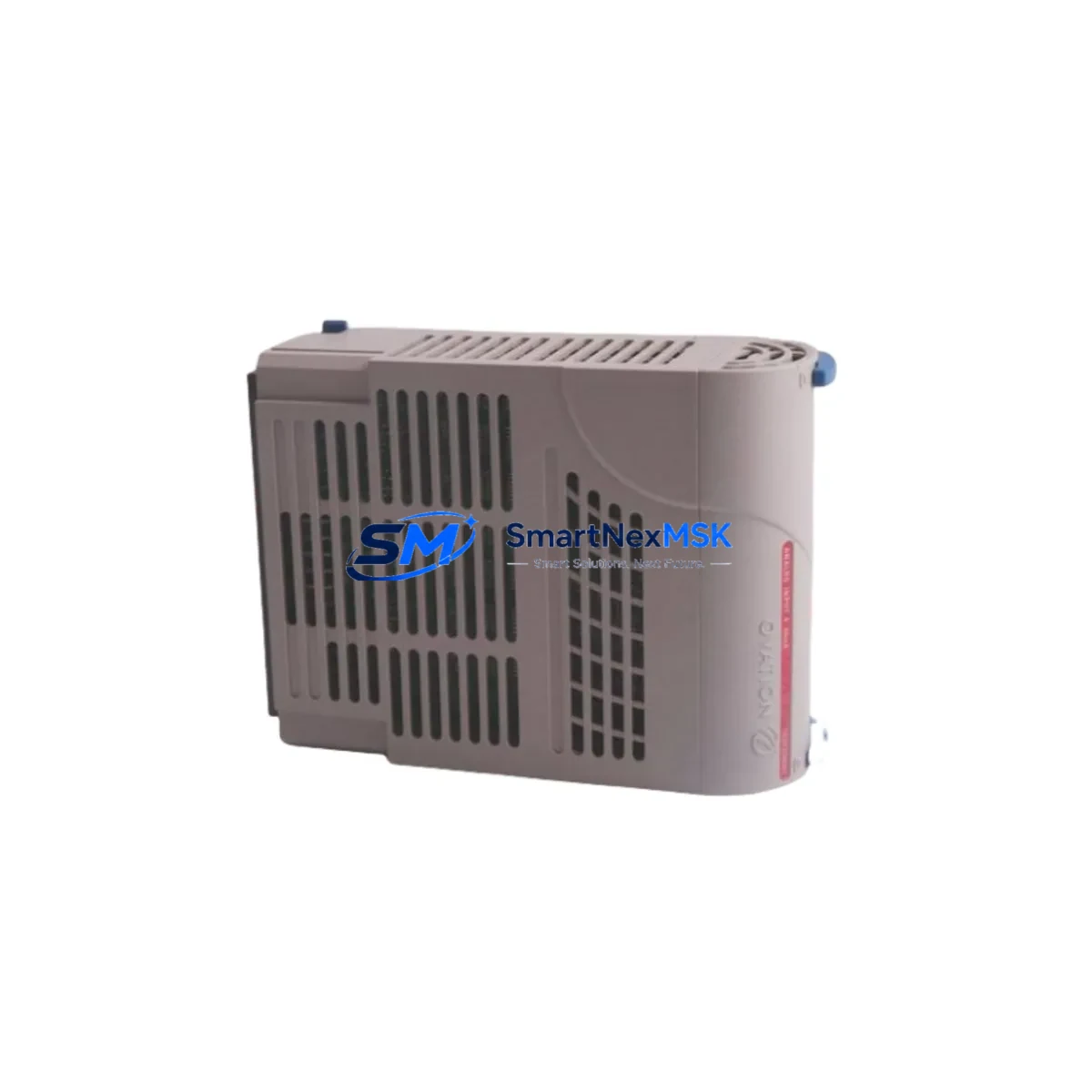
Emerson 1C31169G01 Maintenance-Ready Spare Ovation DCS: Spare Replacement & Industrial Downtime Risk Control
The Emerson 1C31169G01 is a Link Controller module designed for the Ovation Distributed Control System (DCS) platform — one of the most widely deployed process automation architectures in power generation, water treatment, and continuous manufacturing facilities. As a critical communication bridge between the Ovation controller network and field I/O subsystems, the 1C31169G01 manages real-time data exchange across the control loop. When this module fails or degrades, the consequences extend beyond a single loop: entire process segments can go offline, triggering unplanned shutdowns that cost thousands of dollars per hour in lost production.
Stocking a verified, tested replacement of the 1C31169G01 is not optional for facilities running Ovation-based control systems — it is a fundamental element of any credible maintenance strategy. This listing provides an original-specification spare, fully tested prior to shipment, backed by a 12-month warranty, and available for fast global dispatch to minimize your mean time to repair (MTTR).
Spare Maintenance Table
| Parameter | Specification / Detail |
|---|---|
| Part Number / SKU | 1C31169G01 |
| Manufacturer | Emerson (formerly Westinghouse / Ovation) |
| Module Type | DCS Link Controller |
| Compatible Platform | Emerson Ovation DCS Series |
| Communication Role | Controller-to-I/O network link management |
| Mounting | Ovation standard backplane / card rack |
| Power Supply Compatibility | Ovation rack-distributed DC bus (typically 24 VDC) |
| Operating Temperature | 0°C to 60°C (standard industrial enclosure) |
| Application Environment | Power plants, water/wastewater, oil & gas, chemical processing |
| Condition | Original specification, pre-shipment tested |
| Country of Origin | United States |
| Weight | 630 g (approx.) |
| Warranty | 12 Months from date of shipment |
| Lead Time | In-stock: ships within 1–3 business days |
| Maintenance Recommendation | Inspect connector pins, backplane slot, and firmware revision at each planned outage |
Maintenance Planning for Continuous Operation
A Link Controller module like the 1C31169G01 does not operate in isolation. It sits at the intersection of the Ovation controller, the I/O bus, and the process field devices — meaning a failure here can cascade across multiple subsystems simultaneously. Experienced maintenance engineers treat the 1C31169G01 replacement as a trigger for a broader cabinet inspection rather than a single-point swap.
When replacing the 1C31169G01, the following components in the same control cabinet or electrical loop should be inspected or staged as secondary spares:
- Ovation Controller Module (e.g., 1C31197G01 or equivalent OCR400 series): The controller that the link module serves should be checked for firmware version alignment and communication health after any link controller replacement.
- Ovation I/O Module Cards (e.g., 1C31116G01 analog input, 1C31122G01 digital output): Verify that downstream I/O cards are reading correctly after the link is restored; a degraded link can mask latent I/O faults.
- Ovation Power Supply Module (e.g., 5X00119G01 or 1C31234G01): Confirm that rack power supply voltage rails are within tolerance. A marginal power supply is a common root cause of intermittent link controller faults.
- Backplane / Card Rack Assembly: Inspect backplane connector contacts for oxidation or mechanical damage. A worn backplane slot can cause recurring failures even after a new module is installed.
- Communication Cable Assemblies: Check Ovation network cables (coaxial or fiber, depending on system generation) for continuity, bend radius compliance, and connector seating.
- Terminal Blocks and Field Wiring Terminations: Loose or corroded terminal connections on associated I/O marshalling panels can generate spurious signals that stress the link controller.
- Relay Output Modules (e.g., 1C31157G01): If the controlled process includes relay-driven actuators, verify relay coil continuity and contact resistance as part of the same maintenance window.
- Signal Isolators / Barriers: For installations with intrinsically safe field loops, inspect Zener barriers or galvanic isolators in the same segment to rule out ground fault contributions.
- Ovation HMI Workstation Connectivity: After restoring the link controller, confirm that the Ovation operator workstation is receiving live process data without communication alarms or stale-data flags.
- Fuse and Circuit Protection: Check rack-level fuses and any branch circuit protection feeding the control cabinet. A blown fuse on the DC bus is sometimes the actual cause of a link controller appearing to fail.
Staging these components as part of a planned maintenance kit — rather than sourcing them reactively during an emergency — is the single most effective way to compress unplanned downtime from hours to minutes.
Site Replacement Workflow
The 1C31169G01 is a direct replacement for the same part number across all compatible Ovation DCS generations. No firmware re-flashing is required in most standard configurations, though maintenance engineers should verify the firmware revision label on the outgoing module and confirm compatibility with the installed Ovation software version before powering up the replacement.
Step 1 — Isolation: Place the affected Ovation controller in manual or backup mode per your site’s control-of-work procedure. Notify the control room operator before removing any live module.
Step 2 — Module Removal: Power down the card rack slot (or follow hot-swap procedure if supported by your Ovation version). Extract the 1C31169G01 by releasing the front-panel ejector levers. Inspect the backplane connector for damage before inserting the replacement.
Step 3 — Replacement Installation: Seat the new 1C31169G01 firmly into the backplane slot. Confirm the module’s LED status indicators show normal initialization sequence (typically green COMM and PWR LEDs within 30–60 seconds of power-up).
Step 4 — System Verification: From the Ovation workstation, confirm that the link controller is recognized, all associated I/O points are scanning normally, and no communication alarms are active. Run a brief functional check on critical process loops before returning the controller to automatic mode.
Step 5 — Documentation: Record the replacement in your CMMS (Computerized Maintenance Management System) with the new module’s serial number, installation date, and firmware revision. Update your spare parts inventory accordingly.
This workflow is designed to minimize total downtime to under 30 minutes for a prepared maintenance team with the spare module on-site — compared to 24–72 hours or more when sourcing the part reactively after a failure.
Spare Parts Support FAQ
Q1: Is the 1C31169G01 still available as a new or original-specification part?
Yes. While Emerson has evolved the Ovation platform over successive generations, the 1C31169G01 remains available as an original-specification spare to support the large installed base of legacy Ovation systems. Each unit we supply is sourced from verified channels, inspected, and functionally tested before shipment. We do not supply counterfeit, refurbished-without-disclosure, or untested modules.
Q2: How do I verify compatibility with my installed Ovation DCS version before ordering?
The 1C31169G01 is compatible across the core Ovation DCS card rack architecture. To confirm fit for your specific installation, provide your Ovation software version, controller model, and rack configuration when contacting us. Our technical team will cross-reference your system BOM and confirm compatibility before the order is processed — at no additional cost.
Q3: What does the 12-month warranty cover, and what is the claims process?
The 12-month warranty covers manufacturing defects and functional failures under normal operating conditions from the date of shipment. If a module fails within the warranty period, contact us with your order number and a brief fault description. We will arrange a replacement dispatch or credit — typically within 3–5 business days — without requiring the failed unit to be returned before the replacement ships, subject to case review.
Q4: Can I order multiple units for a long-term spare parts inventory program?
Yes, and we recommend it for facilities running multiple Ovation DCS cabinets. Volume pricing is available for orders of 3 or more units. We can also support blanket purchase orders with staged delivery schedules to align with your annual maintenance budget cycles. Contact our sales team to discuss a long-term supply agreement tailored to your site’s spare parts strategy.
© 2026 SMARTNEXMSK. All rights reserved.
Original Source: https://smartnexmsk.com
Contact: [email protected] | +86 18259474341



