
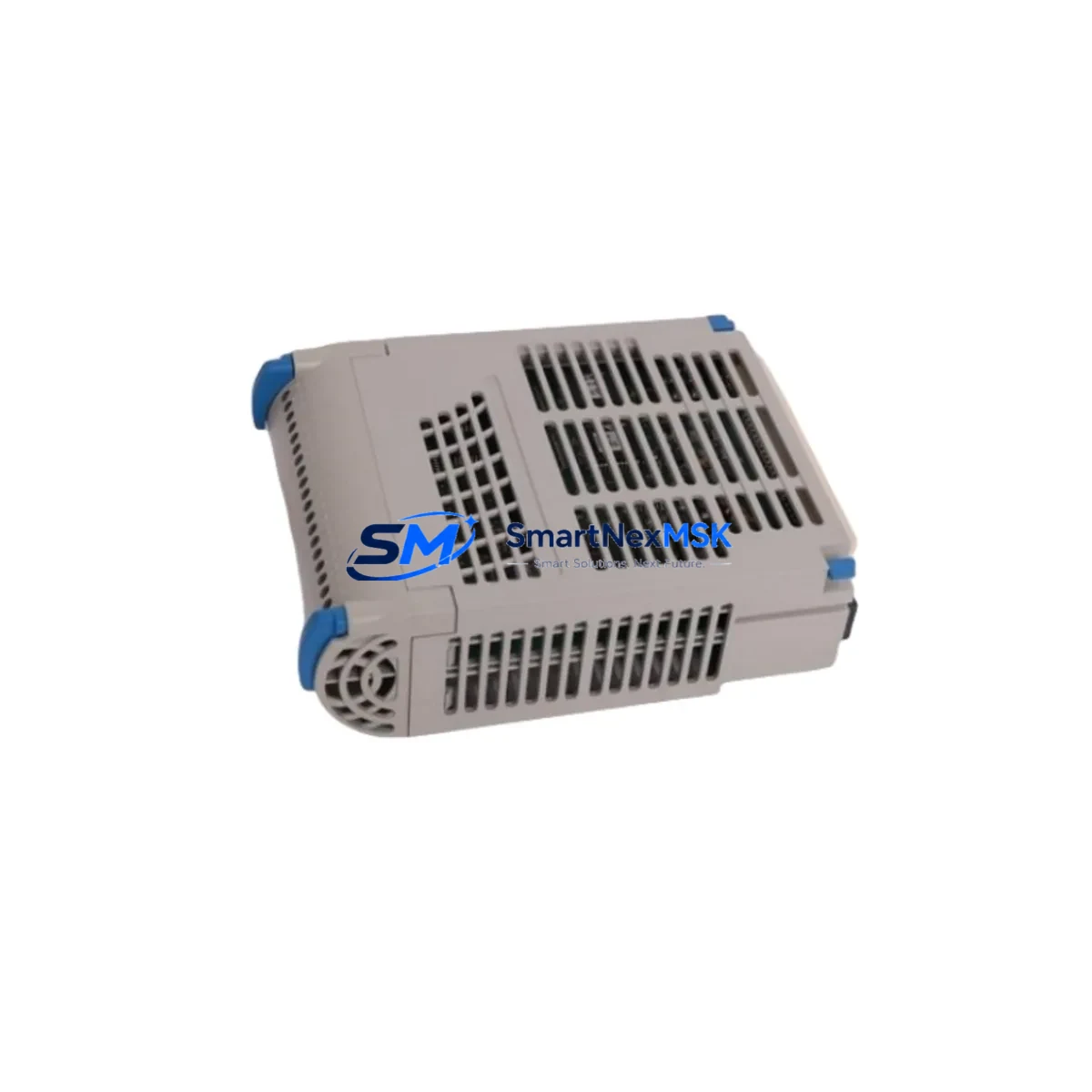
Emerson 1C31181G01 Retrofit-Ready Remote I/O Master for Ovation DCS Control Systems
The Emerson 1C31181G01 is a Remote I/O Master Unit engineered for the Ovation Distributed Control System (DCS) platform — one of the most widely deployed process automation architectures in power generation, oil & gas, and chemical processing facilities worldwide. As legacy Ovation systems approach end-of-life and original spare parts become increasingly scarce, the 1C31181G01 has become a critical retrofit component for engineers tasked with extending the operational life of existing control infrastructure without committing to a full platform migration.
SMARTNEXMSK maintains verified stock of the 1C31181G01 with full functional testing, 12-month warranty coverage, and same-week dispatch capability. Every unit undergoes pre-shipment bench testing to confirm I/O communication integrity, backplane signal continuity, and module addressing before leaving our facility.
Upgrade Compatibility Table
| Parameter | Details |
|---|---|
| Compatible Platform | Emerson Ovation DCS (all generations) |
| Module Function | Remote I/O Master Unit — manages I/O branch communication |
| Backplane Interface | Ovation standard I/O rack backplane connector (direct fit) |
| Communication Protocol | Ovation proprietary I/O bus; compatible with Ovation OCR400 / OCR1100 controllers |
| Installation Requirement | Slot-compatible with standard Ovation I/O rack; no mechanical modification required |
| Replacement Scope | Direct drop-in for discontinued 1C31181G01 units; verify firmware revision with site engineer |
| Commissioning Notes | Confirm module address DIP switch settings match original unit before power-up |
| Wiring Compatibility | Terminal block wiring unchanged; no re-termination required for like-for-like swap |
| HMI / SCADA Impact | No HMI screen changes required for direct replacement; verify tag mapping if firmware differs |
| Warranty | 12 months from date of shipment — covers manufacturing defects and functional failure |
Retrofit Planning for Existing Automation Systems
Replacing the 1C31181G01 in an active Ovation DCS environment requires careful pre-outage planning. The module sits at the heart of the remote I/O branch, coordinating data exchange between field-level I/O modules — such as the 1C31113G01 Analog Input Module and 1C31116G01 Digital Output Module — and the upstream Ovation controller, typically an OCR400 or OCR1100 Controller Module. Before scheduling the swap, engineers should document the existing module address configuration, which is set via onboard DIP switches and must be replicated exactly on the replacement unit to avoid I/O branch communication faults.
Power supply capacity is a frequent oversight in retrofit projects. The 1C31187G01 Power Supply Module feeding the I/O rack must be verified to support the full branch load, particularly if additional I/O modules such as the 1C31234G01 Analog Output Module have been added since the original system commissioning. Rack slot assignments should be cross-referenced against the original system drawing package to confirm the 1C31181G01 occupies the designated master slot — typically slot 1 of the remote I/O rack.
For sites running Ovation’s serial communication infrastructure, the 1C31166G01 Communication Interface Module may also require attention if the retrofit involves a firmware revision change on the I/O master. Communication link integrity between the remote I/O rack and the Ovation network should be validated using the Ovation Developer Studio diagnostic tools prior to returning the loop to automatic control. If the site uses a 1C31107G01 Termination Assembly for field wiring, no re-termination is required for a like-for-like 1C31181G01 replacement — a significant advantage in minimizing outage duration.
Sites upgrading from older Ovation generations may also need to assess compatibility with the Ovation Operator Station (OWS) and associated HMI graphics. In most direct-replacement scenarios, HMI faceplates and alarm configurations remain unaffected. However, if the replacement unit carries a different hardware revision, a brief Ovation controller download may be required to re-establish full I/O branch recognition — a step that should be coordinated with the site’s DCS engineer and documented in the management-of-change (MOC) record.
Downtime Control During System Migration
Minimizing control system downtime during a 1C31181G01 replacement begins with pre-staging the replacement module at least 48 hours before the planned outage window. Confirm the DIP switch address settings on the bench before the module enters the control room. Where the process permits, coordinate with operations to place the affected control loops in manual mode at the Ovation Operator Workstation before de-energizing the I/O rack — this preserves the last known output states and prevents uncontrolled process excursions during the swap.
The physical replacement itself is typically completed within 15–30 minutes for a trained instrument technician. After re-energizing the rack, monitor the Ovation controller’s I/O branch status display to confirm the 1C31181G01 is recognized and all downstream modules — including any 1C31113G01 Analog Input or 1C31116G01 Digital Output modules on the branch — report healthy communication status. Return loops to automatic control sequentially, starting with the lowest-criticality loops, and verify process variable readings against independent field instruments before releasing the system to full automatic operation.
For sites where a cold swap is not acceptable, SMARTNEXMSK can advise on hot-standby configurations and redundant I/O branch architectures available within the Ovation platform to support future zero-downtime maintenance strategies.
Retrofit Support FAQ
Q: Is the 1C31181G01 a direct drop-in replacement for my existing unit?
A: Yes, in the vast majority of Ovation DCS installations the 1C31181G01 is a slot-compatible, wiring-compatible direct replacement. The only pre-installation step is to match the DIP switch module address settings to the original unit. If your site has a non-standard rack configuration, our technical team can review your system drawings prior to shipment.
Q: What commissioning steps are required after installation?
A: After seating the module and restoring rack power, verify I/O branch status in the Ovation Developer Studio or controller diagnostic display. Confirm all downstream I/O modules report active communication. If a firmware mismatch is detected, a controller download may be required — this is a standard Ovation procedure and does not affect the application program logic.
Q: Does the replacement unit come pre-tested?
A: Yes. Every 1C31181G01 shipped by SMARTNEXMSK undergoes functional bench testing covering backplane communication, I/O bus signal integrity, and module addressing verification. A test report is available upon request. All units are covered by a 12-month warranty from the date of shipment.
Q: What is the lead time and what warranty is provided?
A: In-stock units are dispatched within 1–3 business days. Express shipping options are available for urgent outage support. All units carry a 12-month warranty covering manufacturing defects and functional failure under normal operating conditions. Warranty claims are processed directly through SMARTNEXMSK with no third-party involvement.
© 2026 SMARTNEXMSK. All rights reserved.
Original Source: https://smartnexmsk.com
Contact: [email protected] | +86 18259474341



