
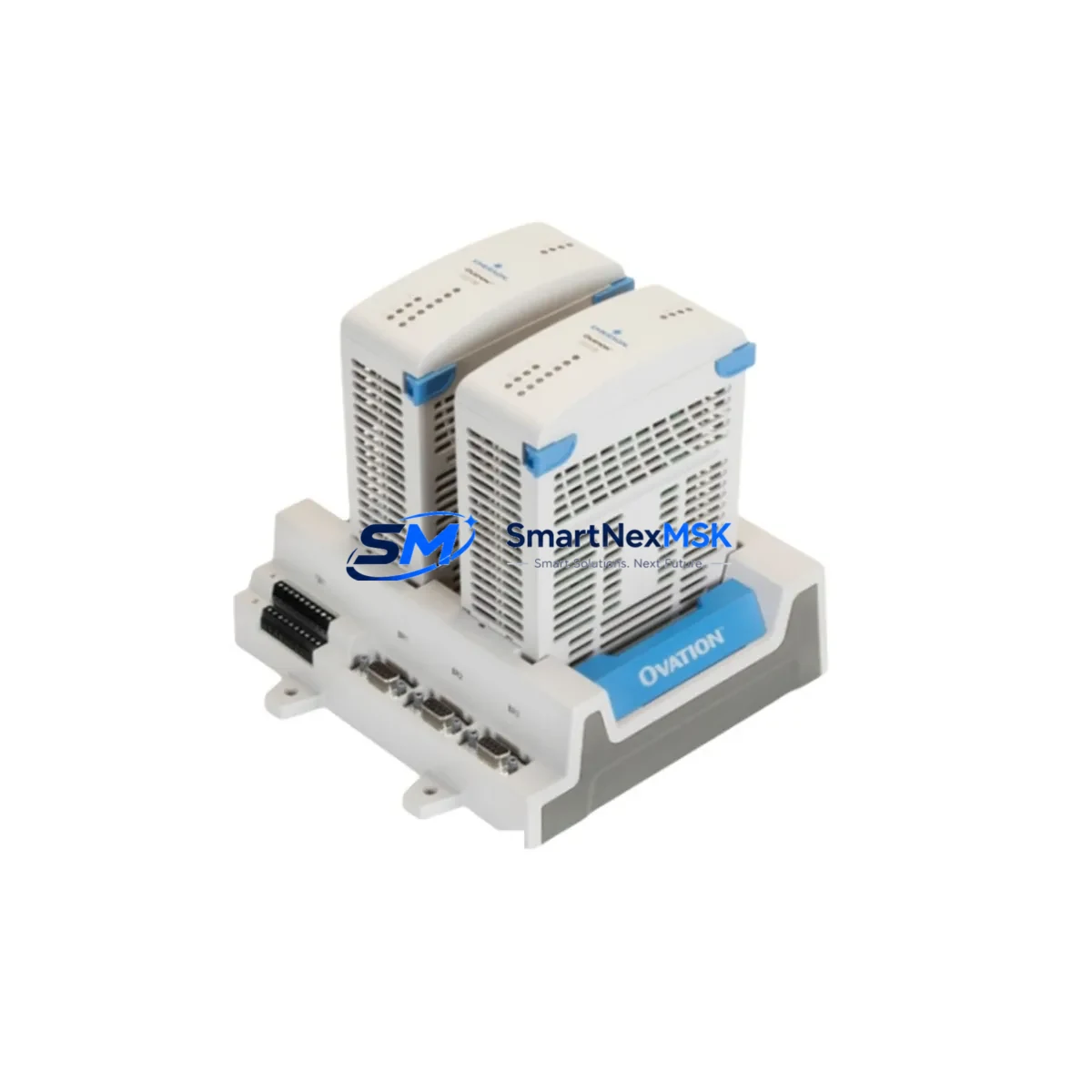
Emerson 1C31205G01 Retrofit-Ready Remote Node Controller for Ovation DCS Control Systems
The Emerson 1C31205G01 is a Remote Node Controller Base module engineered for the Emerson Ovation Distributed Control System (DCS) platform — one of the most widely deployed process automation architectures in power generation, water treatment, and continuous manufacturing facilities. As legacy Ovation hardware reaches end-of-life and OEM support windows close, the 1C31205G01 has become a critical retrofit and replacement component for engineers tasked with sustaining plant operations without a full system overhaul.
This module serves as the backbone of the Ovation Remote Node architecture, managing I/O communication between field devices and the Ovation controller network. When the original 1C31205G01 fails or is flagged for proactive replacement during a planned outage, sourcing a verified, tested substitute is essential to maintaining process continuity. Our stock units are fully tested, serialized, and shipped with a 12-month warranty covering both hardware defects and functional performance.
Upgrade Compatibility Table
| Parameter | Details |
|---|---|
| SKU / Part Number | 1C31205G01 |
| Platform Compatibility | Emerson Ovation DCS (all Remote Node generations) |
| Backplane Interface | Ovation Remote Node Backplane — standard slot pitch, no mechanical modification required |
| Communication Protocol | Ovation Network (proprietary Ethernet-based), compatible with Ovation 3.x and legacy 2.x firmware environments |
| Power Supply Requirement | 24 VDC via backplane; verify PSU capacity before hot-swap in multi-module racks |
| Terminal / Wiring Compatibility | Direct plug-in replacement; field wiring terminations remain unchanged |
| Replacement Recommendation | Drop-in substitute for failed or end-of-life 1C31205G01 units; no firmware re-flash required in most configurations |
| Commissioning Notes | Verify node address assignment via Ovation Developer Studio; confirm I/O map integrity post-swap |
| Warranty | 12 Months — covers hardware defects and functional performance |
Retrofit Planning for Existing Automation Systems
A successful 1C31205G01 retrofit begins well before the module arrives on-site. Engineers should start by auditing the existing Ovation Remote Node cabinet layout, confirming the rack and backplane model — typically an Ovation Remote Node Enclosure housing multiple I/O modules alongside the controller base. The 1C31205G01 occupies a dedicated controller slot; adjacent slots may carry Emerson 1C31224G01 Analog Input modules, 1C31227G01 Analog Output modules, or 1C31166G01 Digital Input/Output modules, all of which remain undisturbed during a controller base swap.
Power budget verification is a mandatory pre-swap step. The Ovation Remote Node power supply — often an Emerson 1C31157G01 or 1C31157G02 Power Supply module — must have sufficient headroom to support the replacement 1C31205G01 during initialization, when inrush current briefly exceeds steady-state draw. If the existing PSU is already operating near capacity due to a fully populated I/O rack, a parallel power supply or load shedding plan should be prepared before the maintenance window opens.
Communication link integrity is equally critical. The 1C31205G01 connects to the Ovation controller network via the node’s Ethernet interface. Before removal of the failed unit, document the node’s IP address, subnet mask, and network node number as configured in Ovation Developer Studio. These parameters must be replicated exactly on the replacement module. In systems running Ovation 3.4 or later, node configuration is stored in the Ovation database and can be pushed to the replacement module automatically after physical installation — significantly reducing commissioning time.
For facilities that have partially migrated from older Ovation 2.x architectures, the 1C31205G01 retrofit may coincide with a broader communication protocol migration. In these environments, the node controller may need to bridge legacy Ovation Data Highway segments with newer Ethernet-based Ovation network segments. Confirm with your Ovation system integrator whether a firmware update to the replacement 1C31205G01 is required to support dual-protocol operation before the module is installed.
HMI continuity is another consideration often overlooked during controller base replacements. Ovation Operator Stations running Ovation Operator Interface (OI) software reference node addresses and I/O point tags that are defined in the Ovation database. Provided the replacement 1C31205G01 is assigned the same node number and the I/O map is preserved, HMI displays, alarm setpoints, and historian tags will continue to function without modification. If the node number changes for any reason, a full HMI point re-mapping exercise will be required — a process that can extend the outage window significantly.
Finally, document the physical wiring at the terminal blocks before disconnecting the failed module. While the 1C31205G01 itself does not carry field wiring directly — terminations are handled by the I/O modules in adjacent slots — the backplane connectors and any inter-module cables should be photographed and labeled. This is particularly important in older installations where as-built drawings may not reflect field modifications made during previous maintenance cycles.
Downtime Control During System Migration
Minimizing unplanned downtime during a 1C31205G01 replacement requires a structured approach to pre-staging, execution, and verification. The most effective strategy is to pre-configure the replacement module offline — assigning the correct node address and verifying firmware version compatibility — before the maintenance window begins. This reduces the in-window task to a physical swap and network re-connection, typically achievable in under 30 minutes for an experienced controls technician.
Where process conditions permit, a hot-standby approach using a pre-staged spare 1C31205G01 is strongly recommended. Ovation systems with redundant controller configurations can transfer control to the secondary node while the primary 1C31205G01 is replaced, maintaining field output states and preventing process upsets. In non-redundant node configurations, coordinate with operations to place the affected process loop in manual control at the Ovation Operator Station before initiating the swap.
Post-installation verification should follow a defined checklist: confirm network communication between the replacement 1C31205G01 and the Ovation Controller, verify all I/O points in the affected node report correctly in Ovation Developer Studio, check alarm states for spurious activations, and confirm historian data continuity. A brief functional test of each I/O channel — cycling digital outputs and verifying analog input readings against field instruments — provides confidence before returning the node to automatic control. All test results should be documented and retained as part of the plant’s maintenance record for the 12-month warranty period.
Retrofit Support FAQ
Q1: Is the 1C31205G01 a direct drop-in replacement for my existing Ovation Remote Node Controller Base?
Yes. The 1C31205G01 is designed as a direct plug-in replacement for the same part number in all Ovation Remote Node enclosures. No mechanical modification, wiring change, or terminal block re-termination is required. Node address and network parameters must be verified and matched to the original configuration in Ovation Developer Studio before returning the node to service.
Q2: What commissioning steps are required after installing the replacement module?
After physical installation, connect to the Ovation network and confirm the node appears in Ovation Developer Studio with the correct node number and IP address. Download the node configuration from the Ovation database if required by your firmware version. Verify all I/O points report correctly, check for diagnostic alarms on the Ovation Operator Station, and perform a channel-level functional test before releasing the node to automatic control.
Q3: How do I verify wiring and terminal compatibility before installation?
The 1C31205G01 connects to the Ovation Remote Node backplane via a direct edge connector — no field wiring terminates on the controller base itself. Field wiring is managed by the I/O modules in adjacent backplane slots. Confirm that the backplane model and slot assignment match the original installation. No wiring changes are required for a like-for-like replacement.
Q4: What does the 12-month warranty cover, and what is the process for a warranty claim?
The 12-month warranty covers hardware defects and functional performance failures under normal operating conditions. If the replacement 1C31205G01 exhibits a fault within the warranty period, contact [email protected] with the unit serial number, fault description, and installation date. A replacement or repair will be arranged with minimal lead time to protect your plant’s operational continuity.
© 2026 SMARTNEXMSK. All rights reserved.
Original Source: https://smartnexmsk.com
Contact: [email protected] | +86 18259474341



