
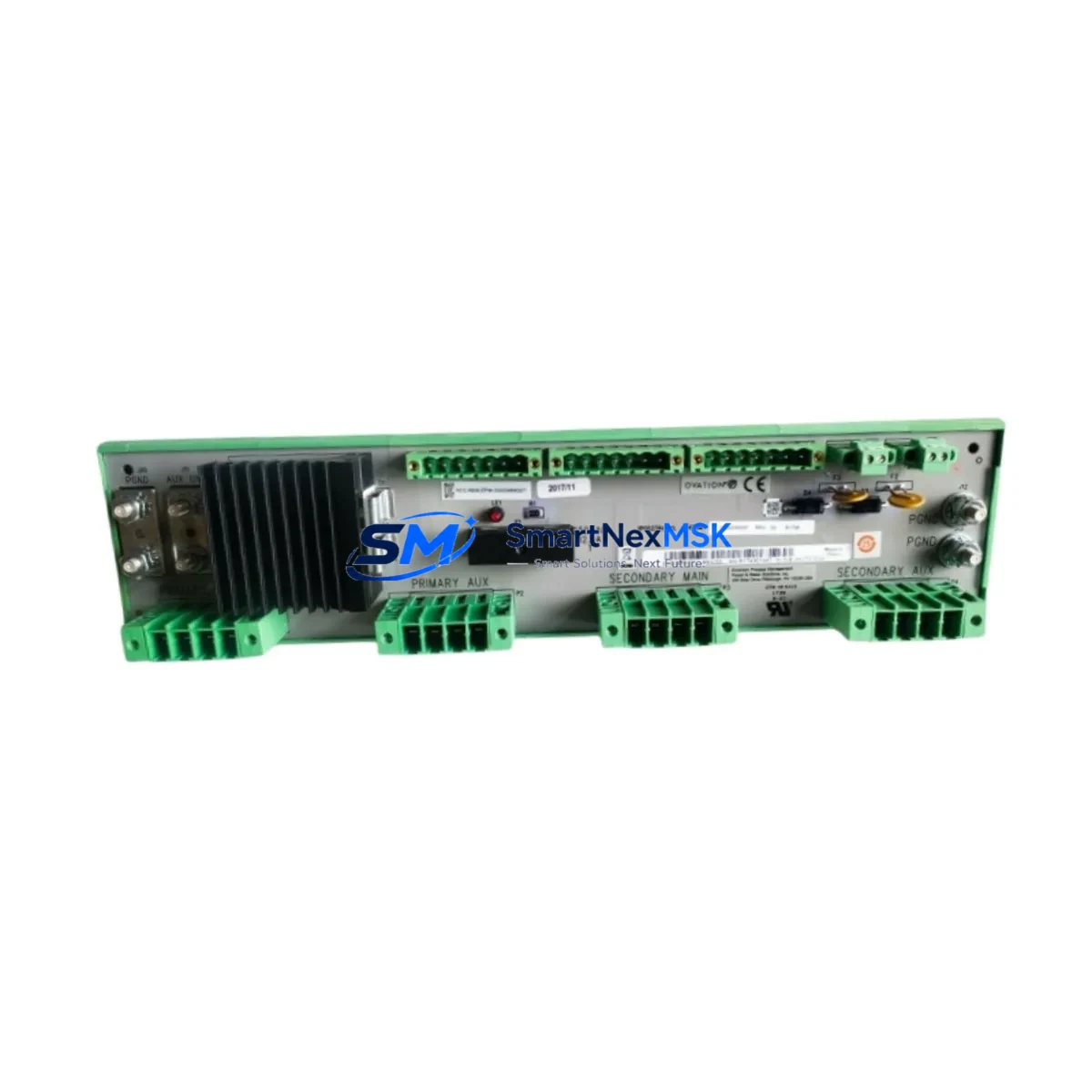
Emerson 1P00239G01 Retrofit-Ready Output Module for Ovation DCS Control Systems
The Emerson 1P00239G01 is a proven DCS output module engineered for seamless integration into Ovation distributed control system architectures. As legacy Ovation installations age and original spare parts become increasingly scarce, the 1P00239G01 serves as a critical retrofit and replacement component for facilities seeking to extend the operational life of their existing control infrastructure without committing to a full platform migration. Whether you are managing a power generation plant, a water treatment facility, or a continuous process manufacturing line, this module delivers the signal conditioning, output drive capability, and backplane compatibility required to maintain uninterrupted control continuity.
When planning a retrofit around the 1P00239G01, engineers must first audit the existing Ovation controller chassis to confirm available backplane slots, verify the I/O bus revision, and cross-reference the module address assignments stored in the Ovation Developer Studio project. The output module occupies a standard Ovation I/O slot and communicates over the proprietary Ovation I/O bus, meaning no additional communication gateway is required when replacing a like-for-like unit. However, if the replacement is part of a broader system upgrade — for example, migrating from an older Ovation 1.x or 2.x controller to a current Ovation 3.x platform — the engineering team must validate that the firmware revision of the 1P00239G01 is compatible with the updated controller software baseline.
Terminal wiring is a critical checkpoint during any output module swap. The 1P00239G01 uses a marshalling terminal block arrangement consistent with the Ovation I/O subsystem standard. Field wiring connected to the outgoing module should be documented, photographed, and tagged before removal. The replacement module must be installed into the same slot position to preserve the hardware address mapping. If the slot address has been reassigned in the control database, the Ovation Developer Studio configuration must be updated and downloaded to the controller before the new module is commissioned. Failure to align the software address with the physical slot will result in I/O faults and potential process upsets.
Power budget verification is equally important. The Ovation I/O chassis power supply — commonly the Emerson 1X00024H01 or 1X00489H01 power supply module — must have sufficient headroom to support the 1P00239G01 alongside all other installed I/O modules. In high-density chassis configurations, adding or replacing output modules without recalculating the power budget can cause intermittent resets or supply faults. Always confirm the chassis load against the power supply’s rated output before finalizing the retrofit plan.
For facilities running Ovation HMI workstations, the output module replacement typically requires no HMI graphic changes, as the process variable tags remain unchanged. However, if the retrofit is accompanied by a controller upgrade — such as replacing an Emerson 1C31227G01 or 1C31234G01 controller module — the HMI communication link must be re-established and verified. Ovation uses a dedicated Ethernet-based communication network between the controller and HMI nodes, and any controller replacement should be followed by a full communication link test before returning the loop to automatic control.
In multi-drop I/O configurations, the 1P00239G01 may share a backplane with analog input modules such as the Emerson 1P00239G02 or digital I/O modules from the Ovation 1C31 series. During commissioning, each module’s LED status indicators should be checked to confirm healthy I/O bus communication. A solid green status LED on the 1P00239G01 confirms that the module has successfully established communication with the Ovation controller and is ready for loop checkout. Any flashing or red fault LED requires investigation of the module address, firmware version, or backplane connector seating before proceeding.
For sites managing a phased migration from legacy Ovation hardware to a newer control platform, the 1P00239G01 can serve as a bridge component — maintaining output control on existing field devices while the broader migration project is staged across planned maintenance windows. This approach minimizes the risk of extended unplanned downtime and allows the engineering team to validate each migrated loop individually before cutting over the entire system. Complementary components commonly involved in such migrations include the Emerson Ovation OCR400 controller, the 1X00024H01 chassis power supply, Ovation I/O termination panels, and the Ovation Developer Studio programming workstation.
Upgrade Compatibility Table
| Parameter | Details |
|---|---|
| SKU / Part Number | 1P00239G01 |
| Brand / Manufacturer | Emerson (formerly Westinghouse / Ovation) |
| Compatible Platform | Ovation Distributed Control System (DCS) |
| Module Type | DCS Output Module |
| Backplane Interface | Ovation Standard I/O Bus |
| Installation Requirement | Standard Ovation I/O Chassis Slot |
| Communication Compatibility | Ovation I/O Bus (no gateway required for like-for-like replacement) |
| Replacement Recommendation | Direct drop-in replacement for same-series Ovation output modules |
| Commissioning Checkpoint | Verify slot address, firmware revision, and power budget before energizing |
| Warranty | 12-Month Warranty included |
| Origin | China (CN) |
| Weight | 630 g |
Retrofit Planning for Existing Automation Systems
A successful retrofit begins well before the module arrives on site. The project engineer should pull the existing Ovation Developer Studio project backup and identify all I/O assignments referencing the slot occupied by the outgoing module. Cross-referencing these assignments against the field instrument loop drawings ensures that no orphaned tags or unresolved references remain in the control database after the swap. In parallel, the site maintenance team should prepare the Ovation I/O chassis by confirming that the backplane bus is healthy — a task typically performed using the Ovation Diagnostic Viewer utility available on the Ovation engineering workstation.
The retrofit scope often extends beyond the output module itself. In aging Ovation installations, it is common to simultaneously replace the chassis power supply (such as the Emerson 1X00024H01), inspect the I/O termination panels for corroded terminals, and update the Ovation controller firmware to the latest supported revision. If the site is also upgrading its HMI infrastructure — for example, migrating from older Ovation HMI nodes running Windows XP to current Windows 10-based Ovation workstations — the output module replacement can be coordinated with the HMI migration to consolidate downtime into a single planned outage window.
For facilities with redundant control architectures, the 1P00239G01 replacement should be performed on the standby controller path first, with a full bumpless transfer test completed before switching the primary path. This approach ensures that the redundancy mechanism remains intact throughout the retrofit and that the process can be returned to automatic control on the primary path within minutes if any issue is detected on the standby side.
Downtime Control During System Migration
Minimizing downtime during an Ovation output module replacement requires a structured pre-outage preparation protocol. Before the maintenance window opens, the engineering team should complete a full backup of the Ovation controller database, export all current tuning parameters, and document the as-found state of all output signals associated with the module being replaced. This documentation serves as the baseline for post-replacement verification and ensures that the process can be restored to its pre-outage state if any unexpected issue arises during commissioning.
During the outage, the replacement sequence should follow a defined step-by-step procedure: isolate the affected output loops, remove the faulty module, install the 1P00239G01 in the same chassis slot, verify the backplane connector seating, restore power, and confirm the module status LED before downloading the control configuration. The entire hardware swap can typically be completed in under 30 minutes by an experienced technician, with the remaining outage time allocated to loop checkout and bumpless transfer verification.
Post-replacement, each output loop should be tested in manual mode before returning to automatic control. The Ovation controller’s built-in diagnostic tools can be used to verify that the output signal from the 1P00239G01 matches the setpoint commanded by the control logic, confirming that the module is functioning correctly and that the field device is responding as expected. Once all loops have been verified, the system can be returned to automatic control and the maintenance record updated to reflect the completed retrofit.
Retrofit Support FAQ
Q1: Is the 1P00239G01 a direct drop-in replacement for the original Ovation output module in the same slot?
Yes. The 1P00239G01 is designed to occupy the same Ovation I/O chassis slot as the original module. Provided the slot address and I/O bus configuration remain unchanged in the Ovation Developer Studio project, no software modifications are required for a like-for-like replacement. Always verify the firmware revision compatibility with your current Ovation controller software version before installation.
Q2: What wiring checks are required before installing the replacement module?
Before removing the outgoing module, document all field wiring connections at the I/O termination panel. Verify that terminal screws are tight and that no wiring has been cross-connected. After installing the 1P00239G01, perform a point-to-point continuity check between the termination panel and the field device before energizing the output loop. This step prevents damage to the new module caused by pre-existing wiring faults.
Q3: How is compatibility with the existing Ovation control system verified before shipment?
Each 1P00239G01 unit undergoes a functional test prior to shipment, including power-on self-test verification and I/O bus communication simulation where applicable. The module’s part number and revision level are confirmed against the order specification. Customers are encouraged to provide their Ovation system version and controller model when placing an order so that any known compatibility considerations can be flagged before the unit ships.
Q4: What does the 12-month warranty cover?
The 12-month warranty covers manufacturing defects and functional failures under normal operating conditions. It does not cover damage resulting from incorrect installation, overvoltage events, or environmental conditions outside the module’s rated specifications. Warranty claims are processed through our sales team at [email protected], and replacement units are dispatched promptly upon confirmation of the defect.
© 2026 SMARTNEXMSK. All rights reserved.
Original Source: https://smartnexmsk.com
Contact: [email protected] | +86 18259474341



