
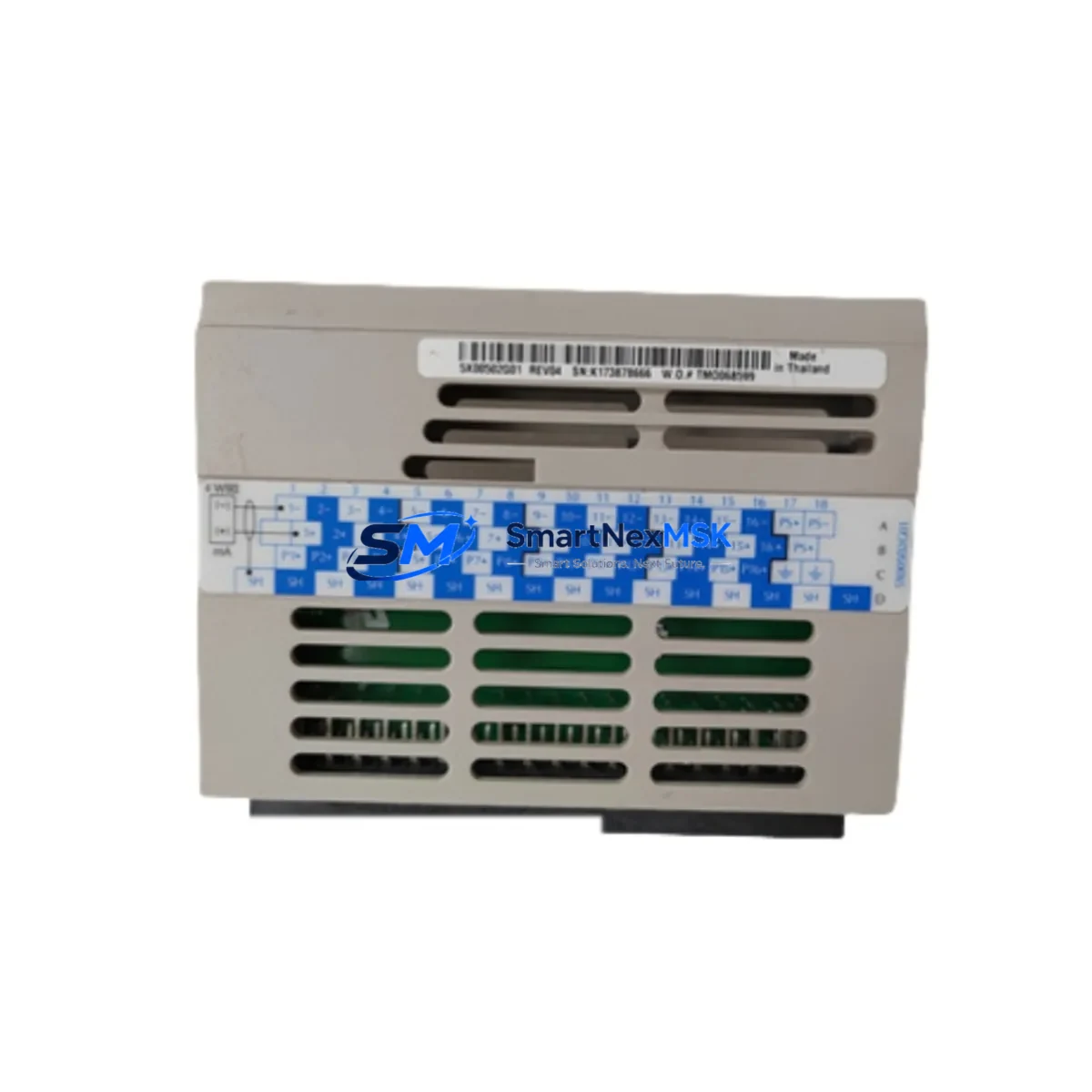
Emerson 5X00502G01 Maintenance-Ready Spare for OVATION Automation
The Emerson 5X00502G01 is an original analog input module designed for the OVATION Distributed Control System (DCS) platform — one of the most widely deployed process automation architectures in power generation, water treatment, and continuous manufacturing facilities. When this module fails or degrades, the consequences extend beyond a single I/O channel: the entire control loop dependent on that signal path is compromised, creating unplanned downtime risk that can cost thousands of dollars per hour in lost production. Stocking a verified replacement of the 5X00502G01 is a fundamental element of any responsible maintenance strategy for OVATION-based control systems.
This listing provides an original Emerson 5X00502G01 analog input module, sourced from authorized supply channels, inspected for physical integrity, and tested prior to shipment. Each unit ships with a 12-month warranty covering manufacturing defects and functional performance. Whether you are executing a planned turnaround, responding to an emergency fault, or building out your critical spare parts inventory, this module is ready for immediate deployment into your OVATION controller cabinet.
Spare Maintenance Table
| Parameter | Specification / Detail |
|---|---|
| Part Number | 5X00502G01 |
| Manufacturer | Emerson Electric / Emerson Automation Solutions |
| Platform | OVATION DCS |
| Module Type | Analog Input Module |
| Signal Type | 4–20 mA / 1–5 V analog process signals |
| Channel Count | Multi-channel analog input (per OVATION I/O architecture) |
| Compatibility | OVATION controller cabinets; compatible with standard OVATION I/O backplane and termination assemblies |
| Installation | Direct backplane insertion; no field wiring modification required for like-for-like replacement |
| Operating Environment | Industrial control room / DCS cabinet; standard IEC 61131-2 environmental ratings |
| Condition | Original Emerson; inspected and function-tested |
| Warranty | 12 Months — covers manufacturing defects and functional performance |
| Lead Time | In-stock units ship within 1–3 business days |
| Origin | United States |
Maintenance Planning for Continuous Operation
Replacing the 5X00502G01 in an OVATION DCS cabinet is rarely an isolated task. Experienced maintenance engineers know that an analog input module failure is often a symptom of broader electrical stress in the I/O subsystem. Before returning the loop to service, a thorough site inspection should cover the following associated components and assemblies:
Power Supply Modules: Verify that the OVATION power supply module feeding the affected I/O cabinet is delivering stable, within-spec DC voltage. Overvoltage transients are a leading cause of premature analog module failure. If the power supply shows signs of ripple or output drift, replace it concurrently with the 5X00502G01 to prevent repeat failures.
Termination Assemblies and Field Wiring: The OVATION termination assembly (TA) connected to the 5X00502G01 should be inspected for corroded terminals, loose screw connections, and moisture ingress. A degraded TA can introduce signal noise that mimics module failure and will damage a new module if left unaddressed. Check field cable shielding continuity and verify that shield grounds are properly landed at the cabinet end only.
I/O Backplane and Slot Connectors: Inspect the backplane slot into which the 5X00502G01 seats. Bent or oxidized connector pins on the backplane can cause intermittent communication faults that are misdiagnosed as module failures. Clean the slot contacts with approved contact cleaner before inserting the replacement module.
OVATION Controller Module: If multiple analog input modules in the same cabinet are reporting faults simultaneously, the OVATION controller module itself may be the root cause. Verify controller firmware version compatibility with the replacement 5X00502G01 and check the controller’s diagnostic logs for upstream communication errors.
Communication and Network Infrastructure: OVATION DCS relies on a redundant Ethernet-based control network. Confirm that the network switch ports serving the affected cabinet are operating correctly and that no packet loss is occurring on the OVATION network segments. A degraded network connection can cause the controller to misread analog input data even when the module hardware is functional.
Signal Isolators and Barriers: For loops where field instruments are located in hazardous areas, inspect the associated Zener barriers or galvanic isolators in the marshalling cabinet. A failed isolator will present as an analog input fault at the 5X00502G01 and will not be resolved by module replacement alone.
Fuses and Circuit Protection: Check all fuses on the field loop circuits associated with the replaced module. Blown fuses on 24 VDC transmitter supply circuits are a common secondary finding during analog input module replacements and should be documented and replaced as part of the corrective maintenance record.
HMI and Historian Verification: After module replacement and loop restoration, verify that the OVATION Operator Station (OWS) and process historian are receiving correct, scaled engineering-unit values from all channels on the replaced module. Confirm that no alarm suppression or forced values remain active from the fault period.
Maintaining a minimum of one spare 5X00502G01 per OVATION cabinet cluster — alongside spares for the associated power supply, controller module, and termination assemblies — is the industry-standard approach for facilities targeting less than four hours of mean time to repair (MTTR) on DCS I/O faults.
Site Replacement Workflow
Step 1 — Pre-Replacement Verification: Confirm the failed module’s part number (5X00502G01) against the cabinet drawing and the OVATION configuration database. Verify that the replacement unit’s hardware revision is compatible with the installed OVATION software version. Document the current channel configuration, scaling parameters, and alarm setpoints before removal.
Step 2 — Safe Isolation: Place the affected control loops in manual mode at the OVATION Operator Workstation. Notify the process operations team and obtain a permit to work if required by site safety procedures. De-energize the specific I/O slot using the cabinet’s local isolation switch if available, or follow the OVATION hot-swap procedure if the system supports online module replacement.
Step 3 — Module Removal and Inspection: Remove the faulty 5X00502G01 by releasing the module locking mechanism and sliding it clear of the backplane. Inspect the removed module for visible damage — burn marks, cracked components, or moisture contamination — and photograph for the maintenance record. Inspect the vacated backplane slot as described above.
Step 4 — Replacement Installation: Insert the new 5X00502G01 firmly into the backplane slot until the locking mechanism engages. Power up the slot and observe the module status LEDs. The OVATION controller should automatically recognize the replacement module and restore the channel configuration from the controller database within the normal scan cycle.
Step 5 — Loop Verification and Return to Service: Verify all analog input channels on the replaced module against known reference signals or field instrument outputs. Confirm engineering-unit scaling, alarm limits, and historian tags are functioning correctly at the OWS. Return all affected loops to automatic control and document the completed replacement in the site CMMS.
This workflow applies equally to planned preventive replacements during scheduled outages and to emergency corrective replacements during unplanned downtime events. The 5X00502G01’s direct plug-in compatibility with the OVATION backplane eliminates the need for field wiring changes, making it one of the fastest I/O module replacements in the OVATION platform.
Spare Parts Support FAQ
Q1: Is this 5X00502G01 an original Emerson module or a third-party equivalent?
This is an original Emerson 5X00502G01 module, not a third-party copy or remanufactured substitute. Each unit is sourced from verified supply channels and inspected before shipment. Original modules ensure full compatibility with OVATION controller firmware and eliminate the configuration risks associated with non-OEM alternatives.
Q2: What does the 12-month warranty cover, and how is a warranty claim handled?
The 12-month warranty covers manufacturing defects and functional performance failures under normal operating conditions. If a module fails within the warranty period, contact our sales team with the order number and a description of the fault. We will arrange a replacement shipment or issue a credit, depending on your preference and the fault diagnosis outcome.
Q3: Can this module be used as a direct replacement for earlier OVATION analog input module revisions?
The 5X00502G01 is designed for direct backplane replacement within the OVATION I/O architecture. Hardware revision compatibility should be verified against your site’s OVATION software version and cabinet configuration drawings before installation. Our technical team can assist with compatibility confirmation if you provide your OVATION system version and existing module revision details.
Q4: How quickly can this module be shipped, and do you support emergency orders?
In-stock units are dispatched within 1–3 business days under standard lead times. For emergency maintenance situations requiring same-day or next-day dispatch, contact our sales team directly at [email protected] or +86 18259474341 to confirm stock availability and arrange expedited shipping. We support air freight and courier options for time-critical spare parts requirements globally.
© 2026 SMARTNEXMSK. All rights reserved.
Original Source: https://smartnexmsk.com
Contact: [email protected] | +86 18259474341



