
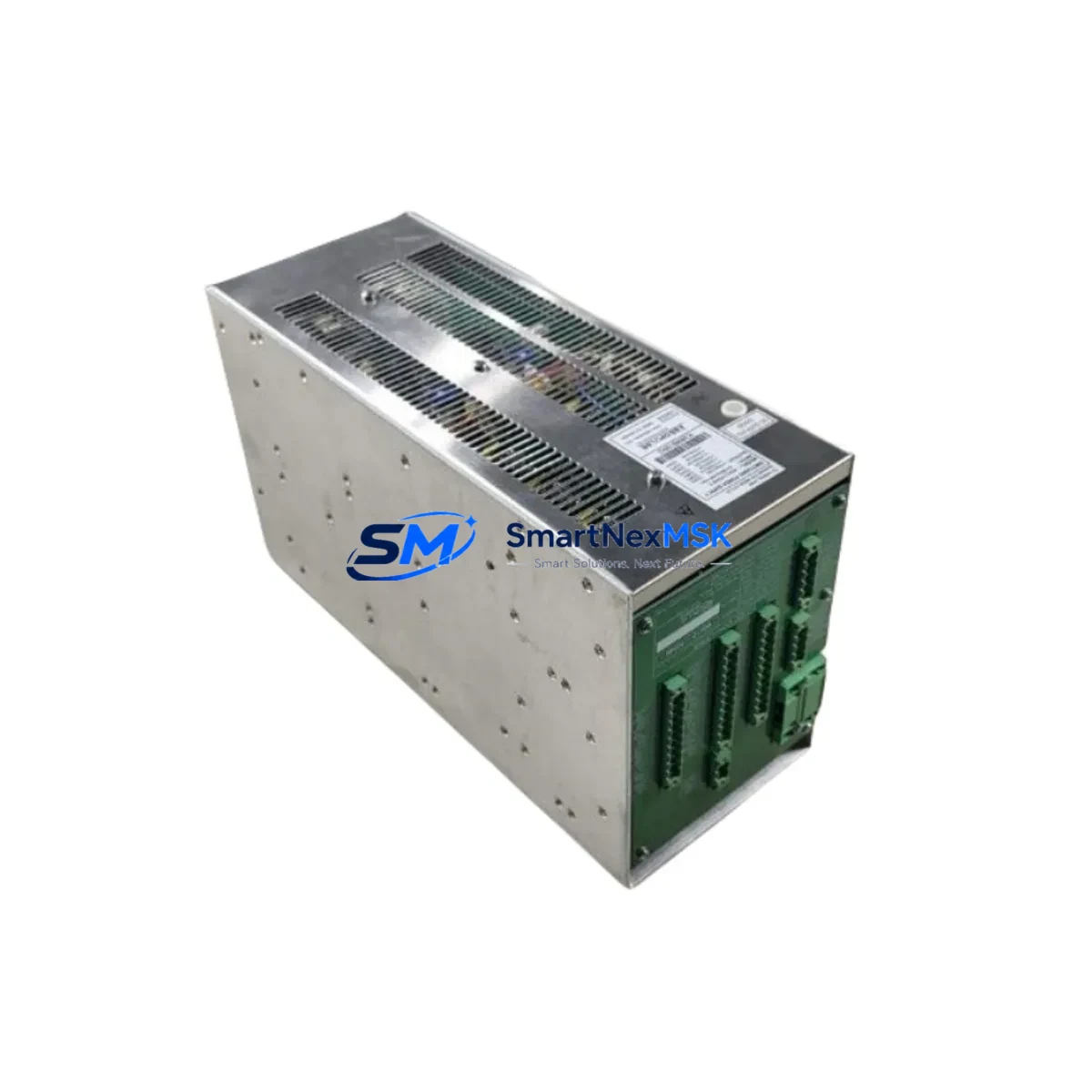
Emerson 80026-173-23 Spare for MOX12 Ovation Automation: Spare Replacement & Industrial Downtime Risk Control
The Emerson 80026-173-23 is an original power supply module designed for the MOX12 chassis within the Emerson Ovation Distributed Control System (DCS) platform — one of the most widely deployed process automation architectures in power generation, water treatment, and continuous manufacturing facilities. When this module fails or degrades, the consequences extend far beyond a single rack: the entire Ovation controller node loses regulated DC power, triggering cascading I/O faults, communication dropouts, and unplanned process shutdowns. Sourcing a verified, tested replacement unit is the fastest path to restoring normal operation.
At SMARTNEXMSK, every 80026-173-23 unit is sourced from original Emerson supply channels, subjected to pre-shipment functional testing, and dispatched with a 12-month warranty. Our inventory is maintained specifically to support maintenance engineers and procurement teams who cannot afford extended lead times on critical DCS spare parts.
Spare Maintenance Table
| Part Number | 80026-173-23 |
| Brand | Emerson |
| Series / Platform | Ovation DCS — MOX12 Chassis |
| Module Type | Power Supply Module |
| Compatible Chassis | MOX12-P3509B and equivalent MOX12-series backplanes |
| Nominal Input Voltage | 120/240 VAC, 50/60 Hz (dual-range) |
| DC Output | +5 VDC, ±15 VDC regulated rails (typical Ovation PSU spec) |
| Form Factor | Single-slot plug-in module, front-access extraction |
| Operating Temperature | 0 °C to 60 °C (32 °F to 140 °F) |
| Relative Humidity | 5% to 95% non-condensing |
| Installation Environment | Control room cabinet, NEMA 12 / IP54 enclosure or better |
| Compatibility Verified | MOX12 backplane; Ovation controller nodes OCR400, OCR1100 |
| Maintenance Recommendation | Inspect output voltage rails annually; replace at first sign of ripple or thermal discoloration |
| Pre-Shipment Testing | Full functional load test performed on every unit |
| Warranty | 12 Months — covers manufacturing defects and functional failure |
| Lead Time | In-stock; ships within 1–3 business days |
| Origin | United States (Emerson OEM) |
Maintenance Planning for Continuous Operation
A power supply failure in an Ovation DCS cabinet rarely occurs in isolation. Maintenance engineers performing a planned replacement of the 80026-173-23 should treat the event as a full cabinet health audit. Begin by verifying the integrity of the MOX12 backplane bus connectors — oxidized or loose backplane contacts are a common root cause of premature PSU failure and will damage a replacement module if left unaddressed.
Next, inspect the Ovation OCR400 or OCR1100 controller module seated in the same chassis. A degraded power rail can corrupt controller firmware or cause intermittent watchdog resets that are difficult to diagnose after the PSU is replaced. While the cabinet is de-energized, check the Ovation I/O modules — particularly analog input cards such as the 5X00106G01 and digital output modules — for signs of thermal stress or connector wear, as these share the same regulated DC bus.
The Ovation communication interface module (typically an Ethernet or ARCNET card) should also be inspected: power transients during PSU failure events are a known cause of communication module lockups. If the site uses signal isolators on 4–20 mA loops feeding the Ovation I/O, verify isolator output accuracy after power restoration, as some isolator models are sensitive to supply voltage dips.
For sites running redundant power configurations, confirm that the redundant PSU module (if installed in the second slot) has been exercised recently and is not silently degraded. Redundant PSU pairs that have never been tested under switchover conditions are a common gap in maintenance programs. Additionally, review the 24 VDC field power distribution terminals and associated fuse blocks or circuit breakers in the marshalling cabinet — a blown field power fuse can mimic a PSU fault and should be ruled out before module replacement.
Finally, if the Ovation system interfaces with a Wonderware or Emerson DeltaV HMI workstation via OPC or proprietary network, verify that the HMI communication link recovers cleanly after power restoration. Some HMI configurations require a manual OPC server restart following a DCS node power cycle.
Site Replacement Workflow
Step 1 — Isolation and Permit: Obtain a Permit to Work (PTW) and isolate the affected Ovation controller node per site LOTO procedures. Confirm that the process loop is in manual or that a redundant controller has assumed control before de-energizing the cabinet.
Step 2 — Document Pre-Removal State: Record all active alarms, controller status LEDs, and I/O module fault indicators before extraction. Photograph the wiring and module positions if the cabinet layout is not fully documented.
Step 3 — Module Extraction: Release the front-panel locking lever and slide the 80026-173-23 straight out of the MOX12 chassis slot. Avoid rocking the module, as the backplane connector pins are precision-aligned.
Step 4 — Inspect and Clean: Inspect the vacated slot’s backplane connector for bent pins, debris, or corrosion. Clean with dry compressed air or approved contact cleaner before inserting the replacement unit.
Step 5 — Insert Replacement: Align the replacement 80026-173-23 with the chassis guide rails and seat firmly until the locking lever engages. Do not force — resistance indicates misalignment.
Step 6 — Power-Up and Verify: Re-energize the cabinet and observe the PSU status LED. Confirm that the controller module returns to RUN state and that all I/O modules report healthy. Verify process variable readings against field instruments before returning the loop to automatic control.
Step 7 — Close Out: Update the maintenance log with the replaced part number, serial number, date, and technician ID. Return the failed unit to the spare parts store for failure analysis if required by site procedures.
This workflow is compatible with hot-standby Ovation configurations where a redundant controller node can maintain process control during the replacement, reducing planned downtime to under 30 minutes in most installations.
Spare Parts Support FAQ
Q1: Is the 80026-173-23 still in production, or is this an end-of-life spare?
Emerson has transitioned several legacy Ovation PSU part numbers to managed availability status. SMARTNEXMSK maintains a dedicated inventory of 80026-173-23 units sourced from original production runs and verified refurbishment channels. Each unit passes functional testing before shipment, and our stock is replenished on a rolling basis to support long-term site maintenance programs. Contact our team for multi-unit or annual blanket order arrangements.
Q2: How do I confirm compatibility with my specific MOX12 chassis revision?
The 80026-173-23 is designed for the MOX12-P3509B backplane and is compatible with standard MOX12-series chassis revisions used in Ovation OCR400 and OCR1100 controller nodes. If your chassis carries a non-standard revision suffix, share your cabinet nameplate data with [email protected] and our technical team will confirm compatibility before shipment.
Q3: What does the 12-month warranty cover, and what is the claim process?
The 12-month warranty covers functional failure and manufacturing defects under normal operating conditions. It does not cover damage caused by incorrect installation, overvoltage events, or physical impact. To initiate a warranty claim, contact [email protected] with your order number, a description of the fault symptom, and photos of the module and installation environment. Replacement units are dispatched within 3 business days of claim approval.
Q4: Can I order multiple units for a site spare parts inventory program?
Yes. SMARTNEXMSK supports bulk and blanket purchase orders for site spare parts programs. Multi-unit orders receive priority allocation from our dedicated Ovation DCS inventory. We recommend maintaining a minimum of one cold-standby 80026-173-23 per Ovation controller node on sites where the module is not installed in a redundant PSU configuration. Contact us for volume pricing and consignment stock arrangements.
© 2026 SMARTNEXMSK. All rights reserved.
Original Source: https://smartnexmsk.com
Contact: [email protected] | +86 18259474341



