
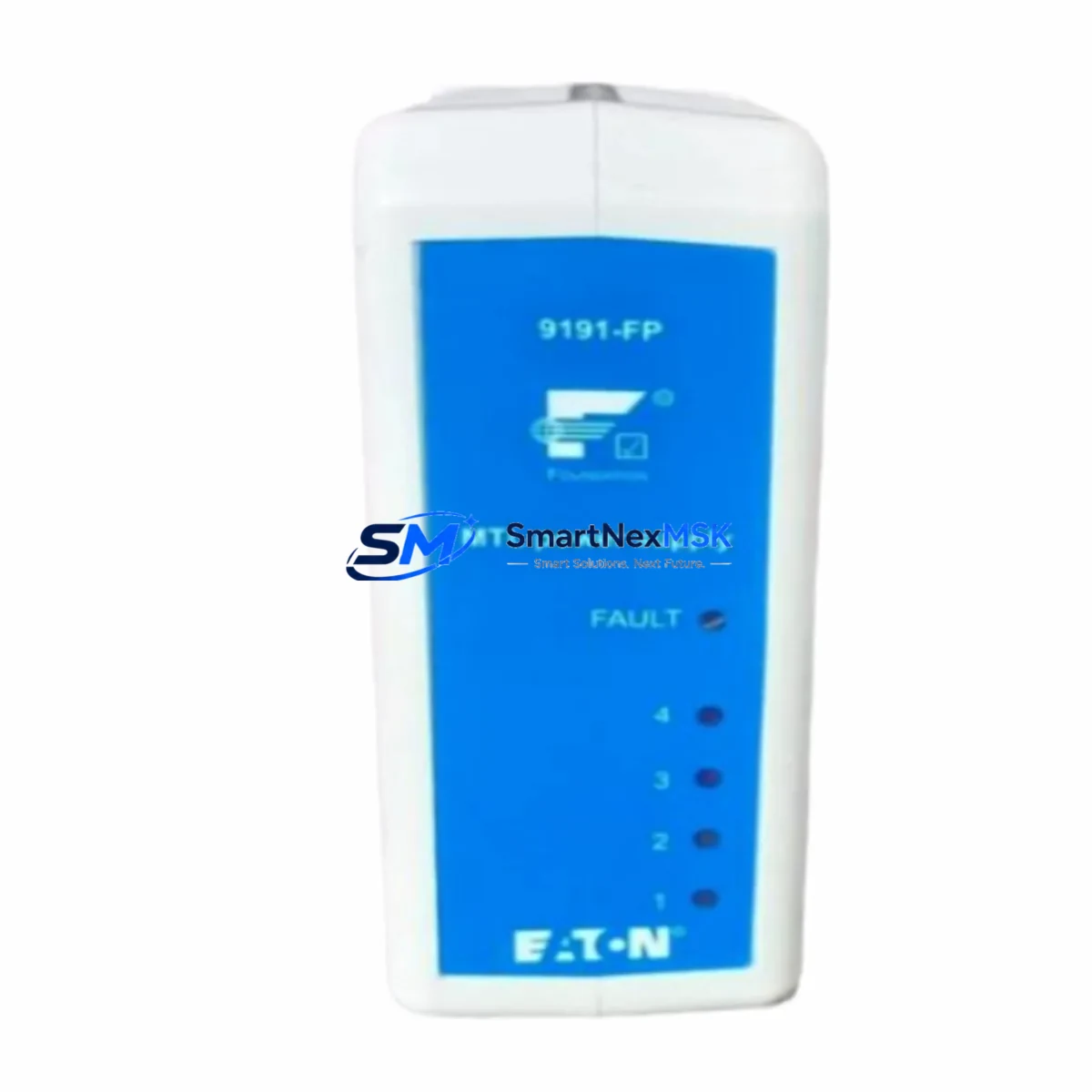
Emerson 9191-FP Maintenance-Ready Spare for DeltaV Automation
The Emerson 9191-FP is a field-proven power supply module designed for the DeltaV distributed control system platform — one of the most widely deployed DCS architectures in process industries including oil & gas, chemical, pharmaceutical, and power generation. When a power supply module fails or degrades in a live DeltaV system, the consequences extend far beyond a single I/O card: controller nodes lose regulated power, field device communication drops, and the entire process loop may trip to a safe state, triggering unplanned downtime that costs thousands of dollars per hour. Stocking a verified 9191-FP spare is not optional for any serious maintenance program — it is a fundamental risk-control measure.
This listing provides an original Emerson 9191-FP module, sourced from authorized supply channels, individually inspected, and tested prior to shipment. Each unit ships with a 12-month warranty covering manufacturing defects and functional failure under normal operating conditions. Our global logistics network supports expedited delivery to minimize mean time to repair (MTTR) for critical process facilities worldwide.
Spare Maintenance Table
| Parameter | Specification / Detail |
|---|---|
| Part Number / SKU | 9191-FP |
| Manufacturer | Emerson (Fisher-Rosemount / DeltaV) |
| Product Series | DeltaV DCS |
| Module Type | DCS Power Supply Module |
| Compatibility | DeltaV Series controller backplanes and I/O carrier assemblies; compatible with MD, MD Plus, S-series, and M-series DeltaV controllers |
| Input Voltage | 24 VDC nominal (typical DeltaV field power bus) |
| Output / Function | Regulated DC power distribution to DeltaV I/O subsystem |
| Mounting | DeltaV carrier / backplane slot — tool-free hot-swap capable (verify with site configuration) |
| Operating Temperature | 0 °C to 60 °C (32 °F to 140 °F) |
| Relative Humidity | 5% to 95% non-condensing |
| Application Environment | Control room, marshalling cabinet, field junction box (IP20 enclosure minimum) |
| Condition | Original / New — pre-shipment functional test completed |
| Country of Origin | United States |
| Warranty | 12 Months — covers manufacturing defects and functional failure under normal use |
| Lead Time | In-stock: ships within 1–3 business days; expedited available |
| Certifications | CE, UL (per Emerson DeltaV platform certification) |
Maintenance Planning for Continuous Operation
A power supply module failure in a DeltaV system rarely occurs in isolation. Maintenance engineers performing root-cause analysis after a 9191-FP failure should systematically inspect the surrounding electrical environment before returning the system to service. Overlooking a degraded upstream component risks repeat failure within weeks.
Begin with the DeltaV controller module (such as the MD or MD Plus controller) seated in the same carrier. A power transient that damaged the 9191-FP may have stressed the controller’s internal power regulation circuitry. Verify controller diagnostics via DeltaV Diagnostics Explorer before declaring the system healthy. Next, inspect the DeltaV I/O carrier and backplane assembly — connector pins on the carrier can oxidize or sustain arc damage during a power event, causing intermittent I/O faults even after the power supply is replaced.
Check all 24 VDC field power distribution terminals and associated terminal blocks in the marshalling cabinet. Loose or corroded terminations are a leading cause of power supply overload. Inspect DIN-rail mounted fuse holders and fuse links protecting individual field loops — a blown fuse on a 4–20 mA analog input loop can mask a short-circuit condition that contributed to the original failure. For sites using Emerson DeltaV CHARM I/O modules or traditional 8-channel analog input / output cards, verify that each card’s power LED is illuminated and that no over-current fault codes are logged.
Review the DeltaV power supply redundancy configuration. Many DeltaV installations use paired power supply modules for N+1 redundancy. If the failed 9191-FP was the primary unit, confirm that the redundant module has been carrying full load and assess whether it shows signs of thermal stress. Inspect cabinet cooling fans and air filters — elevated ambient temperature inside the control cabinet is a primary accelerant of power supply degradation. For systems with Emerson DeltaV FOUNDATION Fieldbus H1 interface cards or PROFIBUS DP interface modules, verify that fieldbus segment power conditioners are functioning correctly, as fieldbus power faults can back-feed into the DeltaV power bus. Finally, review the UPS (uninterruptible power supply) feeding the DeltaV cabinet — a UPS with a degraded battery bank can produce voltage sags that stress power supply modules over time.
Site Replacement Workflow
Step 1 — Preparation and Safety Isolation: Before removing the failed 9191-FP, document the current system state using DeltaV Diagnostics. Capture all active alarms, controller health status, and I/O module states. If the system is not in a redundant configuration, coordinate with operations to place the affected process loops in manual mode to prevent uncontrolled process upsets during the swap.
Step 2 — Module Removal: The 9191-FP is designed for carrier-based installation. Confirm whether your site configuration supports hot-swap replacement. If hot-swap is not enabled or the system is simplex, follow the site-specific de-energization procedure. Remove the failed module by releasing the locking tab and sliding it clear of the carrier connector. Inspect the carrier connector for debris, oxidation, or bent pins before installing the replacement.
Step 3 — Replacement Installation: Align the new 9191-FP with the carrier guide rails and slide it firmly into the slot until the locking tab engages. The module should be recognized automatically by the DeltaV system within seconds. Monitor the module status LED — a solid green indication confirms successful power-up and communication with the controller.
Step 4 — System Verification: Use DeltaV Diagnostics Explorer to confirm that all I/O modules downstream of the replaced power supply are reporting healthy status. Verify that no new alarms have been generated. Check field device communication on all loops served by the affected carrier. Return process loops to automatic control only after confirming stable operation for a minimum observation period per your site’s maintenance procedures.
Step 5 — Documentation and Spare Replenishment: Record the replacement in your CMMS (Computerized Maintenance Management System) with the failed module’s serial number, failure mode, and replacement date. Immediately initiate a purchase order for a replacement 9191-FP spare to restore your on-hand inventory level. A single-unit spare buffer is the minimum recommended for any DeltaV installation; high-criticality sites should maintain two units.
Spare Parts Support FAQ
Q1: Is the 9191-FP compatible with all DeltaV system versions?
The 9191-FP power supply module is compatible with the DeltaV carrier-based I/O architecture used across multiple DeltaV generations. However, Emerson periodically revises hardware revisions and firmware dependencies. We recommend confirming your DeltaV system version and carrier type against the Emerson DeltaV hardware compatibility matrix before installation. Our technical team can assist with compatibility verification prior to order confirmation.
Q2: What pre-shipment testing is performed on each unit?
Every 9191-FP unit undergoes a functional power-on test to verify output voltage regulation, inrush current behavior, and status LED operation before shipment. Units that do not meet specification are quarantined and not shipped. A test record is available upon request for quality-critical procurement processes.
Q3: What does the 12-month warranty cover, and how is a warranty claim processed?
The 12-month warranty covers manufacturing defects and functional failure under normal operating conditions (within specified voltage, temperature, and humidity ranges). It does not cover damage caused by incorrect installation, overvoltage events, or physical mishandling. To initiate a warranty claim, contact our sales team with the order number, unit serial number, and a description of the failure symptom. We will arrange return logistics and ship a replacement unit upon receipt and inspection of the returned module.
Q4: How should the 9191-FP be stored if not immediately installed?
Store the module in its original anti-static packaging in a dry environment between -25 °C and +70 °C with relative humidity below 90% non-condensing. Avoid storing near strong electromagnetic fields or corrosive atmospheres. Inspect the module and connector pins for oxidation before installation if the unit has been in storage for more than 12 months. Long-term storage beyond 24 months should be reviewed against Emerson’s recommended shelf-life guidelines for electronic modules.
© 2026 SMARTNEXMSK. All rights reserved.
Original Source: https://smartnexmsk.com
Contact: [email protected] | +86 18259474341



