
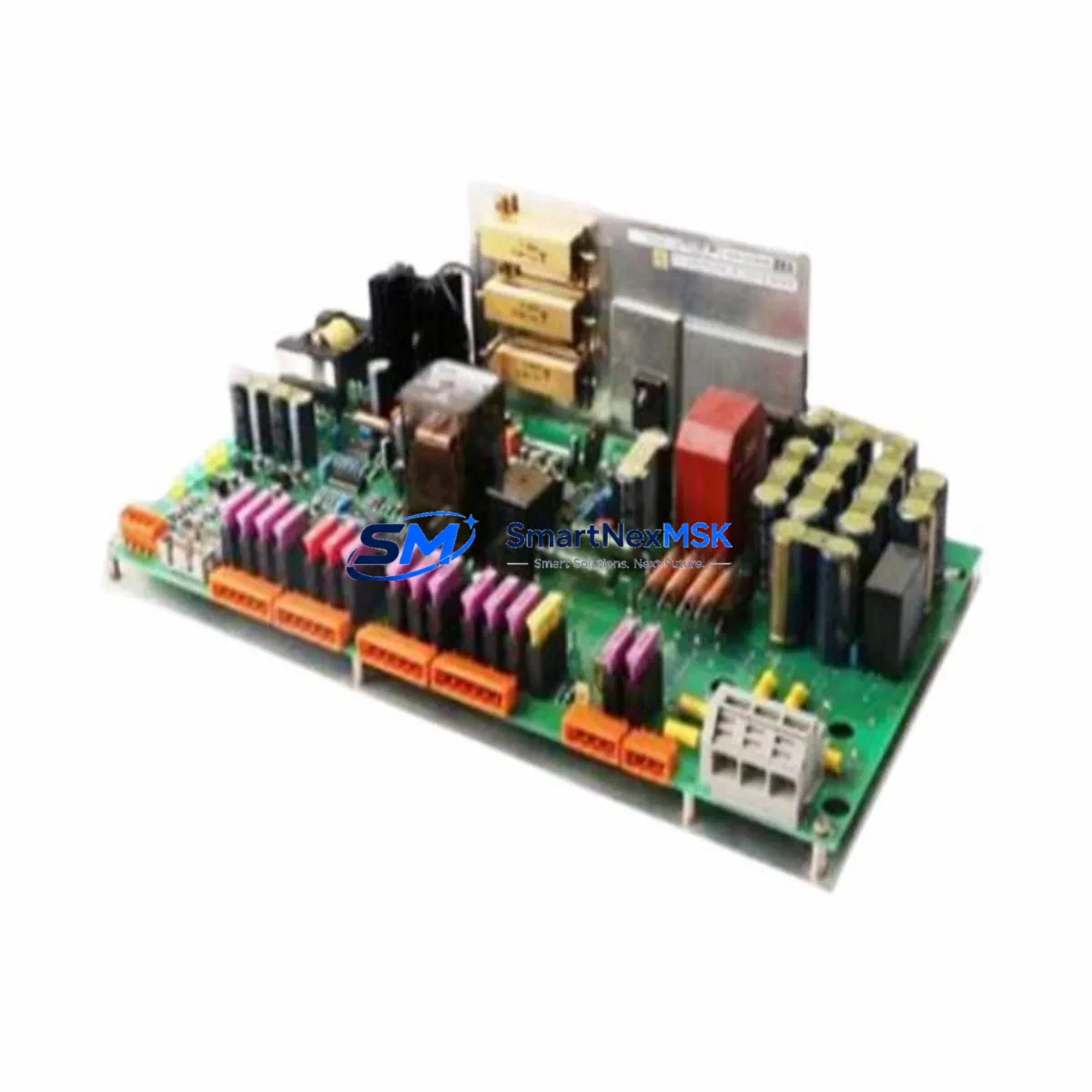
EMERSON A6500-UM Retrofit-Ready Universal Measurement Card: Compatible Upgrade for Ovation DCS Control Systems
The EMERSON A6500-UM Universal Measurement Card is a critical I/O component within the Ovation Distributed Control System (DCS) platform, widely deployed across power generation, water treatment, and process manufacturing facilities. As legacy Ovation systems age and original spare parts become increasingly difficult to source, the A6500-UM has emerged as one of the most sought-after retrofit and replacement modules for engineers managing aging control infrastructure. This listing provides a tested, wiring-compatible, and firmware-verified replacement unit backed by a 12-month warranty and supported by experienced industrial control system engineers.
Whether you are replacing a failed card in an emergency shutdown scenario, building a spare parts inventory for a planned outage, or executing a phased modernization of your Ovation DCS cabinet, the A6500-UM is a direct drop-in solution that minimizes engineering rework and reduces total downtime. Each unit is pre-tested against Ovation backplane communication standards before shipment, ensuring compatibility with the Ovation controller network and associated I/O bus architecture.
Upgrade Compatibility Table
| Parameter | Details |
|---|---|
| Compatible Platform | Emerson Ovation DCS (all generations) |
| Module Function | Universal Measurement — analog input signal conditioning |
| Backplane Interface | Ovation I/O bus, standard card-edge connector |
| Terminal Wiring | Compatible with existing field wiring; no rewiring required for direct replacement |
| Communication Protocol | Ovation proprietary I/O bus; compatible with Ovation network communication modules |
| Installation Requirement | Standard Ovation I/O rack/chassis; no additional hardware adapters required |
| Module Address | Configured via Ovation Developer Studio; address must match original slot assignment |
| Replacement Recommendation | Direct 1:1 replacement for failed or end-of-life A6500-UM units |
| Commissioning Notes | Verify I/O configuration in Ovation Developer Studio; confirm signal scaling and alarm limits post-installation |
| Warranty | 12 months from date of shipment |
Retrofit Planning for Existing Automation Systems
Successful retrofit of the A6500-UM into an existing Ovation DCS environment requires careful pre-planning across several engineering disciplines. Before removing the failed card, engineers should document the current I/O channel assignments, signal types (thermocouple, RTD, milliamp, or millivolt), and alarm setpoints stored in the Ovation Developer Studio database. This baseline documentation is essential for restoring the system to its pre-failure state without introducing configuration drift.
The A6500-UM slots into the standard Ovation I/O chassis alongside companion modules such as the Ovation power supply module, which must be verified to provide adequate current capacity for the expanded or restored I/O count. In multi-drop cabinet configurations, the Ovation communication interface module handles the data highway between the I/O chassis and the Ovation controller — confirming that this link is intact before and after card replacement is a mandatory commissioning step.
For facilities running mixed I/O architectures, the A6500-UM often coexists in the same rack with Ovation digital input modules, Ovation digital output modules, and Ovation analog output modules. Engineers should confirm that the rack’s total power budget accommodates all installed cards, particularly when replacing a failed unit that may have caused a partial power fault. The Ovation I/O chassis backplane should be inspected for burn marks or connector damage before inserting the replacement A6500-UM.
In systems where the Ovation DCS communicates upstream to a SCADA platform or historian via OPC DA or OPC UA, the A6500-UM’s tag assignments must be verified in the Ovation configuration database to ensure that historian data continuity is maintained after the swap. HMI graphics tied to the affected measurement points should be tested in simulation mode before returning the loop to automatic control. Where the facility uses an Ovation operator workstation running the Ovation HMI environment, operators should confirm that all associated faceplates and trend displays reflect live data from the replacement card within the first 15 minutes of commissioning.
For projects involving broader system modernization — such as migrating from an older Ovation 1.x or 2.x platform to a current Ovation 3.x architecture — the A6500-UM is frequently used as a bridge component, maintaining I/O continuity while the Ovation controller module and Ovation network switch infrastructure are upgraded in parallel. In these phased migration scenarios, the A6500-UM’s compatibility with both legacy and current Ovation backplane standards makes it a preferred choice for minimizing the scope of simultaneous changes.
Downtime Control During System Migration
Minimizing unplanned downtime is the primary engineering objective when replacing the A6500-UM in a live production environment. The recommended approach is a hot-standby swap procedure: where the Ovation system architecture supports redundant I/O, the standby channel should be confirmed active before the primary A6500-UM is removed. In non-redundant configurations, the affected process loops should be placed in manual control at the Ovation operator workstation, with field operators stationed at the relevant control valves or actuators to maintain process stability during the card exchange.
The physical card swap itself typically takes under five minutes for a trained technician familiar with the Ovation I/O chassis latch mechanism. The majority of the downtime window is consumed by pre-swap verification, post-swap configuration confirmation in Ovation Developer Studio, and loop testing. To protect the original program logic, a full Ovation database backup should be performed before any hardware change, and the backup should be stored on a separate engineering workstation or network drive — not solely on the Ovation controller module itself.
After the A6500-UM is seated and the chassis is powered, the Ovation system will perform an automatic card recognition sequence. Engineers should monitor the Ovation system status display for any I/O fault alarms and confirm that all channel diagnostics return to normal within the expected initialization window. Once all channels are confirmed healthy, the affected loops can be returned to automatic control in a staged sequence, starting with the lowest-criticality loops and progressing to primary process control loops. This staged return minimizes the risk of simultaneous process upsets across multiple control loops.
Retrofit Support FAQ
Q1: Is the A6500-UM a direct replacement for the original Emerson Ovation Universal Measurement Card, or does it require configuration changes?
The A6500-UM is a direct hardware replacement. The module slots into the same backplane position and uses the same terminal wiring as the original card. However, the Ovation Developer Studio configuration must be verified after installation to confirm that channel assignments, signal types, and engineering unit scaling match the original setup. No hardware adapters or wiring modifications are required.
Q2: What commissioning steps are required after installing the replacement A6500-UM?
After physical installation, confirm card recognition in the Ovation system status display, verify all I/O channel diagnostics are fault-free, check signal scaling and alarm limits in Ovation Developer Studio, and perform a loop test on each active channel before returning loops to automatic control. HMI faceplates and historian tag assignments should also be confirmed live before closing out the work order.
Q3: Can the A6500-UM be used in an Ovation system that has been partially upgraded to a newer controller generation?
Yes. The A6500-UM is compatible with mixed-generation Ovation architectures, including systems where the Ovation controller module has been upgraded while the I/O chassis and backplane remain at an earlier hardware revision. Confirm the firmware version of the replacement card against the Ovation system’s current software release to ensure compatibility, and consult the Ovation I/O compatibility matrix if the system is running a non-standard configuration.
Q4: What does the 12-month warranty cover, and what is the process for a warranty claim?
The 12-month warranty covers manufacturing defects and functional failures under normal operating conditions. Each A6500-UM unit is tested prior to shipment and ships with a test report. In the event of a warranty claim, contact our technical support team with the order number and a description of the fault. We will arrange for a replacement unit to be dispatched and provide a return shipping label for the defective module. Warranty claims are typically resolved within 5 business days.
© 2026 SMARTNEXMSK. All rights reserved.
Original Source: https://smartnexmsk.com
Contact: [email protected] | +86 18259474341



